
ACF Views Pro is a practical WordPress plugin built for users who want to display Advanced Custom Fields data on the front end without relying heavily on custom PHP templates. For many WordPress professionals, ACF is one of the most important tools in the development stack because it allows websites to store structured data in a clean, scalable way. Instead of forcing everything into the standard post editor, ACF makes it possible to create custom fields for almost any kind of content. You can build service pages with pricing blocks, team directories with role descriptions, property listings with specifications, product showcases with technical details, and portfolio items with project metadata.
The challenge begins after the fields are created. Storing structured data with ACF is relatively easy, but presenting that data properly on the website usually requires template editing, theme customization, or additional development work. In many cases, you need to use PHP functions, conditional logic, loops, and field formatting rules just to render the content in the right order. That is manageable for developers, but it can become repetitive, slow down production, and make the site harder to maintain. For non-developers, it is often a major barrier.
ACF Views Pro solves this problem by giving WordPress users a more efficient way to turn ACF data into front-end output. Instead of hand-coding every display block, you can create reusable views that define how the fields should appear. This makes the workflow faster, more scalable, and more accessible. It also helps reduce the gap between content structure and content presentation.
This is especially valuable for agencies, freelancers, no-code builders, and site owners managing dynamic websites. A real estate platform can display listing details consistently across many posts. A business website can show service information in a uniform layout. A directory site can render profile data cleanly without writing custom code for every section. In each case, ACF Views Pro helps simplify the process.
In this article, we will explain what ACF Views Pro is, how it works, its most useful features, the practical benefits it offers, how to install it, and why Pluginpro.org can be a strong option if you want to add it to your WordPress toolkit.
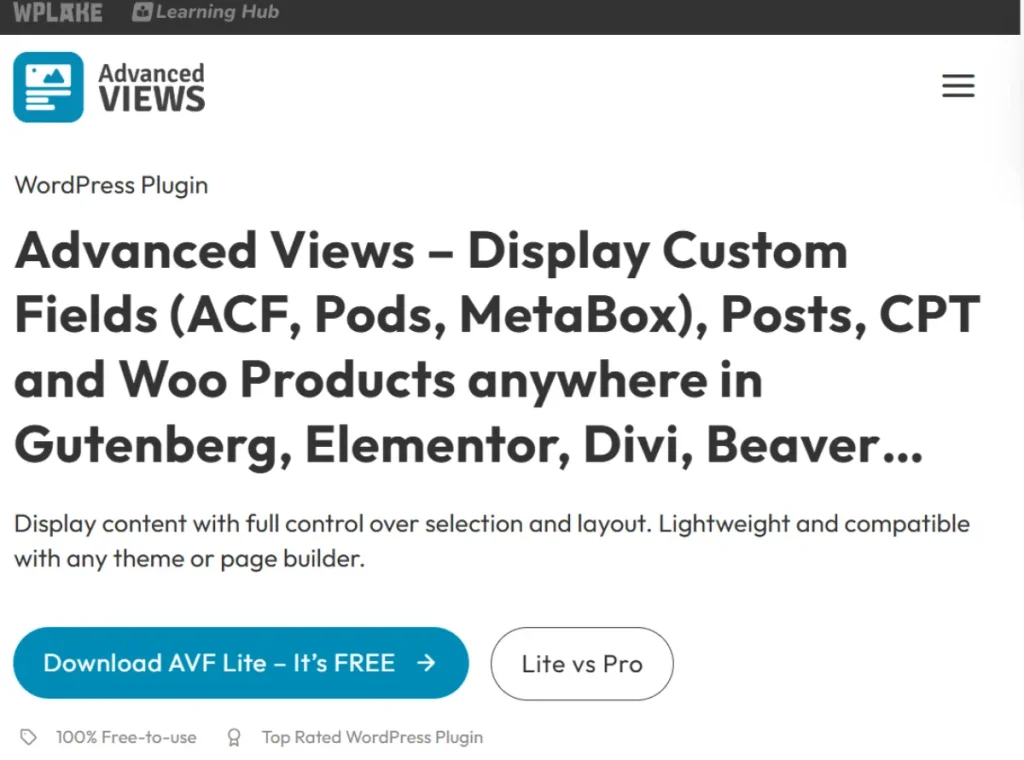
What is ACF Views Pro?
ACF Views Pro is a WordPress plugin that helps you display ACF field data on the front end through a structured and more visual workflow, reducing the need to manually code custom templates. It is designed to work alongside Advanced Custom Fields and make the output side of ACF easier to manage.
To understand its value, it helps to look at the usual ACF workflow. With Advanced Custom Fields, you create custom fields such as text, number, image, gallery, repeater, relationship, select, URL, and many other field types. You then assign these fields to posts, pages, custom post types, taxonomy terms, options pages, or users. This gives you a much more organized way to manage content than using only the default WordPress editor.
However, once the data is stored, the next step is displaying it. In a traditional setup, you need to edit your theme files and use functions like get_field() or the_field() to pull that data onto the page. If the field is simple, that might be easy. But many real websites use repeaters, conditional fields, grouped content, image outputs, and relationship-based structures. The more complex the site becomes, the more template work is required.
ACF Views Pro streamlines this stage. It allows you to create front-end “views” that define how ACF fields should be displayed. Instead of writing repeated template code for each use case, you can configure a view, connect it to your field data, and output it where needed. This is useful for both technical and non-technical users. Developers can work faster and avoid repetitive code, while site builders can manage structured data display without touching PHP in every situation.
A practical example is a property listing website. ACF might store the price, number of bedrooms, square footage, neighborhood, gallery, and contact information. Normally, you would build a dedicated template to render all those details. With ACF Views Pro, you can create a view that formats those fields consistently and use it across all property posts. If the layout needs to change later, you update the view instead of editing multiple template files.
Another example is a service business website. ACF can hold service name, subtitle, benefits, process steps, feature icons, and pricing notes. ACF Views Pro can help output these elements in a structured way on each service page. That makes the content model much cleaner and easier to scale.
In short, ACF Views Pro sits between raw custom field data and front-end presentation. It helps transform structured content into usable layouts more efficiently, which is why it appeals to agencies, dynamic site builders, and anyone who wants to get more value from ACF without overcomplicating the theme layer.
Key Features of ACF Views Pro
ACF Views Pro includes several features that make it useful for WordPress sites built with structured content. Below are the most important features and why they matter in practice.
- Visual and structured field output creation
One of the main strengths of ACF Views Pro is that it gives you a more guided way to define how ACF fields should appear on the front end. Instead of manually stitching together PHP code in template files, you can create a view that controls field output in a more organized environment. This matters because many websites use the same display logic repeatedly. For example, if you have a team post type with photo, name, title, biography, and social links, you can define that structure once and use it consistently across the site. - Reusable views for scalable site building
Reusable views are extremely valuable on dynamic WordPress projects. Rather than creating separate code snippets for each page or section, you can build a view once and output it wherever needed. This saves time and improves consistency. A directory site, for instance, may have dozens or hundreds of entries with the same structure. Reusing a single display setup ensures that every listing follows the same layout and is easier to update later. - Reduced dependence on custom PHP templates
This feature is important because it lowers the technical barrier for displaying ACF content. Developers still benefit from faster workflows, but non-developers gain even more because they do not need to rely entirely on theme edits. A freelancer building client sites can reduce repetitive code work, and a content manager can maintain structured sections more confidently. On projects with tight deadlines, cutting down template coding can speed up launch significantly. - Support for different ACF field types
ACF websites rarely rely on only plain text fields. They often use images, links, selects, repeaters, groups, and relationship-based fields. ACF Views Pro is useful because it can help handle these more advanced field structures in a practical way. For example, a service page may include an icon, heading, short description, CTA link, and repeating benefit rows. Being able to output these field types in a consistent system is essential for real-world use. - Shortcode-based output flexibility
Views can often be inserted into different areas of the website through shortcode-style output, which makes deployment more flexible. This is useful when working with classic editors, widget areas, custom layouts, or specific page sections where you need dynamic data to appear without building a full template from scratch. A business site might use this to place custom field-powered feature boxes on multiple landing pages without duplicating layout work. - Better workflow for agencies and client projects
Agency workflows often involve building repeatable systems that can be reused across multiple sites. ACF Views Pro supports this kind of process because it turns structured data output into a more manageable asset. Instead of relying on custom code for every single project section, teams can standardize how certain content blocks are built. This is especially helpful when multiple people work on the same site, such as a developer setting up fields, a designer refining layouts, and a content editor populating data. - More maintainable dynamic content presentation
Maintenance is one of the biggest hidden costs in WordPress development. A site may work perfectly at launch, but months later the client wants changes. If every output is hard-coded into multiple template files, small edits can become time-consuming. ACF Views Pro helps centralize front-end presentation logic more effectively. For example, if you need to change how a location field appears on all staff profiles, updating the view can be much easier than editing a series of separate templates. - Useful for custom post types and structured websites
The plugin becomes especially valuable on sites that rely on custom post types. These include real estate listings, testimonials, events, jobs, courses, recipes, products, case studies, portfolios, and directories. Each of these site types typically stores important metadata in ACF fields. ACF Views Pro helps bring that metadata to the front end in a way that is repeatable and efficient. A recipe website, for instance, could display ingredients, prep time, cooking steps, nutrition information, and notes using structured fields rather than manually formatting every post. - Supports a more modular WordPress build process
Modern WordPress development increasingly emphasizes modular systems. Instead of building every page individually, developers create reusable blocks, field groups, and content patterns. ACF Views Pro fits this mindset by helping define repeatable output layers for structured data. This makes the website more adaptable over time. If a business expands its services or content categories, the display system can grow more cleanly alongside the data model. - Bridges the gap between ACF data and design output
Many users are comfortable setting up field groups in ACF but struggle with the last step of making the data look good on the site. ACF Views Pro is helpful because it addresses this exact gap. It makes ACF more practical for site builders who understand structured content but do not want to spend most of their time inside theme files. That bridge between data entry and live display is where the plugin adds much of its real value.
Benefits of Using ACF Views Pro
Using ACF Views Pro can improve both the build process and the long-term management of a WordPress website. One of the biggest benefits is speed. When you no longer need to hand-code every field output pattern, development becomes faster. This matters for freelancers and agencies who work under deadlines, but it also matters for business owners who want a website that can be updated without heavy developer involvement.
Another major benefit is consistency. Structured content only becomes truly useful when it is displayed consistently. If team profiles, service pages, event listings, or property details all follow the same output logic, the site feels more professional and easier to use. ACF Views Pro helps enforce that consistency because views can be reused instead of rebuilt repeatedly.
There is also a strong maintainability benefit. Websites change over time. Clients want to reorder sections, restyle output, add fields, or revise content structure. When front-end display is handled through a more centralized and reusable system, those changes are easier to manage. A business directory site, for example, may want to change how phone numbers, categories, and ratings appear across hundreds of listings. A reusable view system makes that kind of change more realistic.
Accessibility for non-developers is another important advantage. Many WordPress sites are maintained by marketers, editors, project managers, or business owners who are not comfortable editing PHP templates. ACF Views Pro can reduce their dependence on a developer for every structured content change. This does not replace developer expertise, but it does make the site easier for broader teams to work with.
The plugin also supports better scalability. As a website grows, the amount of structured content often increases. A site that starts with ten case studies may grow to one hundred. A course platform may keep adding lessons and instructor profiles. A service site may expand into many location pages. When the content model scales, having an efficient way to render that data becomes much more important. ACF Views Pro helps support that growth without multiplying template complexity.
Another practical benefit is cleaner collaboration. When the ACF setup, the display logic, and the page content are easier to understand, teams can collaborate more effectively. The developer can focus on architecture, the designer can focus on presentation, and the content team can focus on populating fields accurately. This is often much smoother than having every output tied directly to complex theme code.
How to Install ACF Views Pro
Installing ACF Views Pro is generally straightforward, but the correct setup order matters. Because it is designed to work with Advanced Custom Fields, you need to ensure the main ACF plugin is already installed and active before you begin.
Install via WordPress Dashboard
First, install and activate Advanced Custom Fields on your WordPress site if it is not already running. After that, log in to your WordPress admin area and go to the Plugins section. Click Add New, then choose Upload Plugin. Select the ACF Views Pro ZIP file from your computer and click Install Now.
Once installation is complete, click Activate. After activation, go to the plugin’s settings or interface area and begin creating your first view. In most practical workflows, the next step is to make sure your ACF field groups are already in place. It is much easier to build views once the fields exist and are attached to the relevant post type or content area.
A sensible test case would be to create a simple custom post type such as “Team Members” with fields like job title, headshot, biography, and LinkedIn URL. Then create a view that pulls these fields in the order you want. Place the output in the front-end location where the profile should appear and confirm that the view displays the data correctly.
You should also test the output on multiple entries, not just one. This helps confirm that the view structure works consistently across different content items. If the plugin supports shortcode output in your workflow, test it in a page, a post, or a layout block where you want the custom field data to appear.
Manual Installation
Manual installation is useful if you prefer FTP or are working on a staging server through hosting tools. Start by downloading the ACF Views Pro plugin file and extracting it if necessary. Then upload the plugin folder to the /wp-content/plugins/ directory using FTP or your hosting file manager.
After the upload finishes, go to the WordPress dashboard, open Plugins, and activate ACF Views Pro. Then verify that ACF is active and that the plugin interface is available. From there, proceed with configuring views and testing them on real content.
Whether you install it through the dashboard or manually, careful testing is important. Check how field data appears on the front end, make sure image fields render properly, confirm that repeaters and linked fields behave as expected, and test responsiveness if the output appears in important layout sections.
The installation itself is simple. The real value comes from setting up a clean content model in ACF first and then using ACF Views Pro to make that data useful on the front end.
Why Buy ACF Views Pro at Pluginpro.org
Buying ACF Views Pro at Pluginpro.org can be attractive for WordPress users who want access to premium functionality at a much lower cost. One of the most obvious benefits is price. Premium WordPress tools can become expensive, especially when a project depends on multiple advanced plugins. For agencies, freelancers, or developers building many sites, those costs add up quickly. Pluginpro.org offers a way to reduce that expense, with savings that can reach up to 95%.
Another important benefit is access to 100% clean files. This matters because a plugin that interacts with structured content and front-end rendering becomes part of a site’s core architecture. You want reliable files that do not introduce security risks or unnecessary technical problems. Clean plugin files support stability and give users more confidence during installation and use.
Unlimited website usage is also valuable, especially for agencies or developers managing client projects. Official license limits can become restrictive if you use the same plugin pattern across many sites. With Pluginpro.org, users often gain more deployment flexibility, which can make standardized workflows more practical.
Easy updates are another reason this can be useful. WordPress evolves regularly, and plugins need to remain compatible with WordPress core, themes, ACF, and other surrounding tools. Having a straightforward way to keep the plugin updated supports long-term site maintenance and helps reduce compatibility issues.
Secure downloads add convenience as well. Instead of searching through unreliable sources, users can obtain the plugin from a platform centered on WordPress plugin access. That saves time, which is especially important for professionals working on active builds or client deadlines.
For site builders who use ACF heavily and want a more affordable way to improve front-end output workflows, Pluginpro.org provides a combination of cost savings, flexibility, and convenience that can be very appealing.
Conclusion
ACF Views Pro is a useful WordPress plugin for anyone who wants to get more value from Advanced Custom Fields without relying on custom template coding for every front-end output. It helps turn structured field data into reusable, more manageable display systems, which is a major advantage on dynamic WordPress websites.
Its strengths are especially clear on sites with custom post types, reusable layouts, and growing content structures. Whether you are building property listings, team directories, service pages, portfolios, case studies, or other data-rich sections, ACF Views Pro can make the front-end workflow more efficient and easier to maintain. It supports faster development, greater consistency, and more scalable site architecture.
The plugin is also valuable because it bridges a real gap in WordPress development. Many users understand how to create custom fields, but the display layer often remains the hardest part. ACF Views Pro makes that stage more accessible while still being useful for developers who want to reduce repetitive work.
Installation is straightforward once ACF is active, and the long-term benefits become clearer as the site grows. When combined with the pricing and access advantages available at Pluginpro.org, ACF Views Pro becomes an even stronger option for WordPress professionals and site owners who want to build smarter, more structured websites.



