
When building a community website with BuddyPress or BuddyBoss, small navigation details can have a surprisingly large impact on user experience. Most site owners focus first on major features such as member profiles, activity feeds, private messaging, groups, forums, courses, or media sharing. Those elements are important, but once the platform is live, usability issues begin to stand out. One of the most common issues appears inside groups: users land on a default tab that may not actually be the most useful section for that group.
On many BuddyPress-powered websites, group pages open on the Activity tab by default. That setup works in some communities, but it is not always the best option. In many cases, the real value of the group is found somewhere else. A support group may depend mostly on Forums. A learning group may center around Docs, Lessons, or Courses. A collaboration group may rely on Files or Media. A member directory group may be more useful if visitors land on the Members tab first. If users keep landing on the wrong section, they waste time clicking around, and the overall experience feels less focused.
This is exactly the problem BP Default Group Tab is designed to solve. It gives website owners more control over which tab opens first when someone visits a BuddyPress group. Instead of forcing the same default experience across all groups, the plugin helps align navigation with the actual purpose of each group. That seemingly small change can improve clarity, reduce friction, and guide users toward the content or interaction you want them to see first.
This matters even more on websites with different kinds of groups. For example, an educational membership site may have course groups, support groups, networking groups, and content-library groups. Each of those group types serves a different function, so using the same default tab everywhere is rarely ideal. BP Default Group Tab helps create a more intentional structure for those experiences.
In this article, we will look in detail at what BP Default Group Tab is, how it works, the key features it offers, the practical benefits of using it, how to install it properly, and why buying it from Pluginpro.org can be a smart option for WordPress users who want both flexibility and value.
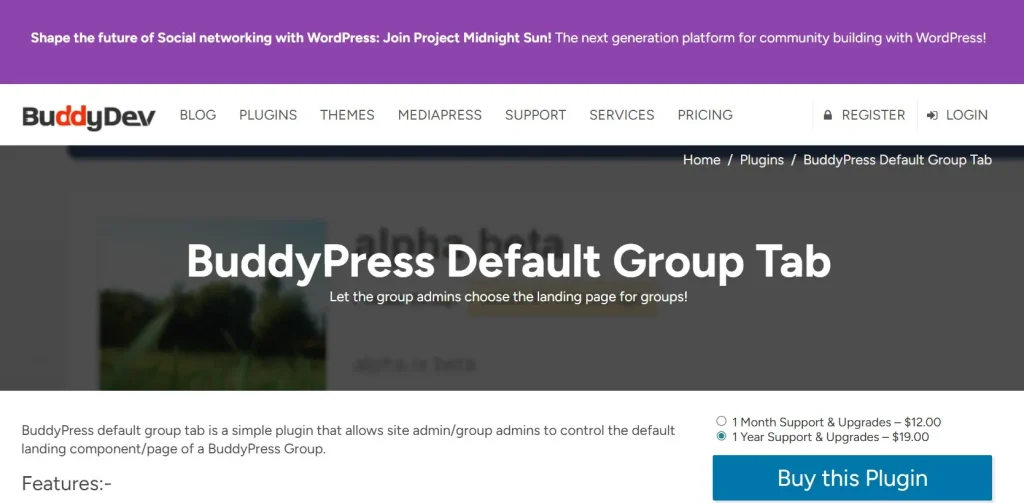
What is BP Default Group Tab?
BP Default Group Tab is a WordPress plugin created to let administrators control which tab loads first when users visit a BuddyPress group. Rather than always sending users to the default Activity tab, the plugin allows you to select a more relevant destination based on your site’s structure and the function of the group.
At a practical level, this plugin improves the entry point into a group. BuddyPress groups often contain multiple sections such as Activity, Members, Forums, Documents, Photos, Media, Events, or custom tabs added by third-party extensions. However, not every group uses all of those sections equally. In fact, many communities rely heavily on one or two specific tabs while the rest play a supporting role. BP Default Group Tab helps reflect that reality in navigation.
For example, imagine a private coaching community where each group represents a course cohort. The most important area may be the discussion forum or the lessons section, not the activity stream. If users always arrive on Activity first, they have to make an extra decision and click every time they enter the group. Over time, that adds friction. With BP Default Group Tab, the group can open directly on the discussion area or learning tab instead.
Another example would be a file-sharing or collaboration-based community. Suppose your users join groups primarily to access shared resources, documents, or media. Sending them first to a generic activity stream may not help them reach their goal quickly. In that case, setting the Docs or Media tab as the default makes the group much more efficient to use.
The plugin is especially helpful on sites where groups have different roles. A forum-based support group might benefit from opening on Forums, while a networking group might work better with Members as the first tab. A project team group could open on Files or Updates. BP Default Group Tab gives site owners the ability to create that kind of intentional navigation structure.
It also works as a usability enhancement rather than a full system replacement. You do not need to rebuild your BuddyPress setup or redesign your group pages. The plugin simply changes where users land first. That makes it a focused solution to a common community-building problem.
In short, BP Default Group Tab is a BuddyPress navigation plugin that helps you choose the most relevant tab as the starting point for group pages, making communities easier to use and more aligned with their actual purpose.
Key Features of BP Default Group Tab
BP Default Group Tab is a focused plugin, but the features it provides can have a meaningful effect on how users move through a BuddyPress community. Its value comes from improving a specific part of the experience that many site owners overlook until usability problems become obvious.
Set Default Group Tab
- The core feature of BP Default Group Tab is the ability to select which tab users see first when they enter a group. Instead of relying on the standard Activity tab, you can choose another available tab such as Forums, Members, Docs, Media, or a custom extension tab. This lets you guide users toward the content or interaction that matters most.
- This feature is extremely useful when the activity stream is not the main purpose of the group. For example, a support-focused group will usually benefit more from opening on the forum tab because users are there to ask questions, search previous answers, and join topic-based conversations. By sending them directly there, the plugin reduces unnecessary clicks and makes the experience feel more natural.
- In a real-world setting, this feature can also improve first impressions. New members entering a group for the first time are more likely to understand the group’s purpose when they land on the right section immediately. That can improve onboarding, engagement, and clarity without requiring extra instructions.
Global Default Settings
- BP Default Group Tab often allows administrators to define a global default tab for all groups across the site. This is useful when your community has a consistent structure and you want every group to open the same way. Rather than configuring each group manually, you can apply one standard rule site-wide.
- Global settings are especially practical on websites where groups are used for the same kind of interaction. For example, if every group on your site is designed primarily around forum-based discussion, setting Forums as the global default creates a more uniform and predictable experience. Users learn what to expect every time they join or revisit a group.
- This feature also saves administrative time. On large communities with many groups, manually setting each one can become inefficient. A global setting gives you quick control, especially during the initial setup of a new community or after a redesign where you want to improve navigation across the whole site.
Per-Group Customization
- One of the most valuable capabilities of BP Default Group Tab is per-group customization. This allows you to assign different default tabs to different groups depending on their role inside the community. Not all groups serve the same purpose, so this feature helps create a more tailored experience.
- For example, on a membership site, one group may be built for member introductions and networking, where the Members tab makes the most sense. Another group may be a course support group, where Forums or Docs would be more appropriate. A third group may focus on shared resources, making the Files or Media tab the better entry point.
- Per-group control is especially useful for communities that have matured over time. As more group types are added, a one-size-fits-all structure becomes less effective. This feature helps you adapt navigation to the real behavior and purpose of each group rather than forcing every section into the same pattern.
Compatibility with BuddyPress Extensions
- Many BuddyPress websites use additional plugins that add custom tabs such as media galleries, documents, courses, events, group calendars, or knowledge bases. BP Default Group Tab is particularly useful because it can often work with those extensions, not just the standard BuddyPress tabs. That increases its practical value significantly.
- This matters because community websites rarely stay in a default-only state. As site owners add more tools, the most important group content may shift away from the native Activity section. A plugin that only supports core tabs would be much less useful in these cases. BP Default Group Tab helps extend navigation control into more customized ecosystems.
- For instance, an education platform using a plugin that adds a “Lessons” or “Courses” tab can potentially direct users there first. A collaboration site with a document extension can open groups directly on Docs. This kind of compatibility helps the plugin remain relevant even as your BuddyPress setup grows more advanced.
Lightweight and Performance-Friendly Design
- BP Default Group Tab is generally designed to perform a specific function without adding unnecessary complexity. That makes it a lightweight plugin, which is important for community websites that already use several interactive extensions and need to protect site performance.
- A focused plugin is often preferable to a heavy plugin bundle because it reduces the chance of conflicts and avoids adding features you do not need. Since community sites often have many moving parts, simple enhancements that do one job well can be more valuable than oversized all-in-one solutions.
- In practical terms, this means you can improve group navigation without noticeably affecting load times or overwhelming your admin area with extra options. For site owners who care about stability and performance, that is a meaningful benefit.
Easy Configuration
- Another strong feature of BP Default Group Tab is ease of use. Community administrators do not always want to deal with complicated custom code or advanced logic just to change a group landing tab. A well-designed settings interface makes the plugin accessible even to users with limited technical experience.
- Easy configuration is especially important for site owners who manage communities themselves rather than through a developer. If changing the default group tab required manual coding, many smaller websites would simply leave the poor default in place. The plugin helps bridge that gap by offering a practical admin-side solution.
- This simplicity also helps with testing. A site owner can change settings, review how the group behaves, and adjust further if needed. That makes it easier to optimize navigation based on real user behavior rather than leaving the structure fixed and unexplored.
Benefits of Using BP Default Group Tab
One of the biggest benefits of BP Default Group Tab is improved user experience. Community websites work best when users can reach what they need quickly. If a group’s primary value lies in discussions, resources, or member networking, then opening on the wrong tab creates a small but repeated point of friction. This plugin removes that friction by making group navigation more intentional.
Another major benefit is better engagement. When users land directly on the section that matters most, they are more likely to interact with it. For example, if the forum tab contains the most valuable conversations, opening on Forums increases the likelihood that users will read posts, ask questions, and participate. If members need to access files or media first, directing them there improves the chance that they will use those features actively.
The plugin also improves content visibility. Important tabs often go underused simply because they are not the first thing users see. Community admins may invest time organizing forums, uploading documents, or building valuable resource libraries, but if every group opens on Activity first, users may never fully realize what else is available. BP Default Group Tab helps highlight the most strategic part of each group.
Another benefit is stronger alignment between structure and purpose. Groups are often created for specific goals, such as support, learning, collaboration, networking, or content sharing. By letting you choose the right default tab, the plugin makes the group’s design more closely match its actual role. This helps the website feel more coherent and professionally organized.
There is also an administrative benefit. Instead of asking members to “click the forums tab” or “go to the docs section,” you can reduce unnecessary instructions by structuring the group to open there automatically. This simplifies onboarding and reduces repetitive support questions.
For communities with multiple group types, the plugin adds valuable flexibility. It supports a more modular experience where different groups can behave differently without requiring major customization work. That is especially useful for educational communities, membership programs, and business portals where groups serve multiple functions.
Finally, the plugin can support better retention. When group pages feel easier to use and more immediately relevant, users are more likely to return and participate consistently. Small UX improvements like this often have a compounding effect over time, especially in communities where members visit groups frequently.
How to Install BP Default Group Tab
Installing BP Default Group Tab is usually a simple process, but it is worth setting it up carefully so it works well with your BuddyPress environment. Before installation, make sure your WordPress, BuddyPress, and related community plugins are up to date. Since this plugin affects group navigation, compatibility with your current setup matters.
Install via WordPress Dashboard
The easiest method is installation through the WordPress dashboard. Log in to your WordPress admin panel and go to the Plugins section. Click “Add New” and then choose the upload option if you already have the plugin ZIP file. Select the BP Default Group Tab file from your computer and click “Install Now.”
After the plugin has been installed, click “Activate.” Once activated, the plugin should add its settings either under its own menu item, the BuddyPress settings area, or a related admin panel depending on how it is structured. Open those settings and review the available options.
At this stage, decide whether you want to apply a global default tab across all groups or configure groups individually. If your site uses a consistent group model, a global setting may be enough. If you run different kinds of groups, consider whether per-group rules are more appropriate.
After saving the settings, test the result by visiting one or more groups on the front end. Check whether users land on the correct tab and confirm that the behavior works for different group types if applicable. If your site uses custom tabs from BuddyPress extensions, verify those as well.
Manual Installation
Manual installation is useful if your hosting environment limits dashboard uploads or if you prefer to manage plugin files directly. First, extract the BP Default Group Tab ZIP file on your computer. Then use FTP or your hosting file manager to upload the plugin folder to the /wp-content/plugins/ directory on your website.
Once the folder has been uploaded, go back to the WordPress admin dashboard and open the Plugins page. You should see BP Default Group Tab listed there. Click “Activate” to enable it. Then access the settings page and configure it just as you would through a dashboard-based installation.
Manual installation is often preferred by developers or site managers working on staging sites, client deployments, or custom BuddyPress builds. It provides more direct control over the file structure and can be useful when troubleshooting.
After installation, it is a good idea to test with real user scenarios. Visit groups while logged in as different user roles if your site uses varying permissions. Check whether the default tab works on mobile as well as desktop. If you are using caching or page optimization tools, clear cache to make sure changes appear correctly.
Why Buy BP Default Group Tab at Pluginpro.org
Buying BP Default Group Tab at Pluginpro.org offers several practical advantages for WordPress users who want premium functionality without paying full original pricing. One of the most immediate benefits is the ability to save up to 95% cost. For community site owners, freelancers, developers, and agencies managing multiple WordPress projects, this can make premium tools much more accessible.
Another major benefit is access to 100% clean files. This is particularly important on community websites, where plugin stability and trust matter. A navigation-related plugin may seem small, but it still affects user experience and site behavior. Using clean files helps reduce the risk of malware, hidden code, or reliability issues that can come from poor-quality sources.
Unlimited websites usage is another strong advantage. Many WordPress professionals build more than one community site, membership platform, or client portal. Being able to use BP Default Group Tab across multiple websites gives much better long-term value than a single-use purchase structure.
Easy updates also matter. BuddyPress ecosystems can change over time, especially when sites use additional group-related plugins. Access to updated versions helps users maintain compatibility and reduce the likelihood of conflicts or outdated behavior.
Secure downloads add another practical convenience. When you are launching a site, improving a client community, or adjusting group navigation quickly, reliable access to plugin files saves time and avoids unnecessary delays.
There is also a workflow advantage. Pluginpro.org can serve as a centralized source for multiple premium WordPress plugins and themes, which reduces the need to search across many different sites. For agencies and site builders who regularly work with WordPress, that convenience can be valuable over time.
Overall, buying BP Default Group Tab at Pluginpro.org is not just about lower cost. It is about getting affordability, clean files, flexible usage, update access, and convenience in one place.
Conclusion
BP Default Group Tab is a focused but highly practical WordPress plugin for BuddyPress and similar community websites. By letting you control which tab users see first when they enter a group, it helps improve navigation, reduce friction, and make group experiences more aligned with their actual purpose. That may seem like a small adjustment, but on active communities, these details can significantly affect how intuitive and engaging the platform feels.
Its strongest value lies in usability. Groups built for discussions can open on Forums. Resource-based groups can open on Docs or Media. Networking groups can open on Members. Educational groups can direct users to the most relevant learning section. Instead of asking members to click around to find what matters, the plugin helps bring that content forward automatically.
This also makes it a strategic tool for site owners who want to guide user behavior more intentionally. Better entry points can improve engagement, increase visibility for important content, and support a more polished community experience. When combined with features like global settings, per-group customization, compatibility with BuddyPress extensions, and easy configuration, the plugin becomes a very practical enhancement for many kinds of online communities.
When purchased from Pluginpro.org, BP Default Group Tab becomes even more attractive. With savings of up to 95% cost, 100% clean files, unlimited websites usage, easy updates, and secure downloads, Pluginpro.org offers strong value for WordPress users who want community-focused plugins at a more affordable price. If you run a BuddyPress site and want group navigation to better reflect the real purpose of each community space, BP Default Group Tab is well worth considering.



