BuddyPress Activity Privacy is an essential WordPress plugin for any website running a community powered by BuddyPress that wants to offer modern, user-controlled privacy features. As online communities evolve, users are no longer comfortable sharing everything publicly by default. They expect flexibility, control, and transparency when it comes to who can view their posts, updates, and interactions. Without these options, engagement often drops because users feel exposed or uncertain about how their content is being shared.
BuddyPress, as a community-building framework, already provides core features such as activity streams, user profiles, groups, and messaging. However, its default privacy controls are relatively limited. In many cases, activity posts are either visible to everyone or restricted globally by administrators, leaving little room for user-level customization. This gap becomes especially noticeable in professional communities, private networks, educational platforms, and membership-based sites.
BuddyPress Activity Privacy solves this problem by introducing granular visibility settings directly into the activity posting process. Users can decide, at the moment of posting, who should see their content. This could range from fully public updates to posts visible only to friends, group members, or even completely private entries.
This added flexibility changes how users interact with your platform. Instead of holding back, users are more likely to share meaningful updates when they know they can control the audience. For website owners, this translates into higher engagement, longer session durations, and a stronger sense of community.
In this comprehensive guide, we will explore what BuddyPress Activity Privacy is, how it works, its key features, real-world benefits, installation process, and why purchasing it from Pluginpro.org is a strategic choice for WordPress users.
What is BuddyPress Activity Privacy?
BuddyPress Activity Privacy is a plugin that extends the functionality of BuddyPress by adding customizable privacy settings to activity posts. It allows users to control exactly who can view each piece of content they share within the activity stream.
In a typical BuddyPress setup, activity updates—such as status posts, comments, or shared media—are often visible to a broad audience. While administrators can set some restrictions, users themselves usually have limited control over individual posts. This can create hesitation, especially in communities where users want to share selectively.
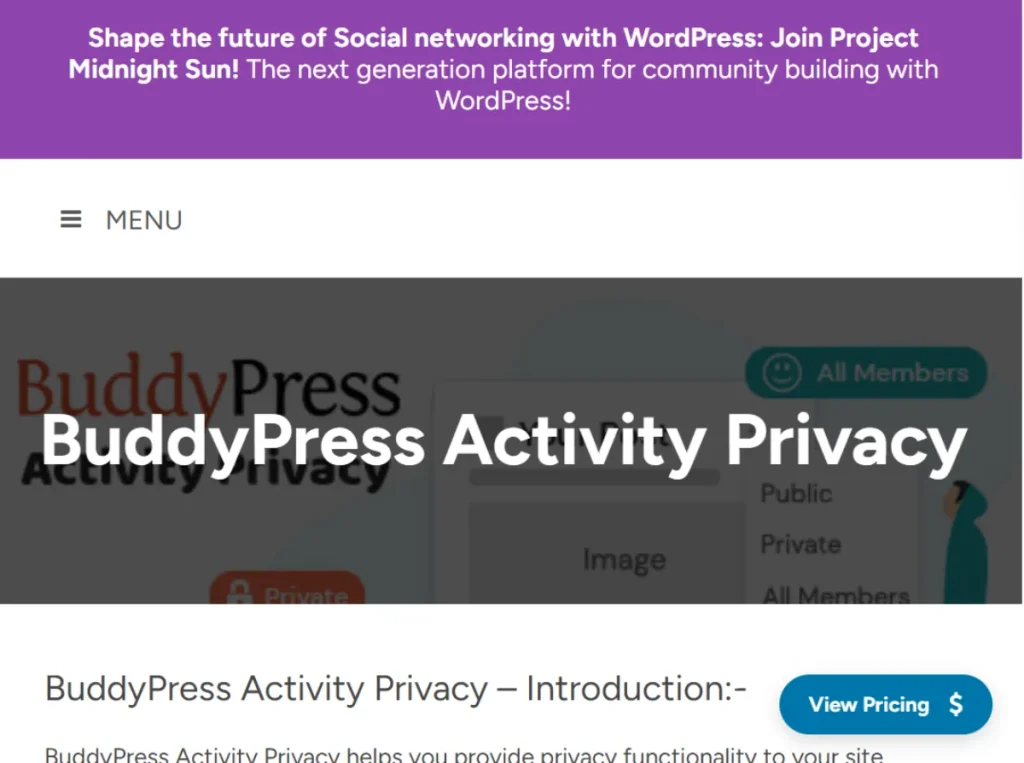
BuddyPress Activity Privacy addresses this limitation by introducing multiple visibility levels that users can choose from when creating a post. These levels commonly include:
- Public (visible to everyone)
- Members only (visible to logged-in users)
- Friends only (visible to connections)
- Private (visible only to the user)
This functionality is particularly valuable in real-world scenarios. For example, in a professional networking site, users may want to share career updates only with their connections rather than the entire platform. In an educational community, students might share progress updates with instructors but keep them hidden from other learners. In a hobby-based group, users might choose to post publicly when sharing general content but restrict more personal updates.
Another important aspect of BuddyPress Activity Privacy is how seamlessly it integrates into the existing BuddyPress interface. Users do not need to navigate complex settings pages. Instead, privacy options are available directly in the activity posting box, making the process intuitive and efficient.
For administrators, the plugin provides control over default privacy settings and available options. This ensures that the platform maintains a consistent privacy framework while still allowing users flexibility.
In essence, BuddyPress Activity Privacy transforms BuddyPress from a basic community platform into a more sophisticated, privacy-aware environment that aligns with modern user expectations.
Key Features of BuddyPress Activity Privacy
BuddyPress Activity Privacy includes a range of features designed to improve user control, enhance community interaction, and simplify privacy management. Below are the most important features explained in detail.
- Granular Privacy Controls for Each Activity Post
This feature allows users to define the visibility of each individual post they create. Instead of applying a single privacy rule across all content, users can tailor visibility based on context. For example, a user might share a public announcement about an event while keeping personal reflections visible only to friends. This flexibility encourages more authentic and varied interactions within the community. - Integration with BuddyPress Activity Stream
The plugin integrates directly into the BuddyPress activity stream interface, ensuring that privacy options are always accessible during content creation. Users can select privacy settings from a simple dropdown menu when posting updates. This seamless integration reduces friction and ensures that privacy becomes a natural part of the posting process rather than an afterthought. - Support for Friends-Based Visibility
BuddyPress includes a friendship system, and this plugin extends that functionality by allowing users to restrict posts to their friends. This is particularly useful for social-style communities where users build connections over time. For example, in a niche interest group, users may prefer to share detailed insights or personal experiences only with trusted connections. - Group-Based Privacy Options
In communities that rely heavily on groups, this feature allows users to limit activity visibility to specific group members. This is ideal for collaborative environments such as online courses, team projects, or private discussion forums. For instance, a group working on a shared project can exchange updates without exposing them to the entire platform. - Default Privacy Settings for Administrators
Administrators can define default privacy levels for new posts. This ensures consistency across the platform while still allowing users to adjust settings as needed. For example, a professional community might set “members only” as the default to maintain a semi-private environment, while a public-facing community might default to “public.” - User-Friendly Privacy Selection Interface
The plugin is designed with usability in mind. The privacy selection interface is simple and intuitive, allowing users to quickly choose their preferred visibility without confusion. This ease of use is critical because complex privacy systems often discourage users from engaging fully. - Compatibility with Other BuddyPress Features
BuddyPress Activity Privacy works smoothly with core BuddyPress features such as messaging, notifications, and groups. This ensures that privacy settings do not disrupt the overall functionality of the platform. For example, users can still receive notifications about interactions while maintaining control over who sees their content. - Enhanced Data Protection and User Confidence
By giving users control over their content, the plugin helps protect sensitive information and reduces the risk of unwanted exposure. This is especially important for communities dealing with professional, educational, or personal topics where privacy is a priority. - Flexible Configuration for Different Community Models
The plugin can be adapted to various types of websites, including social networks, membership sites, educational platforms, and corporate communities. Administrators can tailor privacy settings to match the goals and structure of their platform.
Benefits of Using BuddyPress Activity Privacy
The benefits of BuddyPress Activity Privacy go beyond technical functionality. They directly impact user behavior, engagement, and overall community health.
One of the most significant benefits is increased user trust. When users know they can control who sees their content, they feel more secure participating in the community. This leads to more frequent posting, deeper interactions, and stronger relationships between members.
Another key benefit is improved engagement quality. Without privacy controls, users may limit what they share or avoid posting altogether. With flexible visibility options, users can share more relevant and meaningful content with the appropriate audience. For example, a user might share general tips publicly but discuss detailed experiences only within a private group.
The plugin also supports better content segmentation. Different types of content can be directed to different audiences, making the platform more organized and personalized. This enhances the user experience by ensuring that users see content that is relevant to them.
From a safety perspective, BuddyPress Activity Privacy helps create a more controlled environment. Users can avoid unwanted attention and reduce the risk of oversharing. This is particularly important for younger audiences or communities dealing with sensitive topics.
Administrators also benefit from reduced moderation workload. Instead of enforcing strict global privacy rules, they can empower users to manage their own visibility settings. This decentralization simplifies community management and allows administrators to focus on growth and strategy.
Additionally, the plugin supports scalability. As your community grows, privacy becomes more complex. Having a structured system in place ensures that the platform remains manageable and user-friendly even as the number of users increases.
How to Install BuddyPress Activity Privacy
Installing BuddyPress Activity Privacy is straightforward, but it requires careful setup to ensure optimal performance and compatibility.
Install via WordPress Dashboard
Begin by logging into your WordPress admin panel. Navigate to the Plugins section and click “Add New,” then select “Upload Plugin.” Choose the BuddyPress Activity Privacy ZIP file and click “Install Now.”
Once the installation is complete, click “Activate.” After activation, go to the plugin settings or BuddyPress settings area to configure privacy options. You can define default visibility levels, enable or disable certain privacy options, and adjust settings based on your community’s needs.
It is recommended to test the plugin after installation. Create several activity posts with different privacy settings to ensure they behave as expected. Check visibility from different user accounts to confirm that restrictions are working correctly.
Manual Installation
For manual installation, upload the plugin folder to the “/wp-content/plugins/” directory using FTP or your hosting file manager. Then go to the WordPress dashboard and activate the plugin.
After activation, review the configuration settings and perform testing. This includes verifying compatibility with your theme and other plugins, especially if your site uses additional BuddyPress extensions.
A practical tip is to test the plugin on a staging site before deploying it to a live environment. This allows you to identify potential conflicts and fine-tune settings without affecting real users.
Why Buy BuddyPress Activity Privacy at Pluginpro.org
Purchasing BuddyPress Activity Privacy from Pluginpro.org offers several compelling advantages for WordPress users.
One of the most notable benefits is cost efficiency. You can save up to 95% compared to official pricing, making it easier to access premium functionality without exceeding your budget. This is especially valuable for freelancers, agencies, and small businesses.
Pluginpro.org ensures that all files are 100% clean and free from malicious code. This is critical for maintaining website security and protecting user data, particularly in community-driven platforms where trust is essential.
Unlimited website usage is another major advantage. You can use the plugin across multiple projects without worrying about licensing restrictions. This flexibility is ideal for developers and agencies managing several client websites.
The platform also provides easy updates, allowing you to keep your plugin up to date with the latest features and compatibility improvements. Regular updates ensure smooth performance and reduce the risk of issues.
Finally, Pluginpro.org offers secure downloads and a streamlined purchasing process. This allows you to quickly access the plugin and integrate it into your workflow without delays.
Conclusion
BuddyPress Activity Privacy is a powerful plugin that enhances the functionality of BuddyPress by introducing flexible and user-friendly privacy controls. It allows users to manage who can see their activity posts, creating a more secure and engaging community environment.
With features such as granular privacy settings, seamless integration, and compatibility with core BuddyPress functionalities, the plugin addresses one of the most important aspects of modern online communities. Its benefits, including increased user trust, improved engagement, and simplified management, make it a valuable addition to any BuddyPress website.
The installation process is straightforward, and the plugin can be configured to suit a wide range of community models. When combined with the affordability and reliability of Pluginpro.org, BuddyPress Activity Privacy becomes an even more attractive investment.
For website owners looking to build a privacy-focused, user-friendly community, this plugin is a practical and effective solution.