
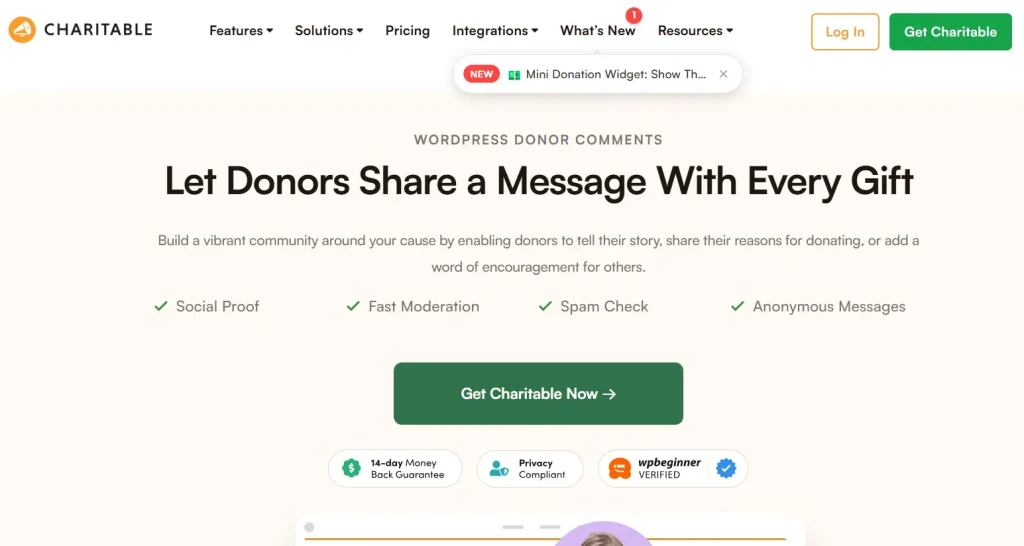
Charitable – Donor Comments is a practical add-on designed to enhance how nonprofits and fundraising websites interact with their supporters. From the very first interaction, Charitable – Donor Comments introduces a simple but meaningful layer of communication that transforms standard donation forms into more human, story-driven experiences.
If you’ve ever managed a donation campaign using WordPress, you already know that most forms are transactional. A donor enters an amount, fills in details, and clicks submit. That’s it. But in reality, donors often have something to say. They may want to dedicate a donation, leave a message of support, or share why the cause matters to them.
This is where the plugin changes the dynamic. Instead of treating donations as silent transactions, it creates a space where donors can express intent and emotion. In practice, that small addition can significantly improve engagement, trust, and even conversion rates.
What makes this add-on particularly effective is how seamlessly it integrates with the Charitable ecosystem. There’s no need to rebuild forms or adjust workflows. It simply extends what’s already there, adding depth without complexity.
In the following sections, we’ll break down exactly how Charitable – Donor Comments works, what problems it solves, and why it can become a key part of your fundraising strategy.
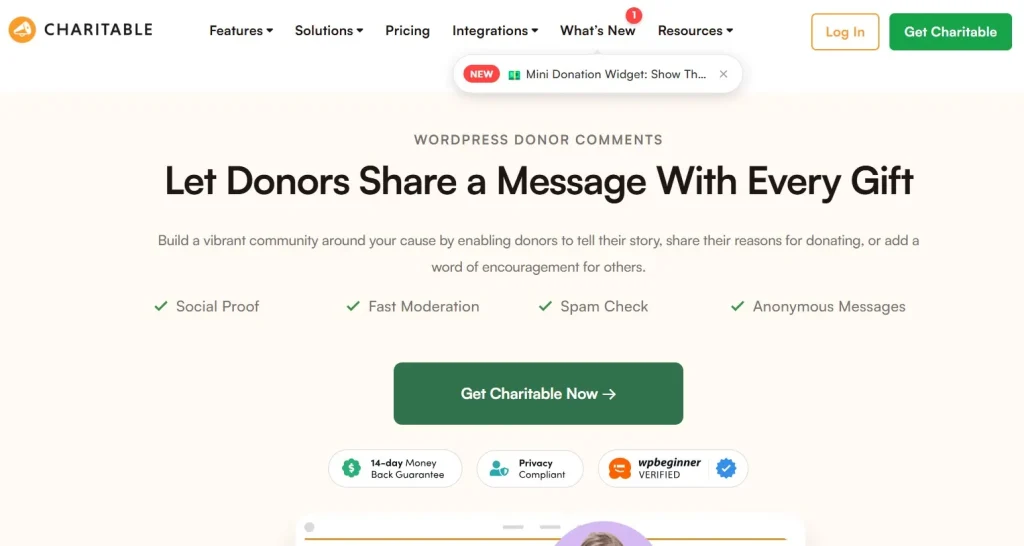
What is Charitable – Donor Comments?
Charitable – Donor Comments is an extension for the Charitable WordPress plugin that allows donors to leave comments during the donation process. At its core, it adds a customizable comment field to donation forms, enabling supporters to share messages alongside their contributions.
At first glance, this may seem like a minor feature. After all, it’s just a text field. But in practice, it changes the nature of your fundraising platform. Donations are no longer anonymous or purely financial; they become personal and expressive.
For organizations that rely on storytelling and emotional connection, this feature plays a critical role. When donors leave messages like “In memory of my grandmother” or “Thank you for the work you’re doing,” it adds context and meaning to each contribution. These comments can then be displayed publicly or used internally for donor relationship management.
Another important aspect is flexibility. The plugin allows you to control where and how comments appear. You can choose to display them on campaign pages, keep them private, or moderate them before publishing. This level of control ensures that the feature aligns with your organization’s tone and communication strategy.
In practice, the plugin is particularly useful for campaigns that involve community participation, memorial donations, or public recognition. Instead of simply listing donation amounts, you can showcase real voices behind the support.
What this means is that Charitable – Donor Comments isn’t just about collecting text—it’s about capturing intent, emotion, and narrative at the moment of giving.
Key Features of Charitable – Donor Comments
One of the strengths of Charitable – Donor Comments lies in its simplicity combined with thoughtful functionality. Instead of overwhelming users with complex options, it focuses on features that directly enhance the donation experience.
Custom Comment Field Integration
The core feature is the ability to add a comment field directly into your donation form. This field blends naturally with existing inputs such as name, email, and donation amount.
In practice, this means donors don’t need to take extra steps to leave a message. It’s part of the flow. For example, during a fundraising campaign for disaster relief, donors can instantly share supportive messages while completing their donation.
This seamless integration reduces friction while increasing participation. Users are more likely to engage when the option feels natural rather than forced.
Display Donor Messages Publicly
You can choose to display donor comments on campaign pages, creating a live feed of supporter messages. This feature is particularly effective for building social proof.
If you’ve ever visited a fundraising page and seen real messages from other donors, you know how powerful it can be. It reassures new visitors that the campaign is legitimate and actively supported.
In practice, this can increase conversion rates because people tend to follow collective behavior. Seeing others contribute and share messages creates a sense of momentum.
Moderation and Control
Not all comments should be published automatically. The plugin provides moderation options, allowing administrators to review and approve messages before they go live.
This is especially important for organizations that need to maintain a specific tone or avoid inappropriate content. For example, in sensitive campaigns such as medical fundraising, moderation ensures that all messages remain respectful.
What this means is that you maintain full control over your public communication without sacrificing engagement.
Anonymous Comment Support
Some donors prefer privacy. Charitable – Donor Comments allows users to leave messages without revealing their identity publicly.
In practice, this is crucial for certain types of donations. For instance, a donor contributing to a personal cause may want to share encouragement without attaching their name.
This feature strikes a balance between openness and privacy, making the platform more inclusive.
Campaign-Specific Customization
You can enable or disable donor comments on a per-campaign basis. This flexibility allows you to tailor the experience depending on the type of fundraiser.
For example, a general fundraising campaign might benefit from public comments, while a corporate donation page may not require them.
This level of customization ensures that the feature is used strategically rather than universally.
Clean and Minimal UI
The plugin is designed to match the default styling of Charitable forms, ensuring a consistent user experience.
At first glance, this may seem like a small detail. But in practice, design consistency reduces confusion and improves usability. Users don’t feel like they’re interacting with a separate system.
Developer-Friendly Structure
For advanced users, the plugin offers hooks and filters that allow customization beyond default settings.
If you’ve ever needed to integrate donor comments into a CRM or email system, this flexibility becomes valuable. Developers can extend functionality without modifying core files.
Benefits of Using Charitable – Donor Comments
The benefits of Charitable – Donor Comments go beyond adding a simple input field. It directly impacts how donors perceive and interact with your campaigns.
One of the most noticeable advantages is increased emotional engagement. When donors are given the opportunity to express themselves, they feel more connected to the cause. This connection often leads to repeat donations and long-term support.
Another key benefit is improved social proof. Public comments act as testimonials, showing real people supporting your campaign. This builds trust, especially for new visitors who are unfamiliar with your organization.
In practice, campaigns that display donor messages often feel more active and alive. Instead of static pages, they become dynamic spaces where supporters interact indirectly.
There’s also a strategic benefit in data collection. Donor comments can provide insights into why people are contributing. For example, you may notice recurring themes such as personal experiences or community impact.
This information can be used to refine your messaging, improve campaigns, and better understand your audience.
Additionally, the plugin enhances transparency. When donors see messages from others, it reinforces the legitimacy of the campaign. It creates a sense of openness that purely transactional systems lack.
Real Use Cases of Charitable – Donor Comments
In real-world scenarios, Charitable – Donor Comments proves its value across different types of fundraising campaigns.
For example, consider a nonprofit running a memorial fundraising campaign. Donors often want to dedicate their contributions to someone. With this plugin, they can leave messages such as “In loving memory of John,” which can then be displayed publicly.
This transforms the campaign into a shared space of remembrance rather than just a donation page.
Another scenario involves community-driven campaigns. For instance, a local organization raising funds for a school project can showcase messages from parents and supporters. These comments create a sense of unity and encourage others to participate.
In practice, this often leads to higher engagement because people feel part of a collective effort.
A third example is corporate fundraising. Companies supporting a cause can leave branded or formal messages alongside their donations. This adds visibility and reinforces their commitment to social responsibility.
Even in smaller campaigns, the plugin adds value. A simple message like “Happy to support this cause” can make a page feel more human and less transactional.
How to Install Charitable – Donor Comments
Installing Charitable – Donor Comments follows a straightforward process, especially if you’re already using the Charitable plugin.
First, ensure that the main Charitable plugin is installed and activated on your WordPress site. This add-on depends on it to function properly.
Next, download the Charitable – Donor Comments add-on from your source, such as Pluginpro.org.
Go to your WordPress dashboard, navigate to Plugins, and click “Add New.” Then upload the plugin file and activate it.
Once activated, you can access the settings through the Charitable menu. From there, you’ll find options to enable donor comments and configure how they appear.
In practice, most users can complete the setup in just a few minutes. There’s no need for coding or advanced configuration.
After enabling the feature, edit your existing campaigns to include the comment field. You can also adjust display settings depending on whether you want comments to be public or private.
If you’re running multiple campaigns, it’s worth testing different configurations to see what works best. Some campaigns may benefit from visible comments, while others may not.
Why Buy Charitable – Donor Comments at Pluginpro.org
Purchasing Charitable – Donor Comments at Pluginpro.org offers several practical advantages, especially for agencies and businesses managing multiple websites.
One of the biggest benefits is cost savings. Official plugin licenses can become expensive, particularly if you need them for several projects. Pluginpro.org offers access at up to 95% lower cost, making it a budget-friendly option.
In practice, this means you can allocate your budget more effectively. Instead of spending heavily on licenses, you can invest in marketing, design, or additional features.
Another important advantage is unlimited website usage. Unlike standard licenses that restrict usage to a limited number of sites, Pluginpro allows you to use the plugin across multiple projects.
For agencies managing client websites, this is a significant cost-saving scenario. Instead of purchasing separate licenses for each client, you can deploy the plugin freely.
Security is also a key consideration. Files provided are clean and checked, ensuring that you’re not introducing vulnerabilities into your website.
What this means is that you get both affordability and reliability without compromising on quality.
Updates are another area where Pluginpro simplifies the process. Instead of dealing with multiple license renewals, you can manage updates easily, saving time and effort.
In real-world workflows, this reduces maintenance overhead. You don’t need to track expiration dates or worry about interrupted functionality.
Finally, secure downloads ensure that you receive files safely and quickly. This is particularly useful when working on tight deadlines.
Overall, purchasing from Pluginpro.org is not just about saving money—it’s about simplifying your workflow and scaling your projects efficiently.
Is Charitable – Donor Comments Worth It?
Charitable – Donor Comments is worth considering if your goal is to create a more engaging and human-centered donation experience.
At first glance, it may seem like a small addition. But in practice, the ability for donors to leave messages can significantly impact how campaigns are perceived.
For organizations focused on storytelling, community engagement, or transparency, this feature adds real value. It transforms donation pages into interactive spaces rather than static forms.
However, it’s not essential for every use case. If your campaigns are purely transactional or internal, the feature may not be necessary.
That said, for most public-facing fundraising efforts, the benefits outweigh the limitations. The plugin is easy to implement, requires minimal maintenance, and delivers noticeable improvements in engagement.
Conclusion
Charitable – Donor Comments offers a simple yet effective way to enhance your fundraising campaigns. By allowing donors to share messages, it adds a layer of personalization that standard donation forms lack.
In practice, this leads to stronger emotional connections, increased trust, and improved campaign performance. Whether you’re running a small community fundraiser or a large nonprofit campaign, the plugin adapts to your needs.
Its seamless integration with Charitable ensures that you don’t need to overhaul your existing setup. Instead, you can enhance it with minimal effort.
When combined with cost-effective access through Pluginpro.org, it becomes a practical choice for both individual site owners and agencies.
If you’re looking to make your donation pages feel more human and engaging, Charitable – Donor Comments is a tool worth exploring.



