
Classified Listing Pro is a WordPress plugin built for users who want to create listing-based websites without developing the entire system from the ground up. It is designed for classified ads platforms, business directories, service directories, local marketplaces, and other websites where users need to submit, browse, search, and manage listings in an organized way. Instead of piecing together multiple plugins for submissions, payments, user dashboards, and filtering, this plugin brings those functions into one structured solution.
That matters because listing websites are more demanding than standard blogs or business pages. They need user-generated content, category systems, searchable archives, location filters, monetization options, and reliable frontend management. If any part of that system feels clumsy, users lose trust quickly. A seller may abandon the submission process. A business owner may stop renewing a listing. A visitor may leave if search results are hard to filter.
In practice, Classified Listing Pro helps reduce those problems by offering a workflow that makes sense for both administrators and end users. A local buy-and-sell site can let people post secondhand items with images and contact details. A city business directory can organize restaurants, clinics, or agencies by location and service category. A niche directory can focus on real estate, vehicles, jobs, or local services using custom fields tailored to that market.
For agencies and freelancers, the plugin can also shorten build time significantly. Instead of custom-developing every submission form and dashboard element, they can start with an existing framework and customize it to fit the client’s needs. That combination of speed, flexibility, and real business usefulness is what makes Classified Listing Pro stand out.
What is Classified Listing Pro?
Classified Listing Pro is a premium WordPress plugin that allows users to create and manage classified ads websites and business directories with frontend submission, advanced search, monetization tools, and customizable listing structures. It turns WordPress into a functional listing platform rather than just a publishing system.
At its core, the plugin creates a content model built around listings. Each listing can contain a title, description, pricing information, images, business details, category data, location data, contact information, and custom fields. These listings are then displayed in archive pages, search results, category pages, and user dashboards. The result is a site structure that feels more like a marketplace or directory than a traditional WordPress site.
Who should use it? Classified Listing Pro is a strong choice for entrepreneurs launching online marketplaces, agencies building directory sites for clients, local media companies expanding into business directories, and organizations that want to offer member-based listing systems. It also works well for specialized websites such as property directories, automotive marketplaces, local service platforms, event directories, and professional business listings.
A common real-world use case is a regional classified ads site. Users register, post products for sale, upload photos, and wait for inquiries from buyers. Categories help keep listings organized, while search filters help visitors find relevant results quickly. Another use case is a business directory for a city or neighborhood. Each business gets a profile page with operating hours, contact information, images, and service details. Site owners can monetize the platform by charging for featured placements or premium visibility.
The plugin is flexible enough to support both open and curated models. In an open model, any registered user can submit listings. In a curated model, submissions may require review before they go live. That makes Classified Listing Pro useful for platforms that need moderation and quality control.
Another practical advantage is that the plugin is built around WordPress, which means site owners still benefit from the familiar content management system, themes, plugins, and SEO tools they already know. Rather than moving to a separate platform, they can extend WordPress into something much more commercially functional.
Key Features of Classified Listing Pro
- Frontend listing submission
Classified Listing Pro allows users to submit listings directly from the frontend of the website. This is one of the most important features for any directory or classified platform because contributors should not need access to the WordPress dashboard. In practice, this creates a cleaner and more professional user journey. A seller can create an account, fill out a listing form, upload photos, and publish an ad without ever interacting with the backend. That lowers friction and encourages more submissions. - Advanced search and filtering
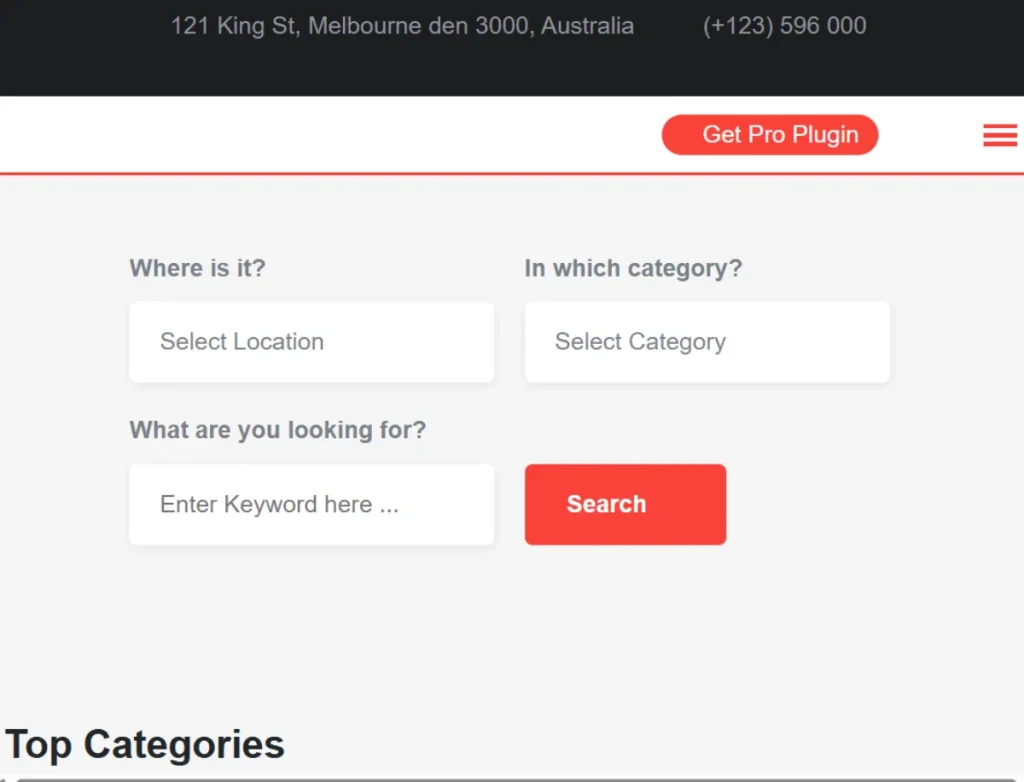
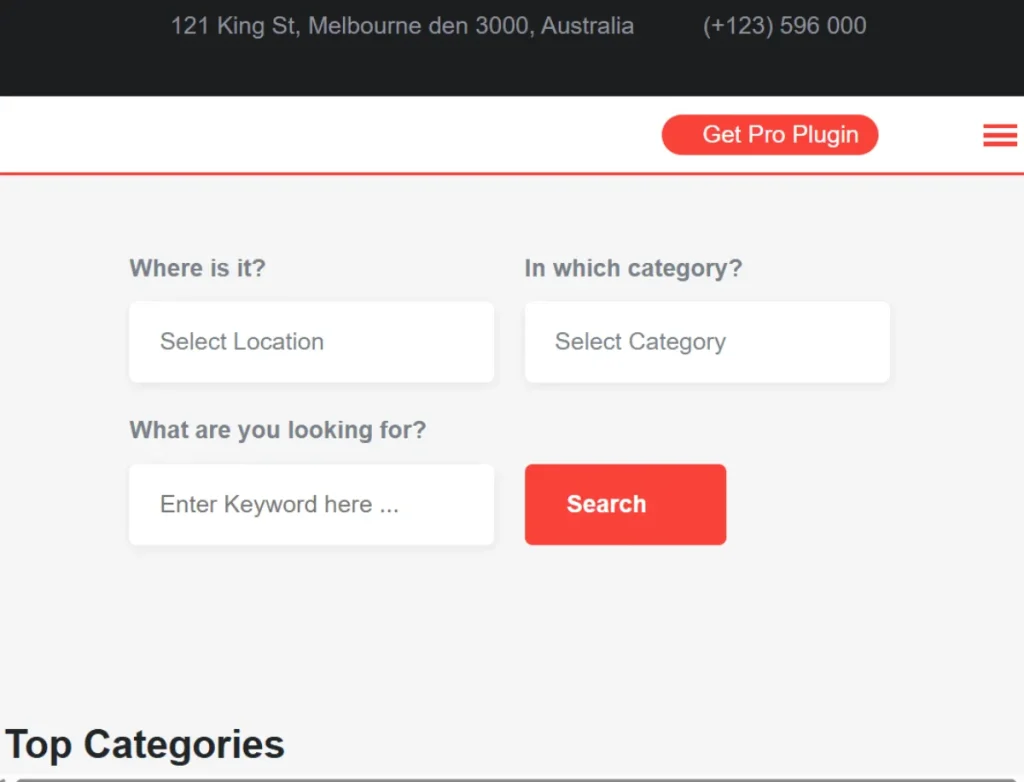
Search is critical on listing websites, and Classified Listing Pro includes advanced filtering tools that help visitors narrow results by category, price, location, and other listing attributes. A common use case is a local services website where users search by city and service type. Another example is a real estate platform where visitors filter homes by budget, property type, and number of bedrooms. Better filtering improves usability and often increases the time users spend on the site. - Custom fields for niche directories
Not all listings need the same information. A business directory may need operating hours and contact details, while a vehicle marketplace may need mileage, fuel type, and transmission. Classified Listing Pro supports custom fields, which allows site owners to build listing forms suited to their niche. This is important because generic forms produce weak listings. A tailored form leads to more informative and more useful content. - Monetization tools
The plugin includes monetization features such as paid listings, featured ads, promotional visibility, and subscription-style listing packages. This gives site owners several ways to generate revenue. For example, a business directory can charge a monthly fee for featured placement in top search results. A classified site can offer free basic ads but charge extra for highlighted listings. This flexibility helps turn the website into a real business rather than just a content project. - User dashboard management
Users can manage their listings through a frontend dashboard, which adds major practical value. From this dashboard, they can edit listings, renew ads, review pending submissions, or track their current status. A business owner listed in a directory may need to update contact information or add new photos. A seller may want to mark an item as sold. Giving users direct control reduces admin workload and makes the platform easier to scale. - Listing media support
Listings often need strong visuals, especially in marketplaces and directories where appearance affects click-through rate and trust. Classified Listing Pro supports image uploads and media attachments, allowing listing owners to present products, locations, or services more effectively. A restaurant directory can show interior photos and featured dishes. A vehicle listing can include several photos from different angles. Better visuals often improve lead quality because visitors understand the offer more clearly. - Location-based listing functions
Many listing websites depend on geography. Users want to search within a city, district, or service area. Classified Listing Pro supports location-based browsing and filtering, which is especially useful for local directories and marketplaces. For example, someone looking for a plumber usually wants nearby results, not businesses from another region. The ability to organize listings by location makes the platform more relevant and commercially useful. - Payment gateway integration
If a platform charges for listings, featured placements, or subscriptions, payment handling needs to be reliable. Classified Listing Pro integrates with payment systems so transactions can be processed directly through the site. This allows the site owner to automate premium listing workflows. Instead of manually confirming every payment, the website can handle upgrades as part of the submission process. - Responsive design compatibility
Listing websites receive substantial mobile traffic because users often browse while on the go. Someone searching for apartments, restaurants, repair services, or used goods may be doing so from a phone. Classified Listing Pro is designed to work well across screen sizes, which helps keep browsing and submission processes usable on mobile devices. That matters because a directory that works only on desktop will lose a large share of potential engagement. - Shortcodes and layout flexibility
The plugin includes shortcodes and support for layout customization, making it easier to place listing content on different pages. This is useful when building category pages, featured listing sections, homepage search forms, or custom landing pages for local search terms. Agencies can use this flexibility to create more polished designs without rebuilding the core listing system.
Benefits of Using Classified Listing Pro
One of the biggest benefits of Classified Listing Pro is speed of deployment. Building a listing platform from scratch can take a significant amount of time because it requires user roles, submission forms, archive pages, monetization logic, filtering, and dashboard functions. This plugin shortens that process by providing the core structure out of the box. That makes it much easier to go from idea to launch.
Another major benefit is flexibility. The plugin works across different listing models, which means it is not limited to one type of website. A site owner can use it for product classifieds, local business directories, job listings, service directories, event listings, or property platforms. This matters because many projects evolve. A business directory may later add sponsored listings. A local marketplace may later create premium membership tiers. A flexible plugin makes those transitions easier.
User experience also improves when a listing platform is built on a tool like this. Visitors can browse categories, filter results, and access clear listing pages. Listing owners can manage their content without relying on the site administrator for every small update. This creates a smoother environment for both sides of the platform.
Monetization is another clear advantage. Many site owners do not just want a directory for traffic. They want a platform that can generate ongoing income. Classified Listing Pro supports that goal through paid listings and promotional options. A growing directory can turn visibility into revenue without redesigning the entire website later.
Scalability matters as well. A listing website may start with fifty listings and grow to thousands. The plugin is built around that type of content structure, which makes it more suitable for long-term growth than improvised combinations of standard WordPress posts and custom hacks.
Real Use Cases of Classified Listing Pro
A local buy-and-sell marketplace is one of the clearest use cases. Individuals can register, submit used items, upload product images, set prices, and wait for buyer inquiries. The site owner can organize listings by category, such as electronics, furniture, or vehicles, and monetize featured ads for extra visibility.
A business directory is another strong fit. Restaurants, legal offices, salons, repair shops, clinics, and agencies can each have their own profile page with service descriptions, images, location information, and contact details. Visitors can browse by category or city, which turns the website into a useful search resource.
Real estate platforms can also use Classified Listing Pro effectively. Property listings can include pricing, neighborhood details, photos, property type, and custom fields for bedrooms, bathrooms, and square footage. This is where custom fields and advanced search become especially valuable.
Job boards are another practical example. Employers can submit vacancies, include job descriptions, salary ranges, location, and employment type, while job seekers browse and filter opportunities. Although some projects may prefer a dedicated job plugin, Classified Listing Pro can still be adapted for that use case.
Agencies benefit as well. A web agency that builds sites for local associations, chambers of commerce, or regional marketplaces can use the plugin repeatedly across client projects, adjusting categories, fields, and styling rather than rebuilding core functionality each time.
How to Install Classified Listing Pro
Installing Classified Listing Pro is straightforward, but the best results come from setting it up in the right order.
First, download the plugin package from your source. Before uploading it, make sure your WordPress installation is updated and running on stable hosting. Listing websites often use more database queries than standard brochure-style sites, so it helps to begin with a solid technical foundation.
Next, log in to your WordPress dashboard and go to Plugins, then Add New, and upload the Classified Listing Pro ZIP file. Install and activate the plugin. Once activated, new menu options for listings, settings, fields, and monetization will usually appear in the admin area.
After activation, go through the basic settings carefully. Set up listing categories, listing types, location settings, currency options, and submission rules. This stage is important because it defines how the platform will operate. For example, decide whether listings require approval, whether guest submission is allowed, and whether paid packages are enabled.
Then create or configure the essential pages. Most listing websites need a submission page, listing archive page, user dashboard, pricing or package page, and contact or inquiry pages. Use the provided shortcodes or blocks to place plugin elements where needed.
The next step is to configure custom fields if your niche requires them. A restaurant directory may need cuisine type and opening hours. A real estate site may need property size and room count. A vehicle marketplace may need year, mileage, and fuel type. Setting these correctly early on will improve listing quality later.
If you plan to monetize the site, connect the appropriate payment gateway and test the payment flow before launch. Then create sample listings and test the search, category browsing, submission forms, dashboard editing, and mobile display. In practice, testing is essential because even a strong plugin still depends on your specific theme and site configuration.
Why Buy Classified Listing Pro at Pluginpro.org
Buying Classified Listing Pro at Pluginpro.org can be attractive for users who want better cost efficiency while still getting access to the plugin’s core functionality. One of the main reasons is the price advantage. You can save up to 95% compared to official pricing, which can make a big difference for freelancers, startups, and agencies managing several projects.
That cost reduction is especially useful when working on client websites. Agencies often need to control software costs across multiple builds, and premium directory plugins can become expensive if licensed repeatedly. Being able to use the plugin more affordably helps keep project budgets manageable.
Another major benefit is access to 100% clean files. This is extremely important for WordPress websites because corrupted or modified files can create security problems and site instability. Clean files reduce those risks and make installation more dependable.
Unlimited website usage is another practical advantage. If you run multiple niche sites or build for several clients, repeated license restrictions can become frustrating and expensive. Broader usage rights make the plugin more appealing for long-term professional use.
Easy updates also matter. Directory and classified websites need to remain compatible with new WordPress versions, theme changes, and payment integrations. Access to updates helps keep the platform functioning properly over time.
Secure downloads are part of the value as well. Reliable file delivery reduces the chance of installation issues and gives users more confidence during deployment. For anyone building a monetized listing platform, stability is not optional.
Overall, Pluginpro.org makes Classified Listing Pro more accessible for users who want the power of a premium listing plugin without the full upfront marketplace cost.
Is Classified Listing Pro Worth It?
Classified Listing Pro is worth it for users who need a serious listing system inside WordPress and do not want to assemble that system from multiple disconnected tools. It is especially useful for classified ads sites, local business directories, service directories, and niche marketplaces where user submissions, search filters, and monetization are central to the project.
The plugin becomes even more valuable when the site owner wants to grow the platform into a business. Features such as frontend submission, paid listings, and user dashboards support that goal directly. Instead of starting with a basic content site and rebuilding later, users can launch with infrastructure that supports future scale.
For the right project, it is more than just a plugin. It is a foundation for a listing-based business model.
Conclusion
Classified Listing Pro gives WordPress users a practical way to build classified ads websites and business directories without custom-developing every major feature. It combines listing submission, search, filtering, monetization, user dashboards, and customizable fields into one system that is flexible enough for a wide range of niches.
Its real strength is that it supports both usability and growth. Visitors can find listings more easily, listing owners can manage their content more efficiently, and site administrators can monetize the platform in several ways. That makes the plugin useful not only for launching a site, but also for running it as it expands.
Whether you are building a local marketplace, a business directory, a property listing site, or a service platform, Classified Listing Pro gives you a structured starting point that saves time and supports real commercial goals. When purchased through Pluginpro.org, the value becomes even stronger thanks to lower cost, clean files, unlimited usage, easy updates, and secure downloads.



