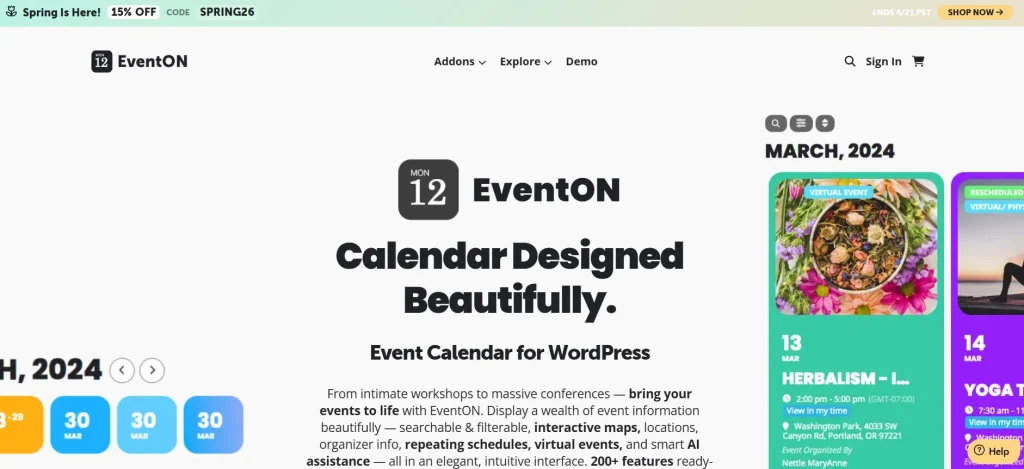
EventON – RSVP Events is a valuable WordPress add-on for anyone who wants to turn a simple event calendar into a more interactive event management system. Many websites can already publish event dates, locations, times, and descriptions, but that alone is often not enough. In real-world event planning, organizers usually need to know who plans to attend, how many spots are left, whether guests can bring additional attendees, and what information should be collected before the event happens. Without an RSVP system, this process often becomes messy and manual, forcing organizers to depend on email replies, spreadsheets, contact forms, or external tools.
That is where EventON – RSVP Events becomes highly useful. It extends the core EventON plugin by adding attendance tracking and response management directly into your WordPress site. Instead of using separate software for calendar display and guest response collection, you can manage both within the same ecosystem. This creates a more unified experience for website owners and for visitors who want to respond quickly from the event page.
This add-on is suitable for many types of websites. A business can use it to manage webinars, training sessions, and client events. A school or education provider can use it for workshops, seminars, and parent meetings. A community organization can manage meetups, private gatherings, and volunteer sessions. Even a company running internal events can use it to track participation more efficiently. In each case, the value is the same: better attendance visibility, smoother planning, and less manual follow-up.
Another important advantage is that RSVP functionality helps event pages become more actionable. Instead of just reading about an event and leaving, visitors can immediately respond. That interaction can improve event engagement and give organizers the information they need to prepare properly. For events with limited capacity, this is especially important because knowing the expected attendance can affect venue decisions, staffing, materials, catering, and communication.
In this article, we will look closely at what EventON – RSVP Events is, how it works, its most useful features, the benefits it offers, how to install it, and why many WordPress users consider Pluginpro.org a practical place to get it.
What is EventON – RSVP Events?
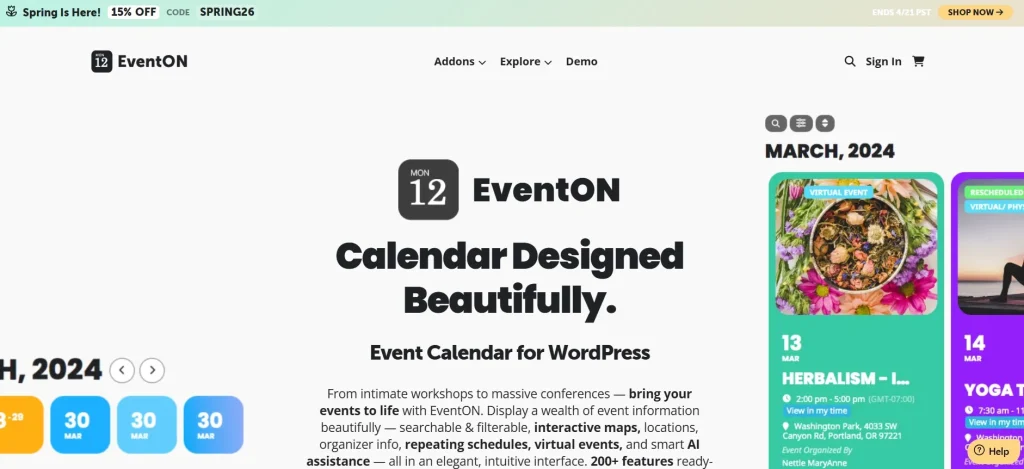
EventON – RSVP Events is an add-on for the EventON WordPress plugin that enables RSVP functionality on individual event pages. In simple terms, it allows event organizers to ask website visitors whether they will attend an event and to manage those responses directly from WordPress.
EventON by itself is known primarily as a visually attractive event calendar plugin. It helps site owners display events in a stylish and organized way, with support for event details such as date, time, location, and custom event information. However, while displaying events is useful, many organizers need more than presentation. They also need participation management. EventON – RSVP Events fills that gap by adding response collection, guest tracking, and attendance-related controls.
When this add-on is active, an event can include RSVP options so that users can indicate whether they are attending. Depending on the setup, organizers may also be able to control capacity, accept guest information, or ask extra questions during the response process. This transforms the event page from a static information page into an interactive registration point.
A practical example is a local business workshop. The event page may explain the topic, speaker, date, and venue. With EventON – RSVP Events, interested users can also confirm attendance immediately. The organizer then sees how many people are coming and can plan seating, handouts, and staff accordingly. Without an RSVP system, the same organizer might have to guess attendance or manage replies manually through email.
Another example is a coaching or consulting business hosting a private group session. The business may want only a limited number of participants and may need attendee names in advance. The RSVP system makes that process much more organized. Instead of asking people to send messages or fill out separate forms, the event page itself becomes the response hub.
This add-on is also useful for community and membership websites. A group meetup, volunteer activity, or private networking event can benefit from knowing who intends to attend. In these scenarios, RSVP is not only about numbers. It is also about communication and commitment. When users respond, the event feels more real and the organizer can follow up more effectively.
Overall, EventON – RSVP Events is not just a minor add-on. It is a practical upgrade that gives EventON a more operational role. It helps move a website from simply showing events to actively managing attendance.
Key Features of EventON – RSVP Events
EventON – RSVP Events includes several useful features that make it practical for many kinds of event-driven websites. Below are the most important features, along with explanations of how they work and why they matter in real use.
- Built-in RSVP response collection
The core feature of this add-on is the ability to let visitors respond directly from the event page. Instead of just reading event details, users can actively indicate whether they plan to attend. This is important because it creates a direct connection between event visibility and event participation. For example, if you are running a workshop or meetup, you no longer need to ask users to email you separately. The event page itself becomes the place where attendance is confirmed. - Attendance tracking for organizers
Once responses start coming in, organizers can view who has replied and how many people are expected. This makes planning more accurate and less stressful. A business hosting a seminar can use this information to estimate seating needs, prepare handouts, or decide whether to move to a larger room. Without attendance tracking, those decisions would be based on guesses rather than actual response data. - Capacity limits and maximum attendee control
Many events cannot accept unlimited participants. EventON – RSVP Events allows organizers to set attendance caps so that once a certain number of people have confirmed, the event can stop accepting more responses. This is especially useful for workshops, private classes, guided tours, or in-person networking sessions. If you have only 20 seats, you need a system that helps enforce that limit automatically rather than manually telling people the event is full after they try to register. - Guest list management
The plugin helps you maintain a list of expected attendees, making it easier to review, organize, and plan around who is coming. In practical use, this can support check-in planning, follow-up communication, and overall event administration. For example, a school hosting a parent event may want a clear list of respondents in advance. A business team running an internal training session may want to know exactly which staff members have confirmed participation. - Additional attendee information fields
Some events require more than just a yes or no response. Organizers may need names, phone numbers, company names, dietary notes, guest counts, or other event-specific data. This feature matters because many real events require context. A private dinner event may need allergy information. A professional event may need a company field. A volunteer event may need shirt size or availability details. Collecting that information during RSVP can save a great deal of time later. - Support for different event types
EventON – RSVP Events is versatile enough to work for many event scenarios, not just one. It can be used for public events, private gatherings, webinars, corporate sessions, classes, and community programs. This flexibility is important because site owners often run different categories of events under one website. A coaching website, for example, may host free webinars, premium training sessions, and private member calls, each with slightly different RSVP needs. - Front-end interaction from the event page
A strong advantage of this add-on is that it keeps the user journey simple. Visitors can respond where they are already reading about the event. They do not necessarily need to jump to an outside registration platform or fill out a disconnected form. This matters for conversions because every extra step can reduce participation. If users can read the event details and RSVP in the same place, the process feels smoother and more professional. - More organized event management inside WordPress
Instead of using several disconnected systems, organizers can manage events and attendance in one WordPress environment. This reduces operational complexity. For example, a small business may not want to manage an external event tool, a separate email form, and a spreadsheet at the same time. With EventON – RSVP Events, much of that workflow can stay inside the same site dashboard. - Potential for improved event communication
Once organizers know who is attending, communication becomes easier and more targeted. Even if the exact messaging workflow depends on the overall site setup, simply knowing the list of expected attendees is useful. You can prepare reminders, event instructions, updates, or last-minute announcements more effectively when you know who has responded. - Better control over private or limited-access events
Not every event is open to everyone. Some are meant for members, selected guests, or a smaller qualified audience. RSVP functionality helps maintain a sense of structure and exclusivity for those events. A membership site offering a private mastermind session, for example, may need a clear attendance process even if no ticket purchase is involved. RSVP helps formalize that commitment.
Benefits of Using EventON – RSVP Events
Using EventON – RSVP Events provides several strong practical benefits for WordPress websites that manage events regularly. One of the most obvious benefits is better planning accuracy. When you know how many people are likely to attend, you can make smarter decisions about logistics. This can affect space, materials, staffing, timing, and follow-up. Even for online events, knowing attendance expectations helps with preparation and communication.
Another major benefit is a more professional event experience. Websites that only display event details without a response system often feel incomplete, especially when the event clearly requires some kind of participation planning. Adding RSVP functionality makes the event page more useful and more action-oriented. Visitors do not have to wonder what to do next. They can respond immediately, which makes the event process feel more polished.
The add-on also reduces manual admin work. Without an RSVP system, organizers often collect attendance through direct messages, emails, comments, contact forms, or even spreadsheets. This is inefficient and can lead to mistakes. EventON – RSVP Events consolidates the process, making it easier to review who has responded and what the current attendance picture looks like.
There is also a user engagement benefit. When visitors can actively respond to an event, they are more likely to feel committed to it. RSVP turns passive interest into an action. That small step can improve attendance quality because people who confirm are usually more intentional than those who simply view the page and move on.
For businesses and organizations that run recurring events, the plugin also supports better operational consistency. If every event follows the same structured response process, internal workflows become easier to manage. Staff know where to look, organizers know how to measure interest, and attendees know what to expect. This is useful for training programs, weekly webinars, school sessions, community gatherings, and company activities.
Another benefit is improved event control for limited-capacity sessions. If your event has only a certain number of places available, an RSVP system helps prevent overcommitment. This can protect the attendee experience and reduce awkward situations where too many people try to join. Capacity management is especially important for private events, small workshops, coaching groups, and in-person activities with real-world limitations.
Finally, EventON – RSVP Events can support better event strategy over time. As organizers run more events, they can observe which types of sessions attract stronger response rates and which formats work best. Even simple attendance patterns can help improve scheduling, content planning, and event positioning in the future.
How to Install EventON – RSVP Events
Installing EventON – RSVP Events is generally straightforward, but it is important to do it in the correct order because it depends on the main EventON plugin.
Install via WordPress Dashboard
First, make sure the core EventON plugin is already installed and activated on your WordPress site. Since RSVP Events is an add-on, it will not work properly without the main EventON system in place.
Once EventON is active, log in to your WordPress admin area and go to the Plugins section. Click Add New, then choose Upload Plugin. Select the EventON – RSVP Events ZIP file from your computer and click Install Now. After the plugin is installed, click Activate.
Once activated, go to your EventON settings or the event editing screen to check where RSVP options are available. In many workflows, the next step is to edit an event and enable RSVP for that specific event. You may also want to define attendance limits, configure response settings, or set up any extra fields you want attendees to complete.
A good way to test the setup is to create a sample event with RSVP enabled. Add a date, title, description, and any relevant event details. Then visit the front-end event page and make sure the RSVP interface appears correctly. Try submitting a response and verify that the information is captured in the dashboard as expected.
This testing step matters because RSVP is a user-facing function. You want to confirm not only that the plugin is activated, but also that the process feels smooth and clear for actual visitors.
Manual Installation
Manual installation is also possible if you prefer using FTP or your hosting file manager. First, download the plugin package and extract it if needed. Then upload the EventON – RSVP Events folder to the /wp-content/plugins/ directory on your server.
After uploading the files, log in to the WordPress dashboard and go to Plugins. Find EventON – RSVP Events in the list and click Activate. Then review your EventON settings and test the feature on a live or staging event.
Manual installation is often useful for developers, agencies, or users working on staging environments. Regardless of which installation method you use, the most important part is post-installation testing. Check the front-end RSVP form, confirm the dashboard response tracking works correctly, and verify that any attendance limits or custom fields behave as intended.
Why Buy EventON – RSVP Events at Pluginpro.org
Buying EventON – RSVP Events at Pluginpro.org can be appealing for WordPress users who want access to premium event functionality without paying full official pricing. One of the main reasons is cost savings. Premium WordPress add-ons can become expensive quickly, especially if a website relies on several tools for event calendars, management, communication, and design. Pluginpro.org can help lower that cost significantly, with savings that may reach up to 95%.
Another important advantage is access to 100% clean files. This is especially important for a plugin tied to event operations and visitor interaction. A clean plugin file helps support site security and stability, which is essential when the plugin is part of a public-facing RSVP workflow. Event pages often represent an important business or community function, so reliability matters.
Unlimited website usage is another strong benefit, especially for agencies, freelancers, and developers who build event-based sites for multiple clients. Official licensing restrictions can become expensive or inconvenient when deploying the same tool across different projects. Pluginpro.org can offer more flexibility for teams that want to standardize their event toolkit.
Easy updates also add practical value. WordPress changes over time, and plugins need to remain compatible with the latest versions of WordPress, EventON, themes, and surrounding plugins. Having a straightforward update path helps maintain the plugin’s performance and reduces compatibility problems over time.
Secure downloads improve convenience as well. Rather than looking through uncertain sources, users can get the plugin from a platform focused on WordPress plugin access. That can save time and reduce friction, especially for professionals managing live websites or client deadlines.
For anyone who uses EventON and wants to add RSVP capability more affordably, Pluginpro.org offers a combination of pricing, flexibility, and usability that can be very attractive.
Conclusion
EventON – RSVP Events is a highly practical add-on for WordPress users who want more than a simple event calendar. It adds a critical layer of interaction by allowing visitors to respond directly to events, while giving organizers better visibility into attendance and event planning needs.
Its value becomes especially clear for businesses, schools, communities, membership sites, and organizations that run events regularly or need a more structured way to manage participation. Features like RSVP collection, attendance tracking, capacity management, and attendee information gathering help turn an event page into a useful event workflow.
The plugin also improves professionalism and efficiency. Instead of managing responses through scattered channels like email or spreadsheets, site owners can keep event display and event response in one place. That not only saves time but also creates a smoother experience for attendees.
Installation is straightforward as long as EventON is already active, and the benefits become immediate once RSVP is enabled on real events. When paired with the pricing and access advantages available at Pluginpro.org, EventON – RSVP Events becomes an even stronger choice for WordPress site owners looking to manage events more effectively.