Everest Forms (Pro) is a flexible WordPress form builder plugin created for users who need more than a basic contact form. On most websites, forms are not just small support tools. They are often the main bridge between the website and the visitor. A form may generate leads, collect project requests, accept registrations, gather customer feedback, process applications, receive support tickets, or even handle payments. Because of that, choosing the right form plugin has a direct impact on usability, workflow efficiency, and conversions.
Many WordPress site owners start with simple form tools, but quickly run into limitations. A basic form may collect a name, email, and short message, but real business processes are usually more complex. A school may need a student registration form with multiple sections. A freelancer may need a quote request form with detailed service options. A recruiter may need job application forms with file uploads. A nonprofit may want a donation or volunteer registration workflow. In all of these situations, a more advanced plugin is needed.
Everest Forms (Pro) is designed to meet those needs by combining a drag-and-drop builder with advanced features that support real business use cases. It allows users to create forms visually, which makes the plugin approachable for beginners, but it also includes enough depth to support more demanding workflows. This balance is one of the reasons the plugin appeals to freelancers, agencies, small businesses, and WordPress professionals.
The Pro version expands far beyond simple contact forms. It can support multi-step forms, conditional logic, file uploads, payment collection, email notifications, and integrations that make the entire submission process more powerful. Instead of treating forms as static blocks on a page, Everest Forms (Pro) turns them into active workflow tools that can improve communication and data collection.
For example, a coaching business can use it to create a consultation intake form. A local service company can build a quote request form with service-specific options. A membership website can create registration forms that collect profile details. A training center can use it for event registration and course applications. In each case, the form becomes a structured system rather than just a message box.
In this article, we will look in detail at what Everest Forms (Pro) is, how it works, its key features, the practical benefits of using it, how to install it properly, and why Pluginpro.org can be an attractive option for getting it at a lower cost.
What is Everest Forms (Pro)?
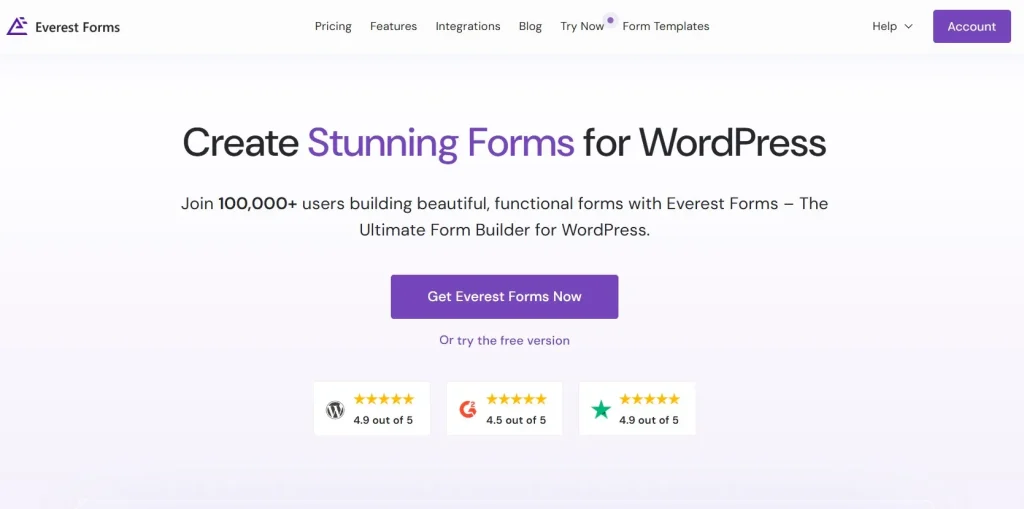
Everest Forms (Pro) is the premium version of the Everest Forms WordPress plugin, built to help website owners create advanced forms through a visual interface without needing to code each form manually. It is a general-purpose form builder, which means it can be used across many different industries and website types.
At the most basic level, the plugin allows you to create forms by dragging fields into place, arranging them visually, and configuring the behavior of each field through settings. That makes form creation much easier compared to hand-coding forms or relying on rigid templates. For many WordPress users, this is already a major benefit because it lowers the barrier to creating useful website functionality.
What makes Everest Forms (Pro) more valuable than a simple form plugin is the range of workflows it can support. It is not limited to contact forms. You can build registration forms, application forms, support request forms, booking inquiries, survey-style forms, lead generation forms, product inquiry forms, and more. The Pro version adds features that make these forms more practical in real business settings, such as extra field types, logic-based display rules, file uploads, and enhanced notifications.
A useful way to think about Everest Forms (Pro) is as a front-end data collection tool for WordPress. Whenever a website needs structured information from users, this plugin can help collect it in an organized way. For instance, a job recruitment website may need applicants to provide personal details, select the role they want, upload a resume, and write a short motivation statement. A basic contact form plugin would struggle with that workflow, but Everest Forms (Pro) can handle it more effectively.
Another example is a service provider offering multiple packages. The business may want users to choose a service type, enter project goals, provide a budget range, and select a preferred timeline. With Everest Forms (Pro), that form can be organized logically, and some fields can be shown only when relevant. This creates a smoother experience for users while collecting more useful information for the business.
The plugin is also important because it supports scalability. A website may start with one or two simple forms, but over time it may need more complex data collection. Instead of switching to a completely different system later, users can expand their workflow within Everest Forms (Pro) as the website grows.
In practical terms, Everest Forms (Pro) helps WordPress users replace scattered, limited, or overly basic forms with something more structured, more professional, and better suited to real online operations.
Key Features of Everest Forms (Pro)
Everest Forms (Pro) includes a broad set of features that make it useful for both simple and advanced WordPress form projects. Below are the most important features and why they matter in practice.
- Drag-and-drop form builder
One of the strongest features is the visual builder. You can create forms by dragging fields into place instead of writing code. This is especially useful for beginners and business owners who want to build forms themselves. A small business owner, for example, can create a lead form or contact form without hiring a developer, while an agency can build forms faster during client projects. - Pre-built form templates
Templates save time by giving users a starting point for common form types. Instead of building every form from scratch, you can start with a registration form, contact form, or feedback form and adjust it to your needs. This is practical because many websites need similar types of forms but still want to customize them. A training center, for instance, can begin with a registration template and then add fields for course choice, previous experience, and preferred schedule. - Wide range of field types
Everest Forms (Pro) supports more than just simple text inputs. You can use fields such as dropdowns, checkboxes, radio buttons, email fields, date pickers, file uploads, and other structured input types. This matters because real forms often need different input methods depending on the data being collected. A quote request form may need a budget dropdown, a project type selector, and a long text area for requirements, all within the same form. - Conditional logic
Conditional logic allows fields to appear, disappear, or change behavior depending on the user’s earlier selections. This feature is extremely valuable because it keeps forms cleaner and more relevant. For example, if a user selects “Business Website” as a project type, you can display extra fields about pages needed, SEO requirements, and booking integration. If they choose “Landing Page,” those extra questions can remain hidden. - Multi-step forms
Long forms can overwhelm users if everything appears on one screen. Multi-step forms solve that by breaking the process into smaller sections. This improves usability and can increase completion rates for more complex workflows. A school admission form, for example, might separate student information, parent details, document upload, and final review into different steps so the overall experience feels more manageable. - File upload support
File upload capability is essential for many websites. Job applications may require resumes, education forms may need documents, and creative service websites may want project briefs or reference images. Everest Forms (Pro) makes this type of submission possible directly through WordPress. A design studio could use it to let clients upload inspiration files while submitting a branding inquiry form, making the inquiry much more useful from the start. - Email notifications and confirmations
After a form is submitted, both the admin and the user often need some kind of response. Everest Forms (Pro) supports automated email notifications so the site owner can be informed of new submissions and the user can receive confirmation. This improves communication and helps users trust that the form worked correctly. For example, after submitting a workshop registration form, the user can receive a confirmation email with next steps or event details. - Payment-related capabilities
Some forms need to do more than collect information. They may also need to collect payments for registrations, bookings, or service requests. This is useful for businesses that want to turn a form into a transaction point. A course provider, for example, could use the form not only to register a participant but also to accept payment as part of the same workflow. - Spam protection and submission security
Forms attract spam if they are not protected properly. Spam prevention features are important because they help maintain clean submissions and reduce wasted admin time. This matters especially for sites receiving frequent inquiries or public submissions. A business generating leads through ads, for instance, needs a reliable way to prevent junk entries from filling its inbox. - Third-party integrations
Integrations extend what a form can do after submission. A form can become part of a larger workflow rather than ending at data collection. For example, if a user signs up for a newsletter, joins a waitlist, or submits a request, that data may need to flow into email marketing or follow-up systems. Integrations help make forms a more active part of the business process rather than a dead end.
Benefits of Using Everest Forms (Pro)
Using Everest Forms (Pro) offers several practical benefits for WordPress websites. One of the biggest is usability. The drag-and-drop builder makes it much easier to create forms without development knowledge. This is a major advantage for small business owners, marketers, and site managers who want more control over their website without relying on a developer every time they need a new form.
Another important benefit is flexibility. Many form plugins can handle one or two basic use cases, but Everest Forms (Pro) is useful across a wide range of workflows. Whether the website needs a simple inquiry form or a more advanced application process, the plugin can usually adapt. This makes it a strong long-term choice because the form needs of a site often grow over time.
The plugin also improves data quality. Well-structured forms help users provide more complete and relevant information. Instead of sending vague messages through a basic contact form, users can be guided through fields that collect the exact details the business needs. A service company, for example, can ask for project type, urgency, budget, and location, making the submission much more actionable.
Another strong benefit is better user experience. Features like conditional logic and multi-step layout help reduce friction. Rather than overwhelming users with irrelevant or overly long forms, the plugin can present questions in a cleaner and more logical way. This can improve completion rates, especially on forms used for leads, registrations, and applications.
There is also a workflow efficiency benefit. Automated notifications, organized submissions, and structured field collection reduce the manual work required after a form is submitted. Staff spend less time asking follow-up questions and more time responding meaningfully. A consultant who receives a detailed intake form can prepare for a discovery call much better than one who receives only a name and a generic message.
Everest Forms (Pro) also supports business growth. As a website evolves, forms often become more central to lead generation, support, and operations. Having a plugin that can handle those changing needs without forcing a full system replacement is valuable. A small site may start with a contact form but later need booking requests, payment forms, or onboarding forms. Everest Forms (Pro) makes that progression easier.
How to Install Everest Forms (Pro)
Installing Everest Forms (Pro) is usually simple, but it is still important to test the plugin carefully after activation so your forms work correctly on the front end.
Install via WordPress Dashboard
The easiest method is through the WordPress admin area. Start by logging in to your WordPress dashboard and going to the Plugins section. Click Add New, then choose Upload Plugin. Select the Everest Forms (Pro) ZIP file from your computer and click Install Now.
After the installation is complete, click Activate. Once activated, the plugin will usually appear in the dashboard menu, where you can begin creating forms. A good first step is to build a test form instead of immediately publishing a live one. For example, create a simple contact or inquiry form and place it on a temporary page. Then submit a few test entries to confirm the form works properly, notifications are being sent, and the data is stored as expected.
If your form includes advanced elements such as conditional logic, file uploads, or multi-step navigation, test those carefully from the front-end user perspective. This is important because a form may appear correct in the builder but still need real submission testing to confirm the workflow is smooth.
Manual Installation
Manual installation is useful if you prefer FTP access or are working in a staging environment. First, download the plugin package and extract it if necessary. Then upload the Everest Forms (Pro) folder to the /wp-content/plugins/ directory on your server using FTP or your hosting file manager.
After uploading, go back to the WordPress dashboard, open Plugins, locate Everest Forms (Pro), and click Activate. Once it is active, go into the plugin interface and create or import your first form.
As with dashboard installation, testing is essential. Submit test entries, verify emails, review spam protection settings, and check the form layout on mobile devices if the form will be used by a broad audience. A form is only useful if the complete submission flow works well in practice.
Why Buy Everest Forms (Pro) at Pluginpro.org
Buying Everest Forms (Pro) at Pluginpro.org can be appealing for WordPress users who want premium functionality without paying full official pricing. One of the biggest reasons is cost savings. Premium WordPress form builders can be expensive, especially if you manage several websites or use multiple premium plugins together. Pluginpro.org can reduce that cost significantly, sometimes by as much as 95%.
Another key advantage is access to 100% clean files. This matters because form plugins often handle important website interactions such as lead generation, registrations, applications, and payments. A reliable file source is important for both security and site stability. Clean files help reduce the risk of technical or security issues that could affect critical workflows.
Unlimited website usage is also a strong benefit, especially for agencies, freelancers, and developers working across many projects. Official licensing models may limit installation counts, which can become costly or restrictive over time. Pluginpro.org offers more deployment flexibility, which is useful if form building is a recurring part of your WordPress work.
Easy updates add long-term value as well. WordPress plugins need to stay compatible with WordPress core, themes, email systems, and other plugins. Having a practical way to keep Everest Forms (Pro) updated helps reduce compatibility issues and maintain smooth performance over time.
Secure downloads also improve convenience. Instead of searching through uncertain sources, users can access the plugin from a platform focused on plugin availability and usability. This saves time and makes the setup process simpler, especially when working on deadlines or live client projects.
For WordPress users who want a more affordable way to access advanced form-building functionality, Pluginpro.org offers a useful mix of cost efficiency, convenience, and flexibility.
Conclusion
Everest Forms (Pro) is a strong WordPress form builder for users who need more than a simple contact form. It combines ease of use with advanced capabilities, making it suitable for both straightforward forms and more complex workflows such as applications, registrations, support requests, quote inquiries, and payment-related forms.
Its drag-and-drop builder makes form creation accessible, while features like conditional logic, file uploads, multi-step layouts, and notifications give it the depth needed for real business operations. This balance makes the plugin useful across many industries, from education and consulting to local services and digital businesses.
The practical value of Everest Forms (Pro) lies in how it improves both data collection and user experience. Better forms mean better submissions, stronger workflow efficiency, and more professional communication with website visitors. As a website grows, that becomes increasingly important.
Installation is straightforward, and once the plugin is tested and configured properly, it can become a central part of how a website captures leads and handles communication. When combined with the pricing and access advantages available at Pluginpro.org, Everest Forms (Pro) becomes an even more attractive option for WordPress users who want a capable and scalable form solution.