Collecting visual preferences through forms can be challenging when users must manually enter color codes. Gravity Forms Color Picker solves this problem by adding an intuitive color selection tool directly inside your forms.
If you’re building forms with WordPress, this add-on helps you create more interactive, user-friendly experiences without writing custom code. In this guide, you’ll learn how to install the plugin, explore its standout features, and discover why purchasing it from Pluginpro.org is the most cost-effective option.
Introduction to the Plugin
This add-on is built to extend the functionality of Gravity Forms, one of the most trusted form builders available today. While the core plugin includes many advanced field types, it doesn’t provide a native visual color selector.
That’s where Gravity Forms Color Picker becomes valuable.
Instead of asking users to type HEX or RGB codes, the tool allows them to choose colors visually through an interactive interface. This improves accuracy, speeds up form completion, and enhances overall user experience.
It is especially useful for businesses that rely on visual customization, such as design services, printing providers, product personalization stores, and branding agencies.
How to Install Gravity Forms Color Picker
Getting started is simple and beginner-friendly.
Step 1: Download the Plugin
Purchase and download the installation file from Pluginpro.org.
Step 2: Upload to WordPress
- Log in to your dashboard
- Navigate to Plugins → Add New
- Click Upload Plugin
- Select the ZIP file
- Click Install Now
Step 3: Activate
Once installation is complete, click Activate Plugin.
The color selection field will now be available inside Gravity Forms.
Step 4: Add the Field to a Form
- Go to Forms → Edit Form
- Open the field panel
- Drag the Color Picker field into the form
- Configure settings
- Save changes
Your form now includes an interactive color selector powered by Gravity Forms Color Picker.
Key Features and Selling Points
Intuitive Visual Interface
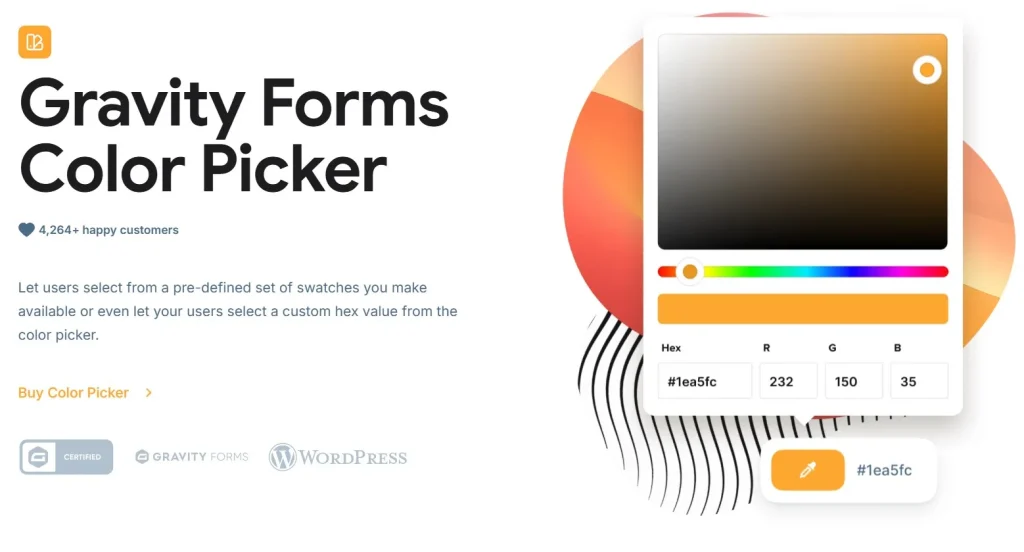
The plugin provides a modern and easy-to-use interface where users can select colors through:
- Interactive color spectrum
- HEX code entry
- RGB sliders
- Ready-made palettes
This eliminates manual input errors and simplifies the process.
Seamless Integration
The add-on works smoothly within the Gravity Forms builder:
- Drag-and-drop placement
- Native field behavior
- No coding required
- Works with existing forms
You can upgrade forms instantly without redesigning them.
Multiple Color Format Support
To meet different project needs, the tool supports:
- HEX codes
- RGB values
- RGBA transparency
- HSL formats
This flexibility benefits both designers and developers.
Customizable Field Controls
You can tailor how the field appears and functions:
- Default color selection
- Custom field labels
- Required field option
- Placeholder text
- Field size settings
This allows consistent branding across your forms.
Predefined Color Palettes
Speed up user interaction by offering preset palettes. Visitors can choose from curated brand or theme colors instead of browsing the full spectrum.
Ideal for:
- Brand identity requests
- Product customization
- Corporate approvals
- Marketing material forms
Fully Responsive Design
The interface adapts perfectly across devices:
- Smartphones
- Tablets
- Laptops
- Desktop screens
Users enjoy a smooth experience everywhere.
Lightweight Performance
The plugin is optimized for speed and minimal resource usage, ensuring your website and forms remain fast and responsive.
Developer-Friendly Structure
Advanced users benefit from:
- Clean codebase
- Hook and filter support
- Easy CSS styling
- Theme compatibility
Customization is flexible and future-proof.
Practical Use Cases
This tool is ideal when forms require visual input.
Design & Creative Services
Collect client preferences for:
- Logo concepts
- Website themes
- Graphic materials
- UI/UX projects
Printing & Manufacturing
Allow customers to choose colors for:
- Apparel
- Packaging
- Merchandise
- Custom products
Marketing & Branding Agencies
Gather brand guidelines efficiently during onboarding.
Web Development Agencies
Use visual preference fields in requirement forms to streamline planning.
Why Buy from Pluginpro.org
Selecting a trusted provider is just as important as choosing the right add-on.
Save Up to 95% of Your Budget
Premium WordPress extensions can be expensive. Pluginpro.org provides access at a fraction of the original price, making it ideal for freelancers, agencies, and growing businesses.
100% Clean Code
All products are thoroughly checked to ensure:
- No malware
- No hidden scripts
- No modified core files
- Safe installation
Your website remains secure and stable.
Unlimited Website Usage
Install on unlimited websites without license restrictions — perfect for developers and agencies managing multiple projects.
Easy and Fast Updates
Receive stable updates that keep the plugin compatible with the latest WordPress and Gravity Forms versions.
One-Time Payment
No recurring subscription fees. Pay once and use long-term.
Large WordPress Resource Library
Pluginpro.org also offers thousands of premium plugins and themes, helping you build professional websites at significantly lower costs.
Final Thoughts
Interactive forms create better user experiences and collect more accurate data. Gravity Forms Color Picker enhances your forms with a professional visual color selection tool that is easy to use and simple to manage.
With seamless integration, flexible customization, responsive design, and strong performance, Gravity Forms Color Picker is an essential enhancement for any website collecting visual preferences.
To maximize value, purchase from Pluginpro.org and enjoy massive savings, clean code, unlimited usage, and hassle-free updates. Build smarter forms and deliver better user experiences effortlessly.