
Getting a visitor to take action on a website is often harder than getting the visitor there in the first place. A business may invest in SEO, paid ads, social media, email campaigns, or content marketing, but once a user lands on the site, the real challenge begins: how do you capture attention without creating friction, and how do you present an offer at the right moment without damaging the browsing experience? This is exactly where popups can become useful—if they are implemented intelligently. Modal Popup with Cookie Integration Pro is designed for that purpose.
Popups have a mixed reputation for a reason. When they are poorly timed, repetitive, or irrelevant, they feel intrusive. But when they are targeted, well-designed, and controlled properly, they can significantly improve conversions. They can help collect email signups, promote discounts, announce updates, encourage registrations, highlight limited-time offers, or guide users toward a next step. The difference between a helpful popup and an annoying one usually comes down to timing, frequency, and relevance.
This is where cookie integration becomes especially important. A popup should not behave the same way for every visitor on every visit. Someone who has already closed a popup should not necessarily see it again five seconds later. Someone who already subscribed to a newsletter should not be shown the same opt-in form over and over again. Someone who has already interacted with a campaign may need a different message altogether. Modal Popup with Cookie Integration Pro helps make popup behavior more intelligent by using cookies to remember user actions and adapt accordingly.
This kind of control is valuable across many kinds of websites. An eCommerce store may want to show a first-visit discount popup only once. A blog may want to show a newsletter offer after a visitor has spent time reading. A SaaS site may want to promote a free trial only to new users. A service business may want to encourage consultation booking without interrupting every single pageview. In each case, the popup itself is not enough. The behavior behind it matters just as much.
Another reason this plugin is useful is that website owners often need flexibility. A popup may need to contain text, buttons, forms, images, promotional graphics, or embedded offers. It may need to trigger on page load, after a delay, on exit intent, or in response to a click. It may need to appear only on selected pages or under certain conditions. A useful popup tool should support that variety without forcing a site owner into rigid templates or awkward workarounds.
Performance and usability also matter. A popup tool should not slow down the site or interfere with navigation. It should be manageable from the WordPress dashboard and easy to adjust over time as campaigns change. For marketers, agencies, bloggers, store owners, and business sites, that practicality is often what makes a plugin worth using long term.
In this article, we will look closely at Modal Popup with Cookie Integration Pro, including what it is, its key features, the benefits of using it, how to install it, and why buying it through Pluginpro.org can be a smart and cost-effective option.
What is Modal Popup with Cookie Integration Pro?
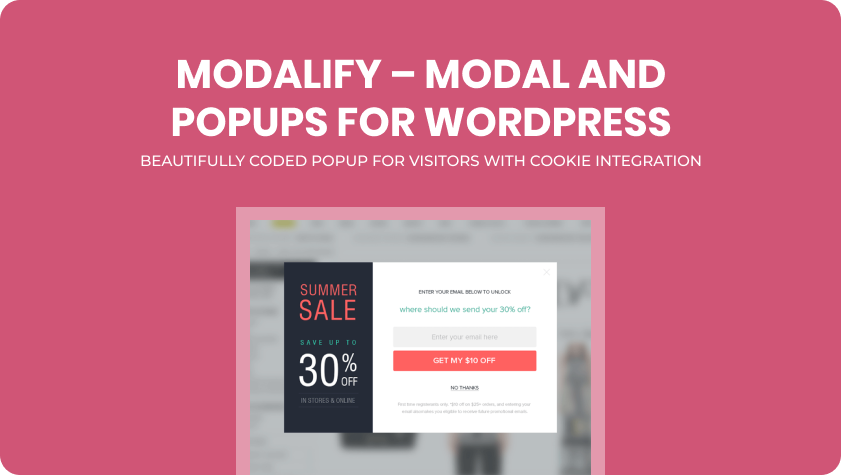
Modal Popup with Cookie Integration Pro is a WordPress plugin built to create and manage modal popups while controlling their display behavior through cookie-based logic. In simple terms, it allows site owners to show promotional or informational popups on their websites, while also remembering how users interacted with those popups so they are not shown in the same way every time.
A modal popup is a box or overlay that appears above the main page content and draws attention to a message or action. This could be an email signup form, a discount announcement, a free trial invitation, an event registration prompt, a product launch notice, or almost any other focused piece of content. Modal popups are effective because they interrupt the flow just enough to get noticed. But that same strength can become a weakness if the popup appears too often or without regard to user behavior.
That is why the cookie integration part of the plugin is so important. Cookies allow the website to remember what the user has done. For example, if a visitor closes a popup, the plugin can use a cookie to prevent the same popup from showing again for a certain amount of time. If the visitor submits a form inside the popup, the plugin can stop showing that popup completely. If the visitor returns after several days, the popup can be shown again only if that matches the campaign strategy. This makes the popup system feel more controlled and more respectful of the visitor experience.
The plugin is useful for many types of websites:
- online stores that want to promote discounts or cart offers
- blogs that want to grow newsletter subscriptions
- SaaS websites that want to promote trials or demos
- service businesses that want to capture inquiries
- content publishers running announcements or limited-time promotions
- agencies managing lead generation on client sites
In a real-world example, imagine an online store offering 10% off for first-time visitors. Without cookie logic, the same discount popup might appear again and again, even after the user closes it. That can quickly become frustrating. With cookie integration, the popup can be shown once, then hidden for a set period. If the visitor subscribes, the popup can disappear entirely. The result is a more strategic experience.
Another example would be a blog that wants to grow its email list. Instead of showing the newsletter popup immediately on every page load, the site may choose to display it only after the user has spent 30 seconds on an article. If the user closes it, the plugin can prevent the popup from reappearing for several days. That small change can make the site feel much less aggressive while still supporting list growth.
Modal Popup with Cookie Integration Pro is also useful because it centralizes popup management in WordPress. Site owners can manage campaigns, display settings, and content without relying on external popup platforms for every use case. This can simplify workflows and make campaigns easier to maintain.
Overall, it is best understood as a popup control plugin that combines conversion-oriented modal messages with smarter frequency management through cookies.
Key Features of Modal Popup with Cookie Integration Pro
Modal Popup with Cookie Integration Pro includes features that make it useful not just as a popup creator, but as a campaign management tool for on-site messaging. Its value comes from combining design flexibility with behavior control.
- Customizable popup content and design
One of the core strengths of the plugin is the ability to create different kinds of popup content. A popup may include plain text, promotional messaging, buttons, images, contact forms, subscription forms, or other custom elements depending on the site’s needs. This flexibility matters because not every popup serves the same purpose. For example, an eCommerce store may want a bold discount graphic with a coupon code, while a service business may want a consultation request form with a short headline and CTA button. Being able to adapt popup design to campaign goals makes the plugin far more useful than a one-size-fits-all popup tool. - Cookie-based display control
This is the defining feature of the plugin. Cookies allow popup behavior to change based on the visitor’s previous actions. If a user closes a popup, the plugin can remember that choice and prevent the popup from showing again for a specified duration. If the user submits a form, the popup can stop appearing permanently or switch to a different state. For example, a newsletter popup can be hidden for 7 days after dismissal, or never shown again after signup. This improves user experience because it prevents repetitive, intrusive behavior. - Multiple popup trigger options
Different campaigns need different timing. A popup shown the second a page loads may work for some urgent announcements, but it may be too aggressive for content marketing or service websites. Modal Popup with Cookie Integration Pro supports a range of trigger conditions such as page load, time delay, click action, and other event-based behaviors depending on setup. This allows site owners to match the popup timing to user intent. For example, a blog may use a delay so the popup only appears after the reader is already engaged, while a store may use a faster trigger for a seasonal offer. - Targeted page-level control
A popup should not always appear everywhere. This plugin becomes more powerful when popups can be assigned to specific pages, posts, or sections of the site. For instance, a pricing popup might only appear on service pages, while a newsletter popup appears only on blog posts. This improves relevance. A visitor reading educational content may respond well to a lead magnet popup, while a visitor on a product page may be better suited for a special offer or cart-related message. - Responsive behavior across devices
Since a large share of traffic now comes from mobile devices, a popup system must work well on smaller screens. Modal Popup with Cookie Integration Pro is useful because it supports responsive display behavior, allowing the popup to remain functional and visually manageable on desktops, tablets, and mobile devices. This is important because an oversized or poorly positioned popup on mobile can ruin the browsing experience and increase bounce rates. - Lead capture and form integration potential
Many website owners use popups specifically for lead generation. The plugin supports this use case by allowing forms or form-based content to be placed inside the popup. For example, a business can embed an email signup form, consultation request form, or simple registration form. This turns the popup from a passive message into an active conversion tool. A SaaS company, for instance, can use a popup to collect demo requests without redirecting users away from the current page. - Frequency and duration settings for smarter repetition
Not every popup should behave the same way over time. Some should reappear after a few hours, others after a week, and some should disappear permanently after interaction. The ability to adjust frequency through cookie duration settings is a major practical feature. For example, a store may want a cart reminder popup to reappear after one day, while a sitewide newsletter popup should stay hidden for much longer after dismissal. These timing controls allow more strategic campaign behavior. - WordPress dashboard management
A popup tool becomes more useful when site owners can manage it without unnecessary complexity. This plugin supports campaign creation and editing from within WordPress, which makes it easier to update messages, revise offers, and test different popup strategies over time. This is especially helpful for marketers and agencies who need to change campaigns regularly.
Benefits of Using Modal Popup with Cookie Integration Pro
One of the most important benefits of using this plugin is improved conversion potential. Popups are effective because they are hard to ignore, but their real value comes from delivering the right message at the right time. When the popup contains a strong offer or a relevant call to action, it can significantly increase signups, inquiries, and promotional engagement. A first-visit discount popup, for example, may convert users who would otherwise leave without purchasing.
Another major benefit is better user experience compared to basic popup tools. The cookie integration feature reduces one of the biggest problems with popups: repetition. A visitor who has already dismissed a popup should not feel trapped in an endless loop of seeing it again and again. By remembering user interaction, the plugin helps keep campaigns visible without making the site feel annoying or desperate.
The plugin also helps support better segmentation in practice. Even without advanced personalization systems, site owners can still show different messages on different pages and let cookie logic handle frequency. For example, blog readers may see a newsletter popup, while service page visitors see a consultation offer. This makes the website’s messaging feel more aligned with context and user intent.
Another benefit is marketing flexibility. Campaigns change over time. A business may want to promote a sale this month, a lead magnet next month, and a webinar after that. The plugin supports that kind of ongoing adaptation by making popup creation and editing manageable. This allows site owners to treat popups as part of an active marketing system rather than a fixed one-time setup.
There is also a lead generation advantage. Popups often work well for email capture, especially when paired with strong offers such as discount codes, free guides, checklists, or early access incentives. The plugin makes it easier to place these lead capture prompts in a focused format. Since the popup isolates the offer from surrounding distractions, users can pay attention to the action more clearly.
For eCommerce sites, the benefits can include stronger promotional visibility. A limited-time offer popup can increase campaign awareness. A welcome discount can improve first-visit conversion. A cookie-controlled popup can make those offers feel more intentional and less aggressive. For blogs and publishers, the benefit may be stronger list growth or promotion of premium content. For SaaS sites, the benefit may be more trial or demo requests.
Finally, the plugin is cost-effective compared to building custom popup logic from scratch. Creating a modal system with cookie-based behavior manually would require development time, testing, and maintenance. A dedicated plugin provides a faster path to the same business outcome.
How to Install Modal Popup with Cookie Integration Pro
Installing Modal Popup with Cookie Integration Pro is usually a straightforward WordPress process. The most common method is through the WordPress dashboard.
Start by downloading the plugin ZIP file. Then log in to your WordPress admin panel and go to Plugins > Add New. Click Upload Plugin, select the ZIP file, and click Install Now. Once WordPress finishes the installation, click Activate. After activation, the plugin should appear in the admin menu or plugin list so you can start configuring it.
The next step is setting up your first popup. This usually involves deciding on the popup content, selecting the trigger behavior, and configuring the cookie logic. For example, you might create a newsletter signup popup that appears after 20 seconds on blog posts and stays hidden for 7 days if dismissed. Or you might create a discount popup that appears only on product pages and never reappears after a user submits the form.
If the plugin supports form integrations or HTML-based content, this is the stage where you add that as well. For example, you may insert a short email signup form, a CTA button to a landing page, or a promotional image linked to an offer.
Manual installation is also possible. Extract the ZIP file on your computer, then upload the plugin folder to the wp-content/plugins directory using FTP. After that, return to the WordPress dashboard, go to Plugins, find Modal Popup with Cookie Integration Pro, and activate it there.
Once installed, test the popup behavior carefully. This is especially important for cookie-based logic. Open the site in a fresh browser session, check when the popup appears, close it, and confirm that it does not immediately reappear if it is not supposed to. Then test the action flow by submitting the form or button and verifying that the cookie behavior updates correctly. It is also wise to test on both desktop and mobile to make sure the popup remains readable and easy to dismiss or interact with.
A thoughtful installation process is not just about making the popup visible. It is about making sure the popup behaves well, supports the user journey, and reinforces the website’s goals without becoming disruptive.
Why Buy Modal Popup with Cookie Integration Pro at Pluginpro.org
Buying Modal Popup with Cookie Integration Pro at Pluginpro.org offers several practical advantages for WordPress users who want strong functionality without paying full premium prices. One of the biggest benefits is cost savings. Popup and conversion tools can become expensive, especially when site owners are already paying for themes, builders, SEO plugins, and hosting. Pluginpro.org helps make this plugin more accessible by offering the chance to save up to 95% compared to the original price.
Another important advantage is access to 100% clean files. This matters because any plugin that affects front-end user interaction should come from a source that is reliable and security-conscious. Clean files help reduce the risk of malware, hidden code, or compromised packages. For business websites relying on lead generation and on-site conversions, trust in plugin quality is especially important.
Unlimited website usage is another major benefit. Agencies, freelancers, and businesses often work across several websites. A popup plugin that can be used across multiple projects offers better long-term value than a single-site pricing model. This is especially useful for agencies managing lead generation campaigns for clients.
Pluginpro.org also provides easy updates, which is important because WordPress environments change over time. Themes, builders, plugin ecosystems, and browser behavior all evolve. Better access to updates helps maintain compatibility and reduces the chance of popup issues appearing later.
Finally, secure downloads improve the purchasing experience. Users need confidence that the files they are receiving are available safely and are ready to install. That reliability matters when a plugin is going onto a live business website.
For anyone looking to add smarter popup logic to WordPress without overspending, Pluginpro.org provides a compelling value proposition.
Conclusion
Modal Popup with Cookie Integration Pro is a practical and valuable WordPress plugin for site owners who want to use popups more effectively. It does more than display promotional overlays. It helps control when and how those messages appear, making popup behavior smarter through cookie-based memory.
Its real strength lies in the balance between conversion support and user experience. Custom popup content, flexible triggers, lead capture potential, page targeting, responsive display, and especially cookie-based frequency control all make it more strategic than a basic popup plugin. Instead of showing the same message endlessly, it allows the site to behave more intelligently based on user interaction.
The benefits are significant across many site types. eCommerce stores can promote offers without excessive repetition. Blogs can grow email lists more gracefully. SaaS companies can encourage trials in a more targeted way. Service businesses can use popups for inquiries and consultations without disrupting every pageview. In each case, the plugin can improve visibility for key offers while maintaining a more respectful browsing experience.
When purchased through Pluginpro.org, Modal Popup with Cookie Integration Pro becomes even more attractive because of the substantial cost savings, clean files, unlimited website usage, easy updates, and secure downloads.
For any WordPress site owner looking to improve on-site messaging, lead generation, and popup control, Modal Popup with Cookie Integration Pro is definitely worth serious consideration.



