
Montro is a modern WordPress theme built for creative professionals, agencies, and portfolio-driven websites that need a strong visual identity combined with smooth performance. From the first interaction, Montro positions itself as a design-forward theme that helps users present their work in a polished and engaging way.
Unlike traditional business themes that prioritize structure over creativity, Montro focuses on visual storytelling. It allows designers, photographers, studios, and freelancers to showcase their projects with clarity and impact. At the same time, it maintains performance and usability, ensuring that the website remains fast and accessible.
In practice, Montro enables users to launch a portfolio website, highlight projects, and present services without building layouts from scratch. The theme provides ready-made structures that simplify the process while still allowing deep customization.
Another important aspect is how Montro supports branding. A portfolio website is not just about displaying work; it is about communicating style, personality, and professionalism. Montro helps achieve this by offering flexible design options that align with different creative directions.
Additionally, Montro fits naturally into modern creative workflows. Whether you are a freelancer pitching clients, an agency presenting case studies, or a designer building a personal brand, the theme acts as a central hub for showcasing your work and attracting opportunities.
A key advantage that often goes unnoticed is how Montro supports storytelling through sequencing. Instead of showing random visuals, users can guide visitors through a narrative—problem, process, and outcome. This structured storytelling significantly increases perceived value.
For anyone working in a creative field, Montro provides a reliable foundation that balances aesthetics, functionality, and scalability.
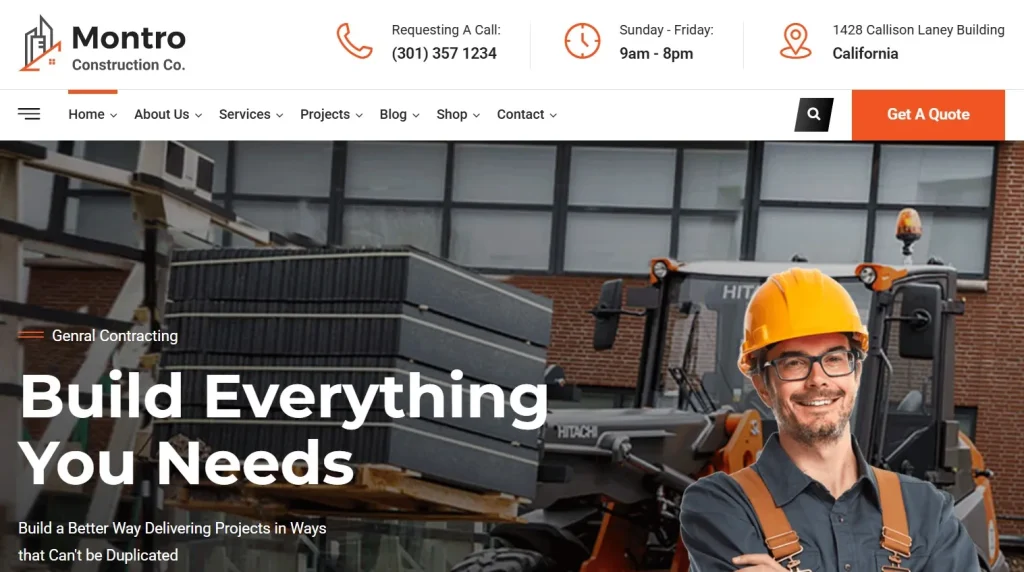
What is Montro?
Montro is a WordPress theme designed for creative portfolios, agencies, and freelancers who want to showcase visual work in a structured and engaging format. It combines modern design elements with practical features that support content presentation and user interaction.
At its core, Montro is a portfolio-focused theme. It allows users to organize projects, display visuals, and provide context through descriptions and case studies. This makes it ideal for professionals who rely on visual presentation to attract clients.
A clear definition would be: Montro is a WordPress theme designed for creatives and agencies to build visually compelling portfolio websites that highlight projects, communicate expertise, and drive client inquiries.
For example, a graphic designer can use Montro to present branding projects, including logos, typography, and visual systems. Each project can be structured as a case study, explaining the problem, approach, and final result.
Another use case is a digital agency. With Montro, they can showcase multiple client projects, highlight results, and present services in a clear and professional way. This helps build trust and credibility.
In real-world workflows, Montro functions as both a portfolio and a marketing tool. It allows creatives to present their work while also guiding visitors toward actions such as contacting or hiring them.
Additionally, Montro supports personal branding strategies. Freelancers can combine portfolio projects with blog content, testimonials, and service pages, creating a complete online presence.
It is also highly effective for pitch-based workflows. For example, instead of sending static PDFs to clients, creatives can share their Montro-powered website as a dynamic portfolio. This creates a stronger impression and increases conversion rates.
Another practical application is in collaboration. Teams within agencies can use Montro as a centralized platform where designers, developers, and marketers contribute to case studies, ensuring consistency across projects.
Who should use Montro?
- Designers and photographers showcasing portfolios
- Creative agencies presenting client work
- Freelancers building personal brands
- Studios highlighting projects and services
- Developers displaying case studies and projects
This means Montro is ideal for users who need a visually strong and professionally structured website.
Key Features of Montro
Montro includes a range of features designed to support creative workflows and improve presentation quality.
- Pre-built Portfolio Templates
Montro provides ready-made layouts specifically designed for portfolios. These templates include project grids, case study pages, and homepage variations.
In practice, this allows users to launch websites quickly. A designer can import a demo and replace content with their own projects, saving significant time. It also enables rapid prototyping when testing new portfolio styles. - Project Showcase System
The theme includes structured project pages where users can display images, descriptions, and details.
This helps present work professionally. For example, a photographer can create galleries that highlight different styles or categories. Projects can also include before-and-after comparisons, which are highly effective in demonstrating value. - Flexible Layout Customization
Users can adjust layouts for pages and portfolios without coding.
This flexibility allows creatives to experiment with different visual presentations. For example, agencies can adapt layouts depending on client industries, creating tailored presentations. - High-Quality Visual Presentation
Montro is optimized for displaying images and media.
This ensures that visuals look sharp and load efficiently. For creatives, this is essential because image quality directly impacts perception. High-resolution projects maintain clarity without compromising speed. - Responsive and Mobile-Optimized Design
The theme adapts to different screen sizes seamlessly.
This ensures that portfolios look professional on all devices, including smartphones and tablets. Mobile-first presentation is especially important for clients browsing on the go. - Performance Optimization
Despite its visual focus, Montro is designed to load quickly.
Faster performance improves user experience and reduces bounce rates. This is critical when showcasing multiple high-resolution images. - SEO-Friendly Structure
Clean code and proper content hierarchy support search engine indexing.
This helps creatives attract organic traffic and potential clients. For example, case studies can rank for niche service keywords. - Typography and Branding Controls
Users can customize fonts, colors, and spacing to match their brand identity.
This allows each website to feel unique while maintaining consistency. - Integration with Page Builders
Montro works with popular page builders, enabling drag-and-drop customization.
This reduces reliance on developers and speeds up design changes. - Contact and Lead Generation Features
The theme includes forms and call-to-action sections.
This helps convert visitors into clients by making it easy to get in touch. Strategic placement of these elements increases inquiry rates.
Together, these features create a system that supports both creative expression and business growth.
Benefits of Using Montro
Using Montro provides several advantages that directly impact how creatives present their work and attract clients.
One key benefit is improved visual impact. The theme’s design ensures that projects are displayed clearly and professionally, which enhances perception.
Another benefit is efficiency. With pre-built templates and structured layouts, users can create websites quickly without starting from scratch.
In real-world scenarios, this means a freelancer can launch a portfolio within days and start attracting clients immediately.
Another important benefit is better storytelling. Montro allows users to present projects as case studies, explaining the process behind the work. This adds depth and builds trust with potential clients.
Additionally, Montro improves client communication. Instead of explaining projects verbally, users can direct clients to detailed case studies that clearly outline their approach and results.
From a workflow perspective, Montro simplifies content updates. Creatives can continuously add new projects without disrupting the overall design.
Another benefit is higher conversion potential. Structured layouts guide users toward actions such as contacting or hiring, increasing business opportunities.
Finally, Montro supports long-term growth. As portfolios expand, the theme maintains consistency and performance.
Real Use Cases of Montro
Montro is used across various creative industries, each benefiting from its design and functionality.
A freelance designer can use Montro to present branding projects and attract clients. By structuring projects as case studies, they can demonstrate expertise and problem-solving skills.
A photography studio can use the theme to showcase different portfolios, such as weddings, portraits, and commercial work. This helps potential clients explore services easily.
In practice, agencies use Montro to streamline client acquisition. Instead of lengthy proposals, they present curated case studies that communicate value instantly.
Another real-world example is a UI/UX designer presenting product design workflows. They can show research, wireframes, and final designs in a structured flow, making it easier for clients to understand their process.
Developers can also use Montro to present technical projects. By explaining architecture, challenges, and solutions, they can attract higher-quality clients who value expertise.
Creative studios often use Montro as a central hub for showcasing work, team members, and services. This creates a complete brand experience.
Additionally, freelancers targeting international clients benefit from Montro’s professional presentation. A strong portfolio website reduces the need for constant outreach, as inbound inquiries increase.
How to Install Montro
Installing Montro is a straightforward process that follows standard WordPress procedures.
First, download the Montro theme package. This includes theme files and demo content.
Next, log in to your WordPress dashboard. Navigate to Appearance, then Themes, and click “Add New.” Upload the theme file and activate it.
After activation, install required plugins. These may include page builders and additional functionality tools.
In practice, these plugins enable full features such as layout customization and portfolio management.
Then, import demo content. This provides a ready-made layout that can be customized.
Next, replace demo content with your own projects, images, and text. This step transforms the template into a personalized website.
For example, a designer can upload real project images, write case study descriptions, and organize categories based on services.
After that, customize design elements such as colors, fonts, and layouts to match your brand.
Finally, test the website. Ensure responsiveness, loading speed, and functionality are optimized before launching.
Why Buy Montro at Pluginpro.org
Buying Montro at Pluginpro.org offers significant advantages, especially for freelancers, agencies, and creative professionals managing multiple projects.
One of the most important benefits is cost savings. Premium portfolio themes often require separate licenses for each website, which can become expensive over time. Pluginpro.org provides access to Montro at a much lower cost.
For example, a freelance designer managing five client websites can save a substantial amount by using a single source instead of purchasing multiple licenses. The saved budget can be redirected toward advertising or software tools.
Another advantage is unlimited usage. Agencies can deploy Montro across multiple client projects without additional costs. This creates a scalable workflow where each project benefits from a proven system.
In real-world scenarios, agencies reduce onboarding time by standardizing processes. Designers, developers, and content creators can all work within the same framework, improving collaboration.
File quality is also critical. Pluginpro.org provides clean and reliable files, ensuring compatibility with WordPress updates. This minimizes technical issues and ensures stable performance.
Additionally, centralized access to updates simplifies maintenance. Instead of tracking multiple licenses, users can manage everything in one place.
For beginners, this reduces entry barriers. They can build professional portfolios without significant investment.
For agencies, the combination of reduced costs and faster delivery creates higher profit margins and sustainable growth.
Is Montro Worth It?
Yes, Montro is worth it for creatives, freelancers, and agencies who need a visually strong and professional portfolio website.
The theme provides a balance between design flexibility and ease of use, allowing users to create impressive websites without technical complexity.
For example, a freelance photographer can use Montro to present portfolios, attract clients, and increase bookings. A strong portfolio presentation often directly influences hiring decisions.
Freelancers transitioning from platforms like Behance or Dribbble can use Montro to build their own branded space. This gives them full control over presentation and client interaction.
From a cost perspective, using Montro through Pluginpro.org significantly increases value. Users gain access to premium functionality at a lower cost.
Another important factor is long-term usability. Montro supports continuous updates, allowing users to evolve their portfolio as they grow.
Agencies benefit even more. By using Montro as a standard framework, they can deliver consistent quality across projects while reducing production time.
However, Montro is best suited for creative and portfolio websites. It is not designed for complex systems such as large-scale eCommerce platforms.
This means that if your goal is to build a professional portfolio, attract high-quality clients, and scale your creative business, Montro is a highly practical and worthwhile choice.
Conclusion
Montro provides a comprehensive solution for creatives and agencies looking to build visually compelling portfolio websites. It combines design, functionality, and performance into a single platform that supports both presentation and growth.
Its structured approach simplifies website creation while still offering flexibility for customization. At the same time, its performance and SEO-friendly design support long-term visibility.
With added advantages such as cost savings and scalability through Pluginpro.org, Montro becomes an even more valuable tool for creative professionals.
Ultimately, Montro is more than just a WordPress theme. It is a strategic asset that helps users showcase their work, build credibility, and grow their careers in a competitive digital landscape.



