MrFix is a powerful WordPress plugin designed to help website owners detect, diagnose, and fix common technical issues that affect performance, SEO, and overall site stability. MrFix simplifies complex troubleshooting processes by providing automated scans, actionable recommendations, and one-click fixes directly inside the WordPress dashboard.
Running a WordPress site often involves dealing with hidden problems such as broken links, slow loading scripts, database clutter, and configuration errors. These issues may not be visible immediately, but over time they can reduce search rankings, hurt user experience, and increase maintenance costs. MrFix addresses these challenges by acting as an all-in-one optimization and repair tool.
Instead of relying on multiple plugins or manual debugging, users can centralize maintenance tasks within a single interface. This not only saves time but also reduces the risk of overlooking critical issues. Whether you manage a blog, an eCommerce store, or multiple client websites, MrFix helps maintain performance and reliability without requiring advanced technical skills.
In real-world workflows, MrFix is often used as a preventive maintenance tool rather than just a repair solution. Regular scans and automated fixes ensure that websites remain optimized over time, reducing the likelihood of major issues in the future. For example, a growing blog that publishes daily content can accumulate unnecessary database entries quickly, and MrFix helps control that growth automatically.
Another important aspect is its role in reducing downtime. Website issues often go unnoticed until users start reporting them. With proactive monitoring, MrFix helps identify problems early, allowing site owners to resolve them before they impact visitors or revenue.
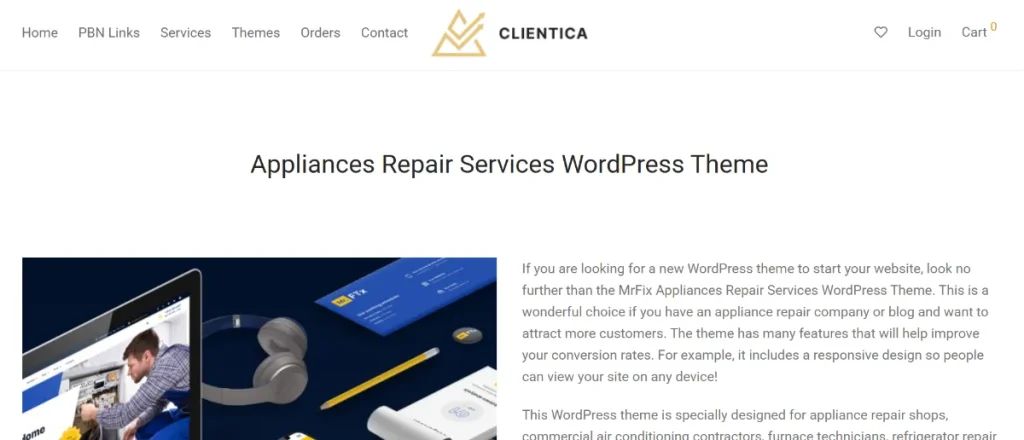
What is MrFix?
MrFix is a WordPress plugin that focuses on identifying and resolving technical issues that impact website performance, SEO, and usability. It combines diagnostic tools with automated repair features, allowing users to maintain their websites without deep technical knowledge.
At its core, MrFix scans various aspects of a website, including file structure, database health, plugin conflicts, and performance bottlenecks. It then provides clear reports highlighting problems and offering recommended solutions. In many cases, these fixes can be applied with a single click, making the process accessible even for non-developers.
For example, a website experiencing slow load times may have unused scripts or outdated database entries. MrFix can detect these issues and suggest optimizations such as removing unnecessary data or optimizing queries. This results in faster performance and improved user experience.
The plugin is suitable for a wide range of users. Beginners benefit from its simplicity, while developers and agencies use it to streamline maintenance tasks across multiple sites. In practice, MrFix acts as a technical assistant that continuously monitors and improves website health.
Another important aspect is its ability to prevent issues before they escalate. By running regular scans, users can identify potential problems early and address them proactively. This reduces downtime and ensures a smoother experience for visitors.
In addition, MrFix helps standardize maintenance processes. Instead of relying on different tools for each type of issue, users can follow a consistent workflow within one plugin. This is especially useful for teams that need repeatable processes across multiple websites.
Key Features of MrFix
- Automated Website Scanning
MrFix performs comprehensive scans of your website to detect technical issues. These scans cover performance, SEO errors, broken links, and database inefficiencies.
In practice, this allows users to quickly identify problems without manually checking each component. For example, a site owner can run a scan and immediately see which pages have broken links or slow loading elements.
This feature is particularly useful for large websites where manual auditing would take hours. Instead of reviewing each page individually, users can rely on automated scanning to highlight issues across the entire site. - One-Click Fix Solutions
One of the most valuable features is the ability to apply fixes with a single click. MrFix provides recommended solutions that can be implemented instantly.
This is especially useful for non-technical users. Instead of editing code or navigating complex settings, they can resolve issues directly from the dashboard. For instance, clearing unnecessary database entries can be done in seconds.
In real workflows, this feature reduces reliance on developers. A content manager can fix common issues independently, speeding up the maintenance process. - Performance Optimization Tools
MrFix includes tools designed to improve website speed and efficiency. These tools optimize scripts, images, and database queries.
In real-world scenarios, this leads to faster page load times, which improves both user experience and search engine rankings. A faster site also reduces bounce rates and increases engagement.
For example, a slow-loading homepage can be optimized by compressing assets and removing unused scripts. MrFix handles these adjustments without requiring manual intervention. - SEO Issue Detection
The plugin identifies common SEO issues such as missing meta tags, duplicate content, and broken links. It provides actionable recommendations to improve search visibility.
For example, a blog with multiple outdated links can use MrFix to detect and fix them, ensuring a better user experience and improved SEO performance.
This feature is especially valuable for content-heavy websites that publish frequently and may overlook technical SEO details. - Database Cleanup and Optimization
Over time, WordPress databases accumulate unnecessary data such as revisions, spam comments, and temporary files. MrFix helps clean and optimize the database.
This reduces server load and improves performance. For sites with large amounts of content, regular database maintenance can make a noticeable difference.
A practical example is a WooCommerce store with frequent updates. Database cleanup ensures faster queries and smoother checkout processes. - Plugin Conflict Detection
MrFix analyzes installed plugins to identify potential conflicts that may cause errors or slowdowns. It provides insights into which plugins may be causing issues.
This is particularly useful for websites with many plugins. Instead of guessing which plugin is responsible for a problem, users can rely on MrFix’s analysis.
In agency workflows, this saves significant debugging time, especially when managing complex client sites. - Scheduled Maintenance Automation
Users can schedule regular scans and optimizations to keep their website in good condition. This ensures continuous performance without manual intervention.
For example, a weekly maintenance schedule can automatically clean the database and check for errors, reducing the need for manual monitoring.
Over time, this automation creates a stable and predictable maintenance routine.
Benefits of Using MrFix
One of the most significant benefits of using MrFix is the ability to maintain website health without requiring technical expertise. Website owners who are not developers can still manage performance, fix errors, and optimize their sites effectively. This reduces dependency on external support and lowers maintenance costs.
For example, a small business owner running an online store may encounter issues such as slow loading pages or broken links. Hiring a developer for each issue can be expensive. With MrFix, many of these problems can be resolved internally, saving both time and money.
Another major advantage is improved website performance. Faster load times and optimized resources lead to better user experience and higher search rankings. This directly impacts traffic and conversions, especially for eCommerce sites where speed plays a critical role.
From a workflow perspective, MrFix simplifies maintenance tasks. Instead of managing multiple plugins for optimization, SEO fixes, and database cleanup, users can handle everything in one place. This reduces complexity and improves efficiency.
In agencies, this translates into measurable cost savings. Instead of assigning technical staff to routine maintenance, teams can automate most tasks and focus on higher-value work such as strategy and client acquisition.
Another benefit is risk reduction. Regular scans help identify vulnerabilities and technical issues before they become serious problems. This proactive approach minimizes downtime and protects revenue streams.
Real Use Cases of MrFix
MrFix is widely used across different types of websites. In eCommerce, it helps maintain fast loading times and ensures that product pages function correctly. For example, an online store with hundreds of products can use MrFix to detect broken links and optimize database performance, improving the shopping experience.
Agencies benefit from MrFix by managing multiple client websites more efficiently. Instead of performing manual maintenance on each site, they can use the plugin to automate scans and fixes. This reduces workload and allows teams to focus on strategic tasks.
Bloggers and content creators use MrFix to maintain SEO health. By regularly scanning for broken links and missing metadata, they ensure that their content remains optimized for search engines.
In corporate environments, MrFix is used to maintain internal websites and knowledge bases. Regular maintenance ensures that information is accessible and systems run smoothly.
A practical example involves a news website publishing dozens of articles daily. Over time, internal links may break or outdated content may affect SEO. MrFix helps maintain link integrity and ensures consistent performance.
Another scenario is a freelancer managing multiple client websites on a limited budget. Instead of hiring additional support, they can use MrFix to automate maintenance tasks, improving efficiency and profitability.
How to Install MrFix
Installing MrFix follows the standard WordPress plugin installation process. First, download the plugin file from a trusted source such as Pluginpro.org. Ensure that the file is in ZIP format.
Next, log in to your WordPress dashboard and navigate to the Plugins section. Click on “Add New,” then select “Upload Plugin.” Choose the MrFix ZIP file and click “Install Now.” Once the installation is complete, activate the plugin.
After activation, access the MrFix dashboard from your WordPress menu. Here, you can configure settings such as scan frequency and optimization preferences. It is recommended to run an initial scan to identify existing issues.
Once the scan is complete, review the report and apply recommended fixes. Most fixes can be implemented with a single click, making the process quick and straightforward.
For best results, schedule regular scans to maintain website health. This ensures that new issues are detected and resolved promptly.
In practice, teams often create a maintenance checklist using MrFix. For example, weekly scans, monthly database cleanup, and quarterly performance audits. This structured approach ensures long-term stability.
Why Buy MrFix at Pluginpro.org
Buying MrFix from Pluginpro.org offers a strong advantage in terms of cost efficiency and flexibility. Instead of purchasing individual licenses for each website, users can access the plugin at a significantly reduced price. This is particularly beneficial for agencies and developers managing multiple projects.
For example, an agency handling ten client websites would normally need to purchase ten separate licenses. This can quickly become expensive. By using Pluginpro.org, the same agency can deploy MrFix across all sites at a fraction of the cost, resulting in substantial savings over time.
Another important benefit is unlimited website usage. This allows users to scale their operations without worrying about additional licensing fees. For freelancers and agencies, this simplifies project management and reduces administrative overhead.
From a practical standpoint, Pluginpro.org provides clean and secure plugin files. This ensures that installations are safe and free from malicious code. Reliable files reduce the risk of downtime or security breaches, which can be costly to fix.
Additionally, having access to updates ensures compatibility with the latest WordPress versions. This keeps the plugin functioning properly and allows users to benefit from new features and improvements.
In real-world workflows, purchasing from Pluginpro.org streamlines setup processes. Teams can quickly install the plugin on new projects without dealing with complex licensing systems, saving time during onboarding.
A clear cost-saving scenario can be seen in agencies that maintain dozens of small client websites. Instead of paying recurring license fees for each tool, they can centralize maintenance with MrFix and significantly reduce monthly expenses.
Is MrFix Worth It?
Yes, MrFix is worth it for anyone who wants to maintain a fast, stable, and optimized WordPress website without investing heavily in technical support. It is especially valuable for small business owners, agencies, and content creators who need reliable performance but have limited resources.
For example, a freelancer managing several client websites can use MrFix to handle maintenance tasks efficiently. Instead of spending hours troubleshooting issues, they can rely on automated scans and fixes, improving productivity and client satisfaction.
Another practical scenario involves a startup that cannot afford a full-time developer. With MrFix, the team can manage technical maintenance internally, reducing operational costs while maintaining performance.
Ultimately, the value of MrFix lies in its ability to save time and prevent costly issues. For users who prioritize efficiency and reliability, it offers a strong return on investment.
Conclusion
MrFix provides a comprehensive solution for maintaining and optimizing WordPress websites. By combining automated diagnostics with easy-to-apply fixes, it simplifies tasks that would otherwise require technical expertise.
Its ability to improve performance, detect SEO issues, and streamline workflows makes it a valuable tool for a wide range of users. Whether managing a single site or multiple projects, MrFix helps ensure consistent performance and reliability.
For anyone looking to reduce maintenance complexity while improving website quality, MrFix offers a balanced and effective solution.