SEO marketing is one of the most effective ways to build long-term traffic for a WordPress website. Unlike paid ads, which usually stop generating results when the campaign budget ends, SEO marketing focuses on improving visibility in organic search over time. This makes it especially attractive for businesses, bloggers, agencies, publishers, and eCommerce stores that want sustainable growth rather than short-term traffic spikes. However, while the idea of SEO marketing sounds straightforward, the actual execution is much more complex.
A successful SEO marketing strategy involves several moving parts. It includes keyword targeting, content optimization, metadata management, internal linking, technical SEO, site structure, indexing, performance, and analytics. Many WordPress users understand that these elements matter, but they struggle to manage them consistently. Some websites publish valuable content without optimizing it properly. Others have service pages that look professional but do not target the search terms users actually type into Google. In many cases, the problem is not effort. The problem is the lack of a practical system.
This is where a plugin like SEO Marketing (Premium) becomes useful. Instead of forcing users to manage every optimization task manually, the plugin helps organize SEO into a more structured workflow. It can guide users through on-page SEO improvements, automate repetitive tasks, and provide clearer visibility into what needs attention. That makes it easier for beginners to follow best practices and easier for advanced users to save time across larger websites.
In real-world use, this type of plugin can be valuable in many scenarios. A local business can use it to optimize service and location pages. A blogger can use it to improve article structure and keyword relevance. A WooCommerce store can use it to strengthen product and category visibility. A digital agency can use it to manage SEO implementation across multiple client sites more efficiently. These are practical, everyday use cases where better SEO directly supports traffic and conversion goals.
Another important benefit is scalability. Many WordPress sites start small, with only a few pages or posts. At that stage, manual SEO may seem manageable. But as the site grows, consistency becomes harder to maintain. Metadata gets overlooked, internal links become inconsistent, and technical SEO details are easy to miss. An SEO marketing plugin helps prevent those problems by turning optimization into a repeatable process.
In this article, we will explore SEO Marketing (Premium) in depth, including what it is, its key features, its practical benefits, how to install it, and why buying it from Pluginpro.org can be a smart choice for WordPress users who want strong functionality at a more affordable price.
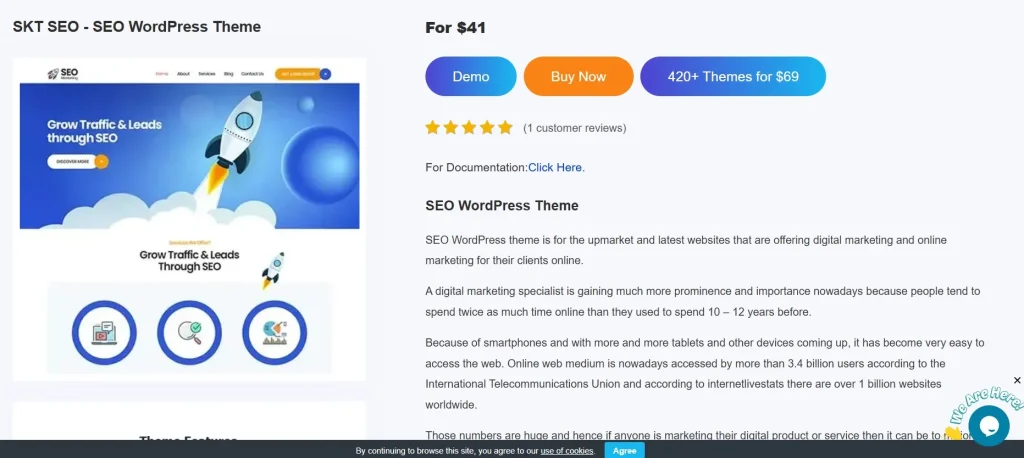
What is SEO Marketing (Premium)?
SEO Marketing (Premium) is a WordPress plugin built to help users improve their search engine optimization through a more centralized and manageable workflow. Instead of relying on multiple disconnected plugins or manual checklists, users can use SEO Marketing (Premium) as a single system for handling important SEO tasks such as keyword optimization, metadata, technical SEO support, content analysis, and performance monitoring.
At its core, the plugin acts as an SEO management layer inside WordPress. It helps users understand how well their pages are optimized and where improvements can be made. For beginners, this can mean having a simpler path to implementing SEO best practices without needing expert-level knowledge. For experienced users, it can mean faster workflows, better oversight, and fewer repetitive tasks.
The plugin is designed to support different types of websites. A local business website may use it to optimize pages for location-based search terms like “dentist in Austin” or “roof repair in Miami.” A content blog may use it to refine headings, keyword usage, and internal links for articles. An eCommerce store may use it to improve product titles, meta descriptions, category structures, and indexing rules. The same plugin framework can be adapted across these different cases because the underlying SEO principles remain relevant.
One of the main reasons plugins like SEO Marketing (Premium) are valuable is that SEO often breaks down in execution rather than strategy. Many website owners know that they need better titles, stronger content structure, and faster-loading pages. The problem is implementing those improvements consistently across a full site. By bringing these tasks into one system, the plugin reduces friction and gives users a more reliable way to maintain SEO quality over time.
Another important aspect is that the plugin is not just about rankings. Good SEO is closely tied to user experience. Clear headings, relevant metadata, logical internal links, and better site structure make content easier to understand and navigate. That means a plugin supporting SEO marketing is also helping the site communicate better with real users, not just search engines.
From a technical perspective, SEO Marketing (Premium) may include tools such as title and description controls, schema support, XML sitemap generation, content readability analysis, keyword guidance, crawl and indexing support, and integrations with analytics platforms. These features are important because modern SEO is not one-dimensional. Search engines evaluate many signals, and strong websites usually perform better because multiple SEO elements work together.
In practical terms, SEO Marketing (Premium) is best understood as a system that helps WordPress users build, improve, and maintain SEO in a more consistent and scalable way. It is not a magic solution, but it is a tool that can make good SEO execution much more manageable.
Key Features of SEO Marketing (Premium)
- Advanced keyword optimization tools
One of the most important features of SEO Marketing (Premium) is its keyword optimization support. The plugin helps users identify where target keywords appear and how effectively they are used across a page. This includes important areas such as titles, headings, introductory paragraphs, and metadata. For example, if a service page targets “kitchen remodeling services” but barely uses the phrase in strategic areas, the plugin can help flag that weakness and guide the user toward better alignment. - On-page SEO analysis and recommendations
The plugin offers page-level analysis that can evaluate core SEO elements like heading structure, keyword placement, content organization, and metadata completeness. This is useful because many pages fail not because the topic is wrong, but because the page is poorly structured. A blog post may have useful information but weak subheadings, or a landing page may have missing title tag logic. Having direct recommendations helps users improve pages faster and with more confidence. - Automated metadata management
Writing custom meta titles and meta descriptions for every page can take a lot of time. SEO Marketing (Premium) helps streamline this process with automation features that can generate metadata templates or simplify the editing process across the site. This is especially helpful for larger websites such as blogs with many articles or stores with many product pages. While manual refinement is still valuable, automation provides a strong starting point and reduces workload. - Technical SEO support
SEO is not only about written content. Technical factors such as crawlability, indexing controls, schema markup, and sitemap accuracy also matter. The plugin helps users address these issues without needing to edit code manually. For example, it may support XML sitemaps, canonical settings, or structured data configurations that help search engines understand the site more clearly. This technical layer is important because even strong content can underperform if the site is difficult for search engines to process. - Internal linking optimization
Internal links help search engines understand the relationship between pages and help users explore related content more easily. SEO Marketing (Premium) can assist by recommending relevant internal links or helping users identify pages that should connect. For instance, a blog article about on-page SEO can link to articles about keyword research, meta descriptions, and technical audits. This makes the site more cohesive and improves overall SEO strength. - Content optimization tools
A strong feature set in SEO plugins often includes support for improving readability, formatting, and content clarity. SEO Marketing (Premium) can help users create content that is easier to scan and better aligned with search intent. This may include suggestions for shorter paragraphs, clearer subheadings, improved keyword balance, or more informative opening sections. These improvements matter because good SEO content must serve both search engines and readers. - Performance and speed optimization guidance
Page speed is a known ranking factor and also a major user experience factor. A slow website can lose both rankings and conversions. SEO Marketing (Premium) may include tools or recommendations related to performance, helping users reduce friction caused by heavy resources or poor optimization. For example, a site owner may identify that bloated pages are affecting usability and take steps to improve loading speed. - Analytics and reporting integration
A successful SEO strategy requires measurement. The plugin can support analytics integration so users can track rankings, traffic behavior, or page-level SEO performance more effectively. This matters because optimization is not complete when a page is published. Users need to know what performs well and what needs improvement. A service page that gains impressions but few clicks may need better metadata, while a blog post that ranks but has weak engagement may need content refinement. - Customizable SEO settings
Not every website has the same goals. A news site, local business, online store, and portfolio website all need different SEO priorities. SEO Marketing (Premium) becomes more useful when it gives users flexible controls that can be tailored to specific industries and content models. This helps users avoid a generic one-size-fits-all SEO setup. - Regular updates and support
Search engine expectations change, WordPress changes, and plugins need maintenance to stay useful. Regular updates help ensure that the plugin remains compatible with current WordPress versions and evolving SEO practices. This is especially important for users who want a long-term SEO solution rather than a short-term tool.
Benefits of Using SEO Marketing (Premium)
One of the biggest benefits of using SEO Marketing (Premium) is improved visibility in search engines. A site that consistently applies better metadata, keyword targeting, internal linking, and technical SEO practices has a stronger chance of ranking for relevant searches. While no plugin guarantees top rankings, a strong SEO workflow plugin can remove many of the basic and intermediate mistakes that commonly limit search performance.
Another major benefit is time efficiency. SEO tasks often involve repetition. Writing metadata, checking page structure, reviewing internal links, and monitoring optimization quality can take a lot of time when done manually. By automating part of the workflow and surfacing issues more clearly, the plugin allows users to spend more time on strategy and content quality rather than repetitive technical work.
Consistency is another valuable advantage. Many websites optimize some pages well and neglect others. Over time, this creates uneven SEO quality. Important pages may be strong, while supporting pages remain under-optimized. SEO Marketing (Premium) helps reduce that inconsistency by creating a more repeatable optimization framework across the whole website.
The plugin also helps reduce avoidable errors. Some site owners forget to add meta descriptions, use poor heading structures, or leave important pages disconnected from the rest of the site. Others publish content that is relevant but not formatted well for search or users. By highlighting these kinds of issues, the plugin helps users improve page quality before weaknesses accumulate.
From a business perspective, better SEO often means more targeted traffic. A site that ranks for the right keywords is more likely to attract users who are already interested in the service, product, or topic being offered. That means SEO improvements can support not only traffic growth but also lead generation, sales, and stronger conversion opportunities.
Another benefit is better scalability. As a website grows, SEO management becomes harder to maintain manually. A plugin that supports templates, analysis, and centralized controls makes it easier to expand content without losing optimization quality. This is particularly useful for publishers, agencies, and stores that manage many pages at once.
In real-world scenarios, a travel blog can use the plugin to strengthen destination guides and category pages. A local contractor can optimize service-area landing pages. A WooCommerce store can improve product discoverability and category structures. A coaching business can refine service pages and blog content to attract more qualified search traffic. These examples show that the plugin’s value lies not only in technical support but in improving the effectiveness of the entire content and visibility strategy.
How to Install SEO Marketing (Premium)
Installing SEO Marketing (Premium) in WordPress is usually a simple process, and most users can complete it in just a few minutes. The first step is to obtain the plugin file from a trusted source. Once you have the ZIP file, log in to your WordPress admin dashboard and go to the Plugins section.
Click Add New, then choose Upload Plugin. Select the SEO Marketing (Premium) ZIP file from your computer, upload it, and click Install Now. After WordPress completes the installation, click Activate. The plugin should then appear in your dashboard, either as a separate menu item or inside the site’s broader SEO settings area.
After activation, the next step is configuration. This part is important because simply installing an SEO plugin does not mean the website is now fully optimized. Users should review the main settings carefully, including metadata templates, sitemap options, schema settings, internal linking suggestions, and analytics connections if available. The right configuration depends on the type of website you run.
A practical approach is to begin with the most important pages first. For example, a business website might start with the homepage, contact page, and top service pages. An online store might begin with product categories and top-selling products. A blog might begin with cornerstone articles or pages that already attract impressions in search. Starting with priority pages helps users see results faster and understand how the plugin works in practice.
It is also recommended to test the plugin on a few pages before applying broad automation rules across the entire site. For example, review generated metadata, check that headings are structured correctly, and confirm that internal linking suggestions make sense for your content. This reduces the risk of automated settings creating patterns you later need to fix manually.
Users should also review technical outputs such as XML sitemaps, indexing settings, and schema features. If the site already uses another SEO plugin or technical optimization tool, compatibility should be checked to avoid overlapping features or conflicts.
Finally, once the plugin is installed and configured, it should become part of the regular publishing workflow. Rather than treating it as a one-time setup task, users should use its analysis tools when creating new content, updating service pages, or refining site structure. That is how the plugin delivers the most long-term value.
Why Buy SEO Marketing (Premium) at Pluginpro.org
Buying SEO Marketing (Premium) at Pluginpro.org can be a practical decision for WordPress users who want premium plugin functionality while controlling software costs. One of the most obvious reasons is the ability to save up to 95% compared to standard pricing. For freelancers, agencies, business owners, and developers working across multiple sites, that level of savings can make premium tools much more accessible.
Another important reason is access to 100% clean files. This matters because SEO plugins often operate at a deep level within WordPress and affect important parts of site structure, metadata, and technical settings. Using safe and clean files helps reduce the risk of malware, corruption, or compatibility issues that could harm the site’s stability.
Unlimited website usage is another strong advantage. Many official licenses restrict usage to a single website or a small number of installations. That can become expensive quickly for agencies or developers who build websites for clients. More flexible usage means better overall value, especially for professionals managing multiple WordPress projects.
Easy updates also add to the appeal. SEO is not static. WordPress evolves, search engine expectations shift, and plugin ecosystems change over time. Having access to updates helps users keep the plugin compatible and useful in the long run. For any SEO tool, staying current is important because outdated functionality can limit effectiveness.
Secure downloads are another practical benefit. When users purchase a plugin, they want the process to be reliable and efficient. This matters even more in agency and business settings where project timelines are tight and delays can affect deployment schedules.
There is also a broader cost-efficiency benefit. Most WordPress websites use several premium plugins, not just one. A typical stack may include plugins for SEO, forms, performance, page building, eCommerce, or translation. Paying full retail price for every tool can raise costs significantly. Pluginpro.org helps make premium plugin use more sustainable, especially for users managing multiple projects or client websites.
In real terms, a freelancer can use SEO Marketing (Premium) to improve client websites without inflating project costs too much. A small business can access better SEO functionality while staying within budget. An agency can deploy the plugin across multiple sites more efficiently. These are direct operational benefits that affect profitability, flexibility, and workflow speed.
For users who prioritize affordability, clean files, flexible usage, easy updates, and secure delivery, Pluginpro.org offers a compelling option for purchasing SEO Marketing (Premium).
Conclusion
SEO Marketing (Premium) is a practical WordPress plugin for users who want a more organized and scalable approach to search engine optimization. Instead of handling SEO as a scattered series of manual tasks, the plugin helps centralize key functions such as keyword targeting, metadata management, technical SEO support, content optimization, analytics integration, and internal linking improvement.
Its value lies in both efficiency and consistency. It can help beginners follow better SEO practices and help experienced users streamline more advanced workflows. For websites that are growing in size and complexity, this kind of centralized support becomes even more useful because it reduces common errors and helps maintain better optimization standards over time.
The plugin is also flexible enough to work across different types of WordPress sites, including blogs, local business websites, eCommerce stores, agency projects, and content-driven platforms. In each case, the goal is the same: improve visibility, attract more relevant organic traffic, and create a stronger long-term SEO foundation.
When purchased through Pluginpro.org, SEO Marketing (Premium) becomes even more attractive from a value standpoint. The combination of major cost savings, clean files, unlimited website usage, easy updates, and secure downloads makes it a strong choice for WordPress users who want premium features without overspending.
If you want to make SEO more manageable, more consistent, and more effective across your WordPress website, SEO Marketing (Premium) is well worth considering.