
Live video has fundamentally changed how audiences consume content online. Instead of waiting for edited videos or written updates, users now expect real-time interaction, instant access to events, and a more authentic connection with creators and brands. Platforms like YouTube Live, Facebook Live, and similar services have made livestreaming widely accessible, but they also introduce a key limitation: most of the engagement happens outside your website.
For businesses, creators, and organizations that rely on WordPress, this creates a strategic challenge. You may be producing high-quality live video content, but if your audience consumes it on external platforms, you lose control over user experience, branding, and monetization opportunities. This is exactly where Social Live Video Auto Embed becomes extremely valuable.
Traditionally, embedding live video into a website is a manual process. Each time a new livestream starts, you may need to update the embed link, adjust the page, or even create a new post. For occasional streams, this may be manageable. However, for users who stream frequently—such as gaming channels, online educators, fitness trainers, or businesses running regular webinars—this becomes inefficient and time-consuming.
Social Live Video Auto Embed solves this problem by automating the entire workflow. Instead of manually embedding each livestream, the plugin connects your WordPress site to your video platforms and automatically displays the latest live or recent video. This ensures that your website always shows relevant, up-to-date content without requiring constant intervention.
This capability has several practical implications. First, it improves user retention. Instead of sending visitors away to external platforms, you keep them on your own website, where you control the environment. Second, it enhances branding. Your live content is presented within your own design, alongside your messaging, products, or services. Third, it opens up monetization opportunities, such as displaying ads, promoting offers, or capturing leads while users watch your livestream.
The plugin is particularly useful for:
- streamers and gaming websites displaying live gameplay
- educators hosting live classes or webinars
- businesses running product launches or demonstrations
- media platforms covering live events or news
- influencers embedding social content on their websites
- fitness coaches streaming live sessions
For example, a gaming website can automatically display a live stream from YouTube on its homepage. A business hosting weekly webinars can ensure that the latest session is always visible without updating pages manually. A news site can embed live coverage of events. A fitness coach can stream workouts and have them appear instantly on their website.
Another important advantage is consistency. Without automation, it is easy to forget to update embeds, leading to outdated or broken content. With automatic embedding, the correct video is always displayed.
In this article, we will explore Social Live Video Auto Embed in detail, including what it is, its key features, practical benefits, installation process, and why purchasing it from Pluginpro.org is a smart and cost-effective decision.
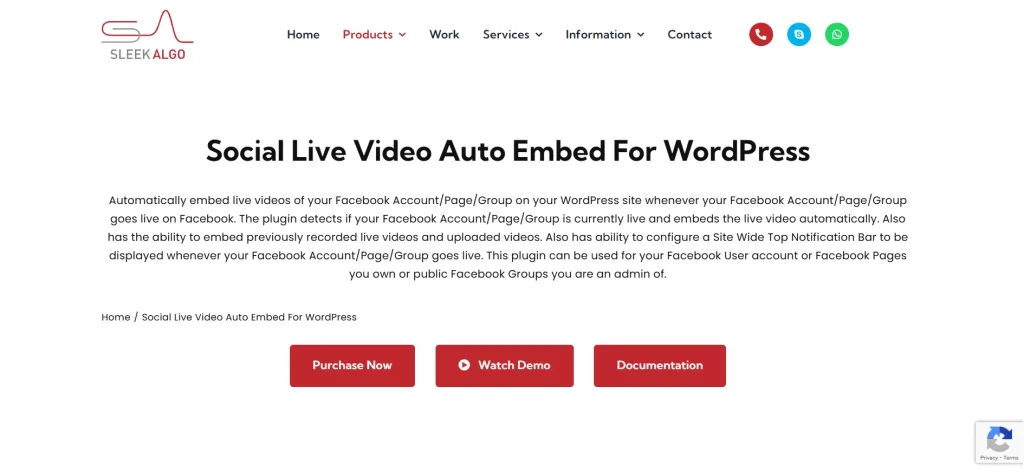
What is Social Live Video Auto Embed?
Social Live Video Auto Embed is a WordPress plugin designed to automatically embed live or recent video streams from social media platforms directly into a website. Instead of requiring manual updates for each livestream, it dynamically detects and displays the latest video content from connected sources.
At its core, the plugin acts as a bridge between your WordPress site and your video platforms. Once configured, it continuously checks for new live streams or recent broadcasts and updates the embedded player accordingly. This means your website always reflects your most current content.
The plugin is particularly suitable for:
- YouTubers and live stream creators
- gaming and esports platforms
- online educators and course providers
- businesses using live video marketing
- news and media websites
- influencers and social media brands
A real-world example helps clarify its value. Imagine a YouTube creator who streams daily. Without automation, they would need to update their website every time they go live. With Social Live Video Auto Embed, the website automatically displays the current stream. Visitors who land on the site can immediately watch the live content without any manual updates.
Another example is a business hosting weekly webinars. Instead of creating a new page or updating an embed link each week, the plugin ensures that the latest webinar is always visible. This simplifies content management and improves user experience.
The plugin is also useful for hybrid content strategies. For example, when no livestream is active, it can display the most recent video. This ensures that the embedded player is never empty or outdated.
Another important aspect is reliability. Manual embedding can lead to errors, such as incorrect links or outdated videos. Automation reduces these risks by ensuring that the correct content is always displayed.
Additionally, the plugin integrates seamlessly with WordPress, allowing users to place video embeds in pages, posts, or widget areas.
Overall, Social Live Video Auto Embed is a tool designed to streamline video integration and keep website content fresh and relevant.
Key Features of Social Live Video Auto Embed
Social Live Video Auto Embed includes a range of features that make it a powerful solution for managing live video content on WordPress websites.
- Automatic live video detection and embedding
The core feature of the plugin is its ability to automatically detect when a livestream is active and embed it on your website. This eliminates the need for manual updates and ensures that visitors always see the latest content. For example, if a streamer goes live on YouTube, the website automatically displays the stream without requiring any changes. - Support for multiple video platforms
The plugin is designed to work with popular streaming platforms such as YouTube Live and Facebook Live. This flexibility allows users to integrate content from different sources. For example, a business may use YouTube for webinars and Facebook for live announcements. The plugin can handle both, creating a unified experience on the website. - Dynamic switching between live and recent videos
When no livestream is active, the plugin can display the most recent video. This ensures that the embedded section is always populated with relevant content. For example, a fitness trainer’s website can show the latest recorded session when they are not live, maintaining engagement even outside live hours. - Customizable display and placement options
Users can control how and where videos appear on their site. This includes embedding videos in pages, posts, or specific sections such as headers or sidebars. For example, a homepage can feature a live stream at the top, while a blog page can include embedded videos within articles. - Responsive design for all devices
The plugin ensures that embedded videos adapt to different screen sizes. This is important because many users watch content on mobile devices. A responsive design ensures that the viewing experience remains smooth and accessible across desktops, tablets, and smartphones. - Improved integration with content strategy
The plugin allows live video to become part of the overall website experience rather than a separate element. For example, a product launch stream can be embedded alongside product details and purchase options. This integration enhances the effectiveness of video content. - Reduced manual workload and maintenance
Automation significantly reduces the time required to manage video embeds. Instead of updating links regularly, users can focus on creating content. This is especially valuable for creators and businesses with frequent livestreams. - Performance-conscious implementation
Despite handling dynamic content, the plugin is designed to maintain site performance. Efficient loading ensures that embedded videos do not negatively impact page speed.
Benefits of Using Social Live Video Auto Embed
One of the most important benefits of Social Live Video Auto Embed is automation. By eliminating manual updates, the plugin saves time and reduces the risk of errors. This is especially valuable for users who stream frequently or manage multiple video channels.
Another major benefit is improved user engagement. Live video is inherently more engaging than static content. By embedding live streams directly on your website, you encourage visitors to stay longer and interact with your content. For example, a gaming site with a live stream can keep users on the page for extended periods.
The plugin also increases user retention. Instead of sending visitors to external platforms, you keep them within your website ecosystem. This allows you to control the user journey and present additional content, offers, or calls to action.
From a business perspective, this can improve conversion rates. For example, a company hosting a live product demo can embed the stream on a page with purchase options. Visitors can watch and buy without leaving the site.
Another benefit is consistency. The plugin ensures that the correct video is always displayed. This prevents issues such as outdated embeds or broken links, which can harm user experience.
The plugin also supports branding. By embedding videos within your own website, you present content within your own design and messaging. This reinforces your brand identity.
Additionally, it enhances content strategy. Live video can be integrated with blog posts, landing pages, and marketing campaigns. For example, a webinar can be embedded on a landing page with registration or follow-up options.
There is also a scalability advantage. As your content grows, the plugin continues to manage video embedding automatically. This makes it suitable for both small creators and large organizations.
Finally, it is cost-effective. Instead of developing custom solutions or manually managing embeds, users can rely on a single plugin to handle the process efficiently.
How to Install Social Live Video Auto Embed
Installing Social Live Video Auto Embed is a straightforward process, but proper configuration is important to ensure it works effectively.
Start by downloading the plugin ZIP file. Then log in to your WordPress admin dashboard and go to Plugins > Add New. Click Upload Plugin, select the ZIP file, and click Install Now. Once installation is complete, click Activate.
After activation, go to the plugin settings. This is where you connect your video platforms. For example, you may need to enter a YouTube channel ID or connect a Facebook page. This step allows the plugin to monitor your video sources.
Next, configure display options. Decide where the video should appear and how it should behave. For example, you may want the live stream to appear on the homepage or within specific pages.
Test the setup by starting a livestream or checking recent videos. Ensure that the correct content is displayed and that the layout works on different devices.
Manual installation is also possible. Extract the ZIP file and upload it to the wp-content/plugins directory via FTP, then activate it from the dashboard.
It is recommended to test the plugin across different scenarios, such as live and non-live states, to ensure consistent performance.
Why Buy Social Live Video Auto Embed at Pluginpro.org
Buying Social Live Video Auto Embed at Pluginpro.org offers several practical advantages.
One of the biggest benefits is cost savings. Premium plugins can be expensive, especially for users managing multiple websites. Pluginpro.org allows users to save up to 95%, making the plugin more accessible.
Another important advantage is 100% clean files, ensuring safety and reliability.
Unlimited website usage is also valuable for agencies and businesses.
Pluginpro.org provides easy updates, ensuring compatibility with WordPress.
Finally, secure downloads give users confidence in the installation process.
Conclusion
Social Live Video Auto Embed is a powerful tool for integrating live video into WordPress websites. By automating the embedding process, it ensures that content is always up-to-date and reduces manual workload.
Its features, including automatic detection, platform support, and customizable display, make it suitable for a wide range of users. The benefits include improved engagement, higher retention, and better integration with marketing strategies.
When purchased through Pluginpro.org, the plugin becomes even more attractive due to cost savings, clean files, and flexibility.
For anyone using live video as part of their content strategy, Social Live Video Auto Embed is a highly valuable solution.



