
Tools4WP is a multifunctional WordPress utility plugin designed to simplify website management by combining a wide range of small but essential features into a single system. Instead of installing multiple plugins for tasks like inserting custom scripts, cleaning up the admin panel, controlling frontend behavior, or applying performance tweaks, Tools4WP allows you to manage everything from one centralized interface.
This matters more than it might seem at first. Many WordPress websites gradually become overloaded with plugins. A site may start with only a few core tools, but over time additional plugins are added for minor needs—one for header scripts, one for disabling Gutenberg elements, another for admin customization, another for performance tweaks, and so on. Each plugin adds overhead, increases the chance of conflicts, and makes long-term maintenance more complicated.
In practice, Tools4WP solves this problem by acting as a utility hub. It consolidates commonly used functions into one modular plugin, allowing users to enable only the features they need. This approach helps reduce plugin clutter, improve performance, and create a more organized workflow.
For example, instead of installing three or four separate plugins to manage scripts, customize the dashboard, and apply small frontend changes, you can handle all of those tasks within Tools4WP. For agencies managing multiple websites, this becomes even more valuable. A consistent toolkit across projects reduces setup time and simplifies ongoing maintenance.
Whether you are a developer, freelancer, or business owner, Tools4WP helps streamline the technical side of WordPress management so you can focus more on building and optimizing your website rather than maintaining a fragmented plugin stack.
What is Tools4WP?
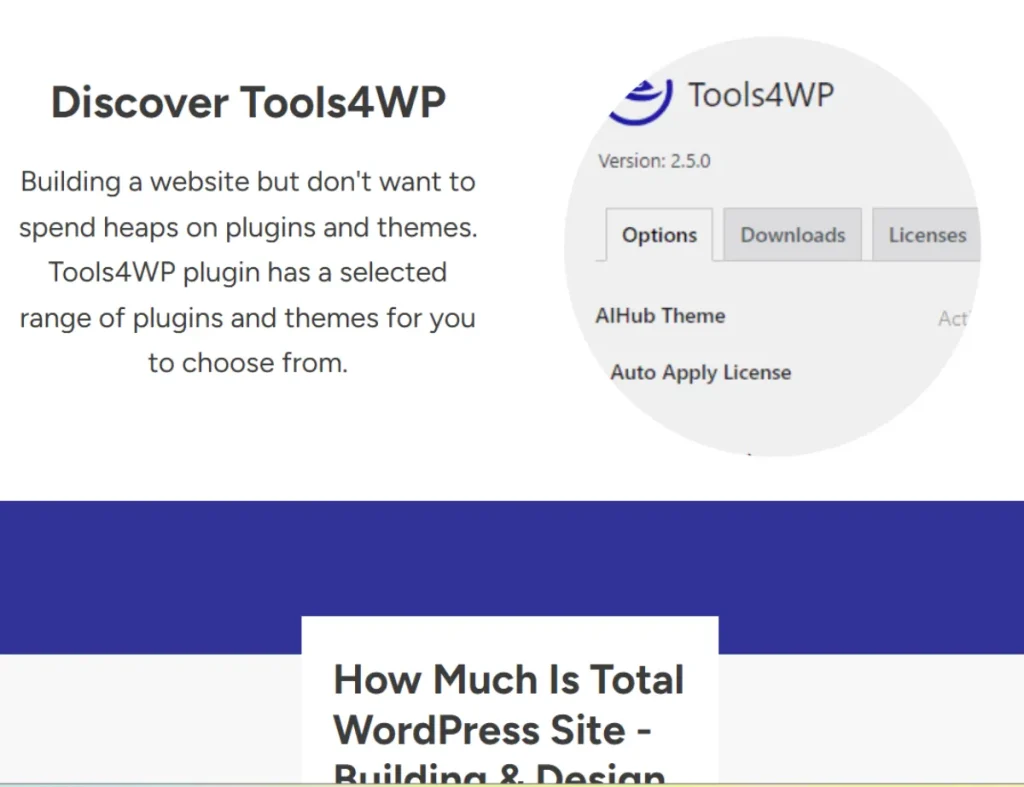
Tools4WP is an all-in-one WordPress utility plugin that provides a collection of modular tools for managing, customizing, and optimizing your website. It is designed to replace multiple small plugins by offering similar functionality in a single, unified system.
At its core, Tools4WP works as a modular control panel. Each feature is separated into individual components that can be activated or deactivated depending on your needs. This means you are not forced to use everything at once. Instead, you create a tailored setup that fits your specific workflow.
Who should use Tools4WP? It is particularly useful for developers, agencies, freelancers, and advanced WordPress users who regularly handle multiple websites or require fine control over site behavior. It is also suitable for business owners who want to simplify their website setup and reduce dependency on multiple plugins.
A practical example is an agency that builds and maintains client websites. Without a tool like Tools4WP, each site might require several utility plugins, each with its own interface and update cycle. With Tools4WP, the agency can standardize its workflow by using one plugin to handle many of these functions.
Another example is a developer who frequently needs to insert custom scripts, modify admin settings, and optimize performance. Instead of switching between different plugins or editing theme files, they can manage everything from a single interface.
Tools4WP is not meant to replace large, specialized plugins such as SEO tools or eCommerce systems. Instead, it focuses on smaller but essential tasks that are often overlooked but still important for site performance and usability. By consolidating these tasks, it creates a cleaner, more efficient WordPress environment.
Key Features of Tools4WP
- Custom code insertion (CSS, JavaScript, PHP)
One of the most practical features of Tools4WP is the ability to add custom code directly from the dashboard. Users can insert CSS, JavaScript, or PHP snippets without modifying theme files. This is especially useful for tracking scripts, analytics tags, UI adjustments, or small functional tweaks. In practice, this means you can quickly add a Google Analytics script, adjust styling, or implement custom logic without touching core files or creating a child theme. - Admin panel customization
Tools4WP allows you to modify the WordPress admin interface to make it cleaner and more user-friendly. You can hide unnecessary menu items, remove widgets, and simplify the dashboard. This is particularly useful for client projects. For example, an agency can remove advanced settings that clients do not need, reducing confusion and preventing accidental changes. - Performance optimization controls
The plugin includes tools for managing how scripts and styles are loaded. By controlling resource loading, you can reduce unnecessary requests and improve page speed. For example, if a plugin loads scripts on every page but is only needed on specific pages, Tools4WP can help limit its impact. This contributes to faster loading times and better user experience. - Basic security enhancements
Tools4WP provides simple security features such as login customization and admin access control. While it is not a full security suite, it helps reduce common risks. For instance, you can change login behavior or restrict access to certain areas, adding an extra layer of protection. - Frontend behavior customization
The plugin allows you to modify frontend elements, such as disabling certain WordPress features or adjusting display behavior. This is useful for creating a cleaner user interface. For example, you can remove unnecessary elements that do not align with your site’s purpose. - Role-based customization
Tools4WP enables different behaviors based on user roles. This means you can control what each type of user can see or do. For example, administrators may have full access, while editors or clients see a simplified interface. This improves both usability and security. - Script and style management
Managing scripts and styles is critical for performance. Tools4WP provides control over how these resources are loaded. This helps prevent conflicts and reduces unnecessary load on the website. In practice, this can improve both speed and stability. - Modular feature system
One of the strongest aspects of Tools4WP is its modular design. Each feature can be turned on or off independently. This ensures that you only use what you need, keeping the plugin lightweight. For example, if you only need code insertion and admin customization, you can disable everything else. - Compatibility with existing plugins
Tools4WP is designed to work alongside other plugins. This is important because most websites rely on a combination of tools. The plugin integrates smoothly into existing setups without causing conflicts. - Centralized control panel
All features are managed from a single dashboard. This simplifies workflow and reduces the need to switch between multiple plugin interfaces. For agencies and developers, this centralization saves time and improves efficiency.
Benefits of Using Tools4WP
One of the most immediate benefits is reduced plugin clutter. Instead of installing multiple small plugins, you can use one tool to handle various tasks. This reduces the number of active plugins, which can improve performance and lower the risk of conflicts.
Another key benefit is improved workflow efficiency. Managing everything from a single interface saves time and makes the site easier to maintain. For example, instead of updating several plugins individually, you manage fewer components, which simplifies maintenance.
Performance improvements are also significant. Fewer plugins and better script management can lead to faster loading times. This improves user experience and can positively impact SEO.
Flexibility is another advantage. The modular system allows you to customize the plugin based on your needs. This means you can adapt it to different projects without unnecessary overhead.
Consistency is especially valuable for agencies. Using the same tool across multiple projects creates a standardized workflow. This makes it easier to train team members and maintain sites over time.
Finally, Tools4WP helps reduce long-term maintenance complexity. With fewer plugins to manage, there are fewer updates, fewer compatibility issues, and fewer potential points of failure.
Real Use Cases of Tools4WP
An agency managing multiple client websites can use Tools4WP as a standard utility plugin. Instead of installing several small plugins on each site, they can rely on one tool to handle common tasks. This reduces setup time and ensures consistency.
A developer can use Tools4WP to insert custom scripts and styles without modifying theme files. For example, they can add tracking codes, adjust layout behavior, or implement small features quickly and safely.
A business owner can simplify the admin interface for non-technical staff. By removing unnecessary options, they create a cleaner environment that is easier to manage.
A performance-focused website can use Tools4WP to control script loading and reduce unnecessary resource usage. This helps improve page speed and user experience.
A freelancer can use Tools4WP to streamline project setup. Instead of configuring multiple plugins, they can activate the features they need and start building immediately.
How to Install Tools4WP
Installing Tools4WP is a simple process, but proper configuration ensures the best results.
Start by downloading the plugin file from your source. Before installation, make sure your WordPress site is updated and running smoothly.
Go to your WordPress dashboard, navigate to Plugins, and click Add New. Upload the Tools4WP file, install it, and activate it.
Once activated, access the Tools4WP settings panel. Review the available modules and enable only the features you need. This is important because activating unnecessary features can reduce efficiency.
Next, configure each enabled feature. For example, add custom scripts, adjust admin settings, or modify frontend behavior based on your requirements.
After configuration, test your website thoroughly. Check both frontend and backend functionality to ensure everything works correctly.
Finally, monitor performance and make adjustments as needed. Tools4WP is flexible, so you can refine your setup over time.
Why Buy Tools4WP at Pluginpro.org
Purchasing Tools4WP at Pluginpro.org offers several practical advantages.
One of the most noticeable benefits is cost savings. Users can save up to 95% compared to official pricing. This is especially useful for freelancers, agencies, and businesses managing multiple websites.
All files are 100% clean, ensuring that your website remains secure and stable. This is critical for maintaining trust and avoiding technical issues.
Unlimited website usage allows you to use the plugin across multiple projects without additional costs. This is ideal for agencies handling multiple clients.
Updates are easy to manage, ensuring compatibility with the latest WordPress versions. This helps maintain performance and security.
Secure downloads ensure safe file delivery, reducing the risk of installation issues.
For example, an agency can implement Tools4WP across all client websites, reducing costs while maintaining a consistent workflow.
Is Tools4WP Worth It?
Tools4WP is a strong choice for users who want to simplify WordPress management and reduce reliance on multiple plugins.
It is especially useful for developers, agencies, and advanced users who need flexibility and control.
It becomes particularly valuable when managing multiple websites, where efficiency and consistency are critical.
For users who want a cleaner, more organized WordPress setup, Tools4WP offers clear practical value.
Conclusion
Tools4WP provides a practical solution for consolidating essential WordPress utilities into a single plugin. By reducing plugin clutter, improving workflow efficiency, and offering flexible customization, it helps users manage their websites more effectively.
Its modular design, centralized control panel, and compatibility with existing tools make it suitable for a wide range of use cases. Whether you are a developer, agency, or business owner, Tools4WP offers a streamlined approach to WordPress management that supports both performance and long-term maintainability.



