
If you’re looking to connect your WordPress website with your CRM seamlessly, WP Fusion is one of the most powerful tools available today. Whether you run an eCommerce store, membership site, or online course platform, WP Fusion helps automate workflows, personalize user experiences, and boost conversions.
In this comprehensive guide, we’ll explore everything you need to know about WP Fusion, including how to install it, its key features, and why purchasing it from Pluginpro.org is a smart investment.
What is WP Fusion?
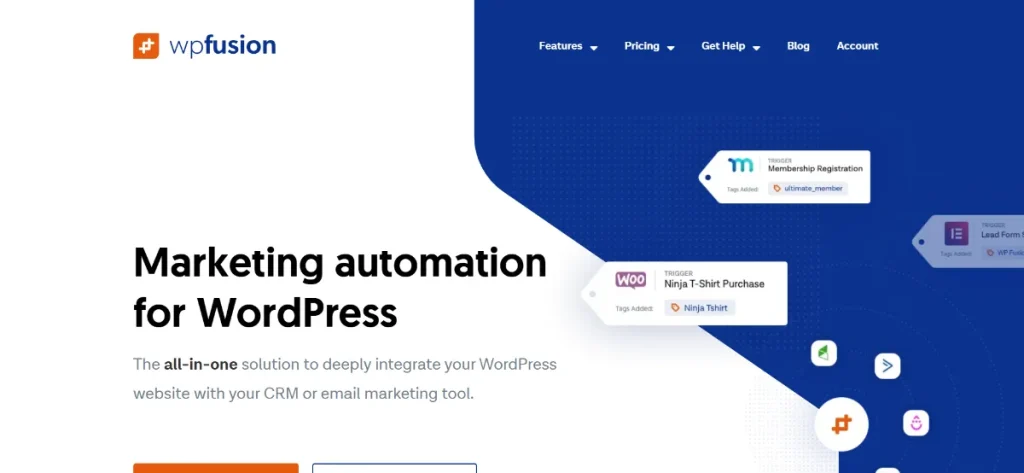
WP Fusion is a premium WordPress plugin designed to integrate your website with popular CRM (Customer Relationship Management) systems. It acts as a bridge between WordPress and platforms like HubSpot, ActiveCampaign, Mailchimp, Salesforce, and many others.
Instead of manually syncing user data, WP Fusion automates the entire process. It tracks user activity, assigns tags, and triggers actions based on behavior — all in real-time.
This makes it an essential plugin for:
- Online businesses
- Membership websites
- LMS (Learning Management Systems)
- WooCommerce stores
- Marketing automation workflows
Why WP Fusion is Important for Your Website
Managing customer data manually is inefficient and error-prone. WP Fusion solves this problem by:
- Automatically syncing user data with your CRM
- Tracking user behavior on your website
- Enabling personalized content based on tags
- Automating email marketing workflows
- Improving customer engagement and retention
With WP Fusion, your website becomes a smart, data-driven platform.
Key Features of WP Fusion
1. Deep CRM Integration
WP Fusion supports dozens of CRM systems, allowing seamless data synchronization between your WordPress site and your CRM.
- Sync user profiles automatically
- Apply tags based on user actions
- Update contact records in real-time
This ensures your marketing data is always accurate and up-to-date.
2. Advanced Tagging System
Tagging is at the core of WP Fusion’s functionality.
You can:
- Assign tags when users register
- Trigger tags after purchases
- Tag users based on page visits or activity
This allows you to segment your audience and create highly targeted campaigns.
3. Content Restriction & Personalization
WP Fusion enables dynamic content personalization based on CRM tags.
- Show/hide content for specific users
- Restrict access to premium content
- Customize user experiences
This is especially useful for membership sites and online courses.
4. WooCommerce Integration
WP Fusion integrates deeply with WooCommerce, making it perfect for eCommerce businesses.
- Tag customers based on purchases
- Track order history in your CRM
- Trigger follow-up campaigns automatically
You can create powerful post-purchase automation workflows that increase repeat sales.
5. Marketing Automation
WP Fusion helps you automate your entire marketing funnel.
- Trigger emails based on user behavior
- Create onboarding sequences
- Build sales funnels automatically
This reduces manual work and increases efficiency.
6. LMS & Membership Support
WP Fusion works seamlessly with popular LMS and membership plugins.
- Track course progress
- Grant/revoke access based on tags
- Automate student engagement
Perfect for online educators and digital product creators.
7. Activity Tracking
Track everything your users do on your site:
- Page visits
- Form submissions
- Purchases
- Logins
All this data is sent directly to your CRM, helping you understand your audience better.
8. Developer-Friendly
WP Fusion offers extensive hooks and filters, making it highly customizable for developers.
- Flexible API
- Custom integrations
- Scalable for large websites
How to Install WP Fusion
Installing WP Fusion is simple and straightforward. Follow these steps:
Step 1: Download the Plugin
- Purchase or download WP Fusion from Pluginpro.org
- Save the plugin ZIP file to your computer
Step 2: Upload to WordPress
- Go to your WordPress dashboard
- Navigate to Plugins → Add New
- Click Upload Plugin
- Select the ZIP file and click Install Now
Step 3: Activate the Plugin
- After installation, click Activate
- WP Fusion will now be enabled on your site
Step 4: Connect Your CRM
- Go to Settings → WP Fusion
- Choose your CRM from the list
- Enter API credentials
- Test the connection
Step 5: Configure Settings
- Set up tag rules
- Enable integrations (WooCommerce, LMS, etc.)
- Customize automation workflows
Step 6: Start Automating
Once everything is configured, WP Fusion will start syncing data and automating processes instantly.
Use Cases of WP Fusion
1. eCommerce Automation
- Tag customers based on purchases
- Send abandoned cart emails
- Upsell and cross-sell products
2. Membership Sites
- Restrict content based on tags
- Automatically upgrade/downgrade memberships
- Personalize user dashboards
3. Online Courses
- Track student progress
- Unlock lessons based on completion
- Send automated reminders
4. Lead Generation
- Capture leads via forms
- Automatically add them to your CRM
- Trigger email sequences
Benefits of Using WP Fusion
Using WP Fusion gives you a competitive advantage:
- Saves time with automation
- Improves customer targeting
- Increases conversion rates
- Enhances user experience
- Centralizes customer data
It transforms your website into a powerful marketing engine.
Why Buy WP Fusion at Pluginpro.org?
When purchasing WP Fusion, choosing the right provider is crucial. Pluginpro.org offers unbeatable advantages:
1. Save Up to 95% Budget
Buying from Pluginpro.org allows you to access premium plugins at a fraction of the original cost. This is perfect for startups, freelancers, and agencies.
2. 100% Clean Code
All plugins available on Pluginpro.org are:
- Malware-free
- Virus-free
- Secure and safe to use
You don’t have to worry about hidden risks.
3. Unlimited Website Usage
Unlike official licenses that limit installations, Pluginpro.org allows you to:
- Use WP Fusion on unlimited websites
- Scale your business without extra cost
4. Easy Updates
Keeping your plugin updated is simple:
- Regular updates provided
- Easy installation of new versions
- Stay compatible with the latest WordPress releases
5. Full Features Included
You get access to all premium features of WP Fusion without restrictions.
6. Perfect for Developers & Agencies
If you manage multiple client websites, Pluginpro.org is the ideal solution:
- Reduce costs significantly
- Deploy faster
- Increase profit margins
WP Fusion vs Other Integration Plugins
Compared to other plugins, WP Fusion stands out because:
- It offers deeper CRM integration
- Provides advanced tagging capabilities
- Supports more platforms
- Delivers better automation flexibility
While alternatives may offer basic features, WP Fusion delivers a complete solution.
Tips to Get the Most Out of WP Fusion
To maximize your results:
- Plan your tagging strategy carefully
- Segment your audience effectively
- Use automation workflows wisely
- Regularly analyze CRM data
- Test and optimize campaigns
Conclusion
WP Fusion is a must-have plugin for anyone serious about growing their online business. It bridges the gap between WordPress and your CRM, enabling powerful automation, personalization, and data-driven decision-making.
From WooCommerce stores to membership sites and online courses, WP Fusion adapts to your needs and helps you scale efficiently.
If you want to unlock its full potential while saving costs, Pluginpro.org is the best place to get it. With benefits like 95% savings, clean code, unlimited usage, and easy updates, it’s a smart choice for professionals and businesses alike.



