
Capturing user attention at the right moment can make a huge difference in website performance. A well-designed notification strip allows you to highlight promotions, updates, and key messages without interrupting the browsing experience.
If you are looking for a simple yet effective way to communicate with visitors, using an announcement-style notification plugin is one of the best solutions. In this guide, we’ll explore how it works, how to install it, its core features, and why Pluginpro.org is the ideal place to get it.
What is an Announcement Bar?
An Announcement Bar is a slim notification section displayed at the top or bottom of a website. It is commonly used to present important information such as promotions, alerts, or updates in a visible but non-intrusive way.
Unlike popups, this type of notification remains subtle while still drawing attention, helping improve engagement without annoying users.
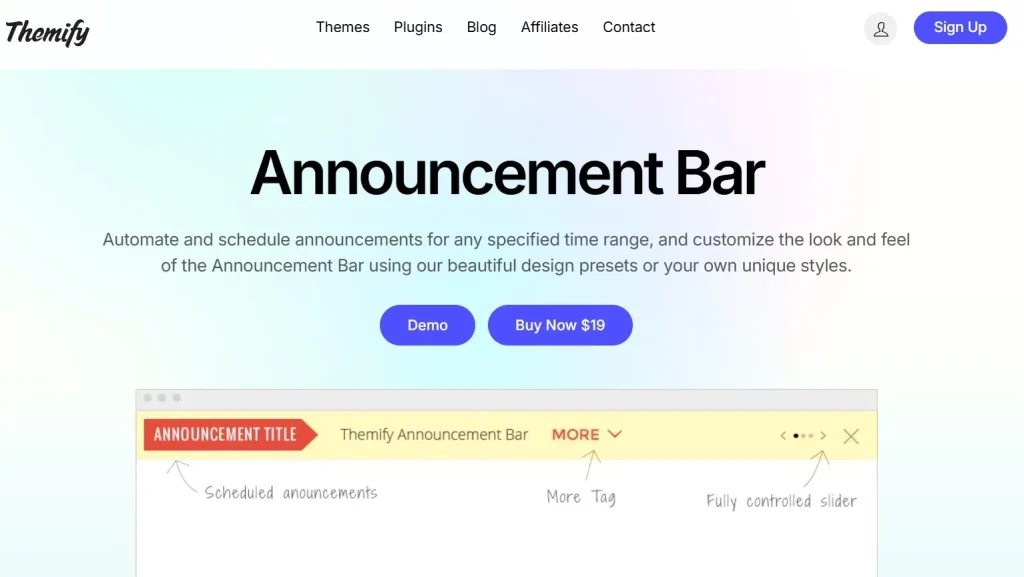
Benefits of Using a Notification Bar on Your Website
Improve Visibility of Important Messages
This type of notification ensures that visitors instantly see key updates as soon as they land on your website.
Increase Conversion Rates
Highlighting offers and calls-to-action encourages users to take action quickly.
Enhance User Experience
Because it does not interrupt browsing, users can continue navigating your website comfortably.
Flexible Customization
You can easily adjust the design, colors, and content to match your branding.
Key Features of the Announcement Bar Plugin
The plugin available on Pluginpro.org is designed to provide flexibility, performance, and ease of use.
Customizable Design Options
- Background and text colors
- Font styles and sizes
- Button customization
Sticky Display Settings
Choose whether the notification stays fixed or scrolls with the page.
Call-to-Action Integration
Add clickable buttons to guide users toward actions like purchasing or signing up.
Mobile Responsive Layout
The plugin works seamlessly across all devices including smartphones and tablets.
Scheduling Functionality
Set start and end times for campaigns, perfect for limited-time offers.
Multiple Notification Campaigns
Run different messages for different pages or audiences.
Display Rules and Targeting
Control where and when your message appears, improving relevance and effectiveness.
Lightweight Performance
Optimized code ensures your website speed remains unaffected.
How to Install the Announcement Bar Plugin
Setting up the plugin is straightforward and requires only a few steps.
Step 1: Download the Plugin
Purchase and download the plugin file from Pluginpro.org.
Step 2: Upload to WordPress
- Go to your dashboard
- Navigate to Plugins → Add New
- Click Upload Plugin
- Select the downloaded file
Step 3: Activate
Click Activate after installation is complete.
Step 4: Configure Settings
Customize your notification layout, content, and display rules.
Step 5: Publish
Save changes and your notification strip will go live immediately.
Best Practices for Better Results
Keep Messaging Simple
Short and clear messages perform better than long text.
Use Strong CTAs
Encourage action with phrases like “Shop Now” or “Get Offer”.
Choose High-Contrast Colors
Ensure your message stands out visually.
Avoid Overloading Users
Focus on one main message at a time.
Test Different Variations
Experiment with layouts and text to find what works best.
Common Use Cases
eCommerce Stores
Promote discounts, free shipping, or flash sales.
Blogs
Highlight new posts or newsletter subscriptions.
Business Websites
Announce updates, services, or company news.
SaaS Platforms
Share feature updates or onboarding tips.
Why Buy from Pluginpro.org?
Choosing Pluginpro.org gives you significant advantages:
Save Up to 95% Cost
Get premium plugins at a much lower price compared to official sources.
100% Clean Files
All products are scanned and verified for safety and quality.
Unlimited Website Usage
Use the plugin across multiple projects without restrictions.
Easy Updates
Stay compatible with the latest WordPress versions effortlessly.
Instant Access
Download immediately after purchase.
Stable and Optimized
Enjoy smooth performance without slowing down your website.
Notification Bar vs Popup
| Feature | Notification Bar | Popup |
|---|---|---|
| User Experience | Smooth | Interruptive |
| Visibility | Constant | Trigger-based |
| Engagement Style | Subtle | Aggressive |
For most websites, a notification strip provides a better balance between visibility and user experience.
Final Thoughts
Using an Announcement Bar is one of the easiest ways to improve communication and boost conversions on your website. It delivers messages effectively without harming user experience, making it an essential tool for modern site owners.
With powerful features, easy setup, and flexible customization, this plugin is suitable for any type of website. When you choose Pluginpro.org, you also benefit from massive savings, clean code, and unlimited usage.
If you want a reliable way to engage visitors and increase results, adding this solution to your website is a smart move.



