
If you’re looking to make your forms more engaging, interactive, and user-friendly, Gravity Forms Image Choices is the perfect solution. Instead of boring radio buttons or dropdown lists, this powerful add-on allows you to present options using images—helping users make faster and more intuitive decisions.
In this comprehensive guide, we’ll explore everything you need to know about Gravity Forms Image Choices, including how to install it, its standout features, and why buying it from Pluginpro.org is the smartest choice.
What is Gravity Forms Image Choices?
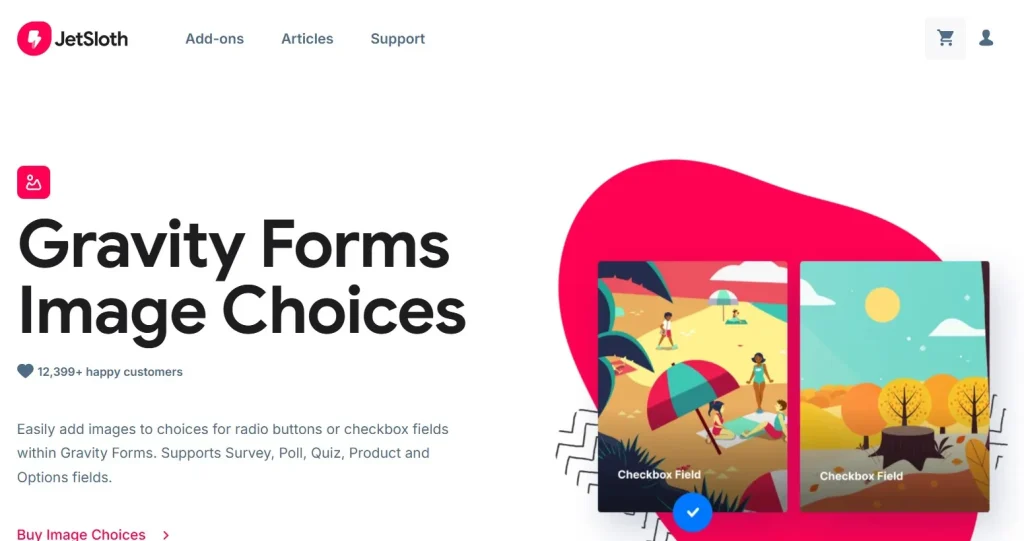
Gravity Forms Image Choices is an advanced add-on for the popular WordPress plugin Gravity Forms. It enhances your form fields—such as radio buttons, checkboxes, and product selections—by replacing plain text options with visually appealing images.
This is especially useful for:
- eCommerce product selection
- Service comparison forms
- Booking systems
- Surveys and quizzes
- Restaurant menus
- Portfolio selections
By using images instead of text, you create a more engaging experience that improves conversion rates and reduces user friction.
Why Use Image Choices in Forms?
Modern users prefer visual interaction. Instead of reading through multiple text options, they can quickly recognize and choose what they want through images.
Key Benefits:
- Improved User Experience: Easier and faster decision-making
- Higher Conversion Rates: Visual elements increase engagement
- Professional Appearance: Clean and modern UI
- Better Accessibility: Useful for multilingual or non-text-heavy audiences
Key Features of Gravity Forms Image Choices
1. Convert Standard Fields into Image Selections
You can easily transform:
- Radio buttons
- Checkboxes
- Product fields
into image-based choices without complex coding.
2. Fully Customizable Image Layouts
The plugin allows you to customize:
- Image size
- Grid layout
- Spacing and alignment
- Hover effects
This ensures your form matches your website’s design perfectly.
3. Responsive & Mobile-Friendly
All image choices are fully responsive, meaning they adapt seamlessly across:
- Desktop
- Tablet
- Mobile devices
This guarantees a smooth user experience on any screen size.
4. Seamless Integration with Gravity Forms
The plugin integrates directly into the Gravity Forms interface. You don’t need any technical expertise—everything works within the familiar form builder.
5. Supports Conditional Logic
You can combine image choices with Gravity Forms’ powerful conditional logic to:
- Show/hide fields dynamically
- Create personalized form flows
- Build complex decision trees
6. WooCommerce Compatibility
If you’re running an online store, image choices can be used for:
- Product variations
- Add-ons and upgrades
- Visual product selectors
This enhances the shopping experience and boosts conversions.
7. Lightweight and Optimized
The plugin is designed to be:
- Fast-loading
- SEO-friendly
- Performance optimized
So it won’t slow down your website.
How to Install Gravity Forms Image Choices
Installing the plugin is quick and simple. Follow these steps:
Step 1: Download the Plugin
- Get the plugin file from Pluginpro.org
- Save the
.zipfile to your computer
Step 2: Upload to WordPress
- Log in to your WordPress dashboard
- Go to Plugins → Add New → Upload Plugin
- Click Choose File and select the
.zipfile - Click Install Now
Step 3: Activate the Plugin
- After installation, click Activate Plugin
Step 4: Configure in Gravity Forms
- Go to Forms → Edit Form
- Add or edit a field (radio, checkbox, etc.)
- Enable Image Choices
- Upload images for each option
Step 5: Customize Display Settings
- Adjust layout, size, and styling
- Preview your form
- Publish and test
Real-World Use Cases
1. eCommerce Product Selection
Let users choose products visually instead of reading descriptions.
Example:
- T-shirt colors
- Food menu items
- Subscription plans
2. Service Booking Forms
Use images to represent services:
- Haircuts
- Spa treatments
- Photography packages
3. Surveys & Quizzes
Make surveys more interactive by using images instead of text-based answers.
4. Event Registration
Display seating options, ticket types, or packages visually.
SEO Advantages of Using Image Choices
Using Gravity Forms Image Choices can indirectly improve your SEO:
- Lower bounce rate due to better UX
- Higher engagement time
- Improved conversion signals
- Mobile-friendly design (Google ranking factor)
When users interact more with your site, search engines recognize the value of your content.
Why Buy Gravity Forms Image Choices at Pluginpro.org?
If you’re considering purchasing this plugin, Pluginpro.org offers unbeatable value.
1. Save Up to 95% Budget
Why pay full price when you can get the same functionality at a fraction of the cost?
2. 100% Clean Code
All plugins available on Pluginpro.org are:
- Virus-free
- Malware-free
- নিরাপ (secure)
- Thoroughly tested
You can install with confidence.
3. Unlimited Website Usage
Unlike official licenses that limit usage, Pluginpro.org allows you to:
- Install on unlimited websites
- Use for client projects
- Scale your business freely
4. Easy Updates
Keeping your plugin updated is simple and hassle-free, ensuring:
- Compatibility with latest WordPress versions
- Security improvements
- New features
5. Massive Library Access
When you buy from Pluginpro.org, you also gain access to:
- Hundreds of premium plugins
- Themes and add-ons
- Tools for developers and marketers
6. Perfect for Agencies & Freelancers
If you manage multiple websites, this is a cost-effective solution that maximizes ROI.
Tips for Using Gravity Forms Image Choices Effectively
To get the best results, follow these best practices:
Use High-Quality Images
Blurry or low-quality images can reduce trust and engagement.
Keep It Simple
Avoid overwhelming users with too many choices.
Optimize Image Size
Compress images to maintain fast loading speed.
Maintain Consistent Style
Use images with similar dimensions and design style.
Test on Mobile
Ensure everything looks perfect on smaller screens.
Final Thoughts
Gravity Forms Image Choices is a must-have add-on if you want to transform your forms into engaging, visually appealing experiences. Whether you’re running an online store, booking system, or survey, this plugin helps you stand out and improve user interaction.
With easy installation, powerful features, and seamless integration with Gravity Forms, it’s an excellent investment for any WordPress user.
And when you purchase from Pluginpro.org, you not only save up to 95% of your budget but also gain access to clean code, unlimited usage, and a vast library of premium tools.



