
Managing orders that require delivery to multiple locations can be a challenge for any eCommerce store. With WooCommerce Ship to Multiple Addresses, you can easily allow customers to ship items from a single order to different addresses—enhancing convenience and boosting sales.
In this article, we’ll explore everything about WooCommerce Ship to Multiple Addresses, including how to install it, key features, and why buying from PluginPro.org is the best choice.
What is WooCommerce Ship to Multiple Addresses?
WooCommerce Ship to Multiple Addresses is a powerful plugin that allows customers to split their cart items and ship them to multiple destinations within a single checkout process.
Instead of placing multiple orders for different recipients, customers can:
- Assign different shipping addresses to each product
- Send gifts to multiple people
- Manage bulk orders more efficiently
This plugin is ideal for stores that deal with gifting, corporate orders, or multi-location deliveries.
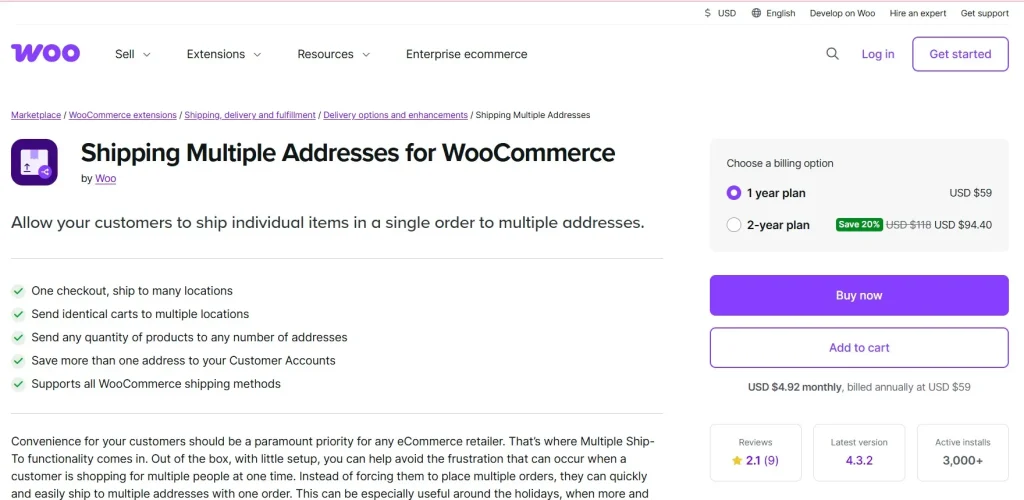
Why Use WooCommerce Ship to Multiple Addresses?
Modern shoppers expect flexibility. WooCommerce Ship to Multiple Addresses provides a seamless solution for complex shipping needs.
Here’s why it’s essential:
- Improves customer experience
- Reduces checkout friction
- Increases order value
- Supports gifting and bulk purchases
By offering multi-address shipping, you make your store more versatile and user-friendly.
Key Features of WooCommerce Ship to Multiple Addresses
1. Multiple Shipping Addresses in One Order
The core feature of WooCommerce Ship to Multiple Addresses:
- Assign different addresses to each item
- Split cart easily
- Complete checkout in one transaction
2. Individual Shipping Rates
Each address can have its own shipping cost:
- Accurate shipping calculations
- Supports multiple shipping methods
- Transparent pricing
3. User-Friendly Interface
The plugin provides a smooth and intuitive experience:
- Easy address selection
- Simple product assignment
- Clean checkout flow
4. Address Book for Customers
Customers can save multiple addresses:
- Faster checkout
- Convenient for repeat purchases
- Ideal for gifting
5. Compatible with WooCommerce Features
WooCommerce Ship to Multiple Addresses works seamlessly with:
- Payment gateways
- Shipping methods
- Product types
6. Supports Gift Orders
Perfect for gifting scenarios:
- Send items to friends and family
- Add personalized messages
- Simplify holiday shopping
7. Bulk Order Management
Ideal for businesses:
- Corporate gifting
- Multi-location shipping
- Wholesale orders
8. Secure and Reliable
- Secure checkout process
- Stable performance
- Clean code
How to Install WooCommerce Ship to Multiple Addresses
Installing WooCommerce Ship to Multiple Addresses is simple. Follow these steps:
Step 1: Download the Plugin
- Visit PluginPro.org
- Search for “WooCommerce Ship to Multiple Addresses”
- Download the plugin (.zip file)
Step 2: Upload to WordPress
- Log in to your WordPress Dashboard
- Go to Plugins → Add New
- Click Upload Plugin
- Select the downloaded file
- Click Install Now
Step 3: Activate the Plugin
- Click Activate
- Ensure WooCommerce is installed and active
Step 4: Configure Settings
- Go to WooCommerce → Settings
- Enable multi-address shipping
- Configure shipping options
Step 5: Test the Feature
- Add products to cart
- Assign different addresses
- Complete checkout
Real-World Use Cases
Gift Stores
Allow customers to send gifts to multiple recipients in one order.
Corporate Businesses
Handle bulk orders shipped to different office locations.
Family Shopping
Send items to different family members بسهولة.
Subscription Boxes
Ship items to multiple addresses under one account.
Benefits of Using WooCommerce Ship to Multiple Addresses
Using WooCommerce Ship to Multiple Addresses provides:
- Increased average order value
- Better customer experience
- Simplified checkout process
- Reduced cart abandonment
- More flexible shipping options
It helps you cater to a wider audience and increase sales.
Why Buy WooCommerce Ship to Multiple Addresses from PluginPro.org?
Choosing PluginPro.org gives you unbeatable value:
1. Save Up to 95% Budget
Get WooCommerce Ship to Multiple Addresses at a fraction of the original price.
2. 100% Clean Code
All plugins are:
- Malware-free
- Virus-free
- Secure
3. Unlimited Website Usage
- No domain restrictions
- Use on unlimited sites
- Ideal for agencies
4. Easy Updates
- Regular updates available
- No license key required
- Hassle-free upgrades
5. Instant Download
- Immediate access after purchase
- Quick setup
6. Huge Plugin Library
Access thousands of premium WordPress plugins and themes.
Tips to Maximize WooCommerce Ship to Multiple Addresses
- Enable address saving for faster checkout
- Offer gift messaging options
- Clearly display shipping costs
- Optimize checkout UX
- Test different shipping scenarios
Conclusion
WooCommerce Ship to Multiple Addresses is a powerful plugin that enhances your store’s shipping capabilities by allowing customers to send products to multiple destinations in a single order.
With features like individual shipping rates, address management, and seamless checkout integration, it’s an essential tool for modern eCommerce stores.
And when you purchase from PluginPro.org, you benefit from massive savings, clean code, unlimited usage, and easy updates.
Start using WooCommerce Ship to Multiple Addresses today and provide a flexible, convenient shopping experience for your customers.



