
If you’re looking to take full control of your WordPress website design without touching code, Beaver Themer is one of the most powerful tools available today. Designed as an extension for Beaver Builder, this premium add-on allows you to create dynamic layouts for headers, footers, archives, and more using a visual drag-and-drop interface.
In this comprehensive guide, we’ll explore everything you need to know about Beaver Themer, including how to install it, its key features, and why buying it from Pluginpro.org is a smart choice.
What is Beaver Themer?
Beaver Themer is a premium add-on plugin for Beaver Builder that enables you to design and customize every part of your WordPress theme visually. Unlike traditional themes that limit customization, Beaver Themer gives you full control over dynamic content such as:
- Headers & footers
- Blog post layouts
- Archive pages
- WooCommerce product pages
- Custom post types
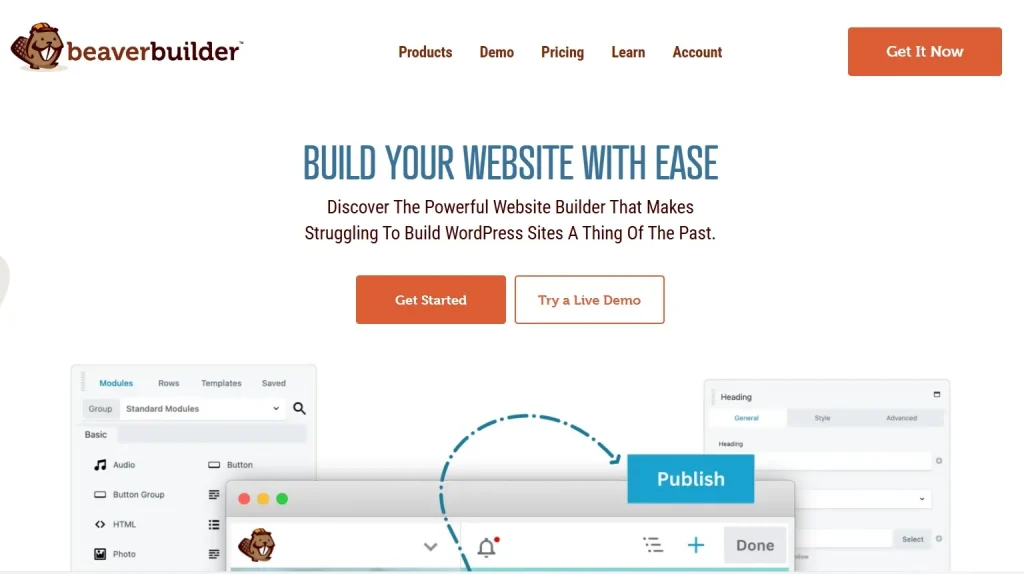
It works seamlessly with Beaver Builder, allowing you to use the same intuitive interface to build complex layouts without coding.
Why Use Beaver Themer?
Most WordPress themes restrict how much you can customize your site structure. Beaver Themer removes these limitations by letting you:
- Design globally across your entire website
- Apply layouts conditionally (e.g., only for certain pages or categories)
- Integrate dynamic data from custom fields
- Create reusable templates
This makes Beaver Themer ideal for developers, agencies, and business owners who want flexibility without complexity.
Key Features of Beaver Themer
1. Full Theme Building Capability
Beaver Themer allows you to design every part of your site, including:
- Headers
- Footers
- Single posts
- Archive pages
You no longer need multiple plugins or custom PHP files to achieve advanced layouts.
2. Dynamic Content Integration
One of the most powerful features is the ability to insert dynamic data into your layouts. You can display:
- Post titles
- Featured images
- Author information
- Custom fields (ACF, Pods, etc.)
This makes Beaver Themer perfect for building dynamic websites like directories, real estate listings, or blogs.
3. Conditional Layout Logic
Beaver Themer lets you control where your layouts appear using rules such as:
- Entire site
- Specific pages or posts
- Categories or tags
- Logged-in users
This ensures your content is displayed exactly where you want it.
4. WooCommerce Integration
If you run an online store, Beaver Themer helps you customize:
- Product pages
- Shop layouts
- Category pages
You can design unique shopping experiences without relying on rigid WooCommerce templates.
5. Drag-and-Drop Interface
Just like Beaver Builder, Beaver Themer uses a visual editor that allows you to:
- Build layouts in real time
- See changes instantly
- Avoid coding completely
This reduces development time significantly.
6. Developer-Friendly Features
For advanced users, Beaver Themer includes:
- Shortcode support
- Custom field integrations
- Hooks and filters
This makes it flexible enough for complex projects.
7. Lightweight and Performance Optimized
Unlike many heavy page builders, Beaver Themer is optimized for performance. It ensures:
- Fast loading times
- Clean code output
- SEO-friendly structure
How to Install Beaver Themer
Installing Beaver Themer is simple and takes just a few steps:
Step 1: Download the Plugin
- Get the Beaver Themer plugin file (ZIP format) from Pluginpro.org.
Step 2: Install via WordPress Dashboard
- Log in to your WordPress admin panel
- Go to Plugins → Add New
- Click Upload Plugin
- Choose the ZIP file
- Click Install Now and then Activate
Step 3: Ensure Beaver Builder is Installed
Beaver Themer requires Beaver Builder to function. Make sure you have:
- Beaver Builder Plugin (Lite or Pro) installed and activated
Step 4: Start Creating Themer Layouts
- Go to Beaver Builder → Themer Layouts
- Click Add New
- Choose layout type (Header, Footer, Archive, etc.)
- Start designing with the visual editor
How Beaver Themer Improves Your Website
1. Saves Development Time
Instead of writing custom PHP templates, you can build everything visually. This is especially useful for freelancers and agencies.
2. Enhances User Experience
With complete design control, you can create:
- Better navigation
- Consistent layouts
- Engaging content structures
3. Boosts SEO Performance
Beaver Themer helps create SEO-friendly pages by:
- Allowing structured layouts
- Supporting dynamic content
- Maintaining clean HTML output
4. Ideal for Dynamic Websites
Whether you’re building:
- Blogs
- Membership sites
- WooCommerce stores
- Directory listings
Beaver Themer adapts to all use cases.
Who Should Use Beaver Themer?
Beaver Themer is perfect for:
- Web designers who want full control without coding
- Developers looking to speed up workflow
- Agencies managing multiple client sites
- Business owners building custom websites
Why Buy Beaver Themer at Pluginpro.org?
If you want to save money while still getting premium quality, Pluginpro.org is the best place to purchase Beaver Themer.
1. Save Up to 95% Budget
Premium plugins can be expensive, especially for freelancers or agencies. Pluginpro.org offers Beaver Themer at a fraction of the original price, helping you cut costs significantly.
2. 100% Clean Code
All plugins available on Pluginpro.org are:
- Malware-free
- Virus-free
- Untouched core files
This ensures your website remains secure and stable.
3. Unlimited Website Usage
Unlike official licenses that limit installations, Pluginpro.org allows you to:
- Use Beaver Themer on unlimited websites
- Scale your projects without extra cost
4. Easy Updates
You’ll receive regular updates, ensuring:
- Compatibility with the latest WordPress version
- Access to new features
- Improved performance and security
5. Instant Download
No waiting time. Once you purchase, you can:
- Download instantly
- Install immediately
- Start building right away
6. Perfect for Developers & Agencies
If you manage multiple client projects, Pluginpro.org provides:
- Cost-effective solutions
- Reliable plugin access
- Flexibility for scaling
Tips for Using Beaver Themer Effectively
To get the most out of Beaver Themer, consider these tips:
- Use global layouts for consistency
- Combine with ACF for dynamic content
- Optimize images for better performance
- Test layouts on mobile devices
- Keep designs simple and user-friendly
Final Thoughts
Beaver Themer is a must-have tool for anyone serious about building advanced WordPress websites without coding. Its powerful features, flexibility, and ease of use make it one of the best theme-building solutions available.
Whether you’re creating a blog, business site, or WooCommerce store, Beaver Themer gives you complete control over your design and content.
And if you want to get the best deal, purchasing from Pluginpro.org ensures you enjoy premium features while saving up to 95% of your budget.



