
Efficient data management is a critical component of running a successful WooCommerce store. WooCommerce Customer/Order/Coupon Export is a premium plugin designed to help store owners export crucial store data quickly and efficiently. With this plugin, managing customers, orders, and coupons becomes simpler, faster, and more organized.
In this article, we will introduce WooCommerce Customer/Order/Coupon Export, explore its features, provide a step-by-step installation guide, and explain why purchasing it from PluginPro.org is the smart choice for WooCommerce store owners.
What Is WooCommerce Customer/Order/Coupon Export?
WooCommerce Customer/Order/Coupon Export is a powerful WordPress plugin that allows you to export store data in multiple formats for reporting, analysis, or migration purposes. This plugin is designed to save time and reduce manual effort for WooCommerce store managers.
Key functionalities include:
- Exporting customer lists, orders, and coupons
- Scheduling automated exports for regular reporting
- Exporting data in CSV, Excel, or XML formats
Whether you’re running a small store or managing multiple WooCommerce shops, this plugin simplifies your workflow and ensures data accuracy.
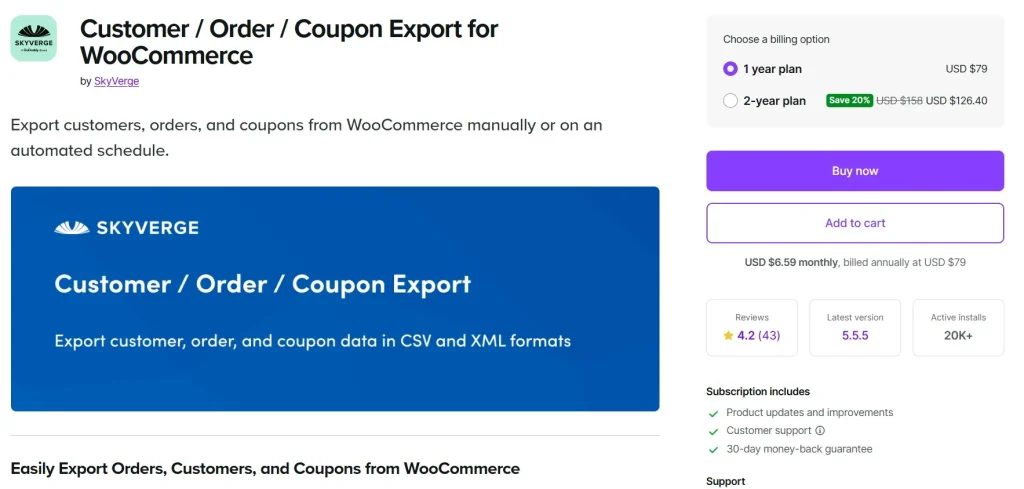
Key Features and Selling Points of WooCommerce Customer/Order/Coupon Export
WooCommerce Customer/Order/Coupon Export is packed with features that streamline store management and improve reporting efficiency:
1. Export Customer Data
The plugin allows you to export detailed customer information, including:
- Name, email, and contact details
- Billing and shipping addresses
- Purchase history and order details
This feature is essential for marketing campaigns, customer segmentation, or CRM integration.
2. Export Orders
With this plugin, you can export WooCommerce orders easily:
- Include order items, quantities, prices, and payment details
- Filter orders by date, status, or product category
- Export orders for accounting, reporting, or analytics
This ensures accurate tracking and simplifies bookkeeping for your store.
3. Export Coupons
Track promotions and discounts by exporting coupon data:
- Include coupon codes, usage limits, and discount types
- Filter by active, expired, or used coupons
- Analyze coupon performance for marketing optimization
This feature helps store owners manage promotions efficiently and make data-driven decisions.
4. Multiple Export Formats
WooCommerce Customer/Order/Coupon Export supports several formats for data export:
- CSV (compatible with Excel and Google Sheets)
- Excel (XLSX)
- XML (for system integrations)
Flexible export options make it easy to use the exported data in your preferred tools or software.
5. Scheduled and Automated Exports
The plugin allows automated exports:
- Schedule daily, weekly, or monthly exports
- Send exported files to email or FTP automatically
- Reduce manual work and improve reporting efficiency
Automated exports save time and ensure that your data is always up-to-date.
6. Easy Filtering and Selection
The plugin provides powerful filtering options:
- Select specific orders, customers, or coupons
- Filter by product, category, order status, or date range
- Export only the data you need
This ensures your exports are precise and relevant.
7. Compatibility with Popular Plugins
WooCommerce Customer/Order/Coupon Export works seamlessly with:
- WooCommerce core
- Accounting and CRM plugins
- Third-party analytics and reporting tools
This ensures smooth operation and avoids conflicts with your existing setup.
How to Install WooCommerce Customer/Order/Coupon Export
Installing WooCommerce Customer/Order/Coupon Export is quick and easy. Follow these steps:
Step 1: Download the Plugin
Purchase WooCommerce Customer/Order/Coupon Export from PluginPro.org and download the plugin ZIP file.
Step 2: Upload to WordPress
- Log in to your WordPress dashboard
- Navigate to Plugins → Add New → Upload Plugin
- Click Choose File and select the plugin ZIP file
- Click Install Now
Step 3: Activate the Plugin
After installation, click Activate Plugin. The plugin menu will appear in your WooCommerce settings.
Step 4: Configure Export Settings
Navigate to WooCommerce → Export to:
- Select the data type (customers, orders, coupons)
- Apply filters for the export
- Choose the export format (CSV, Excel, XML)
- Schedule automated exports if needed
Once configured, you can export your store data effortlessly.
Why You Should Use WooCommerce Customer/Order/Coupon Export
Using this plugin provides several benefits for WooCommerce store owners:
- Time Efficiency – Quickly export large amounts of data without manual effort.
- Better Reporting – Create accurate reports for accounting, marketing, or analytics.
- Improved Data Management – Keep customer, order, and coupon data organized.
- Automation – Schedule exports and reduce manual workload.
- Flexibility – Export data in multiple formats suitable for various purposes.
These advantages make WooCommerce Customer/Order/Coupon Export an essential tool for any store manager.
Why Buy WooCommerce Customer/Order/Coupon Export from PluginPro.org?
Purchasing this plugin from PluginPro.org gives you additional benefits:
Save Up to 95% on Your Budget
Get the plugin at a fraction of the original price, making it cost-effective for small businesses, freelancers, and agencies.
100% Clean Code
Plugins from PluginPro are guaranteed 100% clean code, free from malware, ads, or malicious scripts, ensuring secure and stable operation.
Unlimited Website Usage
Unlike other licenses, this plugin can be used on unlimited websites, ideal for developers or agencies managing multiple stores.
Easy Updates
PluginPro ensures simple plugin updates, keeping your WooCommerce store compatible with the latest WordPress releases and other plugins.
Reliable Support
PluginPro provides dependable customer support to help with installation, configuration, and troubleshooting.
Benefits of Using WooCommerce Customer/Order/Coupon Export
Using this plugin delivers multiple benefits:
- Professional Data Management – Keep customer, order, and coupon data organized.
- Enhanced Reporting – Generate accurate, detailed reports for analysis and decision-making.
- Automation – Reduce manual workload with scheduled exports.
- Flexible Formats – Export data in CSV, Excel, or XML as needed.
- Cost Efficiency – Premium functionality at a fraction of the cost via PluginPro.org.
These benefits make it a must-have plugin for any WooCommerce store.
Conclusion
For WooCommerce store owners who need efficient data management, WooCommerce Customer/Order/Coupon Export is an indispensable tool. Its ability to export detailed customer, order, and coupon data in multiple formats, combined with automation and filtering options, saves time and ensures accurate reporting.
Purchasing WooCommerce Customer/Order/Coupon Export from PluginPro.org guarantees unlimited website usage, 100% clean code, easy updates, and significant cost savings—up to 95% off the original price.
If you want to streamline your store data management and improve reporting efficiency, WooCommerce Customer/Order/Coupon Export is the plugin you need.



