

In today’s fast-paced digital world, instant communication is key to maintaining customer satisfaction and reducing missed appointments. If you are running an online booking system using WordPress, the BookingPress – SMS Notification Addon is an essential tool to keep your clients informed in real-time.
This article will provide a complete overview of the BookingPress – SMS Notification Addon, including its features, benefits, installation guide, and why purchasing it from Pluginpro.org is the smartest choice.
Introduction to BookingPress – SMS Notification Addon
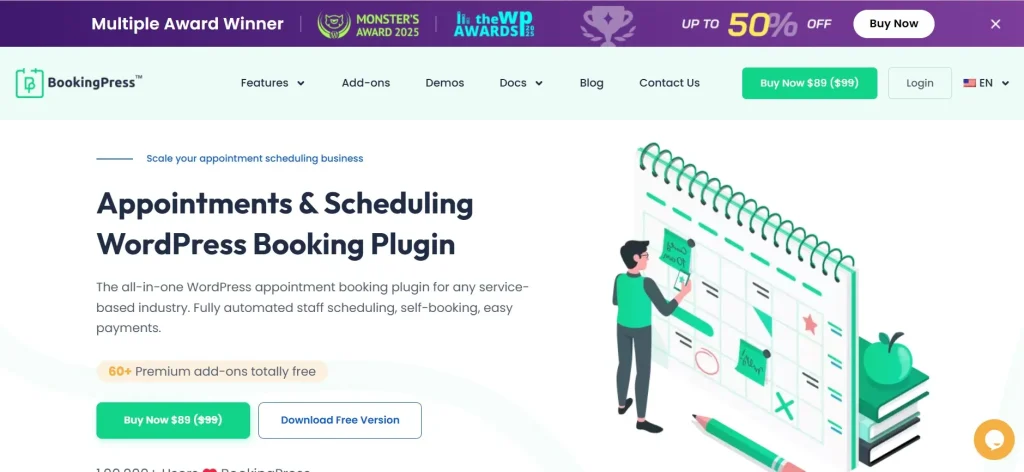
The BookingPress – SMS Notification Addon is a premium extension designed specifically for the BookingPress plugin. It enables businesses to send automated SMS notifications to customers and staff regarding appointments, bookings, cancellations, and reminders.
Whether you operate a salon, clinic, fitness center, or consulting service, SMS notifications ensure that your customers never miss an appointment. Compared to email notifications, SMS messages are faster, more direct, and have significantly higher open rates.
This addon integrates seamlessly with your existing BookingPress system and supports multiple SMS gateways, allowing flexibility and global reach.
Why SMS Notifications Are Important
Before diving into the features, it’s important to understand why SMS notifications matter:
- Higher open rates: SMS messages have up to 98% open rate
- Instant delivery: Messages are received within seconds
- Reduced no-shows: Automated reminders decrease missed appointments
- Better customer experience: Clients stay informed and engaged
- Professional branding: Automated communication improves credibility
With the BookingPress – SMS Notification Addon, you can leverage all these advantages effortlessly.
Key Features of BookingPress – SMS Notification Addon
1. Automated SMS Notifications
This addon allows you to send automatic SMS alerts for:
- Booking confirmations
- Appointment reminders
- Booking cancellations
- Rescheduling updates
- Staff notifications
Automation eliminates manual work and ensures timely communication.
2. Multiple SMS Gateway Integration
The plugin supports various popular SMS gateways, making it easy to choose the provider that suits your business needs. You can configure APIs and start sending messages globally without limitations.
3. Customizable Message Templates
You can fully customize SMS templates using dynamic placeholders such as:
- Customer name
- Appointment date and time
- Service details
- Staff name
This allows you to create personalized messages that enhance customer engagement.
4. Real-Time Appointment Alerts
As soon as a booking is made or updated, the system instantly triggers an SMS notification. This real-time feature keeps both customers and staff updated at all times.
5. Admin Control Panel
The addon provides a user-friendly interface where administrators can:
- Enable or disable SMS notifications
- Configure gateway settings
- Manage templates
- Monitor message activity
Everything is centralized for easy management.
6. Multi-Language Support
If your website serves users from different regions, this addon supports multiple languages, helping you communicate effectively with a global audience.
7. Seamless BookingPress Integration
The BookingPress – SMS Notification Addon works perfectly with the BookingPress core plugin without conflicts. No complicated setup is required.
8. Improved Customer Retention
By sending reminders and updates, you reduce missed appointments and improve customer satisfaction—leading to better retention and repeat bookings.
How to Install BookingPress – SMS Notification Addon
Installing the BookingPress – SMS Notification Addon is simple and straightforward. Follow these steps:
Step 1: Download the Plugin
- Purchase and download the addon from Pluginpro.org
- Save the ZIP file to your computer
Step 2: Install via WordPress Dashboard
- Log in to your WordPress admin panel
- Navigate to Plugins → Add New
- Click on Upload Plugin
- Choose the downloaded ZIP file
- Click Install Now
Step 3: Activate the Plugin
- After installation, click Activate Plugin
- Ensure that the BookingPress core plugin is already installed and active
Step 4: Configure SMS Settings
- Go to BookingPress settings
- Locate the SMS Notification section
- Enter your SMS gateway API credentials
- Customize your SMS templates
Step 5: Test the System
- Create a test booking
- Verify that SMS notifications are sent correctly
That’s it! Your SMS notification system is now fully operational.
Practical Use Cases
The BookingPress – SMS Notification Addon is suitable for various industries:
1. Healthcare Clinics
Send appointment reminders to reduce no-shows and improve patient management.
2. Beauty Salons & Spas
Notify clients about bookings, promotions, and schedule updates.
3. Fitness Centers
Keep members informed about training sessions and class schedules.
4. Consultants & Agencies
Ensure clients are always updated about meetings and consultations.
Benefits of Using BookingPress – SMS Notification Addon
Here are the major advantages of using this powerful addon:
- Reduce missed appointments with automated reminders
- Improve communication with instant SMS alerts
- Save time by eliminating manual notifications
- Boost professionalism with automated workflows
- Enhance user experience with real-time updates
Why Choose Pluginpro.org?
When purchasing the BookingPress – SMS Notification Addon, Pluginpro.org offers unmatched value and benefits:
1. Save Up to 95% Budget
Pluginpro.org provides premium plugins at a fraction of the original cost. This allows businesses, freelancers, and developers to access high-quality tools without overspending.
2. 100% Clean Code
All plugins available on Pluginpro.org are:
- Free from malware
- Untouched core files
- Secure and safe to use
You can install with confidence knowing your website is protected.
3. Unlimited Website Usage
Unlike official licenses that limit usage, Pluginpro.org allows you to use the plugin on unlimited websites. This is perfect for agencies and developers managing multiple clients.
4. Easy Updates
Keeping your plugin up-to-date is simple:
- Download the latest version anytime
- Update manually without restrictions
- Stay compatible with the latest WordPress versions
5. No Subscription Hassles
Enjoy lifetime usage without recurring fees. Pay once and use forever.
6. Perfect for Developers & Agencies
If you manage multiple projects, Pluginpro.org helps you scale efficiently by providing affordable access to premium tools.
Tips for Maximizing SMS Notification Efficiency
To get the best results from the BookingPress – SMS Notification Addon, consider the following tips:
- Keep messages short and clear
- Use personalization tokens
- Schedule reminders (e.g., 24 hours before appointment)
- Avoid sending too many messages to prevent annoyance
- Test templates before going live
Final Thoughts
The BookingPress – SMS Notification Addon is a must-have tool for any business using BookingPress. It enhances communication, reduces no-shows, and improves overall customer satisfaction.
With its powerful features like automated SMS alerts, customizable templates, and real-time notifications, this addon transforms your booking system into a professional and efficient communication platform.
When combined with the unbeatable pricing and benefits from Pluginpro.org—such as saving up to 95%, clean code, unlimited usage, and easy updates—you get the best value for your investment.
Conclusion
If you’re looking to upgrade your booking system with real-time communication, the BookingPress – SMS Notification Addon is the perfect solution. It not only improves operational efficiency but also enhances customer experience significantly.
Don’t miss the opportunity to optimize your business workflow—get the BookingPress – SMS Notification Addon today from Pluginpro.org and take your booking system to the next level.



