
Gravity Forms is widely recognized as the most powerful form-builder for WordPress. However, its true potential isn’t just in creating contact forms—it’s in how it handles data. For developers and business owners looking to connect their WordPress site to mobile apps, external CRMs, or custom web applications, the Gravity Forms REST API is the essential gateway.
In this guide, we will explore the capabilities of the Gravity Forms REST API, how to set it up, and how it can revolutionize the way you manage user data. We will also discuss why sourcing your premium WordPress tools from Pluginpro.org is the best move for your development budget.
Introducing the Gravity Forms REST API
The Gravity Forms REST API allows developers to interact with Gravity Forms from outside the WordPress environment. Built on the WordPress REST API infrastructure, it provides a structured way to read, create, update, and delete forms and entries using standard HTTP requests.
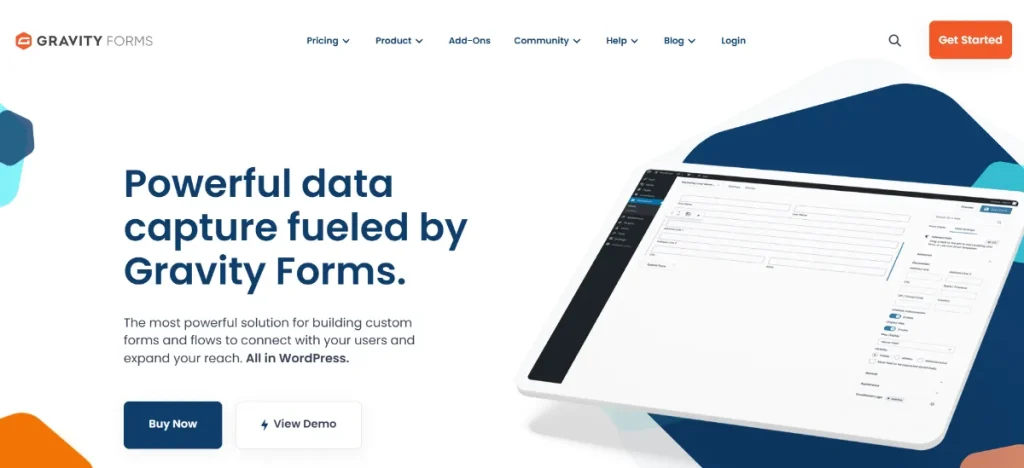
Whether you are building a React-based frontend, a Flutter mobile app, or automating a workflow in Zapier, the API acts as the bridge. It transforms Gravity Forms from a simple plugin into a robust “Headless” form engine, allowing you to collect data anywhere and store it securely within your WordPress database.
Key Features & Selling Points of the Gravity Forms REST API
Why should you leverage the API for your next project? Here are the primary functions that make it a developer favorite.
1. Headless WordPress Capability
With the Gravity Forms REST API, you are no longer limited to the WordPress theme layer. You can fetch form structures (fields, labels, settings) and render them in completely separate environments, such as a Vue.js application or a dedicated mobile app, while still utilizing the powerful Gravity Forms backend for logic and storage.
2. Complete CRUD Operations
The API supports all four major operations:
- Create: Submit new entries to a form from an external source.
- Read: Fetch form details or list entries for display in a custom dashboard.
- Update: Edit existing entry data or update form configurations remotely.
- Delete: Remove entries or forms via API calls to keep your database clean.
3. Secure Authentication
Security is paramount when dealing with user data. The Gravity Forms REST API utilizes a sophisticated authentication system. You can generate Version 2 (V2) API keys—consisting of a Client Key and a Client Secret—with specific “Read” or “Read/Write” permissions to ensure that only authorized applications can access your data.
4. Advanced Webhooks Integration
The API works hand-in-hand with the Gravity Forms Webhooks Add-on. This allows for a “push and pull” relationship: the API allows external apps to pull data, while Webhooks allow Gravity Forms to push data to external services the moment a form is submitted.
5. Seamless Entry Management
Managing thousands of entries manually is impossible. The Gravity Forms REST API allows for automated data processing. You can write scripts to export entries to external databases, sync them with an ERP system, or trigger custom notifications outside of the standard WordPress email system.
How to Install and Enable the Gravity Forms REST API
Getting the API up and running is a built-in feature of Gravity Forms Pro. Follow these steps to enable it:
- Install Gravity Forms: Ensure you have the latest version of Gravity Forms installed from Pluginpro.org.
- Navigate to Settings: Go to Forms > Settings in your WordPress dashboard.
- Enable the API: Click on the REST API tab. Check the box that says “Enable access to the API.”
- Create an API Key: * Click on “Add Key.”
- Give it a description (e.g., “Mobile App Integration”).
- Select a user to associate the key with.
- Set permissions to “Read/Write” if you plan on submitting forms via API.
- Save Your Credentials: WordPress will display your Consumer Key and Consumer Secret. Copy these immediately, as they will not be shown again for security reasons.
- Test the Connection: Use a tool like Postman or Insomnia to send a
GETrequest to your endpoint:https://your-site.com/wp-json/gf/v2/forms.
Why Should You Buy From Pluginpro.org?
To fully unlock the power of the Gravity Forms REST API, you need access to the Pro and Elite Add-ons. Pluginpro.org is your best resource for these premium tools.
1. Save 95% of Your Budget
Official developer licenses for form builders and their API extensions can cost hundreds of dollars annually. At Pluginpro.org, we help you save 95% of your budget. We offer the same high-end functionality at a fraction of the cost, so you can focus your funds on building your app rather than paying for licenses.
2. 100% Clean Code
When working with APIs and user data, security is the top priority. Every file we provide, including Gravity Forms and its API-related add-ons, features 100% clean code. Our files are original and safe, ensuring your integration remains secure and free from vulnerabilities.
3. Unlimited Website Usage
Most official licenses restrict you to one or three sites. When you download from Pluginpro.org, you get unlimited website usage. This is perfect for developers who need to test the Gravity Forms REST API across multiple staging, development, and production environments.
4. Easy to Update
APIs rely on compatibility. If WordPress or Gravity Forms updates, your API needs to stay current to prevent broken connections. We make it easy to update your plugins. Simply check our dashboard for the latest version and update your site to maintain a seamless data flow.
Strategic Use Cases for the Gravity Forms REST API
How can you use this tool to grow your business? Here are three powerful examples:
Mobile App Lead Capture
Building a native iOS or Android app? Instead of building a custom database for your contact forms, use the Gravity Forms REST API. Your app can send data directly to your WordPress site, where you can then use Gravity Forms’ built-in notifications and CRM integrations.
Custom Customer Portals
If you are building a private portal where customers need to see their previous submissions (like support tickets or project requests), the API can fetch those entries and display them in a custom-designed interface that looks nothing like WordPress.
Automated Data Migration
Moving data between two different WordPress sites or from an old legacy system? The Gravity Forms REST API allows you to programmatically “inject” entries into your forms, making data migration fast, accurate, and repeatable.
Final Thoughts: Unlock the Potential of Your Data
The Gravity Forms REST API is more than just an add-on; it is a professional-grade tool for modern web development. It allows you to break free from the constraints of the WordPress dashboard and use your form data wherever it is needed most.
Don’t let expensive enterprise pricing slow down your innovation. Get Gravity Forms and its essential extensions from Pluginpro.org today. Benefit from 100% clean code, unlimited website usage, and easy updates while you save 95% of your budget. Start building smarter, more connected applications right now.



