
In the modern business environment, speed is the ultimate competitive advantage. When a potential client fills out a form on your website, every minute that passes without a response decreases the likelihood of a conversion. For teams that use Campfire (the real-time group chat tool by 37signals/Basecamp), the Gravity Forms Campfire Add-On is the essential link that ensures your team is alerted the second a new lead arrives.
By integrating your WordPress forms with your team’s chat rooms, you move away from cluttered email inboxes and into a collaborative, real-time workflow. In this guide, we will explore the features of this integration and why Pluginpro.org is the best place to source your professional WordPress extensions.
What is the Gravity Forms Campfire Add-On?
The Gravity Forms Campfire Add-On is a specialized communication tool that sends instant notifications from your WordPress site directly into your Campfire chat rooms.
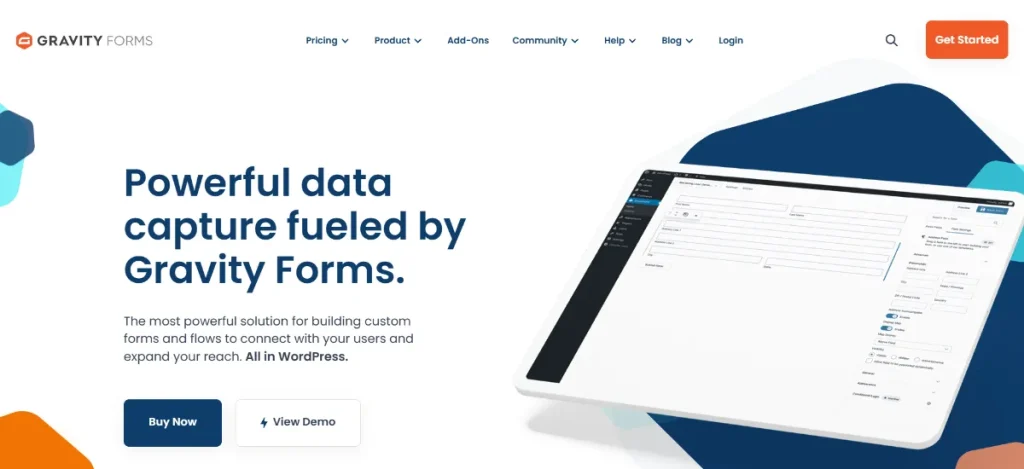
Instead of waiting for someone to check the “[email protected]” email address, your entire sales or support team sees the notification in their active chat window. It acts as a bridge between your customer-facing marketing and your internal team communications, ensuring that “speed to lead” is optimized for every submission.
Key Features & Selling Points of the Campfire Add-On
Why should you integrate Campfire with your forms? It’s about transparency and immediate action.
1. Instant Room Notifications
The primary “selling point” is the immediate push notification. You can specify exactly which Campfire room receives the alert. For example, “Contact Us” submissions can go to the #Sales room, while “Bug Reports” can be routed to the #Developers room.
2. Custom Message Formatting
You have total control over what the notification looks like. You can use Gravity Forms merge tags to include specific data points in the chat message, such as:
- “New Lead: [Name] from [Company] just requested a quote for [Service]!”
- “Urgent: [User] reported an issue with the [Product]!”
3. Real-Time Team Discussion
Because the notification appears in a group chat, your team can discuss the lead immediately. “I’ll take this one,” or “Does anyone know this client?” This collaboration happens in seconds, drastically improving internal efficiency.
4. Conditional Logic Support
You don’t want to spam your team with every single submission. With built-in conditional logic, you can set rules for when a notification is sent. You might only want to alert the #VIP room if the “Project Budget” field is over $5,000, or only alert #Support if the “Priority” dropdown is set to “High.”
5. Secure API Connection
The add-on uses the secure Campfire API and SSL encryption to ensure that your form data is transmitted safely from your WordPress server to the 37signals infrastructure.
How to Install and Configure the Campfire Add-On
Setting up your real-time alerts is a quick process. Follow these steps to get your team connected:
- Download the Extension: Get the Gravity Forms Campfire Add-On .zip file from your Pluginpro.org account.
- Upload to WordPress: Go to Plugins > Add New > Upload Plugin. Choose your file and click Install Now.
- Activate: Click the Activate Plugin button.
- Connect to Campfire: * Navigate to Forms > Settings > Campfire.
- Enter your Campfire account URL and your API Authentication Token.
- Configure a Feed: * Open the specific form you want to monitor.
- Go to Settings > Campfire and click Add New.
- Select the Room, write your custom message, and apply any conditional logic.
- Save and Test: Submit a test entry on your form and watch your Campfire room for the instant notification!
Why Should You Buy From Pluginpro.org?
To maintain a professional edge in 2026, you need the best tools, but you also need to manage your overhead. Pluginpro.org is here to bridge that gap.
1. Save 95% of Your Budget
Official licenses for premium form integrations can cost hundreds of dollars per year. At Pluginpro.org, we provide the exact same professional software while helping you save 95% of your budget. This allows small businesses and freelancers to compete with enterprise-level automation.
2. 100% Clean Code
When it comes to internal communications and lead data, security is paramount. Every file we provide is 100% clean code. Our plugins are original and safe, ensuring that your team’s chat remains secure and your site remains fast.
3. Unlimited Website Usage
Standard licenses often limit you to a single site. When you shop at Pluginpro.org, you get the benefit of unlimited website usage. Use the Gravity Forms Campfire Add-On on as many sites as you need—perfect for agencies managing multiple brands.
4. Easy to Update
As web protocols and APIs change, your plugins must stay current. We make it easy to update your tools. As soon as a new version is released, we update our library so your team never misses a notification due to a software conflict.
Strategic Value: Improving Internal Response Time
The Gravity Forms Campfire Add-On is more than just a notification tool; it’s a culture shifter. By moving notifications into a shared space, you foster a culture of accountability and speed.
When every team member can see the incoming leads, the “silo” of the email inbox is broken down. This leads to faster client follow-ups, better internal coordination, and ultimately, a higher ROI on your marketing efforts.
Final Thoughts: The Future of Collaborative Workflows
Don’t let your website leads die in an unread email folder. The Gravity Forms Campfire Add-On is the professional way to keep your team engaged and informed in real-time. It’s the perfect solution for fast-moving startups and established agencies alike.
Get your team on the same page without overspending. Purchase the Gravity Forms Campfire Add-On from Pluginpro.org today. Enjoy 100% clean code, unlimited website access, and easy updates while you save 95% of your budget. Automate your alerts and start responding at the speed of business.



