
Organizing data in tables is essential for websites that display pricing, product specifications, schedules, or any structured content. WP Table Manager is a premium WordPress plugin that allows you to create, manage, and customize tables visually, making data presentation simple and professional.
In this guide, we’ll explain how to install WP Table Manager, explore its powerful features, and show why purchasing it from Pluginpro.org is the best choice for WordPress users.
What is WP Table Manager?
WP Table Manager is a versatile WordPress plugin designed to create tables easily without coding knowledge. Unlike default WordPress editors or basic table plugins, WP Table Manager offers a spreadsheet-like interface, drag-and-drop functionality, and seamless integration with page builders such as Elementor, WPBakery, and Gutenberg.
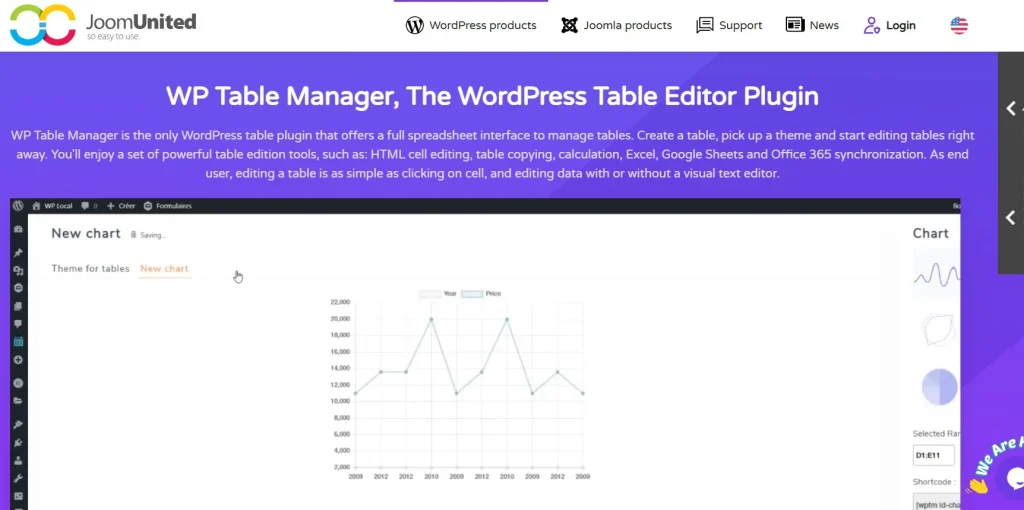
Whether you’re building comparison tables, product pricing charts, or complex data tables, WP Table Manager simplifies table creation and management while keeping your website fast and responsive.
How to Install WP Table Manager
Installing WP Table Manager is straightforward and beginner-friendly:
Step 1: Purchase and Download
Buy WP Table Manager from Pluginpro.org to get a fully licensed premium version at a discounted price. This version includes unlimited website usage, clean code, and easy updates.
Step 2: Upload to WordPress
- Log in to your WordPress dashboard.
- Navigate to Plugins > Add New > Upload Plugin.
- Select the downloaded WP Table Manager ZIP file and click Install Now.
Step 3: Activate the Plugin
Click Activate Plugin after installation. You will see a new WP Table Manager menu in your WordPress dashboard.
Step 4: Configure Settings
Go to WP Table Manager > Settings to configure global options:
- Enable table responsiveness
- Set default styles and themes
- Integrate with page builders like Elementor or WPBakery
Step 5: Create Your First Table
- Navigate to WP Table Manager > Add New Table.
- Use the spreadsheet-like interface to input data.
- Customize the table with colors, fonts, and column widths.
- Embed your table in posts, pages, or custom post types using a shortcode or page builder block.
Key Features of WP Table Manager
WP Table Manager comes with a wide range of features designed for professional table management:
1. Drag-and-Drop Interface
Create and rearrange table rows and columns easily with a spreadsheet-like interface.
2. Table Import/Export
Import tables from Excel, CSV, or Google Sheets, and export your tables for backup or use elsewhere.
3. Responsive Tables
Automatically adapt tables for mobile devices, ensuring readability on all screen sizes.
4. Advanced Styling
Customize table colors, fonts, borders, and hover effects to match your website design.
5. Formulas and Calculations
Add formulas directly into tables for dynamic calculations, making it ideal for pricing or statistical tables.
6. Page Builder Integration
Seamlessly integrate with Elementor, WPBakery, Gutenberg, or other page builders for flexible table embedding.
7. Multi-Language Support
Compatible with WPML and other translation plugins for multilingual websites.
8. Conditional Formatting
Highlight rows or cells based on specific conditions to emphasize important data.
Benefits of Using WP Table Manager
Here’s why WP Table Manager is essential for WordPress websites that display data:
- Save Time: Create complex tables without writing code.
- Improve Presentation: Make your tables visually appealing and easy to read.
- Enhance User Experience: Responsive tables ensure a seamless experience on mobile devices.
- Professional Features: Include formulas, conditional formatting, and sorting options for advanced functionality.
- Scalable: Suitable for small blogs or enterprise-level websites with complex data.
Selling Points: Why WP Table Manager Stands Out
WP Table Manager is more than a simple table plugin. Its standout advantages include:
- Intuitive Spreadsheet Interface: Manage tables just like in Excel or Google Sheets.
- Drag-and-Drop Functionality: Easily reorder columns, rows, or entire tables.
- Responsive and Mobile-Friendly: Ensure tables look great on all devices.
- Advanced Styling Options: Customize tables fully to match your site’s design.
- Integration with Page Builders: Embed tables seamlessly into posts or pages with any builder.
Why Buy WP Table Manager from Pluginpro.org?
Purchasing WP Table Manager from Pluginpro.org provides exclusive advantages:
1. Save Up to 95%
Get the premium plugin at a fraction of the original price while maintaining all features.
2. 100% Clean Code
All plugins from Pluginpro.org are verified for performance, security, and WordPress standards.
3. Unlimited Website Usage
Use WP Table Manager on unlimited websites—perfect for agencies or developers managing multiple clients.
4. Easy Updates
Receive hassle-free updates to ensure compatibility with WordPress and page builders.
5. Dedicated Support
Access expert support for installation, configuration, and table management from Pluginpro.org professionals.
Real-Life Use Cases
1. Product Comparison Tables
Display feature comparisons, prices, or specifications for products effectively.
2. Pricing Tables
Create visually appealing pricing tables for services, memberships, or SaaS offerings.
3. Data and Statistics
Present research data, reports, or analytics in clean, responsive tables.
4. Schedules and Timetables
Design event schedules, class timetables, or booking charts for easy readability.
5. Agency Websites
Create dynamic tables for multiple client websites efficiently with WP Table Manager.
Frequently Asked Questions
Q: Can I import tables from Excel or Google Sheets?
Yes, WP Table Manager supports importing tables from Excel, CSV, and Google Sheets.
Q: Are the tables responsive for mobile devices?
Absolutely. All tables are automatically optimized for mobile viewing.
Q: Can I use formulas in my tables?
Yes, you can include formulas for calculations, making it perfect for pricing or statistical tables.
Q: Does it work with page builders like Elementor or WPBakery?
Yes, WP Table Manager integrates seamlessly with major page builders for easy embedding.
Conclusion
WP Table Manager is the ultimate solution for creating, managing, and customizing tables in WordPress. With features like drag-and-drop management, responsive design, formulas, conditional formatting, and page builder integration, it provides a professional way to present data on any website.
Purchasing WP Table Manager from Pluginpro.org ensures you get a fully licensed, clean-coded plugin at a discounted price with unlimited website usage, easy updates, and dedicated support.



