
In the digital age, content is the most valuable currency. For photographers, videographers, and digital artists, the ability to showcase work while maintaining strict control over who can download or view it is essential for a sustainable business. If you use WordPress to power your portfolio or store, the Sell Media Access Control extension is the professional solution you’ve been looking for.
This powerful add-on for the Graph Paper Press “Sell Media” ecosystem allows you to bridge the gap between public galleries and private client work. In this exhaustive guide, we will explore the core functions of Sell Media Access Control, walk through the installation process, and explain why purchasing this tool from Pluginpro.org is the smartest financial move for your creative business.
1. Introducing Sell Media Access Control
The Sell Media Access Control plugin is a premium extension designed specifically for the Sell Media WordPress plugin. While the core Sell Media plugin allows you to list items for sale, the Access Control extension introduces a layer of “gated” security. It is built for creators who need to offer free downloads to specific users, provide password-protected client proofing, or create exclusive areas for subscribers.
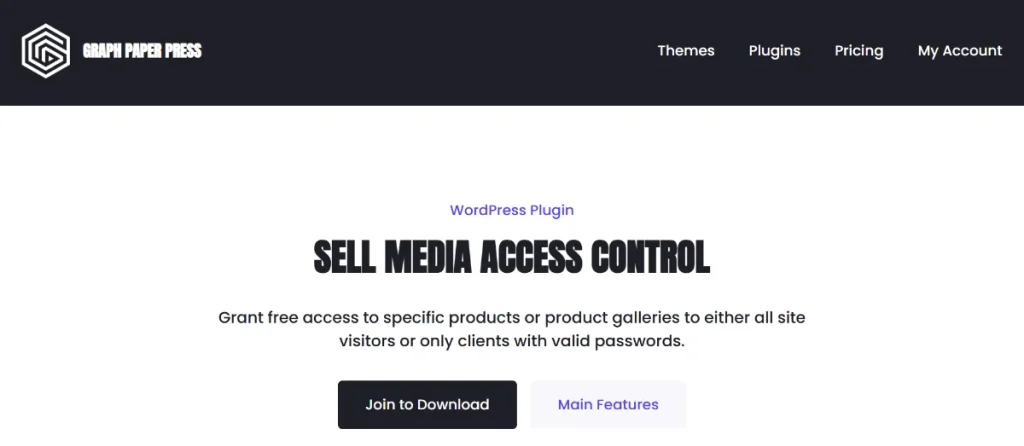
Think of Sell Media Access Control as the digital doorman for your media library. It allows you to move beyond simple “buy now” buttons and implement a more nuanced strategy for content distribution. Whether you are running a stock photography site or a private wedding photography business, this tool ensures that your high-resolution assets are only accessible to the right people at the right time.
2. Feature Functions and Selling Points
What sets Sell Media Access Control apart from other membership or protection plugins is its native integration with media workflows. Here are the primary selling points:
Seamless Client Photo Proofing
For professional photographers, sending a link to a gallery for “proofing” is a daily task. With Sell Media Access Control, you can create a private gallery, set a password, and send it to your client. They can view the images and, if you allow it, download the original files without going through a checkout process. It simplifies the user experience while keeping the public out.
Role-Based Access and Memberships
Do you have a team of collaborators or a group of “VIP” donors? You can use Sell Media Access Control to grant automatic free access to specific user roles. For example, anyone with the “Subscriber” role could be granted free access to low-resolution versions, while “Customers” get the high-resolution files.
Flexible “Free Access” Rules
You don’t always want to sell every single pixel. Sometimes, offering free downloads is the best way to grow an email list. Sell Media Access Control allows you to assign “Free Access” to specific products or entire galleries. You can make these accessible to everyone or restrict them only to users who have a valid password (perfect for lead magnets).
Password Protection for Galleries
Instead of managing hundreds of user accounts, you can simply use the Sell Media Access Control password feature. This is ideal for one-time clients. You give them a unique password, and they gain instant access to their specific media collection.
Automated Bypass for Authorized Users
One of the best technical features of Sell Media Access Control is the checkout bypass. When a user has the correct access rights (via password or role), the plugin automatically replaces the “Buy” button with a “Download” button. This removes friction and makes your site feel like a high-end custom application.
3. How to Install Sell Media Access Control
Installing Sell Media Access Control is simple, provided you have the core “Sell Media” plugin already active on your site. Follow these steps:
Step 1: Pre-requisites
- Ensure you have WordPress installed.
- Ensure the free Sell Media plugin is installed and activated.
- Download the Sell Media Access Control ZIP file from your Pluginpro.org account.
Step 2: Upload and Install
- Go to your WordPress Dashboard and navigate to Plugins > Add New.
- Click the Upload Plugin button at the top.
- Select the
sell-media-access-control.zipfile from your computer. - Click Install Now.
Step 3: Activation
Once the installation is successful, click Activate Plugin. You will now see new options within your Sell Media settings and individual product pages.
Step 4: Configuring Your First Protected Gallery
- Create a new product or gallery under Sell Media > Add New.
- Scroll down to the Access Control meta box.
- Choose your access type: Password Protected, Logged-in Users, or Role-Based.
- Save your changes and test the link in an “Incognito” window to ensure the protection is active.
4. Why Should I Buy from Pluginpro.org?
When you are looking for the Sell Media Access Control extension, you will notice various prices across the web. Here is why Pluginpro.org is the premier choice for developers and creators:
Save 95% of Your Budget
Official developers often charge high annual fees for a single-site license. At Pluginpro.org, we leverage the GPL (General Public License) to provide you with the exact same software at a fraction of the cost. By choosing us, you can save 95% of your budget, allowing you to invest that money back into your gear or marketing.
100% Clean Code
Security is a major concern when downloading premium plugins. We guarantee that the Sell Media Access Control file provided on our site contains 100% clean code. We do not use “nulled” versions that contain backdoors or malware. Every file is scanned and verified to ensure your website—and your clients’ data—remains safe.
Unlimited Website Usage
Unlike official licenses that limit you to one domain, our version of Sell Media Access Control allows for unlimited website usage. Whether you are a developer building sites for ten different clients or a photographer with multiple portfolios, one purchase covers everything. No more “license key” headaches.
Easy to Update
We keep our repository current. Whenever the developer releases a new version of Sell Media Access Control, we update the file in our dashboard. It is easy to update: just download the new version and upload it to your site. You get all the latest features and security patches without the heavy annual subscription fees.
5. Technical Excellence and Performance
The Sell Media Access Control plugin is built with performance in mind. Because it is an extension of the Graph Paper Press ecosystem, it follows strict WordPress coding standards. This means it won’t bloat your database or slow down your page load speeds—which is critical for SEO.
When you use Sell Media Access Control, you are ensuring that your media-heavy pages remain responsive. Search engines reward fast websites, and since this plugin uses lightweight logic to handle permissions, your rankings will remain intact while your content stays protected.
6. Strategic Uses for Non-Profits and Businesses
While photographers love this plugin, other sectors can benefit from Sell Media Access Control as well:
- Non-Profits: Use it to share high-quality campaign assets with authorized donors or press members.
- Education: Create a gated library of video tutorials that are only accessible to registered students.
- Stock Sites: Offer a “Free Tier” of images to logged-in users to encourage account creation and future sales.
Conclusion
Protecting your digital assets doesn’t have to be complicated or expensive. The Sell Media Access Control extension provides the perfect balance of security and ease of use, ensuring that your media business runs like a well-oiled machine. By automating client access and protecting your high-res files, you free up time to focus on what you do best: creating.
Ready to take control of your media? Get Sell Media Access Control from Pluginpro.org today. Enjoy 100% clean code, unlimited website support, and 95% budget savings. It’s time to professionalize your WordPress store the smart way!



