Building a fast, responsive, and visually stunning website has never been easier thanks to Bricks, one of the most powerful WordPress page builders available today. With its intuitive interface, advanced design options, and performance-focused architecture, Bricks allows developers and business owners alike to create professional websites without writing complex code.
In this article, we’ll guide you through how to install Bricks, explore its key features, and explain why purchasing it from Pluginpro.org is a smart choice.
What is Bricks?
Bricks is a WordPress page builder plugin that combines a visual drag-and-drop editor with full site editing capabilities. Unlike traditional page builders, Bricks focuses on speed and performance, ensuring that websites built with it load quickly and are SEO-friendly.
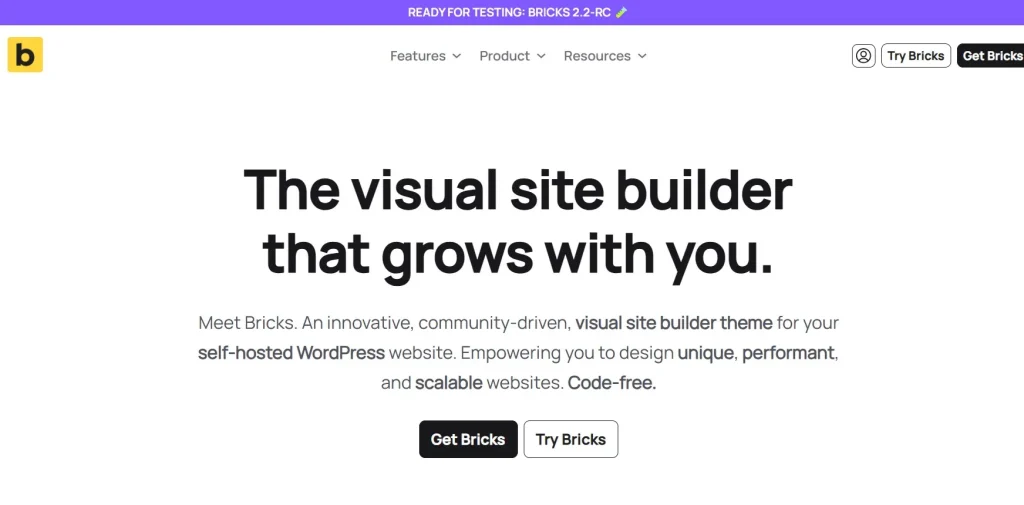
Whether you’re building an e-commerce store, portfolio, business website, or blog, Bricks gives you complete control over layout, styling, and responsiveness. Its lightweight code ensures that websites remain fast and optimized for search engines, making it ideal for professionals and beginners alike.
How to Install Bricks
Installing Bricks on your WordPress site is straightforward:
Step 1: Purchase and Download
- Visit Pluginpro.org and search for Bricks.
- Complete the purchase and download the plugin ZIP file.
(Tip: Pluginpro.org offers up to 95% savings compared to other marketplaces.)
Step 2: Upload to WordPress
- Log in to your WordPress dashboard.
- Navigate to Plugins > Add New > Upload Plugin.
- Choose the downloaded ZIP file and click Install Now.
- After installation, click Activate Plugin.
Step 3: Configure Bricks Settings
- Go to Bricks > Settings in the WordPress admin menu.
- Configure the global settings, including default fonts, colors, and layouts.
- Start building pages using the drag-and-drop editor.
Your website is now ready to benefit from Bricks’ advanced design and performance capabilities.
Key Features of Bricks
Bricks is packed with features that make it stand out from other page builders:
1. Visual Drag-and-Drop Editor
Bricks offers an intuitive interface that lets you design pages visually, without touching a single line of code. Elements can be dragged, dropped, and customized in real-time.
2. Full Site Editing
Unlike many page builders, Bricks allows you to edit headers, footers, templates, and archive pages, giving you complete control over your entire website.
3. Performance-Focused Design
Bricks produces lightweight, clean code, ensuring fast page loading times—a critical factor for SEO and user experience.
4. Responsive Design
Every element in Bricks is fully responsive, making it easy to design mobile-friendly websites that look great on all devices.
5. Dynamic Content
Bricks supports dynamic content from custom fields, post types, and WooCommerce, enabling you to create sophisticated websites with personalized content.
6. Pre-Built Templates and Blocks
The plugin comes with a library of ready-made templates and blocks, allowing you to quickly design professional websites without starting from scratch.
7. Advanced Styling Options
Bricks provides advanced typography, color, spacing, and animation controls, giving designers flexibility to create visually stunning websites.
8. WooCommerce Integration
For e-commerce websites, Bricks seamlessly integrates with WooCommerce, allowing full customization of product pages, checkout pages, and cart layouts.
Selling Points: Why Bricks is a Must-Have
Using Bricks as your page builder offers several advantages:
- Fast and Lightweight: Websites built with Bricks load faster than many other page builders, improving user experience and SEO.
- No Coding Required: Drag-and-drop editor and visual controls make it beginner-friendly.
- Complete Site Control: Full site editing allows design consistency across all pages.
- Professional Templates: Pre-built blocks and templates accelerate the website creation process.
- Dynamic Content Ready: Perfect for developers and agencies building complex, data-driven websites.
Why Purchase Bricks from Pluginpro.org?
While Bricks is available from multiple sources, Pluginpro.org offers unique advantages:
- Save Up to 95%
Pluginpro.org offers Bricks at a fraction of the cost compared to other marketplaces. - 100% Clean Code
Every plugin is tested for security and performance to ensure a stable website. - Unlimited Website Usage
Install Bricks on as many websites as you like without additional charges. - Easy Updates
Get lifetime updates and support, ensuring compatibility with WordPress core and future versions. - Trusted Source
Pluginpro.org delivers verified, malware-free plugins, providing peace of mind for your projects.
Tips for Maximizing Bricks
- Start with Templates
Use pre-built templates to save time and maintain a professional look. - Optimize Images
Although Bricks is lightweight, optimizing images improves performance even further. - Leverage Dynamic Content
Use custom fields and WooCommerce integration for more advanced sites. - Use Global Styles
Set global fonts, colors, and spacing to maintain consistency across pages. - Test Responsiveness
Check your pages on mobile and tablet views within the Bricks editor to ensure a seamless experience.
Conclusion
Bricks is a powerful, fast, and versatile WordPress page builder that empowers you to create professional websites with ease. Its visual drag-and-drop editor, full site editing capabilities, and performance-focused architecture make it ideal for both beginners and experienced developers.
Purchasing Bricks from Pluginpro.org ensures affordability, clean code, unlimited site usage, and hassle-free updates. If you want a reliable, professional, and fast page builder for WordPress, Bricks is the perfect choice for your website.