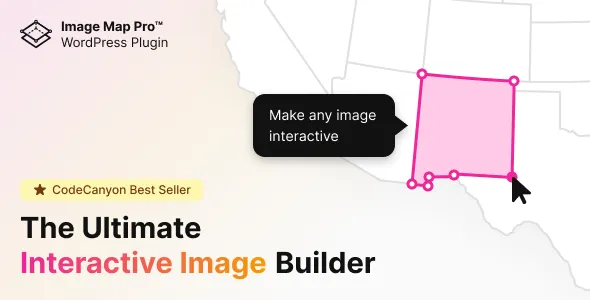
If you are looking for a powerful way to make your website more engaging and interactive, Image Map Pro for WordPress is one of the best solutions available today. This premium plugin allows you to turn static images into dynamic, clickable maps with tooltips, links, and rich media elements. Whether you want to create interactive infographics, product showcases, or floor plans, Image Map Pro for WordPress gives you all the tools you need.
In this article, we will explore everything you need to know about Image Map Pro for WordPress, including how to install it, its key features, and why buying it from Pluginpro.org is a smart choice.
What is Image Map Pro for WordPress?
Image Map Pro for WordPress is a premium WordPress plugin designed to help users create interactive image maps without coding. With a user-friendly drag-and-drop editor, you can easily define clickable areas on images and assign actions such as popups, links, or multimedia displays.
Unlike traditional image mapping tools, Image Map Pro for WordPress supports advanced features like SVG shapes, animations, responsive design, and analytics tracking. This makes it suitable for a wide range of use cases, from business websites to eCommerce stores.
Key Features of Image Map Pro for WordPress
1. Interactive Image Mapping
The core feature of Image Map Pro for WordPress is its ability to create interactive images. You can draw shapes such as rectangles, circles, polygons, or even custom SVG paths on your images.
Each area can be configured to:
- Display tooltips
- Open links
- Trigger popups
- Show images or videos
2. Drag-and-Drop Editor
The plugin includes a powerful visual editor that allows you to create maps without any coding knowledge. Simply upload your image, draw clickable areas, and customize their behavior.
This makes Image Map Pro for WordPress perfect for beginners and advanced users alike.
3. Responsive Design
All image maps created with Image Map Pro for WordPress are fully responsive. This means they will automatically adjust to different screen sizes, ensuring a seamless experience on desktops, tablets, and mobile devices.
4. Rich Media Support
You can embed various types of content inside your image maps, including:
- Images
- Videos
- Audio
- Text content
This feature allows you to create highly engaging and interactive user experiences.
5. Prebuilt Templates
Image Map Pro for WordPress comes with a collection of ready-made templates that you can use to speed up your workflow. These templates are ideal for:
- Product showcases
- Interactive infographics
- Maps and diagrams
6. Advanced Styling Options
Customize the appearance of your image maps with ease. You can change:
- Colors
- Hover effects
- Animations
- Fonts
This ensures your interactive images match your website’s design perfectly.
7. Analytics Integration
Track user interactions with your image maps using built-in analytics. This helps you understand how visitors engage with your content and optimize your strategy accordingly.
8. WooCommerce Compatibility
If you run an online store, Image Map Pro for WordPress integrates smoothly with WooCommerce. You can create interactive product images that allow users to click on specific parts of a product to learn more or make a purchase.
9. Lightweight and Fast
Despite its powerful features, Image Map Pro for WordPress is optimized for performance. It does not slow down your website, ensuring fast loading times and a better user experience.
How to Install Image Map Pro for WordPress
Installing Image Map Pro for WordPress is simple and straightforward. Follow these steps:
Step 1: Download the Plugin
- Purchase and download the plugin from Pluginpro.org.
- You will receive a ZIP file containing the plugin.
Step 2: Upload to WordPress
- Log in to your WordPress dashboard.
- Go to Plugins → Add New → Upload Plugin.
- Click Choose File and select the ZIP file.
- Click Install Now.
Step 3: Activate the Plugin
- After installation, click Activate Plugin.
- The plugin will now be ready to use.
Step 4: Create Your First Image Map
- Navigate to the Image Map Pro menu in your dashboard.
- Upload an image.
- Use the editor to draw clickable areas.
- Configure actions for each area.
- Save and publish your map.
Practical Use Cases of Image Map Pro for WordPress
1. Interactive Infographics
Turn static infographics into interactive experiences where users can click on different sections to reveal more information.
2. Product Highlighting
Showcase product features by allowing users to click on specific parts of an image to learn more.
3. Floor Plans and Real Estate
Create interactive floor plans where users can explore rooms, amenities, and pricing details.
4. Educational Content
Enhance learning by creating interactive diagrams and visual aids.
5. Travel and Maps
Build interactive maps that highlight destinations, attractions, and travel routes.
Benefits of Using Image Map Pro for WordPress
Using Image Map Pro for WordPress offers several advantages:
- Improves user engagement
- Increases time spent on your website
- Enhances visual storytelling
- Boosts conversions with interactive content
- Makes complex information easier to understand
Why Choose Image Map Pro for WordPress Over Alternatives?
There are many image mapping tools available, but Image Map Pro for WordPress stands out because of its:
- Intuitive interface
- Advanced customization options
- Rich media support
- Reliable performance
- Regular updates and improvements
It is a complete solution for anyone who wants to create interactive images without technical complexity.
Why Buy Image Map Pro for WordPress at Pluginpro.org?
When purchasing Image Map Pro for WordPress, choosing the right provider is important. Pluginpro.org offers several compelling advantages:
1. Save Up to 95% Budget
You can get Image Map Pro for WordPress at a significantly reduced price compared to the original cost, helping you save money while still enjoying premium features.
2. 100% Clean Code
All plugins available on Pluginpro.org are тщательно checked to ensure they are free from malware or unwanted code. This guarantees safety and reliability for your website.
3. Unlimited Website Usage
Unlike many official licenses that restrict usage, Pluginpro.org allows you to use Image Map Pro for WordPress on unlimited websites. This is perfect for developers, agencies, and freelancers.
4. Easy Updates
Keeping your plugin updated is simple with Pluginpro.org. You can easily download the latest version whenever it becomes available.
5. No License Restrictions
Enjoy full functionality without worrying about license activation or limitations.
6. Cost-Effective Solution for Businesses
Whether you run a small blog or a large eCommerce store, Pluginpro.org provides an affordable way to access premium tools like Image Map Pro for WordPress.
Tips for Getting the Most Out of Image Map Pro for WordPress
To maximize the benefits of Image Map Pro for WordPress, consider these tips:
- Use high-quality images for better visual impact
- Keep clickable areas clear and intuitive
- Add engaging tooltips and multimedia content
- Test responsiveness on multiple devices
- Analyze user behavior and optimize accordingly
Conclusion
Image Map Pro for WordPress is a powerful and versatile plugin that allows you to transform static images into interactive experiences. With its user-friendly interface, advanced features, and wide range of applications, it is an essential tool for anyone looking to enhance their website.
From creating interactive infographics to boosting eCommerce conversions, Image Map Pro for WordPress delivers exceptional value. And when you purchase it from Pluginpro.org, you benefit from massive cost savings, clean code, unlimited usage, and easy updates.
If you want to take your website to the next level, Image Map Pro for WordPress is definitely worth considering.