
Event management websites require powerful tools to manage attendees, automate communication, and improve customer engagement. WordPress users often rely on Tickera, a popular event ticketing plugin that allows website owners to sell event tickets directly from their site. However, managing attendee communication manually can be time-consuming. This is where Customer.io Connect for Tickera becomes extremely valuable.
Customer.io Connect for Tickera is an integration plugin that connects the Tickera ticketing system with the Customer.io marketing automation platform. This connection allows event organizers to automate email campaigns, attendee notifications, and personalized communication based on user actions.
With this integration, event organizers can send automated emails when tickets are purchased, remind attendees about upcoming events, or deliver post-event follow-ups. Automation helps businesses improve engagement and build stronger relationships with their audience.
The plugin works seamlessly with Tickera and Customer.io, allowing data synchronization between both platforms. This means customer details, ticket purchases, and event data can trigger automated marketing workflows.
In this article, we will explore what Customer.io Connect for Tickera is, its key features, benefits, installation steps, and why buying it from Pluginpro.org offers the best value for WordPress users.
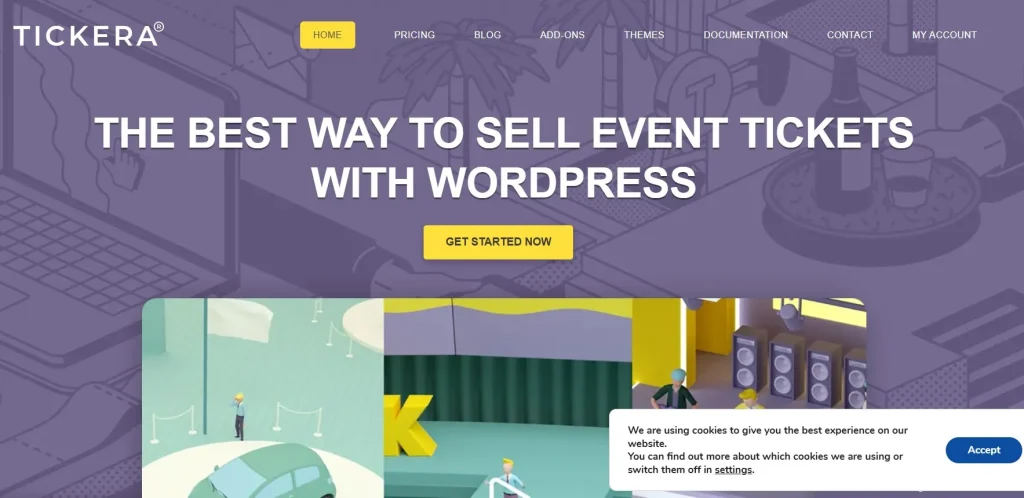
What is Customer.io Connect for Tickera?
Customer.io Connect for Tickera is a WordPress integration plugin that connects the Tickera event ticketing system with the Customer.io marketing automation platform. The purpose of this integration is to automate communication and marketing campaigns based on ticket purchases and event activity.
Tickera allows website owners to sell event tickets directly on their WordPress site, while Customer.io is a powerful platform used for sending automated email campaigns and customer engagement messages. By connecting these two platforms, event organizers can create automated workflows that respond to customer actions.
For example, when a visitor purchases a ticket through Tickera, their information can automatically be sent to Customer.io. This data can then trigger a series of automated emails such as ticket confirmations, event reminders, or promotional messages.
This automation helps event organizers save time while improving the attendee experience. Instead of manually sending messages, the system handles communication automatically.
The plugin also enables segmentation of event attendees based on their actions, allowing businesses to send targeted messages to different groups of customers.
Because it integrates directly with WordPress and Tickera, the plugin is easy to implement and works smoothly with existing event websites.
Overall, Customer.io Connect for Tickera is a powerful solution for event organizers who want to automate marketing communication and improve engagement with event attendees.
Key Features of Customer.io Connect for Tickera
The Customer.io Connect for Tickera plugin includes several features designed to improve event communication and marketing automation.
Seamless Integration with Tickera
- Connect Tickera ticket sales with Customer.io
- Automatically sync attendee data
- Enable marketing automation based on ticket purchases
Automated Email Campaigns
Customer.io automation allows event organizers to communicate with attendees automatically.
- Send ticket confirmation emails
- Schedule event reminder emails
- Deliver post-event follow-up messages
Real-Time Data Synchronization
- Instantly sync ticket purchase data
- Track attendee actions
- Trigger automated workflows based on real-time events
Customer Segmentation
Organizers can target specific attendee groups.
- Segment customers based on ticket types
- Create personalized marketing campaigns
- Send targeted event promotions
Personalized Communication
- Send customized messages to attendees
- Improve engagement with personalized content
- Build stronger relationships with customers
Marketing Automation Workflows
The integration supports advanced automation.
- Trigger campaigns when tickets are purchased
- Send reminders before events
- Launch marketing campaigns for future events
Event Tracking and Analytics
- Monitor attendee engagement
- Track email performance
- Improve marketing strategies using data insights
Developer-Friendly Integration
- Compatible with modern WordPress environments
- Works smoothly with Tickera extensions
- Supports flexible automation workflows
Secure Data Transfer
- Safe communication between Tickera and Customer.io
- Reliable synchronization of attendee information
Benefits of Using Customer.io Connect for Tickera
Using Customer.io Connect for Tickera provides several benefits for event organizers and businesses running event-based websites.
Automated Event Communication
The plugin removes the need for manual emails by automating communication with attendees.
Improved Attendee Engagement
Automated reminders and personalized emails help keep attendees informed and engaged.
Better Marketing Campaigns
Event organizers can run targeted campaigns based on customer behavior and ticket purchases.
Time-Saving Automation
Automation reduces administrative work and allows event managers to focus on planning events.
Higher Event Attendance
Sending reminders and updates increases the likelihood that attendees will attend the event.
Customer Relationship Building
Personalized communication helps create stronger relationships with customers and repeat attendees.
Scalable Event Marketing
The integration allows event websites to manage communication for small events or large conferences efficiently.
Professional Event Experience
Automated messaging and organized communication create a more professional experience for attendees.
How to Install Customer.io Connect for Tickera
Installing Customer.io Connect for Tickera on your WordPress website is simple.
Step 1: Download the Plugin
Download the Customer.io Connect for Tickera plugin package from Pluginpro.org.
Step 2: Log in to WordPress Dashboard
- Open your WordPress admin panel
- Go to yourwebsite.com/wp-admin
- Enter your administrator credentials
Step 3: Navigate to Plugins
- Click Plugins in the dashboard
- Select Add New
- Click Upload Plugin
Step 4: Upload the Plugin File
- Choose the plugin ZIP file
- Click Install Now
Step 5: Activate the Plugin
Once installation is complete:
- Click Activate Plugin
Step 6: Connect Customer.io
To enable automation:
- Enter your Customer.io API credentials
- Configure data synchronization settings
- Set automation triggers for ticket purchases
Step 7: Test the Integration
- Purchase a test ticket
- Verify that customer data is sent to Customer.io
- Confirm that automated campaigns are triggered
After completing these steps, your Customer.io Connect for Tickera integration will be active.
Why Buy Customer.io Connect for Tickera at Pluginpro.org
Premium WordPress plugins can be expensive when purchased directly from developers. Pluginpro.org provides an affordable alternative while maintaining quality and security.
Here are the main reasons to buy Customer.io Connect for Tickera from Pluginpro.org.
Save Up to 95% Cost
You can purchase premium plugins at up to 95% lower cost compared to official developer pricing.
100% Clean Files
All plugins available on Pluginpro.org are carefully verified and scanned to ensure they are 100% clean and malware-free.
Unlimited Websites Usage
Unlike official licenses that restrict usage to a single website, Pluginpro.org allows you to use Customer.io Connect for Tickera on unlimited websites.
Easy Updates
Pluginpro.org provides updated plugin versions whenever new releases become available.
Secure Downloads
All downloads are delivered through secure servers, ensuring safe and reliable access to premium WordPress plugins.
Because of these advantages, Pluginpro.org has become a trusted platform for WordPress users who want affordable premium plugins.
Conclusion
If you manage events using Tickera and want to automate communication with attendees, Customer.io Connect for Tickera is an excellent integration plugin. By connecting Tickera with the Customer.io marketing platform, the plugin allows event organizers to send automated emails, reminders, and personalized messages based on ticket purchases and attendee behavior.
With features such as real-time data synchronization, marketing automation workflows, customer segmentation, and personalized messaging, Customer.io Connect for Tickera helps improve event marketing and attendee engagement.
For the best value, purchasing Customer.io Connect for Tickera from Pluginpro.org is the ideal option. With benefits such as saving up to 95% cost, 100% clean files, unlimited website usage, easy updates, and secure downloads, Pluginpro.org provides a reliable and affordable solution for WordPress users.
By using this integration, event organizers can streamline their marketing efforts, improve communication with attendees, and deliver a professional event experience.



