In today’s crowded online market, attracting visitors to a website is only the first step. The real challenge is keeping them engaged long enough to take meaningful action. Whether the goal is to increase product sales, improve form completions, encourage newsletter signups, boost course completion, or guide users through an onboarding process, website owners need practical tools that influence behavior in a positive and strategic way. This is where MotivatorGuru becomes especially valuable.
MotivatorGuru is a WordPress plugin built to help website owners improve user engagement through motivational messages, progress-based feedback, urgency elements, and conversion-focused behavioral triggers. Instead of passively waiting for visitors to decide what to do next, the plugin helps you actively guide them with well-placed prompts and visual cues. A user who sees how close they are to finishing a task is often more likely to continue. A customer who notices that a promotion is about to end may be more inclined to buy. These small psychological prompts can have a major impact on real business results.
What makes MotivatorGuru especially useful is that it combines marketing strategy with user-friendly functionality. You do not need to be an advanced developer or conversion specialist to use it effectively. The plugin gives WordPress users a practical way to create motivational popups, banners, progress bars, inline notices, countdowns, and personalized prompts that support a smoother user journey.
For blogs, eCommerce stores, membership sites, learning platforms, business websites, and landing pages, MotivatorGuru can become an important tool for improving conversions while also enhancing the overall experience. In this article, we will take a closer look at what MotivatorGuru is, its core features, the benefits it offers, how to install it, and why Pluginpro.org is a smart place to buy it.
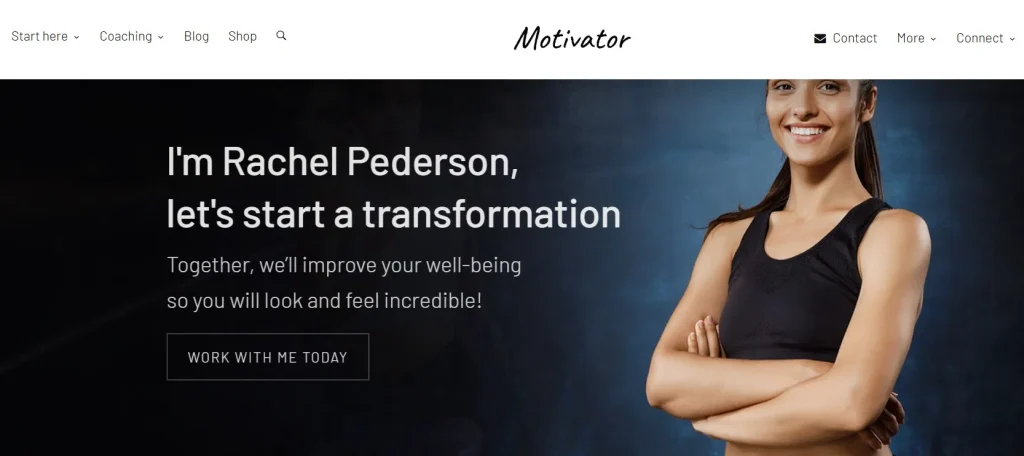
What is MotivatorGuru?
MotivatorGuru is a premium WordPress plugin designed to encourage users to take action by using motivational techniques directly on your website. It helps site owners create dynamic messages and visual elements that influence behavior through clear feedback, urgency, social proof, progress tracking, and contextual prompts. In simple terms, MotivatorGuru helps turn passive visitors into active users.
The plugin is built around an important idea in digital marketing and user experience: people respond better when they are guided. Many visitors leave websites not because the offer is bad, but because they feel uncertain, distracted, or unconvinced. MotivatorGuru addresses this by placing the right message at the right moment. For example, if someone is halfway through a signup process, a progress message can encourage them to finish. If a shopper has items in their cart, a timed offer banner can create a stronger sense of urgency. If a learner is close to completing a course, a congratulatory progress reminder can keep them moving forward.
MotivatorGuru is suitable for a wide range of websites. An online store can use it to promote limited-time discounts or low-stock alerts. A course platform can use it to show milestone achievements and lesson completion. A service website can use it to motivate visitors to request a quote, schedule a call, or subscribe to updates. Even content publishers can use it to encourage readers to continue exploring articles or join an email list.
Another strong point of MotivatorGuru is its flexibility. It supports different types of display elements, including banners, popups, inline notices, floating prompts, and step indicators. These can be customized to match the design of your website, so they feel like a natural part of the interface rather than an interruption. Because of this, MotivatorGuru is not just a plugin for adding messages. It is a practical conversion optimization tool that improves how users interact with your site.
Key Features of MotivatorGuru
MotivatorGuru includes a strong set of features designed to improve user behavior, increase engagement, and support conversion-focused website strategies. These tools are useful for both simple marketing tasks and more advanced customer journeys.
- Dynamic Motivational Messages
MotivatorGuru allows you to create contextual messages based on user actions, page activity, or timing. For example, you can show a message after a visitor spends a certain amount of time on a product page or scrolls to a key section of a landing page. This makes your website feel more interactive and gives users relevant encouragement instead of generic notices. - Progress Tracking and Completion Feedback
One of the most useful features of MotivatorGuru is the ability to display progress bars, step indicators, and completion reminders. This is especially effective on eLearning sites, membership platforms, and multi-step forms where users benefit from knowing how far they have come. When visitors see visible progress, they are often more motivated to finish what they started. - Urgency and Scarcity Tools
MotivatorGuru helps create urgency through countdown timers, limited-time notices, and scarcity-based prompts. For example, an eCommerce site can display a message that a sale ends in a few hours, while a webinar landing page can highlight limited remaining spots. These prompts can encourage faster decision-making and reduce hesitation. - Multiple Display Formats
The plugin gives you several ways to present motivational content, including popups, inline blocks, floating bars, banners, and embedded callouts. This allows you to choose the format that fits best with each page and audience segment. A subtle inline notice may work well inside a checkout flow, while a floating banner may be better for announcements across the site. - Advanced Targeting Conditions
MotivatorGuru supports conditions that let you control when and where messages appear. You can target users based on device type, page type, referral source, browsing behavior, or other rule-based triggers. This improves relevance and helps avoid showing the same message to every visitor regardless of context. - Customizable Design Controls
You can customize colors, fonts, sizes, spacing, animations, and layouts so that MotivatorGuru elements match your website branding. This matters because conversion-focused tools work better when they feel consistent with the rest of the site design. A well-styled message looks more trustworthy and less intrusive. - Performance-Friendly Structure
MotivatorGuru is designed to be lightweight so it does not place unnecessary strain on your website. Fast-loading plugins are important because poor performance can hurt both user experience and SEO. A motivation plugin should improve results, not slow down your pages, and MotivatorGuru is built with that balance in mind.
Benefits of Using MotivatorGuru
Using MotivatorGuru can bring clear advantages to websites that want to improve conversions, user engagement, and overall interaction quality. One of the most important benefits is that it helps reduce user hesitation. Many visitors abandon actions not because they are uninterested, but because they are unsure what to do next. MotivatorGuru solves this by providing well-timed guidance that keeps the journey moving.
Another major benefit is higher conversion potential. Motivational triggers such as progress indicators, scarcity notices, and action-based reminders can influence user decisions in meaningful ways. A visitor who sees that they are only one step away from completing a registration is more likely to continue. A customer who notices that a sale ends soon may be more likely to complete checkout. These small improvements can add up to major gains in sales, leads, and signups.
MotivatorGuru also improves the user experience by making the site feel more responsive and helpful. Instead of forcing users to figure everything out on their own, the plugin provides useful prompts at the right time. This is especially important on complex websites with multi-step processes, onboarding flows, long forms, or large product catalogs.
The plugin is also beneficial from a branding perspective. When motivational elements are well-designed and aligned with your visual identity, they create a polished and professional experience. A smart progress bar or personalized callout can make your site appear more modern, strategic, and customer-focused.
Another practical benefit is versatility. MotivatorGuru can be used across different industries and business models. A coach can use it to increase consultation bookings. A software company can use it during product onboarding. A course seller can use it to encourage lesson completion. An online store can use it to increase purchases during promotional periods.
Finally, MotivatorGuru supports long-term optimization. By testing different prompts and strategies, website owners can refine what works best for their audience. This makes the plugin valuable not just for immediate gains, but also for ongoing improvement.
How to Install MotivatorGuru
Installing MotivatorGuru on a WordPress website is a simple process, but taking the right steps during setup will help you get the best results from the beginning. Below is a practical step-by-step guide.
- Download the Plugin File
After purchasing MotivatorGuru from Pluginpro.org, download the plugin ZIP file to your computer. Make sure you keep the original ZIP file as it is, because WordPress requires that format for direct upload. - Log in to Your WordPress Dashboard
Go to your WordPress admin login page and sign in with your credentials. This dashboard is where you will manage plugins, themes, pages, and settings for your website. - Upload the Plugin
In the left-hand menu, go to Plugins and click Add New. Then choose the Upload Plugin option at the top of the page. Select the MotivatorGuru ZIP file from your computer and click Install Now. WordPress will upload and prepare the plugin automatically. - Activate the Plugin
Once installation is complete, click Activate. This enables MotivatorGuru on your website and adds its menu or settings area to the WordPress dashboard. At this point, the plugin is live, but you still need to configure it properly. - Review the Plugin Settings
Open the MotivatorGuru settings panel and review the available options. Start by setting up the general behavior, display preferences, animation controls, and notification styles. It is a good idea to align these with your branding before creating live campaigns. - Create Your First Motivational Element
Build your first message or campaign based on a clear use case. For example, you could create a progress reminder for a multi-step form, a countdown for a sale, or a floating message encouraging newsletter signups. Begin with one focused goal so you can measure results more easily. - Choose Targeting and Placement Rules
Set where and when the element should appear. For instance, you may want a purchase urgency banner only on product pages, or a lead-generation popup only on blog posts after a user scrolls halfway down the page. Careful targeting improves both performance and relevance. - Preview and Test
Before publishing the element site-wide, preview it on desktop and mobile devices. Check spacing, text length, timing, and appearance. Also test whether it conflicts with other plugins or page builder layouts. A short testing process can prevent a poor user experience later. - Publish and Monitor Results
Once the campaign looks good, publish it and monitor user behavior. Watch for changes in clicks, conversions, time on page, or completion rates. Over time, you can refine the wording, design, and targeting to improve performance even further.
Why Buy MotivatorGuru at Pluginpro.org
Buying MotivatorGuru at Pluginpro.org offers several strong advantages for WordPress users who want quality, affordability, and convenience. One of the biggest reasons is the cost benefit. You can save up to 95% compared to standard premium pricing, which is especially helpful for freelancers, small businesses, agencies, and site owners managing multiple projects.
Another important benefit is file quality. Pluginpro.org provides 100% clean files, which means users can install MotivatorGuru with greater confidence. Clean plugin files are essential because website security and stability depend heavily on the quality of the software you use. A plugin should improve performance and marketing results, not create technical risks.
Unlimited website usage is another major advantage. For agencies, developers, or business owners with several WordPress sites, this offers strong value. Instead of paying for separate installations or multiple licenses, you can use MotivatorGuru across different projects more efficiently.
Pluginpro.org also supports easy updates, which helps keep your plugin compatible with newer WordPress versions and updated site environments. This is important because conversion-focused plugins often need regular improvements in order to work smoothly with themes, builders, and other tools.
Secure downloads are another reason many users prefer Pluginpro.org. Reliable access to plugin files makes the purchasing process easier and gives users peace of mind when managing their websites. For professionals who rely on WordPress tools to run businesses or support clients, dependable access matters.
Finally, Pluginpro.org is a practical solution for users who want premium WordPress products without overspending. MotivatorGuru is already a valuable plugin on its own, but purchasing it at a lower cost while still receiving clean files, unlimited usage, updates, and secure downloads makes the deal even more attractive.
Conclusion
MotivatorGuru is a practical and powerful WordPress plugin for websites that want to improve engagement, guide user behavior, and increase conversions through smart motivational techniques. From progress tracking and urgency elements to dynamic messages and targeted prompts, the plugin provides tools that can help website owners create a more persuasive and user-friendly experience.
Its value comes not only from the range of features it offers, but also from how flexible those features are across different industries and website types. Whether you run an online store, a course platform, a service business, or a lead-generation website, MotivatorGuru can help move visitors closer to action.
When combined with the benefits of buying from Pluginpro.org, including major cost savings, clean files, unlimited website usage, easy updates, and secure downloads, MotivatorGuru becomes an even smarter investment. For WordPress users who want better interaction and stronger conversion performance, MotivatorGuru is a plugin worth considering.