In today’s dynamic digital ecosystem, personalized communication has become a critical factor in improving user engagement, retention, and conversions. Whether you are running a membership website, an eLearning platform, an eCommerce store, or a content-driven site, sending generic notifications is no longer enough. Users expect messages that are relevant, timely, and tailored to their specific actions or profiles. This is where Notification: Custom Fields becomes a powerful solution for WordPress websites.
Notification: Custom Fields is an advanced extension designed to enhance WordPress notification systems by allowing administrators to include custom user data, metadata, and dynamic fields in notifications. Instead of sending static messages, you can create highly personalized emails and alerts based on user behavior, profile data, or custom inputs.
This plugin is especially useful for websites that rely on user interaction, such as LMS platforms like LearnDash, WooCommerce stores, membership systems, and community-based websites. By leveraging custom fields, you can significantly improve communication efficiency and user experience.
In this comprehensive guide, we will explore everything you need to know about Notification: Custom Fields, including what it is, its key features, benefits, installation process, and why purchasing it from Pluginpro.org is the best choice for maximizing value and performance.
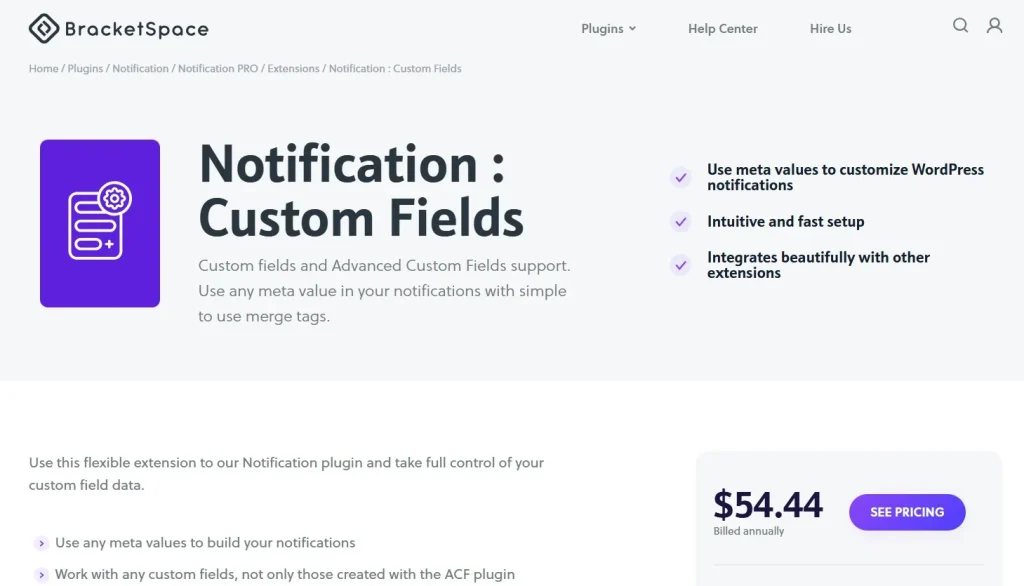
What is Notification: Custom Fields?
Notification: Custom Fields is a WordPress plugin or add-on that extends the functionality of notification systems by enabling the use of custom fields within messages. These custom fields can include user data, post metadata, order details, course progress, or any other dynamic information stored within your website.
The plugin works by integrating with existing notification systems and allowing administrators to insert dynamic placeholders into email templates or alerts. These placeholders are automatically replaced with real-time data when the notification is sent.
For example, instead of sending a generic message like “Hello user,” you can send a personalized message such as “Hello John, your order #1234 has been shipped.” This level of personalization improves user engagement and creates a more professional experience.
Notification: Custom Fields is particularly valuable for:
- Membership websites
- eLearning platforms
- WooCommerce stores
- Community and forum websites
- CRM and user management systems
By enabling dynamic content in notifications, this plugin transforms how websites communicate with their users.
Key Features of Notification: Custom Fields
Notification: Custom Fields offers a wide range of features that make it a powerful tool for enhancing communication on WordPress websites.
Dynamic Custom Field Integration
- Insert custom fields into notification templates
- Use user metadata, post data, or custom inputs
- Automatically populate dynamic values in messages
Personalized Email Notifications
- Create highly customized email messages
- Address users by name or specific details
- Improve engagement and response rates
Compatibility with Popular Plugins
- Works with WooCommerce for order notifications
- Compatible with LearnDash for course updates
- Supports membership and community plugins
- Integrates with various WordPress systems
Flexible Template System
- Customize email templates easily
- Use placeholders for dynamic content
- Create different templates for different events
Event-Based Notifications
- Trigger notifications based on user actions
- Send alerts for registrations, purchases, or course progress
- Automate communication workflows
Advanced User Targeting
- Send notifications based on user roles or groups
- Target specific segments of users
- Improve relevance of communication
Support for Multiple Data Types
- Use text, numbers, dates, and custom values
- Display complex data structures
- Enhance message clarity
Automation and Workflow Optimization
- Reduce manual communication
- Automate repetitive tasks
- Improve efficiency and consistency
SEO and Engagement Benefits
- Improve user retention through personalized communication
- Increase interaction rates
- Enhance overall website performance
Regular Updates and Compatibility
- Compatible with the latest WordPress versions
- Continuous improvements and bug fixes
- Stable and reliable performance
Benefits of Using Notification: Custom Fields
Using Notification: Custom Fields provides numerous advantages for website owners, administrators, and businesses.
One of the most significant benefits is personalization. By using custom fields, you can create messages that feel tailored to each user. This improves user satisfaction and engagement.
Another key advantage is improved communication efficiency. Automated notifications reduce the need for manual messaging, saving time and resources.
Flexibility is also a major benefit. The plugin allows you to customize notifications for different scenarios, ensuring that each message is relevant and meaningful.
Notification: Custom Fields also enhances user experience. Personalized messages make users feel valued and informed, which can lead to higher retention rates.
For businesses, this plugin can improve conversion rates. Personalized notifications are more effective in encouraging users to take action, such as completing a purchase or enrolling in a course.
The integration with other plugins makes it highly versatile. Whether you are running an LMS, an online store, or a membership site, Notification: Custom Fields can adapt to your needs.
Additionally, the plugin helps maintain consistency in communication. Automated workflows ensure that users receive timely and accurate information.
From a technical perspective, the plugin is lightweight and efficient, ensuring that it does not negatively impact website performance.
Finally, it is a cost-effective solution. Instead of investing in complex CRM systems, you can achieve advanced communication capabilities within WordPress.
How to Install Notification: Custom Fields
Installing Notification: Custom Fields on your WordPress website is simple and straightforward.
Step 1: Download the Plugin
- Purchase or download Notification: Custom Fields from Pluginpro.org
- Save the ZIP file to your computer
Step 2: Access WordPress Dashboard
- Log in to your WordPress admin panel
- Navigate to “Plugins” → “Add New”
Step 3: Upload the Plugin
- Click “Upload Plugin”
- Select the ZIP file
- Click “Install Now”
Step 4: Activate the Plugin
- After installation, click “Activate”
- The plugin will now be active on your website
Step 5: Configure Settings
- Access the plugin settings
- Define custom fields and placeholders
- Configure notification templates
Step 6: Integrate with Other Plugins
- Connect with WooCommerce, LearnDash, or membership plugins
- Map custom fields to relevant data
Step 7: Test Notifications
- Trigger test notifications
- Ensure dynamic fields are displayed correctly
- Adjust templates if necessary
Why Buy Notification: Custom Fields at Pluginpro.org
Choosing Pluginpro.org to purchase Notification: Custom Fields offers several advantages.
First, you can save up to 95% of the cost compared to official marketplaces. This makes it an affordable solution for businesses and developers.
Second, Pluginpro.org provides 100% clean files, ensuring that your website remains secure and free from malicious code.
Another major benefit is unlimited website usage. You can install the plugin on multiple websites without additional licensing fees, making it ideal for agencies and developers.
Pluginpro.org also offers easy updates, allowing you to keep your plugin up to date with the latest features and improvements.
Secure downloads ensure that all files are safe and reliable, giving you confidence when installing the plugin.
Additionally, Pluginpro.org provides a user-friendly platform for managing your downloads.
Conclusion
Notification: Custom Fields is a powerful and flexible solution for enhancing communication on WordPress websites. By enabling dynamic and personalized notifications, it helps improve user engagement, efficiency, and overall experience.
With features such as custom field integration, event-based notifications, advanced targeting, and automation, this plugin provides everything needed to create a modern and effective communication system.
It is suitable for a wide range of use cases, including eLearning platforms, eCommerce stores, membership sites, and community websites.
By purchasing Notification: Custom Fields from Pluginpro.org, you gain additional benefits such as cost savings, clean files, unlimited usage, easy updates, and secure downloads.
If you want to take your website communication to the next level and deliver personalized experiences to your users, Notification: Custom Fields is a smart investment that delivers long-term value and performance.