JetGridBuilder is a powerful WordPress plugin designed to give users full control over grid layouts without relying on heavy page builders or complex coding. In today’s competitive digital landscape, creating visually appealing and highly functional layouts is essential for improving user experience and boosting conversions. Whether you are building an eCommerce store, portfolio website, blog, or business landing page, having a flexible grid system can significantly enhance your site’s design and usability.
JetGridBuilder stands out by offering a lightweight, performance-focused solution that integrates seamlessly with the WordPress block editor. Unlike traditional layout tools that can slow down your website, JetGridBuilder prioritizes speed and efficiency while still providing advanced customization options. It allows users to build dynamic grids for posts, products, services, and more, all within a user-friendly interface.
For developers, designers, and business owners alike, JetGridBuilder simplifies the process of creating responsive layouts that adapt to all devices. From drag-and-drop functionality to advanced styling controls, this plugin ensures that your website looks professional and modern without requiring extensive technical knowledge. In this article, we will explore what JetGridBuilder is, its key features, benefits, installation process, and why purchasing it from Pluginpro.org is the smartest choice.
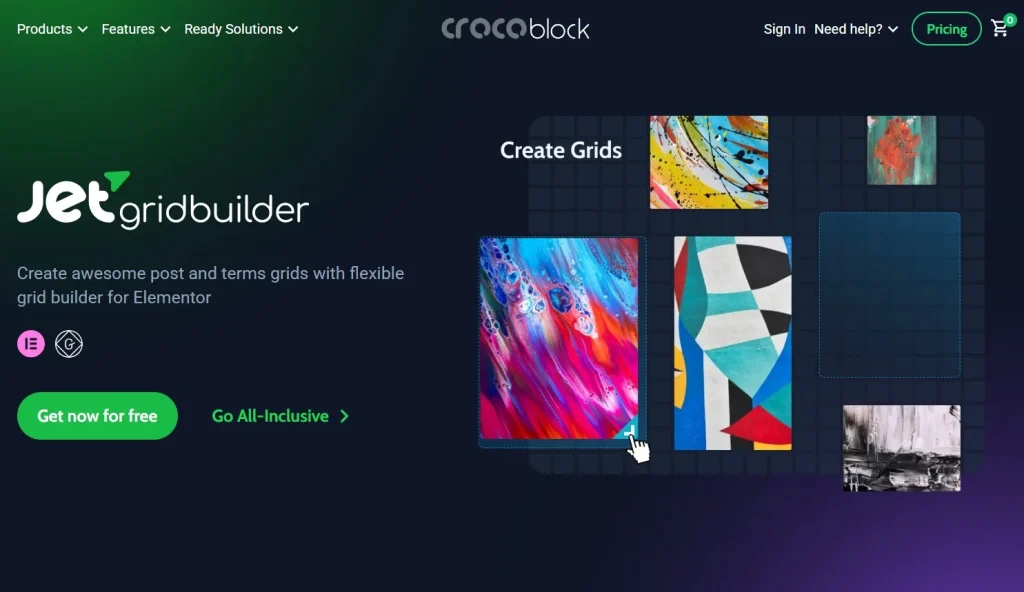
What is JetGridBuilder?
JetGridBuilder is a WordPress plugin that enables users to create customizable grid-based layouts using the Gutenberg block editor. It is part of the JetPlugins ecosystem, known for providing powerful tools that extend WordPress functionality. With JetGridBuilder, you can design advanced grids for displaying content such as blog posts, WooCommerce products, portfolios, team members, and custom post types.
The primary purpose of JetGridBuilder is to simplify layout creation while maintaining flexibility and performance. Instead of relying on heavy page builders that may slow down your site, this plugin uses the native WordPress block editor, ensuring a lightweight and efficient workflow. Users can create visually engaging layouts without writing code, making it accessible to beginners while still offering advanced features for developers.
JetGridBuilder is ideal for a wide range of users. Bloggers can use it to showcase articles in a visually structured way, while eCommerce store owners can display products in customizable grids that improve user engagement and sales. Agencies and freelancers benefit from its flexibility when building client websites, as it allows for unique, responsive designs tailored to specific needs.
In real-world scenarios, JetGridBuilder can be used to create dynamic product catalogs, featured content sections, portfolio galleries, and service listings. For example, an online store can highlight best-selling products in a custom grid layout, while a blog can present featured posts in an engaging visual format. This versatility makes JetGridBuilder an essential tool for anyone looking to enhance their website’s layout and user experience.
Key Features of JetGridBuilder
JetGridBuilder comes packed with powerful features that make it a top choice for WordPress users who want to build advanced grid layouts efficiently.
- Advanced Grid Layout System
JetGridBuilder allows users to create highly customizable grid layouts with full control over columns, rows, and spacing. This feature enables you to design unique layouts tailored to your website’s needs. It works seamlessly within the Gutenberg editor, allowing you to visually structure your content without writing code. The flexibility of this system ensures that your layouts can adapt to different types of content, from blog posts to products. - Dynamic Content Integration
One of the most powerful aspects of JetGridBuilder is its ability to display dynamic content from various sources. You can pull data from posts, pages, WooCommerce products, and custom post types. This feature is especially useful for websites that require regularly updated content, as it automatically reflects changes without manual adjustments. It enhances efficiency and ensures your site always displays the most relevant information. - Responsive Design Controls
JetGridBuilder provides built-in responsive design settings that allow you to optimize layouts for desktops, tablets, and mobile devices. You can adjust column numbers, spacing, and alignment based on screen size. This ensures a seamless user experience across all devices, which is critical for SEO and user engagement. Responsive controls eliminate the need for additional plugins or custom CSS for mobile optimization. - Drag-and-Drop Editing
The plugin offers an intuitive drag-and-drop interface within the WordPress block editor. Users can easily rearrange grid elements and preview changes in real time. This feature simplifies the design process and reduces the learning curve for beginners. It also speeds up workflow for professionals who need to build layouts quickly and efficiently. - Custom Styling Options
JetGridBuilder includes advanced styling options that allow users to customize colors, typography, spacing, and backgrounds. You can create visually appealing layouts that match your brand identity. These styling controls provide a high level of design flexibility without requiring external CSS. This makes it easier to maintain consistency across your website. - WooCommerce Compatibility
For eCommerce websites, JetGridBuilder integrates seamlessly with WooCommerce, allowing you to create custom product grids. You can highlight featured products, best sellers, or specific categories. This feature improves product visibility and enhances the shopping experience. It is particularly useful for increasing conversions and sales. - Lightweight and Performance Optimized
Unlike many page builders, JetGridBuilder is designed to be lightweight and fast. It minimizes code bloat and ensures quick loading times. This is crucial for SEO, as page speed is a ranking factor. A faster website also improves user satisfaction and reduces bounce rates.
Benefits of Using JetGridBuilder
Using JetGridBuilder offers numerous benefits that can significantly improve your website’s performance, design, and user experience. One of the most notable advantages is its ability to create visually appealing layouts without sacrificing speed. Since it is built to work with the Gutenberg editor, it avoids the heavy resource usage associated with traditional page builders, resulting in faster loading times.
Another key benefit is its flexibility. JetGridBuilder allows users to design layouts tailored to their specific needs, whether it’s a blog, portfolio, or online store. This level of customization ensures that your website stands out from competitors and delivers a unique user experience. For example, a digital agency can create a visually engaging portfolio grid to showcase projects, while an eCommerce store can design product grids that highlight promotions and best sellers.
JetGridBuilder also improves workflow efficiency. Its intuitive interface and drag-and-drop functionality make it easy to build and modify layouts quickly. This is especially beneficial for freelancers and agencies who need to deliver projects within tight deadlines. Additionally, the ability to display dynamic content reduces manual updates, saving time and effort.
From an SEO perspective, JetGridBuilder contributes to better rankings by improving site speed and user experience. Responsive design ensures that your website performs well on all devices, which is essential for search engine optimization. Furthermore, visually structured content can increase user engagement, leading to longer session durations and lower bounce rates.
How to Install JetGridBuilder
Installing JetGridBuilder is a straightforward process that can be completed in just a few steps. Whether you are a beginner or an experienced WordPress user, the plugin is designed for easy setup.
Install via WordPress Dashboard
First, log in to your WordPress admin dashboard. Navigate to the Plugins section and click on “Add New.” In the search bar, type “JetGridBuilder” and locate the plugin from the results. Click the “Install Now” button, and once the installation is complete, click “Activate.” After activation, the plugin will be ready to use within the Gutenberg editor.
Next, go to the page or post where you want to use JetGridBuilder. Open the block editor and search for JetGridBuilder blocks. You can start adding grid layouts and customizing them according to your needs. The interface is intuitive, allowing you to configure settings such as columns, spacing, and content sources.
Manual Installation
If you have downloaded the plugin file from Pluginpro.org, you can install it manually. First, go to the WordPress dashboard and navigate to Plugins > Add New. Click on “Upload Plugin” and select the ZIP file you downloaded. Click “Install Now” and then “Activate” once the installation is complete.
After activation, you can access JetGridBuilder features directly from the Gutenberg editor. Make sure to configure any necessary settings and integrate it with your existing content. Manual installation is ideal for users who purchase premium versions or customized plugin packages.
Why Buy JetGridBuilder at Pluginpro.org
Purchasing JetGridBuilder from Pluginpro.org offers significant advantages compared to other sources. One of the biggest benefits is the ability to save up to 95% of the original cost. This makes it an affordable solution for freelancers, agencies, and businesses looking to optimize their budgets without compromising on quality.
All files available on Pluginpro.org are 100% clean and safe. They are thoroughly checked to ensure there is no malicious code or security risk. This guarantees that your website remains secure while using the plugin. Additionally, you can use JetGridBuilder on unlimited websites, making it a cost-effective choice for developers managing multiple projects.
Pluginpro.org also provides easy updates, ensuring that you always have access to the latest features and improvements. Regular updates are essential for maintaining compatibility with WordPress and other plugins. Secure downloads and reliable access further enhance the user experience, giving you peace of mind when purchasing.
Conclusion
JetGridBuilder is an essential WordPress plugin for anyone looking to create flexible, responsive, and visually appealing grid layouts. Its seamless integration with the Gutenberg editor, combined with powerful features and performance optimization, makes it a standout choice for modern website design.
Whether you are a blogger, business owner, or developer, JetGridBuilder provides the tools needed to build professional layouts without complexity. From dynamic content integration to advanced styling options, it offers everything required to enhance user experience and boost engagement.
By choosing JetGridBuilder, you are investing in a solution that improves both design and functionality. And by purchasing it from Pluginpro.org, you gain access to a cost-effective, secure, and reliable version of the plugin.