
Email marketing continues to be one of the most reliable digital channels for building long-term relationships with an audience. Unlike social media platforms, where visibility can depend on changing algorithms, email gives website owners a direct line of communication with subscribers, customers, and members. For WordPress users, this is especially important because many websites rely on newsletters not only for marketing but also for updates, onboarding messages, promotions, and transactional communication. However, sending emails from a WordPress website is not always as simple as it seems.
A common problem is deliverability. Many website owners discover that their newsletters are delayed, blocked, or sent directly to spam folders. Others run into server sending limits, poor email reputation, or technical issues with hosting-based mail delivery. These problems can weaken campaign performance and reduce trust with subscribers. If users do not receive welcome emails, order confirmations, or newsletters on time, the overall user experience suffers.
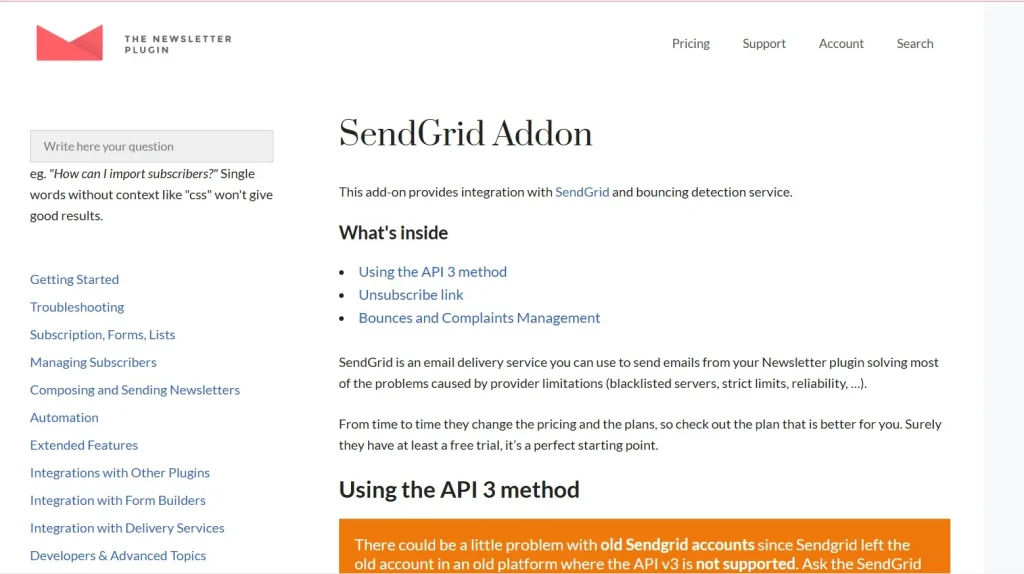
This is where Newsletter – Sendgrid becomes valuable. It helps connect your WordPress newsletter system with SendGrid, a dedicated email delivery platform built to handle email sending at scale. Instead of depending entirely on your web hosting server, the plugin routes email through SendGrid’s specialized infrastructure. This improves reliability, supports better inbox placement, and helps businesses send newsletters and transactional messages more efficiently.
In practical terms, this is useful for many types of websites. A blogger may want to send weekly updates to subscribers. An online store may need to send promotions and post-purchase emails. A membership site may need reliable onboarding and notification messages. In all of these cases, email delivery quality matters. Newsletter – Sendgrid helps solve that problem by combining WordPress flexibility with SendGrid’s delivery system.
For businesses and creators who take email communication seriously, this type of integration can be a major improvement. It helps reduce sending issues, improves scalability, and creates a more dependable email system for growing websites.
What is Newsletter – Sendgrid?
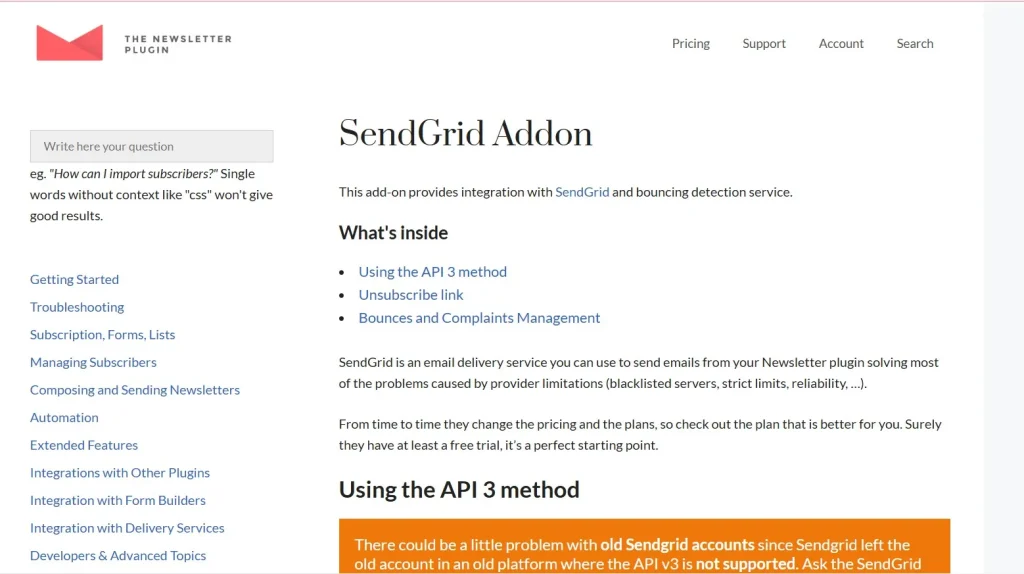
Newsletter – Sendgrid is a WordPress extension that integrates a newsletter system or email-sending workflow with SendGrid, a cloud-based email delivery service. Its main purpose is to improve how emails are sent from a WordPress site by using SendGrid’s infrastructure instead of relying only on the default mail functionality provided by WordPress or the hosting server.
Normally, many WordPress websites send email using the built-in PHP mail function or a basic server mail setup. While this can work for small volumes or simple notifications, it often becomes unreliable when a site begins sending larger numbers of emails. Hosting providers may impose limits, and inbox providers may view such messages as less trustworthy. As a result, newsletters may land in spam folders, transactional emails may arrive late, or some messages may fail entirely. Newsletter – Sendgrid helps address these issues by moving the delivery process to a platform designed specifically for email sending.
At a functional level, the plugin acts as a bridge. It connects your WordPress site to SendGrid through API credentials or SMTP configuration, depending on how the plugin is set up. Once connected, outgoing emails such as newsletters, campaign emails, password resets, order confirmations, welcome sequences, and system notifications can be delivered through SendGrid’s service instead of your hosting account.
For example, imagine you run a content website with 8,000 subscribers. Each week, you send a newsletter summarizing new blog posts, guides, or product recommendations. If you try to send these emails through standard hosting mail, some may fail or get flagged as spam. With Newsletter – Sendgrid, the site can use SendGrid’s higher-quality sending infrastructure, giving those emails a better chance of reaching inboxes consistently.
Another example would be an eCommerce store using WordPress and WooCommerce. Customers expect order confirmation emails, shipping updates, coupon offers, and abandoned cart reminders to arrive quickly and reliably. If those emails are delayed or undelivered, customer trust can drop. Newsletter – Sendgrid helps improve consistency in this kind of communication.
In simple terms, Newsletter – Sendgrid is a delivery enhancement tool. It helps WordPress site owners send emails more professionally, more reliably, and at a larger scale than default methods usually allow.
Key Features of Newsletter – Sendgrid
- SendGrid API and SMTP integration
Newsletter – Sendgrid typically supports integration through SendGrid’s API or SMTP credentials. This gives users flexibility in how they connect their WordPress site to the email service. API-based integration is often preferred because it tends to be more efficient and can support stronger tracking and reliability, while SMTP remains a familiar method for many WordPress users. In both cases, the result is a more robust delivery system than relying on standard WordPress email functions alone. - Improved email deliverability
One of the most important features is better deliverability. SendGrid is built to send large volumes of email while maintaining sender reputation and delivery quality. This matters because even well-written newsletters are ineffective if they never reach the inbox. For example, a business sending weekly promotions may see stronger open rates simply because more messages arrive where subscribers can actually see them. - High-volume email sending support
Many WordPress hosting accounts are not designed for large-scale email sending. If a site tries to send thousands of emails through the server, performance issues or sending limits may occur. Newsletter – Sendgrid solves this by pushing delivery through SendGrid’s infrastructure, which is designed for larger email volumes. This makes the plugin especially useful for websites with growing subscriber lists or stores that send many customer emails every day. - Support for transactional and marketing emails
The integration is not only useful for newsletters. It can also support essential transactional communication such as password resets, order confirmations, account notifications, subscription renewals, and contact form responses. This is important because website email needs are often broader than just newsletters. A reliable delivery system benefits both marketing and operational communication. - Real-time analytics and tracking support
SendGrid provides useful reporting tools that can help website owners understand delivery performance. Depending on the setup, users may access information such as delivery status, opens, clicks, and bounce activity. This kind of insight is valuable because it helps improve email strategy over time. For example, if open rates are strong but click rates are weak, a business may decide to improve call-to-action placement or content relevance. - Reduced server load on your hosting environment
Sending a large volume of emails directly from your WordPress server can place unnecessary strain on hosting resources. By offloading delivery to SendGrid, the website server can focus more on site performance and less on outbound email processing. This is especially helpful for websites that experience regular traffic alongside frequent email activity. - More professional sender setup
Using SendGrid often encourages better sender practices, such as authenticated domains, verified sender identities, and more consistent sender reputation management. These elements help establish credibility with inbox providers. For businesses, this can create a more professional communication environment where emails are less likely to be distrusted or filtered out. - Compatibility with broader WordPress workflows
Newsletter – Sendgrid can be valuable in a wide range of WordPress setups, including blogs, stores, membership sites, online learning platforms, and service-based websites. Because email communication touches so many parts of site operations, a reliable sending method becomes useful across many plugin ecosystems and user journeys.
Benefits of Using Newsletter – Sendgrid
One of the biggest benefits of using Newsletter – Sendgrid is email reliability. When a site relies on email to communicate with subscribers or customers, inconsistent delivery becomes a serious problem. A missed newsletter may mean lower engagement. A missing order confirmation can lead to support requests. A delayed password reset can create user frustration. By integrating SendGrid, website owners can reduce these risks and create a more dependable email experience.
Another major benefit is improved scalability. A small website may start with only a few hundred subscribers, but as the audience grows, email demands grow as well. What works for 200 emails may not work for 20,000. Newsletter – Sendgrid helps bridge that gap by allowing WordPress sites to use infrastructure built for larger volumes. This means site owners can grow their email list without immediately worrying that their email system will collapse under the pressure.
The plugin also supports better marketing performance. Good deliverability leads to more opportunities for opens, clicks, and conversions. If more newsletters arrive in inboxes, campaigns have a better chance to perform well. This is especially important for businesses that depend on promotions, product launches, seasonal offers, or content-driven email traffic. Even a modest improvement in inbox placement can have a noticeable effect on engagement.
Another practical benefit is reduced dependency on hosting limitations. Some hosting companies place restrictions on how many emails can be sent per hour or per day. Others do not provide strong support for outbound email reputation. By using SendGrid, site owners are less tied to those constraints. This gives more control and consistency, especially for businesses that take email communication seriously.
Newsletter – Sendgrid can also help improve operational efficiency. Instead of troubleshooting why emails are not being delivered, site owners can work with a more structured and professional system. This reduces time spent diagnosing delivery problems and allows teams to focus on campaign quality, customer communication, and growth.
There is also a brand trust benefit. When emails arrive consistently, look professional, and are sent from a verified domain setup, users are more likely to view the business as reliable. This matters for both marketing and transactional messages. A polished email system supports a stronger overall impression of the brand.
How to Install Newsletter – Sendgrid
Installing Newsletter – Sendgrid is usually a manageable process, especially if you already have a WordPress site and a SendGrid account ready. The exact setup may vary slightly depending on the plugin version and your email system, but the general process remains straightforward.
Install via WordPress Dashboard
Start by downloading the Newsletter – Sendgrid plugin ZIP file from your source. Then log in to your WordPress admin area and go to Plugins > Add New. Click Upload Plugin, choose the ZIP file from your computer, and click Install Now.
Once the installation is complete, click Activate. After activation, go to the plugin settings or the relevant email settings panel where SendGrid integration is managed. At this stage, you will usually need your SendGrid API key or SMTP credentials from your SendGrid account.
If you use API integration, copy the API key from your SendGrid dashboard and paste it into the correct field in WordPress. If the plugin uses SMTP, you will enter the SendGrid SMTP host, port, username, and password. After saving the settings, send a test email. This step is important because it confirms that the connection is working and that your emails are routing through SendGrid properly.
It is also a good idea to check your sender identity settings. In many cases, you will want to configure the “from” email address and domain authentication correctly inside SendGrid. This can improve deliverability and ensure your outgoing emails look professional.
Manual Installation
If you prefer manual installation, extract the plugin ZIP file on your computer first. Then connect to your hosting server using an FTP client and upload the extracted plugin folder into the wp-content/plugins/ directory.
After the upload is complete, return to your WordPress dashboard and go to Plugins. Find Newsletter – Sendgrid in the list and click Activate. Then configure the plugin in the same way as with the dashboard installation by entering your SendGrid credentials and testing the email flow.
After installation, do not stop at just one test. It is wise to test several use cases, such as newsletter sending, form notifications, and transactional emails, if your site uses them. This helps ensure that the integration is working consistently across your entire WordPress setup.
Why Buy Newsletter – Sendgrid at Pluginpro.org
Buying Newsletter – Sendgrid at Pluginpro.org offers several practical advantages for WordPress users who want premium plugin functionality without paying full pricing every time. One of the most obvious benefits is cost savings. If you manage multiple sites or work with client projects, saving up to 95 percent on premium products can make a meaningful difference in your overall tool budget.
Another important benefit is access to 100 percent clean files. This matters because email-related plugins connect deeply with site communication systems, and using unreliable or compromised files can create technical and security issues. Clean files help reduce the risk of introducing harmful code into your WordPress environment.
Unlimited website usage is another strong advantage. Many premium plugins come with licensing restrictions that can become expensive if you manage multiple WordPress installations. For freelancers, developers, and agencies, being able to use the plugin across several projects makes the product much more practical and cost-effective.
Easy updates are also valuable. WordPress changes regularly, and email workflows can be sensitive to compatibility issues. Access to updated versions helps maintain plugin performance and reduces the likelihood of integration problems with newer WordPress releases or related plugins.
Secure downloads add another layer of convenience. When purchasing WordPress tools, users want a process that is simple, reliable, and low-risk. Combined with affordability, clean files, and flexible usage, Pluginpro.org can be a practical choice for users who want access to Newsletter – Sendgrid without unnecessary cost pressure.
Conclusion
Newsletter – Sendgrid is a practical and valuable solution for WordPress users who want to improve email delivery, scalability, and reliability. Instead of depending only on basic hosting-based email systems, it allows websites to use SendGrid’s specialized infrastructure for sending newsletters and transactional emails more professionally.
Its strongest advantage is deliverability. Better inbox placement, more reliable sending, and reduced server dependency can all make a significant difference in how well a website communicates with its audience. Whether you are sending weekly content updates, eCommerce notifications, onboarding messages, or promotional campaigns, dependable delivery is essential.
The plugin also supports growth. As your subscriber list expands or your site begins sending more operational emails, the need for stronger infrastructure becomes more obvious. Newsletter – Sendgrid helps meet that need without forcing you to abandon WordPress-based workflows.
For businesses, creators, stores, and membership sites, the value is clear. More reliable email means stronger communication, better campaign potential, improved customer experience, and less time wasted troubleshooting delivery issues.
When combined with the cost savings, clean files, unlimited usage, and secure access available through Pluginpro.org, Newsletter – Sendgrid becomes an even more appealing option for WordPress users who want a stronger email setup. Overall, it is a smart tool for anyone serious about making WordPress email communication more stable, scalable, and effective.
Email marketing continues to be one of the most reliable digital channels for building long-term relationships with an audience. Unlike social media platforms, where visibility can depend on changing algorithms, email gives website owners a direct line of communication with subscribers, customers, and members. For WordPress users, this is especially important because many websites rely on newsletters not only for marketing but also for updates, onboarding messages, promotions, and transactional communication. However, sending emails from a WordPress website is not always as simple as it seems.
A common problem is deliverability. Many website owners discover that their newsletters are delayed, blocked, or sent directly to spam folders. Others run into server sending limits, poor email reputation, or technical issues with hosting-based mail delivery. These problems can weaken campaign performance and reduce trust with subscribers. If users do not receive welcome emails, order confirmations, or newsletters on time, the overall user experience suffers.
This is where Newsletter – Sendgrid becomes valuable. It helps connect your WordPress newsletter system with SendGrid, a dedicated email delivery platform built to handle email sending at scale. Instead of depending entirely on your web hosting server, the plugin routes email through SendGrid’s specialized infrastructure. This improves reliability, supports better inbox placement, and helps businesses send newsletters and transactional messages more efficiently.
In practical terms, this is useful for many types of websites. A blogger may want to send weekly updates to subscribers. An online store may need to send promotions and post-purchase emails. A membership site may need reliable onboarding and notification messages. In all of these cases, email delivery quality matters. Newsletter – Sendgrid helps solve that problem by combining WordPress flexibility with SendGrid’s delivery system.
For businesses and creators who take email communication seriously, this type of integration can be a major improvement. It helps reduce sending issues, improves scalability, and creates a more dependable email system for growing websites.
What is Newsletter – Sendgrid?
Newsletter – Sendgrid is a WordPress extension that integrates a newsletter system or email-sending workflow with SendGrid, a cloud-based email delivery service. Its main purpose is to improve how emails are sent from a WordPress site by using SendGrid’s infrastructure instead of relying only on the default mail functionality provided by WordPress or the hosting server.
Normally, many WordPress websites send email using the built-in PHP mail function or a basic server mail setup. While this can work for small volumes or simple notifications, it often becomes unreliable when a site begins sending larger numbers of emails. Hosting providers may impose limits, and inbox providers may view such messages as less trustworthy. As a result, newsletters may land in spam folders, transactional emails may arrive late, or some messages may fail entirely. Newsletter – Sendgrid helps address these issues by moving the delivery process to a platform designed specifically for email sending.
At a functional level, the plugin acts as a bridge. It connects your WordPress site to SendGrid through API credentials or SMTP configuration, depending on how the plugin is set up. Once connected, outgoing emails such as newsletters, campaign emails, password resets, order confirmations, welcome sequences, and system notifications can be delivered through SendGrid’s service instead of your hosting account.
For example, imagine you run a content website with 8,000 subscribers. Each week, you send a newsletter summarizing new blog posts, guides, or product recommendations. If you try to send these emails through standard hosting mail, some may fail or get flagged as spam. With Newsletter – Sendgrid, the site can use SendGrid’s higher-quality sending infrastructure, giving those emails a better chance of reaching inboxes consistently.
Another example would be an eCommerce store using WordPress and WooCommerce. Customers expect order confirmation emails, shipping updates, coupon offers, and abandoned cart reminders to arrive quickly and reliably. If those emails are delayed or undelivered, customer trust can drop. Newsletter – Sendgrid helps improve consistency in this kind of communication.
In simple terms, Newsletter – Sendgrid is a delivery enhancement tool. It helps WordPress site owners send emails more professionally, more reliably, and at a larger scale than default methods usually allow.
Key Features of Newsletter – Sendgrid
- SendGrid API and SMTP integration
Newsletter – Sendgrid typically supports integration through SendGrid’s API or SMTP credentials. This gives users flexibility in how they connect their WordPress site to the email service. API-based integration is often preferred because it tends to be more efficient and can support stronger tracking and reliability, while SMTP remains a familiar method for many WordPress users. In both cases, the result is a more robust delivery system than relying on standard WordPress email functions alone. - Improved email deliverability
One of the most important features is better deliverability. SendGrid is built to send large volumes of email while maintaining sender reputation and delivery quality. This matters because even well-written newsletters are ineffective if they never reach the inbox. For example, a business sending weekly promotions may see stronger open rates simply because more messages arrive where subscribers can actually see them. - High-volume email sending support
Many WordPress hosting accounts are not designed for large-scale email sending. If a site tries to send thousands of emails through the server, performance issues or sending limits may occur. Newsletter – Sendgrid solves this by pushing delivery through SendGrid’s infrastructure, which is designed for larger email volumes. This makes the plugin especially useful for websites with growing subscriber lists or stores that send many customer emails every day. - Support for transactional and marketing emails
The integration is not only useful for newsletters. It can also support essential transactional communication such as password resets, order confirmations, account notifications, subscription renewals, and contact form responses. This is important because website email needs are often broader than just newsletters. A reliable delivery system benefits both marketing and operational communication. - Real-time analytics and tracking support
SendGrid provides useful reporting tools that can help website owners understand delivery performance. Depending on the setup, users may access information such as delivery status, opens, clicks, and bounce activity. This kind of insight is valuable because it helps improve email strategy over time. For example, if open rates are strong but click rates are weak, a business may decide to improve call-to-action placement or content relevance. - Reduced server load on your hosting environment
Sending a large volume of emails directly from your WordPress server can place unnecessary strain on hosting resources. By offloading delivery to SendGrid, the website server can focus more on site performance and less on outbound email processing. This is especially helpful for websites that experience regular traffic alongside frequent email activity. - More professional sender setup
Using SendGrid often encourages better sender practices, such as authenticated domains, verified sender identities, and more consistent sender reputation management. These elements help establish credibility with inbox providers. For businesses, this can create a more professional communication environment where emails are less likely to be distrusted or filtered out. - Compatibility with broader WordPress workflows
Newsletter – Sendgrid can be valuable in a wide range of WordPress setups, including blogs, stores, membership sites, online learning platforms, and service-based websites. Because email communication touches so many parts of site operations, a reliable sending method becomes useful across many plugin ecosystems and user journeys.
Benefits of Using Newsletter – Sendgrid
One of the biggest benefits of using Newsletter – Sendgrid is email reliability. When a site relies on email to communicate with subscribers or customers, inconsistent delivery becomes a serious problem. A missed newsletter may mean lower engagement. A missing order confirmation can lead to support requests. A delayed password reset can create user frustration. By integrating SendGrid, website owners can reduce these risks and create a more dependable email experience.
Another major benefit is improved scalability. A small website may start with only a few hundred subscribers, but as the audience grows, email demands grow as well. What works for 200 emails may not work for 20,000. Newsletter – Sendgrid helps bridge that gap by allowing WordPress sites to use infrastructure built for larger volumes. This means site owners can grow their email list without immediately worrying that their email system will collapse under the pressure.
The plugin also supports better marketing performance. Good deliverability leads to more opportunities for opens, clicks, and conversions. If more newsletters arrive in inboxes, campaigns have a better chance to perform well. This is especially important for businesses that depend on promotions, product launches, seasonal offers, or content-driven email traffic. Even a modest improvement in inbox placement can have a noticeable effect on engagement.
Another practical benefit is reduced dependency on hosting limitations. Some hosting companies place restrictions on how many emails can be sent per hour or per day. Others do not provide strong support for outbound email reputation. By using SendGrid, site owners are less tied to those constraints. This gives more control and consistency, especially for businesses that take email communication seriously.
Newsletter – Sendgrid can also help improve operational efficiency. Instead of troubleshooting why emails are not being delivered, site owners can work with a more structured and professional system. This reduces time spent diagnosing delivery problems and allows teams to focus on campaign quality, customer communication, and growth.
There is also a brand trust benefit. When emails arrive consistently, look professional, and are sent from a verified domain setup, users are more likely to view the business as reliable. This matters for both marketing and transactional messages. A polished email system supports a stronger overall impression of the brand.
How to Install Newsletter – Sendgrid
Installing Newsletter – Sendgrid is usually a manageable process, especially if you already have a WordPress site and a SendGrid account ready. The exact setup may vary slightly depending on the plugin version and your email system, but the general process remains straightforward.
Install via WordPress Dashboard
Start by downloading the Newsletter – Sendgrid plugin ZIP file from your source. Then log in to your WordPress admin area and go to Plugins > Add New. Click Upload Plugin, choose the ZIP file from your computer, and click Install Now.
Once the installation is complete, click Activate. After activation, go to the plugin settings or the relevant email settings panel where SendGrid integration is managed. At this stage, you will usually need your SendGrid API key or SMTP credentials from your SendGrid account.
If you use API integration, copy the API key from your SendGrid dashboard and paste it into the correct field in WordPress. If the plugin uses SMTP, you will enter the SendGrid SMTP host, port, username, and password. After saving the settings, send a test email. This step is important because it confirms that the connection is working and that your emails are routing through SendGrid properly.
It is also a good idea to check your sender identity settings. In many cases, you will want to configure the “from” email address and domain authentication correctly inside SendGrid. This can improve deliverability and ensure your outgoing emails look professional.
Manual Installation
If you prefer manual installation, extract the plugin ZIP file on your computer first. Then connect to your hosting server using an FTP client and upload the extracted plugin folder into the wp-content/plugins/ directory.
After the upload is complete, return to your WordPress dashboard and go to Plugins. Find Newsletter – Sendgrid in the list and click Activate. Then configure the plugin in the same way as with the dashboard installation by entering your SendGrid credentials and testing the email flow.
After installation, do not stop at just one test. It is wise to test several use cases, such as newsletter sending, form notifications, and transactional emails, if your site uses them. This helps ensure that the integration is working consistently across your entire WordPress setup.
Why Buy Newsletter – Sendgrid at Pluginpro.org
Buying Newsletter – Sendgrid at Pluginpro.org offers several practical advantages for WordPress users who want premium plugin functionality without paying full pricing every time. One of the most obvious benefits is cost savings. If you manage multiple sites or work with client projects, saving up to 95 percent on premium products can make a meaningful difference in your overall tool budget.
Another important benefit is access to 100 percent clean files. This matters because email-related plugins connect deeply with site communication systems, and using unreliable or compromised files can create technical and security issues. Clean files help reduce the risk of introducing harmful code into your WordPress environment.
Unlimited website usage is another strong advantage. Many premium plugins come with licensing restrictions that can become expensive if you manage multiple WordPress installations. For freelancers, developers, and agencies, being able to use the plugin across several projects makes the product much more practical and cost-effective.
Easy updates are also valuable. WordPress changes regularly, and email workflows can be sensitive to compatibility issues. Access to updated versions helps maintain plugin performance and reduces the likelihood of integration problems with newer WordPress releases or related plugins.
Secure downloads add another layer of convenience. When purchasing WordPress tools, users want a process that is simple, reliable, and low-risk. Combined with affordability, clean files, and flexible usage, Pluginpro.org can be a practical choice for users who want access to Newsletter – Sendgrid without unnecessary cost pressure.
Conclusion
Newsletter – Sendgrid is a practical and valuable solution for WordPress users who want to improve email delivery, scalability, and reliability. Instead of depending only on basic hosting-based email systems, it allows websites to use SendGrid’s specialized infrastructure for sending newsletters and transactional emails more professionally.
Its strongest advantage is deliverability. Better inbox placement, more reliable sending, and reduced server dependency can all make a significant difference in how well a website communicates with its audience. Whether you are sending weekly content updates, eCommerce notifications, onboarding messages, or promotional campaigns, dependable delivery is essential.
The plugin also supports growth. As your subscriber list expands or your site begins sending more operational emails, the need for stronger infrastructure becomes more obvious. Newsletter – Sendgrid helps meet that need without forcing you to abandon WordPress-based workflows.
For businesses, creators, stores, and membership sites, the value is clear. More reliable email means stronger communication, better campaign potential, improved customer experience, and less time wasted troubleshooting delivery issues.
When combined with the cost savings, clean files, unlimited usage, and secure access available through Pluginpro.org, Newsletter – Sendgrid becomes an even more appealing option for WordPress users who want a stronger email setup. Overall, it is a smart tool for anyone serious about making WordPress email communication more stable, scalable, and effective.



