Artificial intelligence is no longer a futuristic concept in web development. It has become a practical tool that WordPress users can integrate directly into their websites to improve efficiency, automate workflows, and enhance user experience. One of the most advanced solutions available today is AI Engine: ChatGPT Chatbot, Content Generator, GPT 3 & 4, Ultra-Customizable (Pro). This plugin enables website owners to bring powerful AI capabilities into WordPress without needing complex external systems or deep technical expertise.
Modern websites are expected to do more than just display content. Users now expect instant responses, personalized experiences, and dynamic interaction. Whether it is answering customer inquiries, generating blog content, or guiding users through a service, AI can handle many of these tasks effectively. AI Engine addresses these expectations by embedding AI-driven tools directly into your WordPress environment.
For example, a business website can deploy a chatbot that answers frequently asked questions 24/7, reducing the need for manual support. A content-focused website can use AI Engine to generate article drafts, outlines, or SEO descriptions in seconds. An e-commerce store can guide customers through product recommendations based on their queries. These are not theoretical use cases but real-world applications that many websites are already implementing.
Another important aspect is scalability. As your website grows, the demand for content and user support increases. Hiring more staff or outsourcing content creation can be costly. AI Engine provides a cost-effective alternative by automating many of these processes while maintaining quality and consistency.
In this article, we will explore AI Engine in depth, including what it is, its key features, practical benefits, installation process, and why purchasing it from Pluginpro.org is a strategic decision for WordPress users.
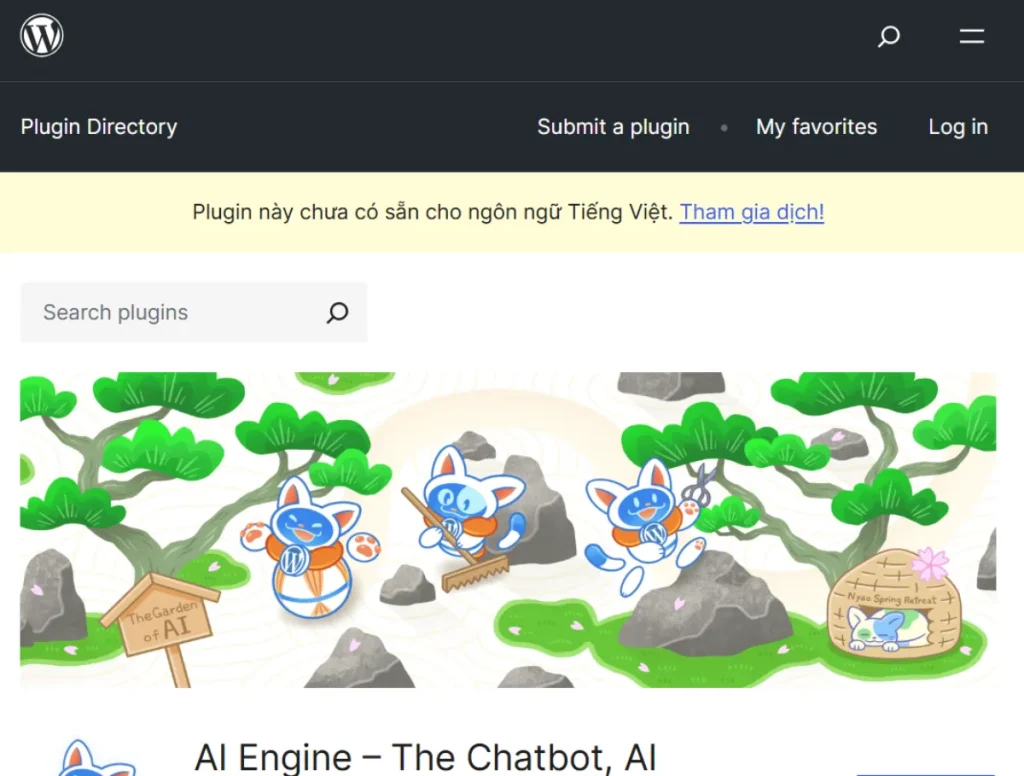
What is AI Engine: ChatGPT Chatbot, Content Generator, GPT 3 & 4, Ultra-Customizable (Pro)?
AI Engine is a premium WordPress plugin that integrates advanced artificial intelligence capabilities—such as GPT-3 and GPT-4—into your website. It allows users to build chatbots, generate content, and create intelligent workflows directly inside WordPress, eliminating the need for separate AI tools or platforms.
At its core, AI Engine acts as an interface between your WordPress site and AI models. Instead of manually writing every piece of content or responding to every user inquiry, the plugin enables automation through AI-powered systems. These systems can understand natural language, generate human-like responses, and adapt to different contexts.
AI-powered tools are rapidly transforming how WordPress websites operate, especially in areas like customer support, content creation, and user interaction. One of the most powerful solutions available today is AI Engine: ChatGPT Chatbot, Content Generator, GPT 3 & 4, Ultra-Customizable (Pro). This plugin brings advanced artificial intelligence directly into your WordPress environment, allowing you to automate conversations, generate content, and build intelligent workflows without leaving your website.
For website owners, the challenge is no longer just publishing content. The real goal is to create a dynamic, responsive, and engaging experience that adapts to user needs in real time. AI Engine addresses this by integrating GPT-based capabilities into WordPress, enabling features such as chatbots, automated writing assistants, and AI-driven tools that enhance both frontend and backend operations.
This plugin is particularly valuable for businesses, agencies, bloggers, and e-commerce stores that want to scale their operations efficiently. For example, a business website can use AI chatbots to answer customer questions instantly, while a content team can generate blog drafts, product descriptions, or SEO content in minutes. This reduces manual workload and improves productivity.
Another key strength of AI Engine is its ultra-customizable nature. Unlike basic chatbot plugins, it allows users to fine-tune behavior, prompts, and outputs according to their specific goals. Whether you want a support assistant, a content generator, or a hybrid AI system, the plugin provides the flexibility to build it.
In this article, we will explore AI Engine in detail, including what it is, its core features, practical benefits, installation process, and why purchasing it from Pluginpro.org is a strategic choice for WordPress users.
What is AI Engine: ChatGPT Chatbot, Content Generator, GPT 3 & 4, Ultra-Customizable (Pro)?
AI Engine is a premium WordPress plugin that integrates advanced AI capabilities, including GPT-3 and GPT-4 models, directly into your website. It allows users to create AI-powered chatbots, generate content automatically, and build intelligent features that enhance user experience and operational efficiency.
At its core, AI Engine acts as a bridge between WordPress and artificial intelligence. Instead of using external tools for content generation or chatbot management, everything can be handled within the WordPress dashboard. This centralization simplifies workflows and makes AI more accessible to non-technical users.
The plugin is designed for a wide range of use cases. For instance, a website owner can create a chatbot that answers frequently asked questions, guides users through services, or even assists with product recommendations. At the same time, content creators can use AI Engine to generate blog posts, headlines, SEO descriptions, and marketing copy directly within WordPress.
One of the defining aspects of AI Engine is its customization capability. Users can define prompts, adjust AI behavior, control tone and style, and create specific workflows tailored to their needs. This level of control ensures that the output aligns with the brand voice and business objectives.
From a technical perspective, AI Engine supports integration with APIs, allowing it to connect with AI models and deliver real-time responses. It is also compatible with modern WordPress environments, including block editors and page builders, making it easy to integrate into existing websites.
In real-world scenarios, AI Engine is used by agencies to automate content production, by e-commerce stores to improve customer support, and by educators to build interactive learning tools. Its versatility makes it one of the most powerful AI plugins available for WordPress.
Key Features of AI Engine
- AI-powered chatbot system
AI Engine allows you to create intelligent chatbots that can interact with website visitors in real time. These chatbots can answer questions, guide users through services, and provide personalized responses based on predefined prompts. The system uses advanced AI models to understand context and deliver relevant answers. This feature is especially useful for customer support, reducing response time and improving user satisfaction. - Content generation tools
The plugin includes built-in tools for generating various types of content, including blog posts, product descriptions, and marketing copy. Users can input prompts and receive high-quality text outputs instantly. This helps content creators save time and maintain consistency across their website. It is particularly beneficial for SEO-focused websites that require regular content updates. - Ultra-customizable AI behavior
One of the standout features of AI Engine is its ability to customize AI responses. Users can define prompts, adjust tone, and control how the AI interacts with visitors. This ensures that the AI aligns with the brand voice and business goals. Customization also allows for more advanced use cases, such as creating specialized assistants for different sections of the website. - Integration with GPT-3 and GPT-4
AI Engine supports powerful AI models, including GPT-3 and GPT-4, enabling advanced natural language processing capabilities. This ensures that responses are accurate, context-aware, and human-like. The integration allows users to leverage cutting-edge AI technology directly within WordPress. This feature significantly enhances both chatbot performance and content quality. - Frontend and backend usability
The plugin can be used both on the frontend for user interaction and in the backend for content creation and management. This dual functionality makes it a versatile tool for different roles within a team. For example, marketers can use it for content generation, while support teams can rely on chatbots for customer interaction. - Shortcode and block integration
AI Engine supports easy integration through shortcodes and Gutenberg blocks, allowing users to place chatbots or AI-generated content anywhere on their website. This flexibility ensures that AI features can be embedded seamlessly into pages and posts. It also simplifies implementation for users without coding experience. - Data training and context control
Users can train the AI with specific data or provide context to improve response accuracy. This is particularly useful for businesses that want the chatbot to reflect company-specific information. By controlling context, users can ensure that the AI delivers relevant and consistent responses. - Performance optimization
Despite its advanced capabilities, AI Engine is designed to maintain efficient performance. It minimizes resource usage while delivering powerful AI features. This ensures that your website remains fast and responsive, which is crucial for both user experience and SEO. - Multi-language support
AI Engine supports multiple languages, allowing websites to serve a global audience. This feature is particularly useful for international businesses and multilingual websites. It ensures that users can interact with the AI in their preferred language. - Regular updates and improvements
The plugin is continuously updated to support new AI models, improve functionality, and maintain compatibility with WordPress. Regular updates ensure that users always have access to the latest features and security enhancements.
Benefits of Using AI Engine
Using AI Engine provides numerous practical benefits that can significantly enhance a WordPress website. One of the most important advantages is automation. By using AI chatbots and content generators, website owners can automate repetitive tasks such as answering common questions or creating basic content. This saves time and allows teams to focus on more strategic activities.
Another major benefit is improved user engagement. Interactive chatbots create a more dynamic experience, encouraging visitors to interact with the website. This can lead to longer session durations and higher conversion rates. For example, a chatbot can guide users through a product selection process, increasing the likelihood of a purchase.
AI Engine also improves content production efficiency. Instead of spending hours writing drafts, users can generate content quickly and refine it as needed. This is particularly useful for SEO strategies that require consistent content publishing.
From a business perspective, the plugin helps reduce operational costs. By automating support and content creation, companies can operate more efficiently without increasing staffing requirements. This is especially valuable for small businesses and startups.
In real-world applications, AI Engine can be used to build smart support systems, create personalized user experiences, and streamline content workflows. Whether you are running a blog, an online store, or a corporate website, the plugin provides tools that improve both efficiency and performance.
How to Install AI Engine
Installing AI Engine on your WordPress website is a straightforward process that can be completed in a few steps. There are two main methods: installation via the WordPress dashboard and manual installation.
To install via the dashboard, log in to your WordPress admin panel and navigate to “Plugins” > “Add New.” If you have the plugin file, click “Upload Plugin,” select the ZIP file, and click “Install Now.” Once installed, activate the plugin.
For manual installation, download the plugin from a trusted source such as Pluginpro.org. Then go to “Plugins” > “Add New” > “Upload Plugin,” upload the file, and install it. After activation, you can access the plugin settings.
Once installed, the next step is configuration. You will need to connect the plugin to an AI API, configure chatbot settings, and define prompts. It is recommended to test the chatbot and content generation features before deploying them live.
Proper setup ensures that the plugin performs effectively and delivers accurate results.
Why Buy AI Engine at Pluginpro.org
Purchasing AI Engine from Pluginpro.org offers several advantages that make it a smart choice for WordPress users. One of the most significant benefits is cost savings, with discounts of up to 95% compared to official pricing. This makes advanced AI features accessible to a wider audience.
Pluginpro.org provides 100% clean files, ensuring that the plugin is safe to use and free from malware. This is essential for maintaining website security and performance.
Another key advantage is unlimited website usage, allowing users to deploy the plugin across multiple projects without additional costs. This is particularly beneficial for agencies and developers.
The platform also offers easy updates, ensuring that users can keep their plugin up to date with the latest features and improvements. Regular updates are crucial for compatibility and security.
Secure downloads ensure a smooth and reliable purchasing experience, allowing users to access their plugin quickly and safely.
Overall, Pluginpro.org provides a cost-effective and reliable way to access premium WordPress plugins like AI Engine.
Conclusion
AI Engine: ChatGPT Chatbot, Content Generator, GPT 3 & 4, Ultra-Customizable (Pro) is a powerful plugin that brings advanced AI capabilities to WordPress. With features such as chatbots, content generation, and customization, it offers a comprehensive solution for modern websites.
Its ability to automate tasks, improve user engagement, and enhance content production makes it a valuable tool for businesses and content creators. Combined with its flexibility and ease of use, AI Engine stands out as one of the best AI plugins available.
When purchased from Pluginpro.org, it becomes even more accessible and cost-effective. If you are looking to integrate AI into your WordPress website, AI Engine is an excellent choice.
The plugin is highly versatile and can be used across multiple industries. In education, it can act as a virtual tutor that answers student questions. In e-commerce, it can function as a shopping assistant that helps users find products. In content marketing, it can generate blog posts, social media captions, and email drafts. This wide range of applications makes it a valuable tool for anyone looking to improve efficiency and engagement.
Another important aspect is integration. AI Engine works within the WordPress ecosystem, meaning users can embed AI features into pages, posts, and widgets. It also supports APIs, allowing it to connect with external AI services and deliver real-time responses.
From a practical perspective, AI Engine transforms WordPress from a static content management system into an interactive, intelligent platform. It allows website owners to provide faster responses, produce more content, and create a more engaging user experience—all with less manual effort.
Key Features of AI Engine
- AI-powered chatbot system
AI Engine allows you to build intelligent chatbots that can interact with visitors in real time. These chatbots can answer frequently asked questions, guide users through your website, and provide personalized assistance. For example, a service-based business can use a chatbot to explain pricing, services, and booking options without requiring human intervention. This not only improves response time but also ensures that users receive consistent information. - Advanced content generation tools
The plugin includes powerful tools for generating written content such as blog posts, product descriptions, landing page copy, and SEO metadata. Users can input prompts and receive structured, high-quality text within seconds. This is particularly useful for websites that require regular content updates. For instance, an affiliate website can quickly generate product summaries, while a blog can create article outlines to speed up the writing process. - Ultra-customizable AI behavior
One of the most valuable features of AI Engine is its ability to customize how the AI behaves. Users can define prompts, control tone, and set rules for responses. This allows businesses to maintain a consistent brand voice across all interactions. For example, a legal website may require formal and precise responses, while a lifestyle blog may prefer a casual tone. This level of customization ensures that AI output aligns with your content strategy. - Integration with GPT-3 and GPT-4 models
AI Engine leverages advanced AI models such as GPT-3 and GPT-4, which are known for their ability to understand context and generate human-like text. This ensures that chatbot responses and generated content are accurate and natural. The use of these models significantly improves the quality of AI interactions compared to basic rule-based systems. - Frontend and backend usability
The plugin can be used both on the frontend for user interaction and in the backend for content creation. This dual functionality makes it highly versatile. For example, website visitors can interact with chatbots on the frontend, while content creators can use AI tools within the dashboard to generate articles. This integration streamlines workflows and reduces the need for external tools. - Shortcode and block integration
AI Engine supports easy integration through shortcodes and Gutenberg blocks. This allows users to place chatbots or AI-generated content anywhere on their website. For example, a chatbot can be embedded on a contact page, while AI-generated content can be displayed within blog posts. This flexibility ensures seamless implementation. - Context awareness and training capabilities
Users can provide context or train the AI with specific data to improve accuracy. For example, a company can input information about its services, policies, and products, allowing the chatbot to provide more relevant responses. This feature is essential for businesses that require precise and consistent communication. - Performance optimization
Despite its advanced features, AI Engine is designed to maintain efficient performance. It minimizes resource usage and ensures that your website remains fast and responsive. This is crucial for SEO and user experience, as slow websites can negatively impact rankings and engagement. - Multi-language support
AI Engine supports multiple languages, making it suitable for global audiences. This is particularly beneficial for international businesses that need to communicate with users in different regions. A multilingual chatbot can significantly improve accessibility and user satisfaction. - Continuous updates and improvements
The plugin is regularly updated to support new AI models and improve functionality. These updates ensure compatibility with WordPress and keep the plugin secure. Continuous development also means that users can benefit from new features as AI technology evolves.
Benefits of Using AI Engine
Using AI Engine provides several practical benefits that can transform how a WordPress website operates. One of the most significant advantages is automation. Tasks such as answering customer questions, generating content, and managing interactions can be handled by AI, reducing the need for manual effort. This allows businesses to operate more efficiently and focus on strategic activities.
Another key benefit is improved user engagement. Interactive chatbots create a more dynamic experience, encouraging visitors to stay longer on the website. For example, a chatbot can guide users through a product selection process, answer questions instantly, and provide recommendations. This can lead to higher conversion rates and better customer satisfaction.
AI Engine also enhances content production. Instead of starting from scratch, users can generate drafts, outlines, and ideas quickly. This speeds up the content creation process and ensures consistency. For SEO-focused websites, this means more frequent publishing and better optimization.
Cost efficiency is another important advantage. Hiring staff for customer support or content creation can be expensive. AI Engine provides a cost-effective alternative by automating these tasks. While it does not replace human input entirely, it significantly reduces workload and operational costs.
In real-world scenarios, AI Engine can be used in various ways. A digital agency can use it to generate content for multiple clients. An e-commerce store can automate customer support. A blogger can use it to brainstorm ideas and create structured articles. These applications demonstrate the plugin’s versatility and practical value.
How to Install AI Engine
Installing AI Engine on your WordPress website is a simple process that can be completed in a few steps. There are two main methods: installation via the WordPress dashboard and manual installation.
To install via the dashboard, log in to your WordPress admin panel and navigate to “Plugins” > “Add New.” Click on “Upload Plugin” and select the AI Engine ZIP file. After uploading, click “Install Now” and then “Activate.” This method is straightforward and suitable for most users.
For manual installation, download the plugin file from a trusted source such as Pluginpro.org. Then go to “Plugins” > “Add New” > “Upload Plugin,” upload the file, and install it. Once activated, the plugin will appear in your dashboard.
After installation, configuration is essential. You will need to connect the plugin to an AI API, set up chatbot behavior, and define prompts. For example, you can create a chatbot that answers customer inquiries or configure content generation settings for blog posts.
It is recommended to test the plugin before deploying it live. Create sample pages, test chatbot responses, and adjust settings as needed. This ensures that the plugin functions correctly and delivers accurate results.
Proper setup and testing are crucial for maximizing the benefits of AI Engine.
Why Buy AI Engine at Pluginpro.org
Purchasing AI Engine from Pluginpro.org offers several advantages that make it a smart investment. One of the most significant benefits is cost savings. Users can save up to 95% compared to official pricing, making advanced AI technology more accessible.
Pluginpro.org provides 100% clean files, ensuring that the plugin is safe and free from malware. This is essential for maintaining website security and performance.
Another key advantage is unlimited website usage. Users can install the plugin on multiple websites without additional costs, which is particularly beneficial for agencies and developers.
The platform also offers easy updates, ensuring that users can keep their plugin up to date with the latest features and improvements. Regular updates are important for compatibility and security.
Secure downloads ensure a smooth purchasing experience, allowing users to access their plugin quickly and safely.
Overall, Pluginpro.org provides a cost-effective and reliable way to access premium plugins like AI Engine.
Conclusion
AI Engine: ChatGPT Chatbot, Content Generator, GPT 3 & 4, Ultra-Customizable (Pro) is a powerful WordPress plugin that brings advanced AI capabilities to your website. From chatbots to content generation, it offers a comprehensive set of tools that improve efficiency and user engagement.
Its flexibility, customization options, and integration capabilities make it suitable for a wide range of applications. Whether you are running a business website, blog, or online store, AI Engine can help you automate tasks and enhance performance.
When combined with the affordability and reliability of Pluginpro.org, it becomes an even more attractive option. If you are looking to leverage AI in WordPress, this plugin is a strong and practical choice.