
Accordion functionality has become an essential component in modern WordPress website design, especially for content-heavy pages that require structured presentation. Whether you are managing FAQs, product descriptions, tutorials, or service breakdowns, using an Accordion plugin allows you to organize information in a clean, interactive, and user-friendly way. Instead of overwhelming visitors with long blocks of text, accordion sections enable users to expand only the content they want to read, improving both usability and engagement.
For website owners focused on user experience and SEO performance, integrating an Accordion plugin is a practical solution. It not only enhances readability but also contributes to faster page scanning, which is critical for retaining visitors. Additionally, accordion elements help reduce page clutter, making your design more professional and visually appealing.
In real-world scenarios, accordion layouts are widely used across industries. E-commerce sites use them for product specifications, educational platforms organize lessons and modules, and corporate websites display FAQs and service details efficiently. With increasing mobile usage, accordion design also plays a vital role in responsive layouts, ensuring that content remains accessible without excessive scrolling.
In this article, we will explore everything you need to know about the Accordion plugin, including its features, benefits, installation process, and why purchasing it from Pluginpro.org is a smart decision.
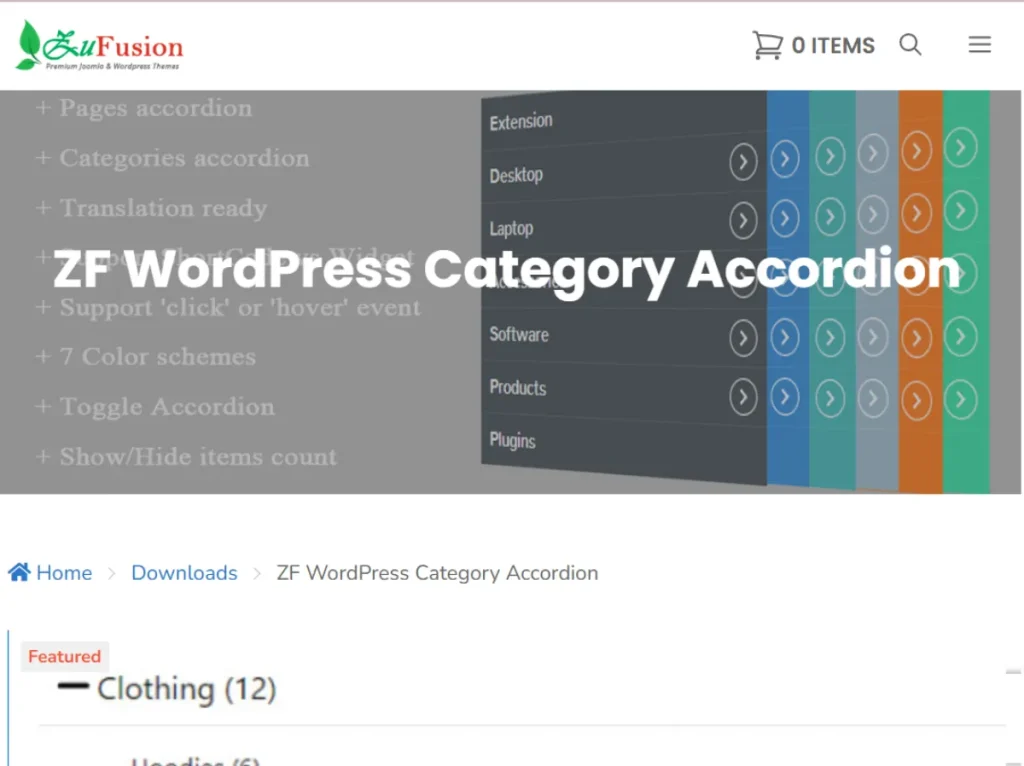
What is Accordion?
An Accordion plugin for WordPress is a tool that allows you to create collapsible content sections where users can expand or collapse individual panels. This interactive layout is commonly used to present structured information in a compact format without sacrificing clarity or accessibility.
At its core, the Accordion plugin works by hiding content under clickable headings. When a user clicks on a heading, the corresponding content expands while other sections may remain closed or collapse automatically, depending on the configuration. This behavior helps maintain a clean interface while still offering access to detailed information.
Accordion plugins are particularly useful for websites that need to display a large amount of information without overwhelming users. For example, an FAQ page can contain dozens of questions, but with an accordion layout, users can quickly navigate to the specific answer they need. Similarly, service pages can break down offerings into manageable sections, making it easier for visitors to understand complex information.
From a technical perspective, most Accordion plugins are lightweight and optimized for performance. They often include customization options such as animation effects, color schemes, typography settings, and responsive design controls. Many plugins also support shortcode or block-based integration, allowing users to easily insert accordion elements into posts, pages, or widgets.
In real-world use cases, businesses leverage accordion plugins to improve content hierarchy and enhance user interaction. For instance, a digital agency might use accordion sections to explain service packages, while an online course platform may organize lessons into expandable modules. This flexibility makes Accordion plugins a valuable addition to any WordPress toolkit.
Key Features of Accordion
- Collapsible Content Sections
One of the most important features of an Accordion plugin is the ability to create collapsible content sections. This feature allows users to expand or hide information with a simple click, improving content organization significantly. It works by grouping related content under headings, which can be toggled open or closed based on user interaction. This is especially useful for long pages where readability and navigation are critical. - Responsive Design Compatibility
Modern Accordion plugins are fully responsive, ensuring that content displays properly across all devices, including desktops, tablets, and smartphones. The plugin automatically adjusts layout and spacing based on screen size, which is essential for mobile users. This responsiveness enhances user experience and helps maintain consistency across different platforms. In today’s mobile-first environment, this feature is indispensable. - Customizable Styling Options
Accordion plugins typically offer extensive customization options, allowing users to modify colors, fonts, icons, and spacing. These settings enable website owners to match the accordion design with their brand identity. Customization is often done through an intuitive interface, eliminating the need for coding knowledge. This flexibility ensures that the accordion integrates seamlessly into any website design. - Animation and Transition Effects
To improve visual engagement, Accordion plugins include smooth animation effects when expanding or collapsing sections. These transitions make the interaction feel more dynamic and professional. Users can often choose from different animation styles and adjust the speed to match their design preferences. This feature enhances the overall user experience without compromising performance. - Multiple Accordion Modes
Many plugins provide different display modes, such as single-open or multi-open accordion behavior. In single-open mode, only one section can be expanded at a time, which helps maintain a clean layout. In multi-open mode, users can expand multiple sections simultaneously, offering more flexibility. This adaptability allows website owners to choose the best format for their content. - Shortcode and Block Integration
Accordion plugins are designed to work seamlessly with WordPress editors, including Gutenberg and classic editors. Users can insert accordion elements using shortcodes or dedicated blocks, making the process straightforward. This integration ensures that even beginners can implement accordion layouts without technical difficulties. It also allows for quick updates and content management. - SEO-Friendly Structure
A well-designed Accordion plugin ensures that content remains accessible to search engines, even when hidden within collapsible sections. This means that your content can still be indexed, contributing to better SEO performance. Proper HTML structure and clean coding practices play a key role in this feature. As a result, you can improve user experience without sacrificing search visibility.
Benefits of Using Accordion
Using an Accordion plugin provides several practical advantages that directly impact both user experience and website performance. One of the primary benefits is improved content organization. By breaking down large sections of text into manageable parts, users can quickly find the information they need without feeling overwhelmed. This is particularly useful for websites with extensive content, such as documentation pages or product catalogs.
Another significant benefit is enhanced user engagement. Interactive elements like accordion sections encourage users to interact with your content rather than passively scrolling through it. This increased interaction can lead to longer session durations and lower bounce rates, which are important factors for SEO.
Accordion plugins also contribute to a cleaner and more professional design. By reducing visual clutter, they make your website look more organized and easier to navigate. This can improve the overall perception of your brand and build trust with your audience.
In addition, accordion layouts are highly effective for mobile optimization. With limited screen space, presenting content in collapsible sections ensures that users can access information without excessive scrolling. This improves usability and makes your website more accessible across devices.
From a practical standpoint, businesses use accordion plugins to streamline information delivery. For example, an e-commerce site can display product details, shipping information, and return policies in separate accordion sections, making the page more user-friendly. Similarly, service providers can use accordion layouts to present detailed descriptions without overwhelming potential clients.
How to Install Accordion
Installing an Accordion plugin in WordPress is a straightforward process, even for users with limited technical experience. There are two main methods: installing via the WordPress dashboard and manual installation.
To install via the WordPress dashboard, start by logging into your WordPress admin panel. Navigate to the “Plugins” section and click on “Add New.” In the search bar, type “Accordion” to find relevant plugins. Once you identify a suitable plugin, click “Install Now” and then activate it. After activation, you can access the plugin settings and begin creating accordion sections.
For manual installation, first download the plugin file from a trusted source. Then, go to your WordPress dashboard and navigate to “Plugins” > “Add New” > “Upload Plugin.” Upload the downloaded file and click “Install Now.” Once the installation is complete, activate the plugin to start using it.
After installation, most Accordion plugins provide a user-friendly interface for creating and managing accordion elements. You can add new accordion sections, customize their appearance, and insert them into your pages using shortcodes or blocks. It is recommended to test the accordion on different devices to ensure optimal performance.
In real-world scenarios, proper installation and configuration can significantly impact how effectively the plugin performs. Taking the time to explore settings and customization options will help you maximize its potential.
Why Buy Accordion at Pluginpro.org
Choosing where to purchase your Accordion plugin is just as important as selecting the plugin itself. Pluginpro.org stands out as a reliable platform that offers high-quality WordPress plugins at competitive prices, making it an excellent choice for both individuals and businesses.
One of the most compelling reasons to buy from Pluginpro.org is the ability to save up to 95% of the cost compared to official pricing. This makes premium features accessible to users with limited budgets, allowing them to enhance their websites without overspending. Despite the lower cost, the quality of the files remains uncompromised.
Pluginpro.org guarantees 100% clean files, ensuring that all plugins are free from malware, viruses, or hidden code. This is crucial for maintaining website security and protecting user data. Clean files also contribute to better performance and reliability.
Another major advantage is the ability to use the plugin on unlimited websites. This is particularly beneficial for agencies and developers managing multiple projects. Instead of purchasing separate licenses for each site, users can deploy the plugin across all their websites without additional costs.
Ease of updates is another key benefit. Pluginpro.org provides straightforward update processes, allowing users to keep their plugins up to date with the latest features and security improvements. Regular updates are essential for maintaining compatibility with WordPress core updates.
Finally, secure downloads ensure that users can access their purchased plugins safely and quickly. The platform prioritizes user experience, making the entire purchasing and downloading process smooth and efficient.
In practical terms, buying from Pluginpro.org offers a cost-effective and reliable solution for accessing premium Accordion plugins. Whether you are a freelancer, business owner, or developer, this platform provides the tools you need to enhance your WordPress website.
Conclusion
Accordion plugins play a crucial role in improving content organization, user experience, and overall website design. By allowing users to interact with content in a structured and intuitive way, these plugins help create more engaging and efficient web pages.
From simplifying navigation to enhancing mobile usability, the benefits of using an Accordion plugin are clear. Whether you are managing an e-commerce site, educational platform, or corporate website, incorporating accordion elements can significantly improve how information is presented.
With easy installation, powerful features, and flexible customization options, Accordion plugins are a valuable addition to any WordPress toolkit. When combined with a reliable source like Pluginpro.org, users can access high-quality tools at an affordable price.
If you are looking to optimize your website’s content presentation and improve user engagement, investing in an Accordion plugin is a smart and practical decision.



