Custom WordPress development often becomes much more complex the moment a project moves beyond standard posts and pages. Many business websites, directories, portfolio sites, agency builds, and custom content platforms need structured data that WordPress does not provide by default. This is exactly why developers rely so heavily on Advanced Custom Fields, commonly known as ACF. It gives WordPress the flexibility to handle custom data cleanly. But while creating fields with ACF is straightforward, displaying those fields properly in a theme still requires code. This is where Advanced Custom Fields: Theme Code Pro becomes extremely valuable.
Anyone who has worked with ACF in real projects knows the pattern. You create a field group, assign it to a post type or page template, and then move into the theme files to output that data using functions like get_field(), the_field(), repeater loops, conditional checks, image arrays, relationship fields, and more. On small projects, that may be manageable. On larger sites, especially those with many field groups and flexible content sections, this repetitive coding can become time-consuming, error-prone, and unnecessarily tedious.
That is the problem Theme Code Pro is designed to solve. Instead of forcing developers to write every output snippet manually, it generates the theme code needed to display ACF fields based on the structure that already exists. In other words, it helps bridge the gap between field creation and frontend implementation.
This sounds simple, but in practice it can save a significant amount of time. ACF projects often involve repeated patterns. A developer may need to output text fields, image fields, file downloads, relationship items, repeaters, flexible layouts, and gallery fields over and over again across different templates. Writing all of this manually is not always difficult, but it is repetitive. Repetition creates room for syntax mistakes, inconsistent formatting, and wasted development hours.
For freelancers and agencies, that inefficiency adds up quickly. A custom client site may include hero sections, service blocks, team modules, testimonials, FAQs, downloadable resources, location details, and call-to-action panels, all managed through ACF. Every one of those sections needs frontend code. Theme Code Pro helps streamline this process so developers can focus more on layout logic, design quality, and project architecture rather than rewriting the same output patterns again and again.
It is also especially useful for developers who are comfortable with WordPress but want to speed up ACF implementation, as well as for users who are transitioning from visual site building into more custom theme work. It does not eliminate the need to understand WordPress templates, but it lowers the friction of working with ACF-powered data.
This add-on is particularly helpful for:
- custom WordPress theme development
- agency workflows and repeatable client builds
- freelancers using ACF heavily in service pages and landing pages
- developers building structured business websites
- low-code and hybrid WordPress workflows
- faster prototyping of ACF-based templates
For example, a developer building a custom case study post type might need code for title blocks, project metadata, gallery images, challenge and solution sections, testimonial quotes, and related projects. ACF can store all of that data, but Theme Code Pro can accelerate the code generation needed to render it in the theme.
In this article, we will explore Advanced Custom Fields: Theme Code Pro in detail, including what it is, its key features, practical benefits, installation process, and why purchasing it from Pluginpro.org is a smart and cost-effective decision.
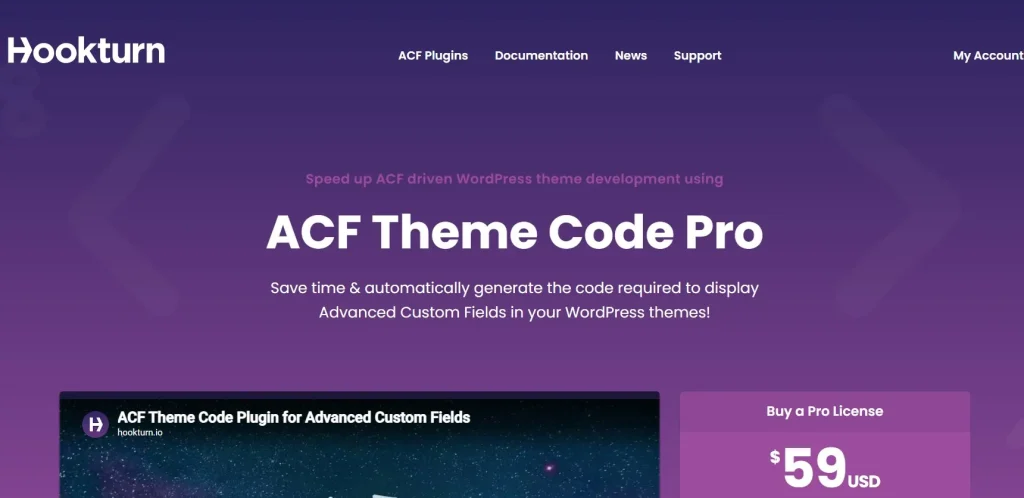
What is Advanced Custom Fields: Theme Code Pro?
Advanced Custom Fields: Theme Code Pro is a WordPress development add-on built to work alongside the Advanced Custom Fields plugin. Its main purpose is to generate PHP code snippets for outputting ACF field data inside WordPress themes.
At a practical level, this means the plugin reads the field structure you have created in ACF and produces the corresponding theme code needed to display that data on the frontend. Instead of manually writing code for each field, you can use the generated snippet as a starting point or ready-made implementation depending on your workflow.
This matters because ACF itself handles field creation and content management, but it does not automatically solve theme output. Once the client or admin enters data into custom fields, that data still needs to be rendered correctly in templates such as single posts, archive cards, page sections, custom blocks, or custom post type layouts. That rendering step is where Theme Code Pro helps most.
The plugin is especially suitable for:
- WordPress developers working with custom themes
- agencies building structured client websites
- freelancers using ACF as part of their standard stack
- developers working on custom post types and field-heavy templates
- users who want to reduce repetitive ACF coding work
- teams building scalable WordPress content systems
A practical example helps make this clear. Imagine you are building a custom “Team Member” post type for an agency website. You create ACF fields for job title, profile photo, LinkedIn URL, short bio, and expertise areas. Normally, you would then write PHP in the single template or reusable component to fetch and display each of these fields correctly. Theme Code Pro can generate much of that output code for you, reducing the need to write every field line manually.
Another example would be a real estate site with custom property fields such as price, location, number of bedrooms, gallery, floor plan PDF, and agent information. Each of these fields needs structured output. The add-on can help generate those code patterns faster, which is especially useful when the project contains dozens of field groups.
The plugin is also valuable because it helps with consistency. Developers often write ACF output code slightly differently from project to project, especially under time pressure. Generated code creates a more standardized starting point. This can make projects easier to maintain, especially in team environments.
It is also worth understanding what the plugin does not do. It does not replace the need for developers to understand WordPress templates, frontend structure, or ACF concepts. It is not a full visual builder. Instead, it is a development accelerator. It helps reduce repetitive work and provides cleaner scaffolding for ACF output.
Overall, Advanced Custom Fields: Theme Code Pro is best understood as a code generation tool for developers who use ACF and want to speed up the transition from backend field creation to frontend theme implementation.
Key Features of Advanced Custom Fields: Theme Code Pro
Advanced Custom Fields: Theme Code Pro includes features that are specifically useful for developers and agencies working with custom WordPress content structures. Its main strength is reducing repetitive coding effort while keeping theme development flexible.
- Automatic PHP code generation for ACF fields
The most important feature of the plugin is its ability to generate PHP snippets for outputting ACF fields. This saves time because developers do not need to manually write every get_field() or the_field() call for each project. For example, if you create a custom field group for a services page with fields like intro text, icon, CTA label, and CTA URL, the plugin can generate the corresponding output structure for those values. This is especially useful during the early implementation phase of a project. - Support for multiple ACF field types
ACF projects rarely use only plain text fields. Most real-world builds include a mix of field types such as text, textarea, image, gallery, file, URL, relationship, repeater, select, checkbox, and flexible content fields. Theme Code Pro becomes much more useful because it can work with a range of these field types. For example, outputting an image field properly often involves dealing with arrays, IDs, or URLs, while repeater fields require loops. A code generator that accounts for different structures can save a developer from repeatedly writing those patterns by hand. - Code generation based on existing field groups
One of the practical advantages of the plugin is that it works from the field groups you have already defined in ACF. This means the generated code reflects the structure of the content model rather than forcing you to recreate it elsewhere. For example, if you have built a custom “Testimonial” field group with author name, company, quote, and rating, the add-on can generate code based on that exact group. This helps reduce disconnect between backend setup and frontend implementation. - Improved speed for custom theme development
In many projects, developers lose time not because the work is difficult, but because it is repetitive. Theme Code Pro helps speed up the theme development cycle by reducing that repetition. For example, on a client site with multiple custom page templates, a developer may need to output similar ACF fields across several sections. Instead of writing the same field logic again and again, they can use generated code as a base and then refine it where needed. This can noticeably improve production speed. - Reduced coding mistakes and syntax errors
Manual ACF output is generally straightforward, but it still creates opportunities for errors. Missing parentheses, wrong field names, unclosed repeater loops, or inconsistent variable naming can all slow down development. Generated code helps reduce these small but common mistakes by giving developers a cleaner starting point. For example, a repeater loop generated correctly can save debugging time compared to writing it quickly from memory under deadline pressure. - Useful for prototyping and scaffolding
Not every project starts with final frontend polish. Many WordPress builds begin with a working prototype where the goal is simply to get the data showing correctly in the right places. Theme Code Pro is valuable here because it helps developers scaffold templates more quickly. For example, during a prototype phase for a directory site, the developer may just want all custom post type fields visible and functional before refining markup and styling. Generated code can accelerate that process. - Helpful in agency and team workflows
Teams often benefit from more standardized development processes. A tool like Theme Code Pro can help by creating more consistent output patterns across projects. For example, a junior developer on an agency team may use generated code as a reliable base, while a senior developer customizes the structure further. This can reduce inconsistencies and make onboarding easier for developers who are still gaining confidence with ACF-heavy builds. - Better bridge between backend modeling and frontend display
ACF encourages developers to think carefully about content modeling, but the frontend display step often slows that momentum. Theme Code Pro helps connect those two stages more smoothly. Once the content model is ready, the plugin makes it easier to start rendering it. This improves workflow continuity and helps developers move faster from planning to implementation.
Benefits of Using Advanced Custom Fields: Theme Code Pro
One of the biggest benefits of using Theme Code Pro is increased development efficiency. Many developers already know how to write ACF output code, but the issue is not always difficulty. It is repetition. Writing the same patterns over and over across many field groups consumes time that could be spent on architecture, styling, performance, or UX improvements. This plugin helps reduce that low-value repetitive effort.
Another major benefit is improved speed in client projects. Agencies and freelancers often work under tight timelines, and structured business websites can include large numbers of field groups. A site with hero sections, content modules, case studies, team entries, FAQs, pricing blocks, testimonials, and CTA sections may require a substantial amount of ACF output logic. Theme Code Pro helps shorten that implementation stage, which can improve delivery speed.
The plugin also reduces friction for developers transitioning into more custom WordPress work. A user who understands ACF field creation but feels less confident about outputting everything in PHP may find the generated code useful as both a tool and a learning aid. Seeing how image fields, repeaters, or flexible content loops are structured can help reinforce WordPress development patterns.
Another strong benefit is consistency. In manual workflows, developers often code similar things slightly differently from project to project. Over time, that can make maintenance less predictable. Generated snippets help create a more uniform starting point, especially in collaborative environments.
There is also a quality benefit. Because generated code reduces rushed manual entry, it can lower the chance of small implementation mistakes. This may not sound dramatic, but in real development work, avoiding repeated syntax errors and logic oversights can save a meaningful amount of debugging time.
The plugin is also useful for prototyping and internal builds. Not every site needs handcrafted frontend output from the first hour of development. Sometimes the goal is simply to display structured content correctly so stakeholders can review the data model and layout logic. Theme Code Pro makes that stage faster and cleaner.
For agencies, another benefit is scalability of workflow. If ACF is part of the standard stack across many projects, a code generation add-on can become part of a repeatable delivery process. That helps teams maintain momentum and reduce repetitive backend-to-theme implementation work.
Finally, Theme Code Pro is cost-effective. Compared to the amount of billable development time lost to repetitive ACF coding across many projects, a plugin that accelerates implementation can quickly justify itself.
How to Install Advanced Custom Fields: Theme Code Pro
Installing Advanced Custom Fields: Theme Code Pro is generally straightforward, but it does require that the main Advanced Custom Fields plugin is already installed and active before setup. Since this add-on depends on ACF field structures, the core plugin is essential.
Start by downloading the Theme Code Pro ZIP file. Then log in to your WordPress admin dashboard and go to Plugins > Add New. Click Upload Plugin, select the ZIP file from your computer, and click Install Now. After the installation is complete, click Activate.
Once the add-on is active, verify that your ACF field groups are already in place. The plugin works best when your field architecture is reasonably defined. For example, if you are building a custom services section, you should already have those fields created in ACF before expecting useful code output from Theme Code Pro.
Next, review the generated code options available for your field groups. Depending on the plugin interface, you may be able to generate snippets for different field configurations and output scenarios. At this stage, it is a good idea to start with one real field group and test the generated code in a development environment.
For example, choose a relatively simple field group first, such as a team member or testimonial group, and paste the generated code into the relevant theme template or component file. Check that the fields display correctly and confirm that the plugin’s code style fits your workflow. After that, you can move on to more complex field types such as repeaters or flexible content.
Manual installation is also possible. Extract the ZIP file on your computer, upload the plugin folder to the wp-content/plugins directory using FTP, and then activate it from the WordPress plugin screen.
After installation, it is smart to integrate the add-on into your broader development process rather than using it randomly. For example, you may decide that every new ACF field group in a project gets a generated code scaffold before custom refinement begins. That makes the tool more systematic and more useful over time.
It is also wise to use a staging or development environment when testing generated snippets, especially on large projects. While the plugin saves time, you still want to confirm that output formatting, conditional handling, and field relationships match the structure of your theme.
A good installation process is not just about enabling the plugin. It is about making it part of a more efficient ACF development workflow.
Why Buy Advanced Custom Fields: Theme Code Pro at Pluginpro.org
Buying Advanced Custom Fields: Theme Code Pro at Pluginpro.org offers several practical benefits for developers, freelancers, and agencies who rely on ACF in their WordPress workflow.
One of the biggest benefits is cost savings. Developer-focused premium add-ons can become expensive, especially when you use them across many projects alongside themes, builders, hosting, and other tools. Pluginpro.org helps make the plugin more accessible by offering the chance to save up to 95% compared to the original price.
Another important advantage is access to 100% clean files. This matters because developer tools are often used on client projects and business-critical websites. Any plugin involved in the theme development process should come from a source that users can trust. Clean files help reduce the risk of malware, hidden code, or compromised packages.
Unlimited website usage is another strong benefit. Agencies and freelancers often build many ACF-powered sites over time. A plugin that can be used across multiple websites provides much better long-term value than a restricted single-site setup. This is especially useful if ACF-based custom builds are a regular part of your service offering.
Pluginpro.org also offers easy updates, which is important because WordPress, ACF, and custom development workflows evolve over time. Better update access helps maintain compatibility and reduces future issues as your stack changes.
Finally, secure downloads improve trust in the buying process. Developers need confidence that the files they receive are safe, available, and ready to use in real project environments. That reliability matters when the plugin becomes part of your production workflow.
For WordPress professionals who want to speed up ACF implementation without overspending, Pluginpro.org offers a strong value proposition.
Conclusion
Advanced Custom Fields: Theme Code Pro is a highly practical tool for developers and agencies who use ACF as part of custom WordPress development. It helps solve a common problem: creating field groups in ACF is fast, but outputting those fields in theme templates often involves repetitive manual coding.
Its value comes from accelerating that implementation step. Automatic PHP code generation, support for different field types, field-group-based scaffolding, reduced syntax errors, faster prototyping, and better workflow consistency all make it a useful addition to an ACF-heavy stack.
The benefits are significant. Better efficiency, fewer repetitive tasks, improved development speed, more consistent implementation, and lower friction between backend setup and frontend display all make the plugin especially attractive for freelancers, agencies, and structured WordPress projects.
When purchased through Pluginpro.org, Advanced Custom Fields: Theme Code Pro becomes even more attractive because of the substantial cost savings, clean files, unlimited website usage, easy updates, and secure downloads.
For any WordPress developer who works regularly with ACF and wants to reduce repetitive theme coding, Advanced Custom Fields: Theme Code Pro is definitely worth serious consideration.