
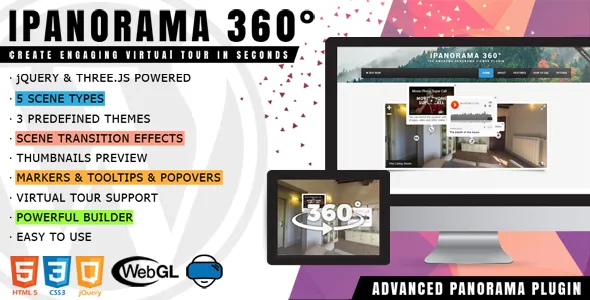
The way users interact with websites has evolved significantly over the years. Static content such as text and images is no longer enough to fully capture attention, especially in industries where visual experience plays a major role in decision-making. Today’s users expect immersive, interactive, and realistic representations of spaces, products, and environments. This shift has led to the growing popularity of 360-degree virtual tours—and tools like iPanorama 360 – Advanced Virtual Tour Builder are at the center of this transformation.
In traditional web design, showcasing a physical space often involves uploading a gallery of images or embedding a video walkthrough. While these methods can provide useful information, they are limited. Images only show fixed angles, and videos guide the viewer through a predetermined path. The user has no control over what they see or how they explore the space.
Virtual tours change this dynamic completely. Instead of passively viewing content, users actively explore. They can rotate the view, zoom into details, navigate between rooms, and interact with specific points of interest. This creates a much deeper sense of presence and understanding.
This level of immersion is especially valuable in industries where physical experience matters. For example, in real estate, potential buyers want to understand the layout and feel of a property before visiting. In hospitality, travelers want to preview hotel rooms and amenities. In tourism, visitors want to explore destinations before making plans. In education, institutions want to showcase campuses and facilities.
However, building virtual tours from scratch can be technically challenging. It often involves specialized software, coding, and complex integrations. This is where iPanorama 360 simplifies the process. It provides a structured way to create interactive 360-degree tours directly within WordPress, making advanced visualization accessible to a wider audience.
Another key advantage of virtual tours is their impact on engagement. Users tend to spend more time interacting with immersive content compared to static pages. This can improve metrics such as session duration, reduce bounce rates, and increase the likelihood of conversions.
iPanorama 360 is particularly useful for:
- real estate agencies showcasing properties
- hotels and resorts presenting rooms and facilities
- travel and tourism businesses promoting destinations
- event venues displaying spaces
- museums and galleries offering virtual exhibitions
- educational institutions presenting campuses
- architects and designers showcasing projects
For example, a real estate agent can create a virtual walkthrough of a home, allowing buyers to explore every room. A hotel can present its rooms in an interactive format, helping guests make booking decisions. A university can offer a virtual campus tour to prospective students.
Another important aspect is accessibility. Virtual tours allow users to explore spaces remotely, which is especially useful for international audiences or users who cannot visit in person.
In this article, we will explore iPanorama 360 – Advanced Virtual Tour Builder in detail, including what it is, its key features, practical benefits, installation process, and why purchasing it from Pluginpro.org is a smart and cost-effective decision.
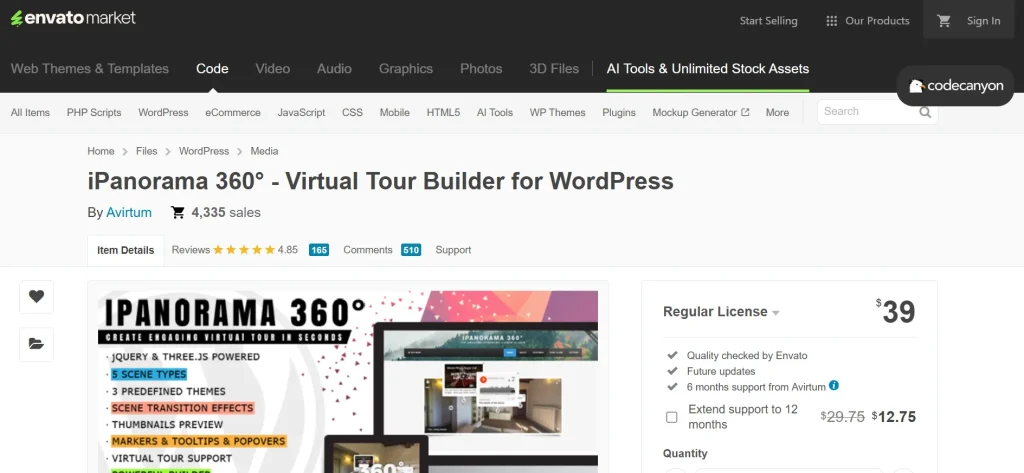
What is iPanorama 360 – Advanced Virtual Tour Builder?
iPanorama 360 is a WordPress plugin designed to create interactive 360-degree virtual tours using panoramic images. It allows users to transform static panoramic photos into immersive environments that visitors can explore directly on a website.
At its core, the plugin works by mapping panoramic images into a 360-degree viewing interface. This interface allows users to look around the environment as if they were physically present. Unlike traditional images, which show a single perspective, panoramic images capture an entire scene, and the plugin enables users to navigate through that scene interactively.
The plugin is suitable for a wide range of use cases, including:
- property tours for real estate listings
- hotel and resort presentations
- tourism and destination marketing
- virtual museum exhibitions
- educational campus tours
- business facility showcases
- architectural and interior design portfolios
A practical example helps clarify its value. Imagine a real estate website listing a luxury apartment. Instead of showing a few static images, the site can offer a 360-degree tour where users can explore the living room, kitchen, bedrooms, and balcony. This gives a much clearer understanding of the space.
Another example would be a hotel website. Instead of showing standard room photos, the hotel can provide a virtual experience where users can look around the room, check the view from the window, and explore amenities. This can significantly influence booking decisions.
The plugin also supports multi-scene tours, meaning users can navigate between different locations within the same tour. For example, a campus tour can include classrooms, libraries, and recreational areas, all connected through interactive navigation.
Another important aspect is interactivity. iPanorama 360 allows users to add hotspots—clickable elements within the tour that can display additional information, images, or links. This enhances the experience by providing context and guiding users through the tour.
Integration with WordPress makes the plugin easy to use. Users can create tours and embed them into pages or posts without complex coding.
Overall, iPanorama 360 is a powerful visualization tool that transforms static images into interactive experiences, making it easier to showcase spaces and engage users.
Key Features of iPanorama 360
iPanorama 360 includes a range of features that enable users to create immersive and interactive virtual tours. These features work together to provide both flexibility and ease of use.
- 360-degree panorama support
The core feature of the plugin is its ability to display panoramic images in a fully interactive 360-degree environment. Users can upload panoramic photos and convert them into immersive scenes. For example, a real estate agent can upload a panoramic image of a living room, allowing visitors to explore it from all angles. This feature is essential because it forms the foundation of the virtual tour experience. - Interactive hotspots for enhanced engagement
Hotspots are clickable elements placed within the virtual tour. They allow users to interact with specific areas of the scene. For example, a hotspot in a hotel room can display details about amenities, while a hotspot in a museum can provide information about an exhibit. This feature adds depth to the experience and helps guide users through the tour. - Multiple scenes and navigation between locations
iPanorama 360 supports multi-scene tours, enabling users to create complex experiences that include multiple locations. For example, a real estate tour can include different rooms, while a campus tour can include various buildings. Users can navigate between scenes using hotspots or navigation controls, creating a seamless experience. - Customizable navigation controls
The plugin allows users to customize how visitors interact with the tour. This includes controls for zooming, rotating, and navigating between scenes. Customization ensures that the tour matches the website’s design and user experience requirements. - Responsive design for all devices
The plugin is designed to work across desktops, tablets, and mobile devices. This is important because many users access websites from mobile devices. A responsive virtual tour ensures that all users can interact with the content effectively. - Integration with WordPress pages and posts
iPanorama 360 integrates seamlessly with WordPress, allowing users to embed tours into pages, posts, or custom layouts. This makes it easy to incorporate virtual tours into existing content strategies. - User-friendly interface for tour creation
Despite its advanced capabilities, the plugin is designed to be accessible. Users can create and manage tours through an intuitive interface without needing coding knowledge. This lowers the barrier to entry for creating immersive content. - Performance optimization for smooth interaction
Virtual tours can be resource-intensive, but the plugin is optimized to provide smooth performance. This ensures that users can navigate the tour without lag or delays, which is critical for maintaining engagement.
Benefits of Using iPanorama 360
One of the most significant benefits of iPanorama 360 is improved user engagement. Interactive content naturally attracts more attention than static content. When users can explore a space actively, they are more likely to spend time on the website.
Another major benefit is better visualization. Virtual tours provide a more accurate representation of spaces compared to images or videos. This helps users make informed decisions. For example, a buyer can better understand a property layout, and a traveler can assess a hotel room.
The plugin also increases conversion potential. By providing a realistic preview, businesses can reduce uncertainty and build trust. For example, a hotel with a virtual tour may see higher booking rates because users feel more confident in their choice.
From a marketing perspective, iPanorama 360 enhances content quality. Virtual tours stand out and can differentiate a website from competitors. This is particularly valuable in competitive industries such as real estate and tourism.
Another benefit is accessibility. Users can explore spaces remotely, which is especially useful for international audiences or those unable to visit in person.
The plugin also supports storytelling. Businesses can guide users through a narrative experience using hotspots and navigation. For example, a museum can create a guided tour of exhibits.
Additionally, it provides flexibility. Different industries can use the plugin in different ways, from property tours to educational experiences.
Finally, it is cost-effective. Creating virtual tours manually can be expensive, but a plugin provides a more affordable solution.
How to Install iPanorama 360
Installing iPanorama 360 is a straightforward process, but proper setup is important for achieving the best results.
First, download the plugin ZIP file. Then log in to your WordPress dashboard and go to Plugins > Add New. Click Upload Plugin, select the ZIP file, and click Install Now. Once installed, click Activate.
After activation, the next step is to prepare your panoramic images. High-quality images are essential for creating effective virtual tours. Ensure that images are properly formatted and optimized.
Next, create a new tour in the plugin interface. Upload panoramic images and configure scenes. Add hotspots and navigation links between scenes.
Customize the appearance and controls to match your website design.
Test the tour thoroughly on different devices to ensure smooth performance.
Manual installation is also possible by uploading the plugin folder via FTP.
Why Buy iPanorama 360 at Pluginpro.org
Buying iPanorama 360 at Pluginpro.org offers several advantages.
One of the biggest benefits is cost savings. Users can save up to 95%.
Another advantage is 100% clean files, ensuring security.
Unlimited usage is valuable for agencies.
Pluginpro.org also provides easy updates.
Finally, secure downloads ensure reliability.
Conclusion
iPanorama 360 is a powerful WordPress plugin for creating immersive virtual tours. It transforms static images into interactive experiences that engage users and improve visualization.
With features such as panoramic support, hotspots, multi-scene navigation, and customization, the plugin provides a comprehensive solution for virtual tours.
The benefits include increased engagement, better user experience, higher conversion rates, and improved marketing effectiveness.
When purchased through Pluginpro.org, the plugin becomes even more attractive due to cost savings, clean files, and flexibility.
For any website looking to deliver immersive experiences, iPanorama 360 is definitely worth considering.



