
Online booking has become an essential part of how many service businesses operate. Salons, clinics, consultants, coaches, therapists, trainers, and education providers all benefit from allowing customers to schedule appointments directly through a website. This reduces back-and-forth communication, saves staff time, and makes the customer experience smoother. However, once bookings start coming in regularly, another operational need quickly becomes just as important: invoicing. This is exactly where Invoices for Booknetic becomes highly useful.
For many businesses, booking is only the beginning of the transaction. After an appointment is made, the business often needs to generate a billing document, record the service amount, include taxes if necessary, and provide a professional invoice to the customer. When this process is handled manually, problems appear quickly. Staff may need to copy appointment details into a separate invoicing tool, create invoices by hand, send them manually, and then track who has paid. This takes time and increases the risk of mistakes.
Those mistakes can be costly. An incorrect invoice amount, a missed booking, a forgotten tax line, or a delayed billing email can create confusion for customers and extra administrative work for staff. On busy service websites, especially those processing many bookings per day, manual invoicing can become a serious bottleneck. The more appointments a business handles, the more important it becomes to connect invoicing directly to the booking workflow.
That is the practical value of Invoices for Booknetic. Instead of treating invoicing as an external process, it brings billing into the same ecosystem as appointment management. The booking already contains the information needed for an invoice: service type, customer details, staff member, date, time, price, and in some cases taxes or payment status. A dedicated invoicing add-on can use this data automatically, which makes the entire system more efficient.
This is especially important for businesses that depend on operational consistency. For example, a medical clinic may need clear invoices for consultations or treatment sessions. A salon may want every booking to produce a standardized invoice for service records and payment tracking. A consultant offering paid strategy calls may need professional invoices for business clients. A fitness studio may want invoices for class packages or personal training sessions. In each of these cases, the invoice is not optional. It is part of the customer experience and often part of the business recordkeeping process.
Another major benefit is professionalism. A structured invoice gives customers confidence that the business is organized and legitimate. For B2B services in particular, clients often expect invoices as part of the normal payment process. Even in consumer-focused services, clean billing documents improve trust and reduce misunderstandings. A booking system without integrated invoicing may still work, but it can feel incomplete once the business reaches a certain scale.
Automation is another reason this type of add-on matters. Businesses do not want staff spending valuable time on repetitive admin work if the system can handle it automatically. If an invoice can be generated as soon as a booking is confirmed, and then sent to the customer with accurate service details, the business saves time while reducing human error. That is not just a convenience. It can improve workflow significantly.
Invoices for Booknetic is particularly useful for:
- beauty salons and spas
- health clinics and medical practices
- consultants and coaches
- wellness and therapy businesses
- personal trainers and fitness studios
- tutors, educators, and training providers
- freelancers offering session-based services
In this article, we will explore Invoices for Booknetic in detail, including what it is, its key features, the benefits of using it, how to install it, and why buying it from Pluginpro.org can be a smart and cost-effective choice.
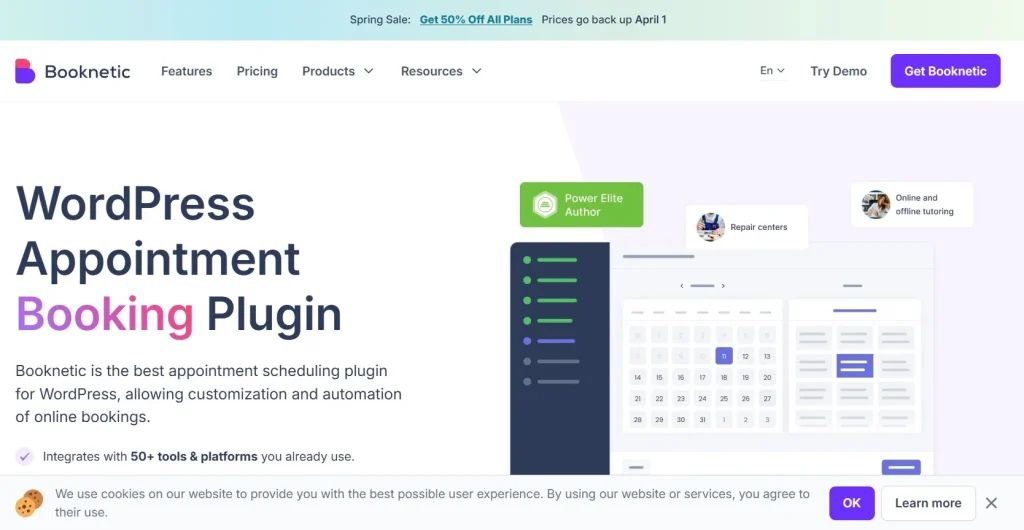
What is Invoices for Booknetic?
Invoices for Booknetic is a WordPress add-on created to extend the functionality of the Booknetic booking system by adding invoice generation and billing-related workflow support. Its main purpose is to connect appointment bookings with invoice creation so that service businesses can manage customer billing more efficiently inside the same ecosystem.
At a basic level, the add-on takes information that already exists in a booking and uses it to generate an invoice. This can include the customer name, service booked, appointment date, assigned staff, pricing, taxes, totals, and potentially payment status depending on the broader setup. Instead of manually recreating this information in a separate invoicing tool, the add-on helps automate it from the source booking data.
This matters because booking systems and invoicing systems are closely connected in service businesses. A customer books a service, the business reserves the slot, and then the financial side of the appointment needs to be documented. When those two processes are disconnected, staff often have to bridge the gap manually. Invoices for Booknetic helps remove that gap.
The add-on is especially suitable for:
- appointment-based service providers
- businesses that need billing documents for each session
- organizations that want more accurate financial records tied to bookings
- teams that want to reduce manual administrative tasks
- businesses that need a more professional customer billing process
A practical example makes the value easier to see. Imagine a consulting business offering paid one-hour strategy sessions through Booknetic. Every booking includes a specific session type and price. Without an invoicing add-on, the consultant may need to manually create an invoice in another tool after each booking or payment. With Invoices for Booknetic, that billing step becomes more integrated and less repetitive.
Another example would be a physiotherapy clinic. Patients book visits online. The clinic needs service records and professional invoices for each appointment. If invoicing is generated automatically from booking data, staff do not need to re-enter the same service details manually every time.
The add-on is also useful for internal consistency. Businesses often struggle with situations where one team member invoices differently from another or where formatting varies between documents. An integrated system can help standardize how invoices are generated and delivered, which improves brand consistency and makes recordkeeping easier.
Another important point is that this add-on is not meant to replace the booking system. It enhances it. Booknetic handles appointments, scheduling, and service booking. Invoices for Booknetic strengthens the financial and administrative side of that workflow. Together, they provide a more complete service operations setup.
Overall, Invoices for Booknetic is best understood as a billing and invoicing extension for Booknetic that helps service businesses turn confirmed appointments into organized, professional, and more automated invoice workflows.
Key Features of Invoices for Booknetic
Invoices for Booknetic includes features that make billing more structured, more automated, and easier to manage inside a booking-based business. Its usefulness comes not only from generating invoices, but from doing so in a way that connects naturally to the appointment process.
- Automatic invoice generation from booking data
One of the most important features is automatic invoice creation based on Booknetic appointment information. This reduces the need to manually re-enter the same service details in a separate invoicing tool. For example, if a customer books a 90-minute wellness session for a fixed price, the add-on can use the service name, customer information, and amount directly from the booking to generate the invoice. This saves time and improves accuracy. - Invoice details pulled directly from services and appointments
Because the add-on works with Booknetic data, invoices can reflect real booking information instead of manually typed descriptions. This is especially useful for businesses with multiple service types and price levels. For example, a salon offering haircuts, coloring, treatments, and premium packages can ensure each invoice matches the actual booked service. That reduces the chance of staff selecting the wrong service description or amount. - Customizable invoice templates and presentation
A strong invoicing workflow is not only about calculation. It is also about presentation. Invoices sent to customers should look professional and consistent with the brand. This feature allows businesses to adjust how invoice documents are displayed so they feel more polished. For example, a clinic may want a more formal billing layout, while a wellness coach may prefer a simpler branded invoice style. Template customization helps invoices match the business image. - Support for taxes, totals, and structured billing data
Many businesses need invoices to include more than just a service title and total amount. Depending on the business model or legal requirements, they may need taxes, subtotals, discount handling, or more clearly structured billing details. This is one of the practical strengths of the add-on. For example, a service priced at one rate may require a local tax line before the final total is shown. An invoicing add-on tied to the booking process helps ensure these amounts are consistently calculated and presented. - Email delivery of invoices to customers
Invoicing is much more useful when it can be delivered promptly and directly to the customer. This feature supports automated or structured sending of invoices so the customer receives the billing record without manual follow-up from the business. For example, after a booking is confirmed or completed, the system can send the invoice by email, helping the customer keep a record and reducing administrative effort for the provider. - Better payment tracking potential within the booking workflow
For many businesses, the invoice is not just a record. It is also part of how they monitor whether a service has been paid, partially paid, or remains outstanding. An integrated invoice add-on helps create a closer relationship between appointment records and payment awareness. For example, a coach offering multi-session packages may want to track which bookings have already been billed and which have not. This improves operational control. - Improved documentation for service businesses
Service businesses often need more than a booking calendar. They need records. Invoices provide part of that recordkeeping layer. This can be useful for tax preparation, accounting coordination, internal auditing, and customer support. If a customer asks for proof of what was booked and charged, the business has a structured invoice connected to the appointment. This is especially helpful for clinics, education providers, and consultants. - Reduced manual admin workload
One of the most practical features, even if it is not always described as a single setting, is the reduction of repetitive administrative work. Instead of staff creating invoices from scratch for every appointment, the add-on systematizes that process. For businesses with frequent bookings, this feature alone can save a great deal of time and help staff focus more on service delivery instead of paperwork.
Benefits of Using Invoices for Booknetic
One of the biggest benefits of using Invoices for Booknetic is automation. Many service businesses waste time on repetitive billing tasks that could be connected directly to appointment records. When invoices are generated automatically from bookings, staff no longer need to duplicate the same information across multiple systems. This improves efficiency and reduces unnecessary work.
Another major benefit is accuracy. Manual invoicing creates opportunities for error. A staff member might enter the wrong service name, the wrong amount, or forget to include tax or customer details. By using booking data as the invoice source, the add-on reduces the chance of mismatch between what was booked and what was billed. That improves trust and reduces customer confusion.
The plugin also supports a more professional customer experience. A customer who books a service online expects the process to feel organized. Receiving a proper invoice after booking or payment reinforces the impression that the business is structured and reliable. This is especially important for consultants, clinics, training businesses, and any service provider working with clients who need documentation.
Another important benefit is better financial organization. Businesses often need to review bookings and billing together. If invoicing happens in a disconnected external process, reconciling appointments and payments can take more time. An integrated invoice workflow makes it easier to connect the operational side of the business with the financial side. For example, a salon can review services provided and corresponding invoices more clearly.
There is also a scaling benefit. A small business may be able to manage manual invoicing when it has only a few bookings per week. But as volume grows, that process becomes harder to sustain. An add-on like this becomes more valuable as the business handles more appointments because it helps maintain consistency without increasing the administrative burden linearly.
The add-on also improves internal workflow clarity. Staff can follow a more repeatable process because invoicing becomes part of the appointment flow rather than an improvised task done differently by different people. This is especially useful in multi-staff environments such as clinics, salons, or studios where several people interact with bookings and payments.
Another benefit is customer record support. Invoices make it easier to resolve disputes, answer billing questions, and provide documentation when needed. For example, if a customer requests a receipt or needs proof of a prior appointment, the invoice offers a clear, professional reference point.
Finally, Invoices for Booknetic is cost-effective compared to handling invoicing manually or building a custom integration. It adds significant operational value without requiring a full custom billing development project.
How to Install Invoices for Booknetic
Installing Invoices for Booknetic is usually a standard WordPress add-on process, but because it depends on Booknetic, the main Booknetic plugin should already be installed and active before setup begins.
Start by downloading the add-on ZIP file. Then log in to your WordPress admin dashboard and go to Plugins > Add New. Click Upload Plugin, select the ZIP file, and click Install Now. Once WordPress finishes the installation, click Activate.
After activation, the next important step is configuration. Since this is a billing-related add-on, take time to review how invoice data should be generated from your booking system. For example:
- Which booking fields should appear on the invoice?
- Should invoices be generated at booking confirmation, payment, or completion?
- Do taxes need to be included?
- Should invoice emails be sent automatically?
- What branding or company information should appear on the invoice template?
These decisions matter because the best invoice workflow is one that matches the real operations of the business.
Next, review the service pricing setup in Booknetic. Since invoice quality depends on booking data quality, make sure services, pricing, staff assignments, and customer information are configured correctly. For example, if a service price is wrong in Booknetic, the invoice may also reflect that incorrect amount. It is a good idea to test a few real booking scenarios before using the add-on in production.
If manual installation is preferred, extract the ZIP file on your computer, then upload the plugin folder to the wp-content/plugins directory using FTP. After that, return to the WordPress dashboard, go to Plugins, locate the add-on, and activate it there.
Once active, test the full workflow with a sample appointment. Create a test booking, confirm it, and verify that the invoice is generated as expected. Check the invoice template, total amount, customer details, taxes if applicable, and email delivery. This test is especially important because invoicing is customer-facing and should be correct before it is used live.
It is also wise to test the add-on from multiple service types. For example, if your business offers short sessions, premium services, and package-based appointments, verify that invoice generation works consistently across them. A thoughtful test process helps prevent billing mistakes later.
A good installation process is not just about activating the add-on. It is about making sure your billing workflow is accurate, consistent, and aligned with how your business actually books and charges for services.
Why Buy Invoices for Booknetic at Pluginpro.org
Buying Invoices for Booknetic at Pluginpro.org offers several practical benefits for WordPress users, service providers, and agencies.
One of the biggest advantages is cost savings. Booking systems often require multiple add-ons for payments, reporting, notifications, and invoicing. Those costs can add up quickly, especially for businesses already investing in hosting, themes, and operational plugins. Pluginpro.org helps make the add-on more accessible by offering the opportunity to save up to 95% compared to the original price.
Another important benefit is access to 100% clean files. This matters because invoicing is a business-critical function. Any add-on involved in billing and customer communication should come from a source that users can trust. Clean files help reduce the risk of malware, hidden code, or compromised packages that could affect site stability or business operations.
Unlimited website usage is another strong advantage. Agencies managing multiple service-based client sites, or businesses operating several websites, can get better long-term value from a plugin that is not restricted to a single installation. This is especially useful for web agencies that build and maintain Booknetic-based booking websites for salons, clinics, consultants, and coaches.
Pluginpro.org also offers easy updates, which is important because Booknetic, WordPress core, and related plugins continue to evolve. Access to updates helps maintain compatibility and reduces the chance of future workflow issues.
Finally, secure downloads improve trust in the buying process. Users need confidence that the files they receive are safe, complete, and ready for installation. This matters even more when the plugin is part of a customer-facing booking and billing process.
For users who want to enhance Booknetic with invoicing functionality without overspending, Pluginpro.org offers a strong value proposition.
Conclusion
Invoices for Booknetic is a highly practical add-on for service businesses that want a more complete booking workflow inside WordPress. While Booknetic handles appointment scheduling effectively, many businesses also need a reliable way to generate and manage invoices from those appointments. This add-on fills that gap by connecting billing directly to booking data.
Its value comes from integration and efficiency. Automatic invoice generation, structured billing details, template customization, email delivery, payment workflow support, and stronger documentation all help create a more professional and more scalable system for appointment-based businesses.
The benefits are substantial. Reduced manual admin work, better billing accuracy, improved customer trust, stronger financial organization, and easier recordkeeping all make this add-on useful for salons, clinics, consultants, trainers, educators, and other service providers using Booknetic.
When purchased through Pluginpro.org, Invoices for Booknetic becomes even more attractive because of the substantial cost savings, clean files, unlimited website usage, easy updates, and secure downloads.
For any WordPress site owner using Booknetic who wants to improve billing workflow and customer invoicing, Invoices for Booknetic is definitely worth serious consideration.



