
A website theme does far more than control colors and typography. In WordPress, the theme shapes how content is organized, how users move through pages, how brand identity is communicated, and how easy the site is to manage over time. For businesses, agencies, startups, and service providers, this matters a great deal. A visually weak or poorly structured website can reduce trust, confuse visitors, and limit conversions. On the other hand, a polished and flexible theme can give a business a strong digital foundation from the start. This is where Junction becomes especially useful.
Junction is a modern WordPress theme designed to help users build professional websites with a balance of visual quality, flexibility, and practical usability. Instead of locking users into a rigid niche design, it provides a framework that can support multiple business and creative use cases. This makes it valuable for agencies, freelancers, startups, corporate brands, and other WordPress users who need a site that can look polished without requiring a fully custom build.
One of the most common challenges in WordPress projects is finding the right balance between attractive design and everyday usability. Some themes are visually appealing in demos but become difficult to adapt when real content is added. Others are technically flexible but lack the design polish needed to make a strong impression. Junction is more useful when it helps bridge these two needs. It gives users a design structure that already feels modern, while still leaving room to customize layouts, messaging, and branding.
This matters in real-world website projects. A digital agency may need a homepage with service blocks, project showcases, testimonials, and a lead form. A startup may need a product-focused landing page with feature highlights, pricing, and calls to action. A consultant may want a site that emphasizes credibility, process, and contact conversion. A creative professional may need a portfolio-like presentation that still feels business-ready. In each of these cases, the theme needs to support different kinds of priorities without becoming awkward to use.
Another major consideration is development speed. Businesses often do not have unlimited time to launch. They may need to go live quickly for a campaign, client handoff, or market test. A good theme should shorten the path from concept to deployment by offering pre-built layouts, sensible structure, and compatibility with common page-building workflows. That can save time, reduce cost, and make website creation more manageable for non-developers.
Junction is also relevant because websites rarely stay fixed. A simple business site may later expand with more service pages, landing pages, case studies, blog content, or lead-generation sections. A good theme should be able to support that kind of growth. If the original framework is too narrow or too unstable, the site may need a redesign earlier than expected. A more flexible theme can support longer-term growth with fewer structural limitations.
Performance and responsiveness are equally important. A modern website must work well across desktops, tablets, and mobile devices. It must also feel reasonably fast, because even a good design can fail if the page experience feels slow or clumsy. A useful WordPress theme is not just about looks. It needs to support a better user experience on a practical level.
In this article, we will explore Junction in detail, including what it is, its key features, the benefits of using it, how to install it, and why buying Junction at Pluginpro.org can be a smart and cost-effective option.
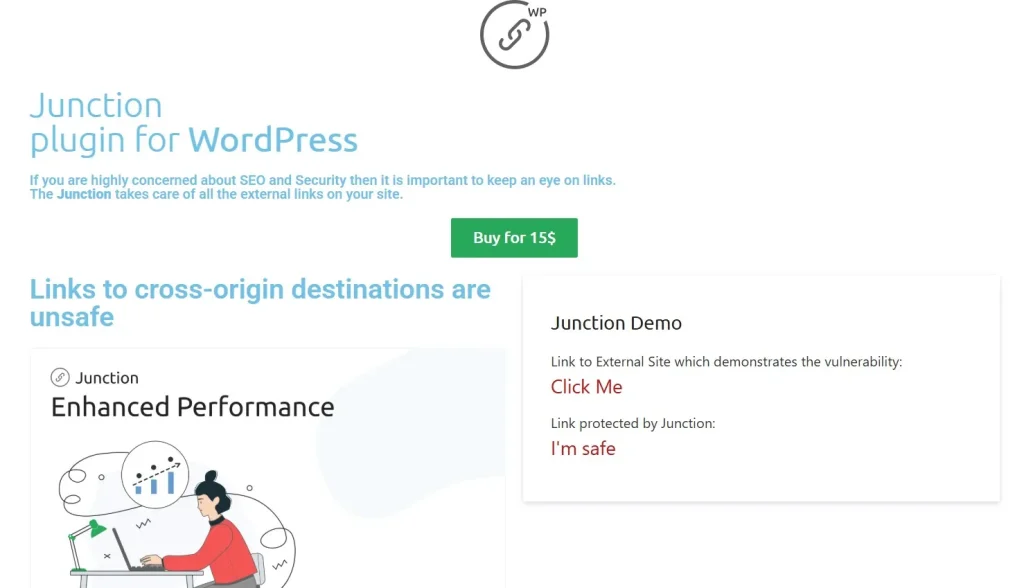
What is Junction?
Junction is a premium WordPress theme built to support the creation of modern, professional websites across a wide range of business and creative uses. It is best understood as a flexible site-building framework rather than a narrow niche theme. Its purpose is to give users a visually polished starting point while still allowing enough customization to adapt the website to different industries, brand styles, and content needs.
At its core, Junction controls the structural and visual layer of a WordPress website. It influences how sections are arranged, how typography and spacing are handled, how visual hierarchy is created, and how visitors move through the site. In practical terms, it helps users organize information into a format that looks intentional rather than improvised.
This matters because most websites are not just collections of pages. They are communication tools. A homepage must introduce the business clearly. Service pages must build understanding and trust. Portfolio or case study sections must show proof of quality. Contact areas must guide the visitor toward action. Junction becomes useful when it helps users create those kinds of page experiences more efficiently than starting from scratch.
The theme is especially suitable for:
- business and corporate websites
- digital agencies and creative studios
- freelancers and consultants
- startup and SaaS-style websites
- portfolio and service-based websites
- marketing-oriented company sites
A practical example helps show its role more clearly. Imagine a small branding agency that needs a website with a confident homepage, service sections, a few case studies, client testimonials, and an inquiry form. A theme like Junction can provide a structure that already supports those pieces. The agency then replaces placeholder content, adjusts the visuals, and focuses on refining the message instead of rebuilding layout logic from zero.
Another example would be a startup launching a new software product. The team may need a homepage, feature overview, pricing section, FAQ, and multiple landing pages. A flexible business theme makes that much easier than trying to adapt a blog-oriented or overly narrow niche theme.
Junction is also useful because it typically supports visual editing workflows through page builder compatibility. That means non-technical users often have more control over layout changes, text updates, and content arrangement without relying entirely on code. For agencies and businesses, that can improve long-term site management.
Another key part of what Junction is comes down to consistency. A website should not feel like a collection of random page styles. The theme provides a more unified design language so different sections feel like part of the same brand system. That is especially important for companies trying to look established and trustworthy.
Finally, Junction should be understood as a productivity tool as well as a design tool. It helps reduce the friction of building a professional WordPress site. Instead of asking users to solve every design and layout question manually, it gives them a stronger base to work from.
Overall, Junction is a versatile WordPress theme that helps businesses and professionals build websites that feel more structured, modern, and scalable.
Key Features of Junction
Junction includes features that support both design quality and practical site-building workflow. These features are valuable because they help users create stronger websites faster, while still leaving room for customization and business-specific structure.
- Pre-built templates and starter layouts
One of the most useful features of Junction is the presence of ready-made layouts or demo-style structures that can serve as a starting point. This is important because beginning from a blank page often slows projects down. A pre-built layout gives users a page structure that already includes common business sections such as hero banners, service blocks, team areas, testimonials, and contact prompts. For example, an agency can import a business-focused layout and then replace the example content with real services, projects, and brand visuals instead of building the page architecture manually. - Drag-and-drop page builder compatibility
Junction becomes much more practical when paired with a visual page builder. This allows users to edit sections, move content blocks, adjust spacing, and build new pages without depending entirely on custom code. That is especially useful for non-technical site owners and marketing teams who need to update content regularly. For example, a startup may want to test a new homepage section or create a short campaign landing page quickly. A page-builder-friendly theme makes this far easier than working through raw templates alone. - Responsive design across devices
A modern theme must perform well on desktop, tablet, and mobile screens. Junction is more valuable when its layouts adapt naturally to different screen sizes. This matters because a large share of traffic now comes from phones. If a site feels polished on desktop but frustrating on mobile, that weakens usability and conversion performance. For example, a business that receives mobile traffic from search or social ads needs its service pages, buttons, and forms to remain clear and accessible on smaller screens. - Advanced customization options
Junction supports branding flexibility by allowing users to adjust colors, typography, layout settings, and other visual elements. This is important because two companies using the same base theme should still be able to look different. A consulting firm may want muted colors and formal typography, while a creative agency may want bolder accents and more expressive section styling. These customization controls help the site feel branded rather than generic. - Structured layout system for different page goals
Not every page has the same purpose. A homepage may need to introduce the business and build trust. A service page may need to explain a process in detail. A landing page may need to focus on one CTA. A portfolio page may need to emphasize visual proof. Junction is useful when it supports these different page roles without making the site feel fragmented. This kind of structural flexibility helps users build more strategic websites rather than repeating the same layout pattern everywhere. - SEO-friendly framework
Although design and content matter most visibly, the technical structure of a theme also affects how well a site can support SEO efforts. Junction is more useful when it provides clean markup, logical structure, and compatibility with SEO plugins. That gives businesses a stronger technical base for optimizing metadata, content hierarchy, and page performance. For example, a local agency targeting service keywords benefits from a site structure that is easier for both users and search engines to understand. - Performance-conscious design
A business website should not just look modern. It should also feel usable. Themes that are overloaded with unnecessary effects or poorly optimized code can slow down the site and hurt engagement. Junction is more valuable when it provides visually modern layouts without becoming excessively heavy. This matters for lead generation, search visibility, and overall trust. A site that loads quickly and behaves smoothly tends to perform better than one that feels sluggish even if the design looks impressive in theory. - Plugin integration and ecosystem compatibility
A practical WordPress theme should work well with common plugins used for forms, SEO, caching, analytics, and sometimes eCommerce or multilingual tools. Junction becomes more useful when it fits naturally into the broader WordPress ecosystem. For example, a business site may rely on contact forms, analytics tracking, lead capture tools, or page performance plugins. Theme compatibility helps avoid friction as the site grows.
Benefits of Using Junction
One of the strongest benefits of using Junction is efficiency. A well-structured theme reduces the amount of time needed to move from idea to live site. Instead of solving every design and layout problem independently, users can begin from a stronger framework. That helps businesses launch faster, agencies deliver projects more efficiently, and freelancers spend more time refining message and visuals rather than rebuilding common sections repeatedly.
Another major benefit is improved design consistency. A website often feels more professional when all of its pages share a clear visual language. Junction supports that by giving users a theme-level design structure that ties pages together. This matters for trust. A site that feels cohesive looks more credible than one assembled from unrelated design fragments.
Junction also improves usability for site owners. A theme that supports visual editing and flexible layout control is easier to manage over time. This matters after launch, when businesses need to update services, add landing pages, publish content, or change messaging. For example, if a company wants to introduce a new service line, a manageable theme makes it easier to add a new page that still feels consistent with the rest of the site.
There is also a branding benefit. Because Junction supports color, typography, and layout customization, it allows businesses to shape the theme around their brand rather than forcing the brand to fit the demo look. This is especially useful for service businesses, agencies, and startups that need a website to reflect a specific personality or market position.
Another benefit is scalability. A theme that works only for the launch version of the site has limited long-term value. Junction becomes more useful when it can support growth. A site may start with a homepage, about page, and contact form, then later expand into a blog, multiple landing pages, service breakdowns, or portfolio areas. A flexible theme supports that growth without requiring an early redesign.
Junction can also improve the visitor experience. A cleaner, more structured website helps users understand the business more quickly. They can find services, evaluate trust signals, and navigate to the next step with less confusion. For example, a well-organized homepage may reduce bounce rate simply because visitors can understand the offer faster.
There is also a cost-effectiveness benefit. Custom design and development can be expensive, especially for smaller businesses or growing agencies. A high-quality theme can deliver a professional outcome at a much lower cost, while still allowing enough flexibility to avoid looking generic.
Finally, Junction helps reduce friction in collaboration. Agencies, clients, and internal teams often need a site that can be updated without constant developer involvement. A more manageable theme makes that easier and can reduce long-term maintenance pressure.
How to Install Junction
Installing Junction is generally a standard WordPress theme process, but getting the best result depends on setting it up thoughtfully rather than only activating it quickly.
The most common installation method is through the WordPress dashboard. First, download the Junction theme ZIP file. Then log in to your WordPress admin panel and go to Appearance > Themes. Click Add New, then choose Upload Theme. Select the ZIP file from your computer and click Install Now. Once the upload and installation finish, click Activate. This makes Junction the active theme on your site.
After activation, the next important step is installing any required or recommended plugins. Many premium themes depend on page builders, demo import tools, or companion plugins for full functionality. If Junction includes demo content or relies on a visual builder, install those tools before attempting deep customization. This helps ensure the imported layouts and features work properly.
If demo import is available, it is often the fastest way to begin. For example, if you are building an agency website, importing an agency-style demo gives you a structured homepage, service sections, portfolio blocks, and contact prompts immediately. You can then replace the demo content with your own branding, messaging, and images rather than designing every section from scratch.
Manual installation is also possible if needed. Extract the theme ZIP file on your computer and upload the theme folder to the wp-content/themes directory using an FTP client. Then return to the WordPress dashboard, go to Appearance > Themes, and activate Junction from there. This is useful if server settings make dashboard uploads difficult.
After the theme is live, configure the core settings. Upload your logo, assign menus, set the homepage, adjust typography and color options, and define your site identity. Then begin replacing placeholder content with real content. Start with the most important pages first: homepage, services, about, contact, and any key landing pages.
It is also smart to test the site across devices early in the process. A theme may look strong on desktop, but mobile adjustments often need review. Check how the homepage behaves on phones, whether buttons remain clear, and whether spacing feels comfortable on smaller screens.
A good setup process is not only about making the theme active. It is about shaping the structure to match the real business goal of the site.
Why Buy Junction at Pluginpro.org
Buying Junction at Pluginpro.org offers several practical advantages for WordPress users, agencies, and businesses. One of the most obvious benefits is cost savings. Premium themes can become expensive, especially if you manage multiple sites or work within a limited budget. Pluginpro.org helps make the theme more accessible by offering the opportunity to save up to 95% compared to the original price.
Another important advantage is access to 100% clean files. This matters because any theme installed on a live business website should come from a source that users can trust. Clean files help reduce the risk of malware, compromised packages, or hidden code that could create security or performance issues.
Unlimited website usage is another strong benefit. Agencies and freelancers often need to use a theme across multiple client projects. Entrepreneurs may also operate several brands or sites. A licensing approach that offers broader usage provides much better long-term value than buying the same theme repeatedly for each project.
Pluginpro.org also offers easy updates, which is important because WordPress sites evolve. Themes need to stay compatible with changing versions of WordPress, page builders, and plugins. Easier update access helps support stability and reduces the chance that the theme becomes difficult to maintain later.
Finally, secure downloads improve trust in the purchasing process. Users need confidence that the files they receive are safe, complete, and ready to install. This matters especially when the theme is being used on client or business-critical websites.
For users who want a flexible WordPress theme with better value for money, Pluginpro.org provides a compelling option.
Conclusion
Junction is a practical and flexible WordPress theme for businesses, agencies, freelancers, startups, and other users who need a modern website without the cost of a fully custom build. It provides a stronger foundation than a generic theme by combining polished design, structural flexibility, visual editing compatibility, and a more scalable framework for growth.
Its value becomes clear in real-world use. It can support service pages, landing pages, portfolio presentations, business messaging, and evolving site needs without forcing users into a rigid layout pattern. Features such as pre-built templates, customization options, responsive design, SEO-friendly structure, and plugin compatibility make it more than just a visual shell. It becomes a working system for building professional websites more efficiently.
The benefits are equally meaningful. Faster development, stronger branding consistency, easier long-term management, improved visitor experience, and reduced development cost all make Junction a smart theme choice for many WordPress projects.
When purchased through Pluginpro.org, Junction becomes even more attractive because of the substantial cost savings, clean files, unlimited website usage, easy updates, and secure downloads.
For anyone looking to build a modern, professional, and adaptable WordPress website, Junction is definitely worth serious consideration.



