
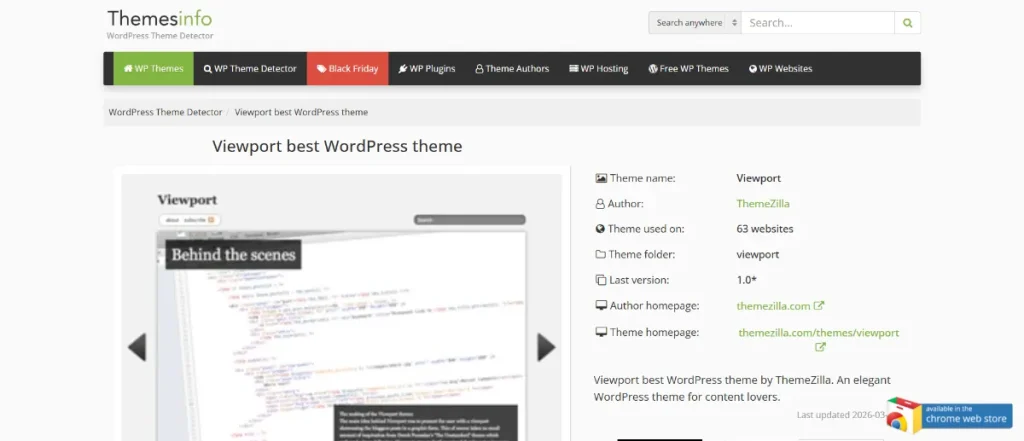
In today’s highly visual digital landscape, the way creative work is presented online can directly influence perception, engagement, and ultimately, business success. For photographers, designers, filmmakers, illustrators, and creative agencies, a standard website layout is often not enough. These professionals require a platform that elevates their work, removes distractions, and delivers an immersive experience to visitors. This is where Viewport Theme – Themezilla becomes a highly valuable WordPress solution.
Viewport Theme is specifically designed for visual storytelling. Unlike multi-purpose themes that try to serve every industry, this theme focuses on one core goal: showcasing creative work in the most impactful way possible. It uses fullscreen layouts, clean navigation, and minimal design elements to ensure that content remains the focal point.
Another key advantage of Viewport Theme is its balance between simplicity and sophistication. Users do not need advanced technical knowledge to create a professional portfolio, yet the final result can compete with high-end custom-built websites. This makes it suitable for both beginners and experienced developers.
In practical terms, Viewport Theme allows creatives to present their work in a way that feels modern, engaging, and professional. Whether you are building a personal portfolio, a studio website, or a client showcase platform, the theme provides the structure needed to deliver a strong first impression.
In this article, we will explore what Viewport Theme – Themezilla is, examine its key features in depth, analyze its practical benefits, guide you through the installation process, and explain why purchasing it from Pluginpro.org is a smart and cost-effective decision.
What is Viewport Theme – Themezilla?
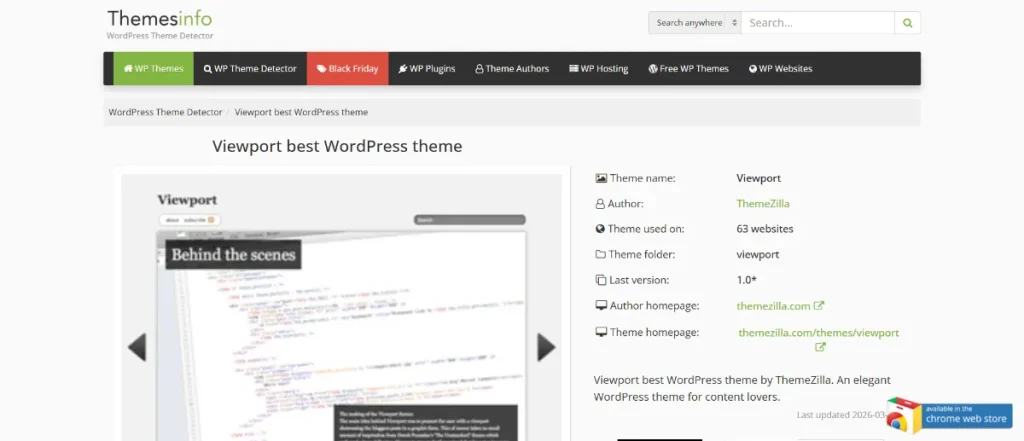
Viewport Theme – Themezilla is a premium WordPress theme designed specifically for creatives who want to present visual content in a clean, immersive, and professional format. It is not a generic theme; instead, it is purpose-built for portfolios and visual storytelling, where images and videos are the primary focus.
At its core, Viewport Theme uses fullscreen layouts to create an engaging viewing experience. Rather than placing content inside small containers or cluttered grids, it allows visuals to take up the entire screen. This design approach is particularly effective for high-quality photography, cinematic video content, and detailed design projects.
The theme is ideal for a wide range of users. Photographers can use it to showcase galleries and client shoots. Designers can present branding projects, UI/UX case studies, or creative campaigns. Videographers can display reels and film projects in a cinematic format. Agencies can use it to build a portfolio that communicates professionalism and creative capability.
A practical example would be a wedding photographer who wants to impress potential clients. Using Viewport Theme, they can create a homepage that immediately displays a fullscreen slideshow of their best work. Visitors can then browse individual wedding projects, each presented as a visual story. This type of presentation is far more impactful than a standard blog-style layout.
Another example is a creative agency presenting branding projects. Instead of listing projects with text-heavy descriptions, the agency can showcase visuals first, followed by supporting details. This aligns with how creative work is typically evaluated—visually first, then context.
Viewport Theme also integrates smoothly with WordPress’s built-in content system, making it easy to manage projects, upload media, and organize portfolios. This ensures that even non-technical users can maintain and update their websites efficiently.
In summary, Viewport Theme – Themezilla is a specialized WordPress theme designed to help creatives present their work in a visually compelling, professional, and user-friendly way.
Key Features of Viewport Theme – Themezilla
Viewport Theme includes a range of features specifically tailored to enhance visual presentation and user experience. These features are not only visually appealing but also highly practical in real-world use.
Fullscreen Portfolio Layouts
- One of the defining features of Viewport Theme is its fullscreen portfolio layout. This allows images and videos to occupy the entire screen, creating a cinematic and immersive viewing experience. Unlike traditional layouts that divide the screen into multiple sections, fullscreen presentation ensures that the viewer’s attention is fully focused on the content.
- This feature is particularly valuable for photographers and videographers. For example, a travel photographer can showcase landscapes in high resolution, allowing viewers to appreciate details such as lighting, composition, and color. This level of immersion enhances the emotional impact of the work.
- Fullscreen layouts also contribute to a premium feel. Websites that use this style often appear more modern and high-end, which can improve how potential clients perceive your brand.
Slideshow and Gallery Support
- Viewport Theme includes built-in slideshow functionality, enabling users to present multiple images within a single project. Slideshows can be configured to autoplay or allow manual navigation, giving flexibility in how content is displayed.
- This feature is ideal for storytelling. For example, a photographer can present a wedding shoot as a sequence of images, guiding viewers through the event from start to finish. This creates a narrative experience rather than just displaying random images.
- Galleries are also optimized for smooth navigation. Visitors can easily browse through collections without confusion, which increases engagement and encourages them to explore more content on the site.
Minimalist Design Approach
- The minimalist design of Viewport Theme ensures that unnecessary elements are removed, allowing the content to stand out. This includes clean typography, simple navigation, and the absence of cluttered sidebars.
- Minimalism is especially important for creative portfolios because it prevents distractions. When users visit a portfolio, their primary goal is to view the work, not navigate through complex menus or excessive content.
- This approach also improves loading speed and usability. A clean design typically requires fewer resources, resulting in better performance and a smoother user experience.
Responsive and Mobile-Friendly Design
- Viewport Theme is fully responsive, meaning it adapts to different screen sizes and devices. Whether a visitor is using a desktop, tablet, or smartphone, the website will maintain its visual integrity and functionality.
- Mobile optimization is critical because a significant portion of users browse websites on mobile devices. Viewport ensures that images scale properly, navigation remains intuitive, and content is easy to access.
- For example, a potential client browsing a portfolio on their phone can still view fullscreen images, navigate galleries, and contact the creator without any issues. This improves accessibility and user satisfaction.
Customization Options
- While Viewport Theme emphasizes simplicity, it still offers customization options that allow users to tailor their website to their brand. This includes adjusting colors, fonts, and layout settings.
- For instance, a photographer specializing in luxury weddings might choose elegant typography and neutral color tones, while a graphic designer might opt for bold colors and modern fonts.
- Advanced users can further customize the theme using CSS or additional plugins, making it flexible enough for both beginners and developers.
SEO and Performance Optimization
- Viewport Theme is built with clean code and optimized structure, which supports better performance and SEO. Fast loading times and proper HTML markup help improve search engine visibility.
- The theme is compatible with popular SEO plugins, allowing users to optimize metadata, keywords, and content effectively.
- For creative professionals, this means their portfolio is not only visually impressive but also discoverable by potential clients searching online.
Easy Content Management
- Viewport Theme integrates seamlessly with WordPress, allowing users to manage content through a familiar interface. Projects can be added, edited, and organized easily.
- This simplifies workflow, especially for users who frequently update their portfolio. For example, a freelancer can quickly upload new work after completing a project.
- Easy content management reduces the need for technical support, making the theme more practical for independent creatives.
Benefits of Using Viewport Theme – Themezilla
Viewport Theme offers several practical benefits that make it a strong choice for creative professionals.
One of the most important benefits is enhanced visual presentation. The fullscreen design ensures that work is displayed in the best possible way, which is critical for attracting clients. A well-presented portfolio can significantly influence a visitor’s perception of quality and professionalism.
Another key benefit is improved user engagement. The immersive layout encourages visitors to spend more time exploring content. When users can easily navigate through projects and enjoy a smooth browsing experience, they are more likely to stay on the site longer.
Viewport Theme also helps build a strong brand identity. A clean and modern website reflects professionalism and attention to detail. This is particularly important in competitive industries where first impressions matter.
From a usability perspective, the theme is easy to manage. Users can update content, add new projects, and customize design elements without needing advanced technical skills. This reduces maintenance costs and makes it easier to keep the website up to date.
Additionally, the responsive design ensures accessibility across devices, while SEO-friendly structure supports better search visibility. Together, these benefits contribute to a more effective and professional online presence.
How to Install Viewport Theme – Themezilla
Installing Viewport Theme is a simple process, but following the correct steps ensures optimal performance.
Install via WordPress Dashboard
Start by logging into your WordPress admin panel. Navigate to “Appearance” and then “Themes.” Click “Add New” and select the upload option. Choose the Viewport Theme ZIP file and click “Install Now.”
After installation, click “Activate” to enable the theme. You may then need to install recommended plugins that enhance functionality.
Next, import demo content if available. This provides a ready-made structure that you can customize with your own images and text. Adjust settings such as menus, colors, and typography to match your brand.
Finally, test your website on different devices to ensure everything is working correctly.
Manual Installation
For manual installation, download and extract the theme files. Use an FTP client to upload the theme folder to the “/wp-content/themes/” directory.
After uploading, go to your WordPress dashboard, navigate to “Appearance” > “Themes,” and activate the theme. Then proceed with customization and setup.
Manual installation is useful for advanced users or when dealing with file upload limitations.
Why Buy Viewport Theme – Themezilla at Pluginpro.org
Buying Viewport Theme from Pluginpro.org offers significant advantages for WordPress users.
First, you can save up to 95% cost, making it a highly affordable option compared to original marketplaces. This is especially beneficial for freelancers and agencies working with multiple projects.
Second, Pluginpro.org provides 100% clean files, ensuring safety and reliability. This reduces the risk of malware or security issues.
Third, unlimited websites usage allows users to apply the theme across multiple projects without additional costs. This is ideal for developers and agencies.
Fourth, easy updates ensure compatibility with the latest WordPress versions, maintaining performance and security.
Finally, secure downloads provide fast and reliable access to files, supporting efficient workflow.
Conclusion
Viewport Theme – Themezilla is a powerful solution for creatives who want to showcase their work through a visually immersive and professional website. Its fullscreen layouts, minimalist design, and responsive structure make it ideal for portfolios.
The theme enhances presentation, improves user engagement, and supports SEO and performance. It is easy to use, flexible, and suitable for a wide range of creative professionals.
When combined with the affordability and reliability of Pluginpro.org, Viewport Theme becomes an excellent investment. For anyone looking to build a high-quality creative portfolio on WordPress, this theme is a strong and practical choice.



