Building a video-based website on WordPress presents a unique set of challenges. Unlike text-based blogs or simple eCommerce stores, video platforms must handle heavier media, organize large content libraries, and maintain fast performance across devices. If the structure is not well designed, users struggle to find content, pages load slowly, and engagement drops quickly.
Videospire is created specifically to address these challenges. It is a WordPress theme built for video-centric websites, where content is not just displayed but organized and delivered in a way that keeps users engaged.
What sets Videospire apart is its focus on both usability and scalability. It is not just about embedding videos into pages. It is about building a structured video platform where users can browse categories, follow playlists, and discover new content naturally.
In practice, this becomes critical for websites with growing video libraries. A small blog with a few videos can rely on basic layouts, but once content scales to dozens or hundreds of videos, organization and navigation become essential.
For example, an online educator publishing weekly lessons needs a system that groups videos into courses. A content creator managing multiple niches needs a way to categorize videos clearly. A media website requires fast loading and structured browsing to keep users engaged.
Videospire provides the framework for all of these scenarios. It allows users to build video websites that are not only visually appealing but also practical for long-term growth.
What is Videospire?
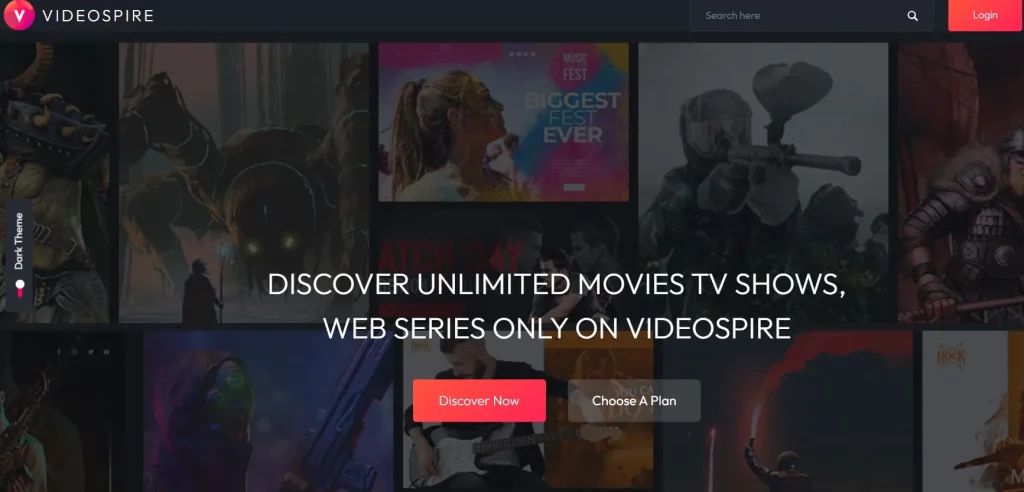
Videospire is a premium WordPress theme designed specifically for creating and managing video-based websites with structured layouts, optimized performance, and advanced content organization.
At its core, Videospire acts as a content management system tailored for video. While WordPress already supports media, it does not inherently provide a strong structure for large video libraries. Videospire fills that gap by introducing layouts and features designed around video consumption.
A clear definition: Videospire is a WordPress theme that transforms a standard website into a structured video platform.
It is particularly suitable for:
- Video bloggers and YouTubers building their own platforms
- Online educators offering structured courses
- Media websites publishing video content regularly
- Businesses using video for marketing or training
In real-world usage, video websites require more than playback functionality. Users expect to browse categories, search efficiently, and discover related content.
For example, consider a tutorial website focused on digital marketing. Without proper structure, users would struggle to find specific lessons. With Videospire, videos can be grouped into categories such as SEO, ads, and content marketing, making navigation intuitive.
Another example is a content creator who wants to reduce dependence on third-party platforms. By using Videospire, they can build a branded video hub where they control content presentation and user experience.
Videospire does not replace video hosting platforms. Instead, it integrates with them while providing a structured front-end experience.
Key Features of Videospire
- Video-Centric Design Layouts
Videospire is designed from the ground up for video presentation. Layouts prioritize thumbnails, titles, and metadata in a way that mirrors how users naturally browse video platforms.
In practice, this improves usability. Users can quickly scan through content and identify what they want to watch without reading long descriptions.
- Multi-Source Video Integration
The theme supports videos from platforms like YouTube, Vimeo, and self-hosted sources.
This flexibility is important for creators managing content across different platforms. For example, free content can be hosted on YouTube, while premium content is stored privately.
- Advanced Content Organization
Videospire includes category, tag, and playlist systems tailored for video.
For large websites, this is essential. A viewer can navigate from a category page to a playlist, then continue watching related videos without confusion.
- Playlist and Series Management
Videos can be grouped into logical sequences.
This is particularly useful for educational content. For example, a course can be divided into modules, each containing multiple lessons.
- Responsive and Mobile Optimization
All layouts are optimized for mobile devices.
In real scenarios, a large percentage of video consumption happens on mobile. Videospire ensures that playback, navigation, and layout remain smooth across all screen sizes.
- Performance Optimization for Video Content
Video-heavy websites can easily become slow. Videospire is optimized to handle media efficiently.
This includes optimized loading structures that reduce delays and improve overall user experience.
- Custom Homepage Layouts
Users can design homepages that highlight featured videos, trending content, or specific categories.
For example, a media site can display breaking content at the top while showing popular videos below.
- Related Videos and Discovery Features
Videospire includes features that suggest related content.
This increases engagement by encouraging users to continue watching. In practice, this leads to longer session times.
- SEO-Friendly Structure for Video Content
The theme uses clean code and structured data to improve search visibility.
This helps video pages appear in search results, increasing organic traffic.
- Monetization and Ad Integration
Videospire supports ad placements within video pages.
This allows content creators to generate revenue through ads, sponsorships, or premium content.
Benefits of Using Videospire
Videospire delivers practical benefits that directly impact content performance and user engagement.
From a user experience perspective, it simplifies navigation. Visitors can quickly find videos through categories, playlists, and search features. This reduces frustration and increases retention.
Performance is another major advantage. Video websites often struggle with speed, but Videospire is optimized to handle media efficiently. Faster loading times lead to better engagement.
Content organization becomes significantly easier. Instead of managing videos as isolated posts, users can structure them into logical systems. This is especially useful for educational platforms.
For content creators, Videospire provides independence. It allows them to build their own platform instead of relying entirely on external services.
For businesses, it creates a professional environment for video marketing or training. A structured video library improves credibility and usability.
Real Use Cases of Videospire
Videospire supports a wide range of practical applications.
For online education, it can be used to build course platforms. Videos are grouped into lessons and modules, making learning structured and accessible.
Content creators use it to build personal video hubs. Instead of sending users to external platforms, they can keep traffic on their own website.
Media companies use Videospire to manage large video libraries. Categories and playlists make it easier for users to explore content.
Businesses use it for internal training systems. Employees can access organized video content for onboarding or skill development.
Another example is niche content websites. A fitness website, for instance, can organize videos into workout categories, making it easier for users to follow programs.
How to Install Videospire
Installing Videospire is a straightforward process.
Step 1: Download the Theme
Obtain the Videospire ZIP file.
Step 2: Upload the Theme
Go to WordPress dashboard → Appearance → Themes → Add New → Upload Theme.
Step 3: Activate the Theme
Activate Videospire after installation.
Step 4: Install Required Plugins
Install recommended plugins for full functionality.
Step 5: Import Demo Content
Use demo import to load a pre-built layout.
Step 6: Customize Settings
Adjust layout, colors, and typography.
Step 7: Add Video Content
Upload or embed videos and organize them.
Step 8: Optimize Performance
Test loading speed and optimize settings.
Step 9: Launch Website
Once everything is configured, publish your site.
Why Buy Videospire at Pluginpro.org
Purchasing Videospire from Pluginpro.org offers several practical advantages that go beyond simple cost savings. It directly affects how efficiently you can build, manage, and scale your video website.
One of the most significant benefits is the ability to save up to 95% of the original cost. For individual creators or small teams, this removes a major financial barrier. Instead of investing heavily upfront, you can allocate budget toward content creation or marketing.
File quality is another critical factor. Pluginpro.org provides 100% clean files, ensuring that the theme is safe, functional, and free from hidden issues. For video websites handling high traffic, reliability is essential.
Unlimited website usage creates strong long-term value. For example, a content creator running multiple niche video sites can use Videospire across all of them without additional licensing costs. Similarly, agencies can deploy the theme across multiple client projects.
Updates are easy to access and manage. Pluginpro.org provides updated versions, helping you maintain compatibility with WordPress and related plugins. This is especially important for video websites where performance and stability must remain consistent.
Secure downloads ensure that files are delivered safely. This reduces the risk of installation errors and saves time during setup.
Consider a real scenario: an agency building video platforms for three different clients. Instead of purchasing three separate licenses, they can use Videospire from Pluginpro.org across all projects. This reduces cost while maintaining consistent design quality.
Another example is a creator testing different content strategies. They can launch multiple sites, experiment with layouts, and refine their approach without worrying about licensing restrictions.
Overall, Pluginpro.org simplifies access to premium tools, allowing users to focus on building and optimizing their video platforms.
Is Videospire Worth It?
Videospire is worth it for anyone who treats video as a core part of their content strategy.
It is especially valuable for creators and businesses managing large video libraries. The theme provides structure, performance, and flexibility that are difficult to achieve with generic WordPress themes.
The value becomes clear when content starts to scale. Without proper organization, video websites quickly become difficult to navigate. Videospire solves this by providing built-in systems for categories, playlists, and discovery.
For example, an educator offering multiple courses can organize lessons clearly, improving the learning experience. A content creator can keep users engaged longer by guiding them through related videos.
It is also a strong choice for businesses using video for marketing. A structured video hub improves credibility and helps communicate information more effectively.
For agencies, Videospire offers long-term value through reusability. It can be adapted for different clients while maintaining consistent performance.
If your goal is to build a professional, scalable video website without complex development, Videospire provides a practical and reliable solution.
Conclusion
Video content requires more than simple embedding. It needs structure, speed, and thoughtful design to deliver a smooth and engaging experience.
Videospire provides a complete framework for building video-focused websites on WordPress. It combines content organization, performance optimization, and flexible design into a single solution.
From educational platforms to media websites and personal video hubs, the theme supports a wide range of use cases while maintaining usability and scalability.
For anyone looking to create a reliable and engaging video platform, Videospire offers a solid foundation that supports both immediate needs and long-term growth.