
UsersWP is a WordPress plugin built to solve one of the most common limitations in standard WordPress websites: weak user profile management. Out of the box, WordPress handles users in a very basic way. It allows registration, login, and role assignment, but it does not provide the kind of polished frontend experience that modern membership sites, community platforms, directories, and multi-user websites usually need. UsersWP fills that gap by turning the default user system into something more practical, more flexible, and much easier to scale.
That matters because many websites today depend on user participation. A business directory may need public member profiles. A community site may need user bios, avatars, and account pages. A membership website may need frontend registration and profile editing without exposing users to the WordPress dashboard. In all of these cases, the default setup is not enough. Site owners often end up combining several plugins or custom code just to create a basic user experience.
In practice, UsersWP simplifies that entire process. It gives you user registration forms, login tools, account pages, public profiles, user directories, and customizable profile fields in one system. Instead of forcing users into the backend, it allows them to manage their accounts from the frontend of your site. This creates a more professional experience and gives site owners much more control over how members appear and interact.
For agencies, developers, and business owners, that combination is especially useful. You can launch a user-driven website much faster, avoid unnecessary development work, and still retain enough flexibility to shape the site around your goals. Whether you are building a niche community, a directory of professionals, a marketplace with seller profiles, or a membership platform with personalized accounts, UsersWP provides a strong starting point.
What is UsersWP?
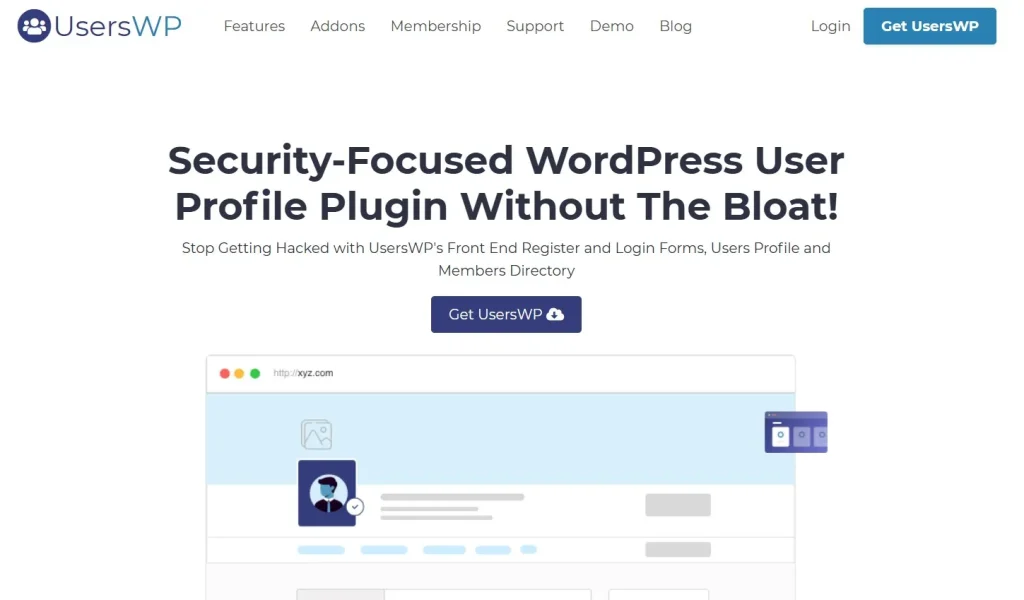
UsersWP is a WordPress plugin that extends the default user management system by adding frontend registration, customizable user profiles, public profile pages, and searchable user directories. It is designed for websites where user identity, account management, and profile presentation play an important role in the overall experience.
At a practical level, UsersWP transforms WordPress users from simple backend records into fully usable frontend profiles. Normally, WordPress users are mostly managed through the admin interface, which is not ideal for public-facing websites. UsersWP changes that by giving each user a profile structure that can include custom information such as biography, location, website links, skills, contact details, or any other fields the site owner wants to collect.
Who should use UsersWP? It is a strong fit for membership sites, online communities, social-style platforms, professional directories, business directories, educational portals, and marketplaces. It also works well for any project where users need to register, manage their profile, and appear publicly on the site in a structured way.
A common use case is a membership platform for coaches, consultants, or professionals. Each person can register, upload a profile image, write a short bio, and manage their public details from their account area. Visitors can then browse those profiles through a directory. Another example is a local business association website. Members can have public profile pages with their company name, industry, contact details, and description, while administrators manage membership rules in the background.
UsersWP is also useful when you want to avoid exposing the WordPress admin dashboard to regular users. On many sites, sending ordinary members into the backend creates confusion and makes the experience feel unfinished. UsersWP keeps that interaction on the frontend, which feels cleaner and more aligned with a professional web platform.
Another important point is flexibility. UsersWP does not lock you into a single type of site. A simple membership site can use only registration and profile features. A larger project can combine public profiles, directories, custom fields, and role-based logic to create a much more advanced user system. That is what makes the plugin valuable across different industries and project sizes.
Key Features of UsersWP
- Frontend registration and login forms
UsersWP allows users to register and log in from the frontend of your website instead of using the default WordPress login screen. This may sound like a small detail, but it changes the user experience significantly. A branded frontend login form feels more professional and reduces confusion, especially for non-technical users. For example, a membership site can offer a custom registration page that matches the site design and guides users clearly through the signup process. - Customizable user profiles
One of the most useful features in UsersWP is the ability to create profile pages with custom fields. Site owners are not limited to a username and email address. They can collect and display information that actually matters for the website’s purpose. A job-focused community might ask for skills, experience, and portfolio links. A business directory might need company name, phone number, address, and service area. This flexibility makes the plugin work across a wide range of use cases. - Public profile pages
UsersWP can generate public-facing profile pages for registered users. This is especially important for communities, directories, and marketplaces. Instead of users being hidden behind the admin system, they become visible site entities. For instance, on a local expert directory, each professional can have a profile page that visitors can browse, review, and contact. This adds real content value to the site and turns user data into searchable frontend assets. - User directory system
The plugin includes a user directory feature, which allows site owners to display registered members in a browsable listing. This is one of the core reasons many people choose UsersWP. A directory can help visitors discover people based on profile data, location, profession, or other filters depending on the site setup. In practice, this makes UsersWP useful for networking sites, association websites, team directories, community listings, and marketplaces with vendor profiles. - Custom profile fields
Standard WordPress user fields are limited, but UsersWP allows administrators to add custom fields that match their needs. This is critical because different projects require different user data. A tutor marketplace might need hourly rate and subject expertise. A local business network might need industry category and company size. A content community might need social media links and author bio. Custom fields make profiles more relevant and more useful to visitors. - Frontend account editing
Users can manage and update their own profile details from the frontend. This improves usability and reduces administrative overhead. Without frontend editing, site owners often end up making manual profile changes on behalf of users. With UsersWP, members can log in, update their photo, adjust contact information, revise their bio, and keep their public details current. That is especially valuable for directories where outdated information quickly reduces trust. - Role-based behavior
WordPress already supports user roles, and UsersWP can work within those structures to support more organized account systems. Different user types may need different permissions or profile treatments. For example, a site may have regular members, premium members, and administrators. A marketplace might distinguish between buyers and sellers. Role-based logic helps site owners build a more intentional user experience instead of treating all accounts the same way. - Profile-related page generation
UsersWP helps create essential user-related pages such as registration, login, account, and profile pages. This reduces setup time and makes site structure easier to organize. Instead of designing these pages manually from the beginning, site owners can start with a functional system and then style or customize it as needed. - Responsive user experience
Modern websites need account and profile pages that work well on mobile devices. UsersWP is designed to display registration forms, profile pages, and directories in a way that remains usable across screen sizes. This is important because many users now create accounts or manage profiles from phones rather than desktops. A professional user system cannot afford to break on mobile. - Integration-friendly design
UsersWP works well with other WordPress plugins and can be extended for broader functionality. That matters because many user-based websites need more than profiles alone. They may also need memberships, payments, messaging, bookings, social tools, or content restrictions. A plugin that integrates well into the broader WordPress ecosystem is much more useful in real-world projects than one that tries to do everything alone but conflicts with other tools.
Benefits of Using UsersWP
One of the biggest benefits of UsersWP is improved user experience. People expect websites to offer clean registration, simple login, and easy account management. They do not want to see the default WordPress backend unless they are administrators or editors. UsersWP keeps user interaction on the frontend, which feels more polished and reduces confusion.
Another major benefit is speed of implementation. Building a custom user system from scratch takes time. Even using multiple separate plugins can create a fragmented setup that is hard to maintain. UsersWP combines key user management functions into one practical foundation. That means site owners, freelancers, and agencies can launch faster without sacrificing too much flexibility.
The plugin also improves content value. On websites with public user profiles, registered members become part of the site’s visible content. This is especially important for directories, communities, and marketplaces. Instead of user accounts being hidden in the database, they create pages that can be browsed and organized. In practice, that can increase engagement and make the site more useful to visitors.
Workflow efficiency is another benefit. Administrators do not need to manage every user profile detail manually. When users can register, update their information, and manage their public presence themselves, the platform becomes easier to scale. This matters a lot as a website grows from dozens of members to hundreds or thousands.
UsersWP also supports business flexibility. The same plugin can work for very different projects. One site may need a simple member directory. Another may use profiles for coaches or consultants. Another may build a vendor system for a marketplace. This broad usefulness gives the plugin stronger long-term value.
There is also a branding advantage. A frontend account system looks more professional than a default WordPress backend experience. For businesses that want users to trust the platform, visual consistency matters. Keeping login, registration, and profiles aligned with the site’s design makes the overall experience feel more deliberate and more credible.
Real Use Cases of UsersWP
A membership website is one of the most common use cases for UsersWP. Members can create accounts, log in through branded forms, and update their profile information from the frontend. This works well for coaching communities, educational portals, premium content sites, and nonprofit member organizations.
A professional directory is another strong example. Imagine a website listing lawyers, consultants, therapists, or freelancers. Each registered member can create a public profile with professional details, contact information, experience, and profile photo. Visitors can then browse or search those profiles to find the right person.
UsersWP is also useful for community-based platforms. A niche interest website can allow members to build profiles, upload avatars, and appear in a public directory. This creates a stronger sense of belonging and makes the site feel more interactive than a standard content-only blog.
Marketplaces can use UsersWP for seller profiles. Vendors or service providers can manage their details and present themselves publicly. Even if the actual selling functionality comes from another plugin, UsersWP can handle the user identity layer cleanly.
Educational websites are another practical fit. Tutors, instructors, or students may each need profiles depending on how the platform is structured. A site that connects learners with instructors can use UsersWP to display teacher bios, specialties, and credentials in a consistent format.
Agencies can use UsersWP repeatedly across client projects. Instead of rebuilding account systems for every membership or directory site, they can use the plugin as a standard foundation and customize the design and fields based on the client’s niche.
How to Install UsersWP
Installing UsersWP is straightforward, but a thoughtful setup process will help you get much better results.
Start by downloading the UsersWP plugin file from your source. Before installation, make sure your WordPress site is updated and running on stable hosting. User-based websites often depend on reliable login, form handling, and account sessions, so starting with a solid environment is important.
Next, go to your WordPress dashboard, open Plugins, and click Add New. Upload the UsersWP ZIP file, install it, and activate the plugin. Once activated, UsersWP will usually add its own settings area and may help generate essential pages such as login, registration, account, and user profile pages.
After activation, review the general settings. Decide whether registration is open to all users, what fields are required at signup, and which profile fields should appear publicly. This step matters because the structure of the user system should reflect the purpose of the website. A professional directory needs different profile fields than a private membership club.
Then configure your profile fields. This is one of the most important parts of the setup. Think carefully about what information users should provide. Keep it useful, not excessive. If you ask for too little, profiles may feel weak. If you ask for too much, users may abandon the signup process. For example, a freelancer directory may need industry, portfolio URL, location, and a short introduction, but not twenty different optional fields.
Once the fields are ready, style the core pages so they match your site branding. The frontend login and registration pages should feel like part of the website, not a disconnected tool. Then test the entire workflow. Create a test account, confirm registration works properly, log in, edit the profile, and view the public profile page.
If you plan to use the user directory, test that as well. Check how user listings appear, whether profile data displays correctly, and how the layout works on mobile devices. In practice, the setup phase is where a good user system becomes either smooth and credible or confusing and incomplete, so testing matters a lot.
Why Buy UsersWP at Pluginpro.org
Buying UsersWP at Pluginpro.org can be a practical option for users who want strong value while building membership sites, directories, or community platforms. One of the clearest advantages is pricing. You can save up to 95% compared to standard official pricing, which is especially attractive for freelancers, agencies, startups, and website owners managing multiple projects.
That lower cost becomes even more important when user-focused websites are part of your regular workflow. Agencies often build directories, membership systems, or community features for different clients, and plugin costs can add up quickly. A more cost-effective source makes repeated deployment much easier on the budget.
Another major benefit is access to 100% clean files. This is especially important for plugins that affect registration, account management, and public user pages. Clean files reduce security concerns and help make the installation process more stable and trustworthy.
Unlimited website usage is another strong advantage. If you run several websites or manage multiple client projects, being able to use the plugin broadly can simplify planning and reduce ongoing licensing stress. This is useful not only for agencies but also for businesses operating multiple brands or regional websites.
Easy updates also add value. WordPress websites change over time, and compatibility matters. A user management plugin touches important parts of the site experience, so keeping it aligned with newer WordPress versions is essential. Access to updates helps reduce maintenance problems later.
Secure downloads complete the package. Reliable file delivery makes installation more dependable and lowers the risk of corrupted or incomplete plugin files. For professionals building websites that rely heavily on user experience, that reliability matters.
Overall, Pluginpro.org makes UsersWP more accessible for users who want to build robust user systems without paying full premium pricing on every project.
Is UsersWP Worth It?
UsersWP is worth it for websites that need more than the default WordPress user system. If your users need frontend registration, profile editing, public profile pages, or directory-style visibility, the plugin brings clear practical value.
It is especially useful for membership platforms, business directories, community sites, and marketplaces where user identity is part of the site’s core function. In those cases, relying on standard WordPress user pages usually feels incomplete and unprofessional. UsersWP solves that problem directly.
The plugin is most valuable when you want a balance between ease of setup and long-term flexibility. It gives you a ready-made system for profiles and account pages, but still leaves room to customize the site around your niche.
For simple blogs that do not depend on user interaction, UsersWP may be unnecessary. But for any project where users are central to the platform, it is a strong investment.
Conclusion
UsersWP gives WordPress site owners a practical way to build stronger user experiences without developing a complete account system from scratch. It extends the default WordPress user model into something much more useful by adding frontend registration, customizable profiles, public profile pages, user directories, and better account management.
Its real strength is flexibility. The same plugin can support a private membership website, a public directory, a niche community, or a marketplace with seller profiles. That makes it useful across many project types, from simple user-based websites to more advanced platforms with growing member activity.
For agencies, it reduces development time and creates a repeatable workflow. For business owners, it makes user participation easier to manage and more professional to present. For communities and directories, it turns user data into structured site content that visitors can explore and trust.
If your website depends on users being visible, searchable, and able to manage their own presence, UsersWP is a strong solution. When purchased through Pluginpro.org, the value becomes even more appealing thanks to lower cost, clean files, unlimited website usage, easy updates, and secure downloads.



