Clients Pro for wProject is a specialized WordPress plugin built to enhance client management within the wProject ecosystem, helping agencies and freelancers organize projects, communication, and deliverables more efficiently. In environments where managing multiple clients, timelines, and expectations can quickly become overwhelming, having a structured system is no longer optional.
At its core, Clients Pro for wProject transforms WordPress into a centralized client management hub. Instead of relying on scattered tools like email threads, spreadsheets, and messaging apps, this plugin consolidates everything into one streamlined interface. It allows you to manage client profiles, track project progress, share files, and maintain communication in a structured way.
For professionals handling multiple projects simultaneously, this level of organization directly impacts productivity and client satisfaction. Missed messages, unclear timelines, or lost files often lead to delays and frustration. With this plugin, those risks are significantly reduced.
In practice, businesses that adopt a centralized client management system tend to scale faster because they spend less time on administrative tasks. Clients Pro for wProject is designed precisely for that purpose, helping teams focus on delivery while maintaining clear and professional client interactions.
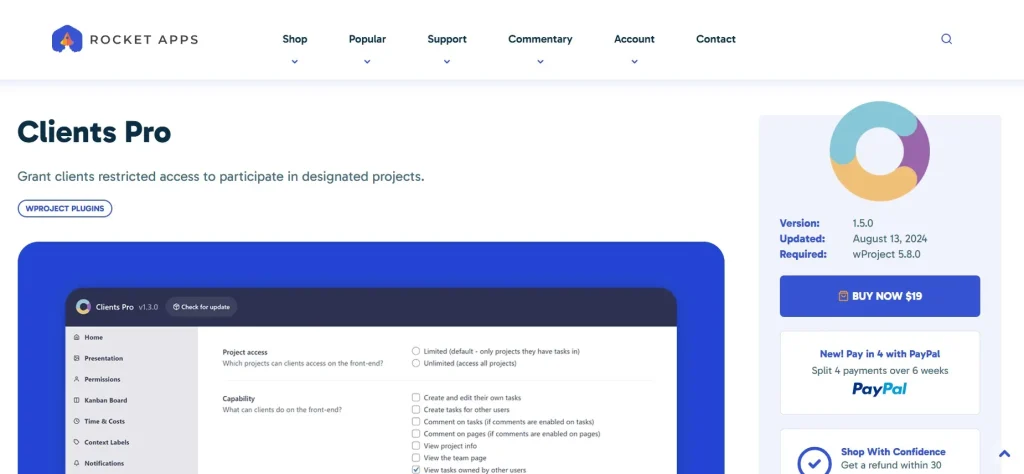
What is Clients Pro for wProject?
Clients Pro for wProject is an advanced extension for the wProject plugin that adds robust client management capabilities to WordPress. It allows users to create, manage, and interact with client accounts directly within their website, turning WordPress into a functional project management platform.
In simple terms, it bridges the gap between project tracking and client communication. While wProject focuses on managing tasks and workflows, Clients Pro adds a dedicated layer for handling client relationships, permissions, and interactions.
This plugin is particularly useful for service-based businesses. For example, a web design agency working with multiple clients can assign each client their own dashboard. From there, clients can view project updates, access files, and communicate with the team without relying on external tools.
Freelancers also benefit significantly. Managing several clients at once often involves juggling different communication channels. With Clients Pro for wProject, everything is centralized. This reduces confusion and ensures that all project-related information is easily accessible.
Another common use case is for marketing agencies running ongoing campaigns. Clients can log in to track progress, review deliverables, and provide feedback. This transparency builds trust and reduces the need for constant status updates.
This plugin is ideal for:
- Agencies managing multiple client projects
- Freelancers handling ongoing contracts
- Development teams working with external stakeholders
- Consultants offering structured services
The key advantage lies in its ability to integrate client interaction directly into your workflow, eliminating the need for fragmented systems.
Key Features of Clients Pro for wProject
- Dedicated Client Dashboards
Clients Pro for wProject provides individual dashboards for each client. These dashboards serve as a centralized space where clients can view project updates, files, and communication threads.
In practice, this eliminates the need for long email chains. Instead of searching through messages, clients can log in and immediately see the current status of their projects.
- Role-Based Access Control
The plugin allows you to assign different roles and permissions to clients. This ensures that each user only sees the information relevant to them.
For example, a client working on one project will not have access to another client’s data. This level of control is essential for maintaining confidentiality and professionalism.
- Project Visibility and Tracking
Clients can view project timelines, task progress, and milestones directly from their dashboard. This transparency reduces the need for frequent status updates.
A common scenario involves clients requesting updates repeatedly. With this feature, they can check progress themselves, saving time for both parties.
- File Sharing and Document Management
The plugin supports secure file sharing between teams and clients. Documents, images, and other assets can be uploaded and accessed within the platform.
For instance, a design agency can share mockups directly with clients, who can then review and provide feedback without leaving the system.
- Integrated Communication System
Clients Pro for wProject includes built-in communication tools, allowing messages to be exchanged within the platform.
This keeps all project-related conversations in one place. Instead of switching between email and messaging apps, teams can maintain a clear communication history tied to each project.
- Task Assignment and Collaboration
Clients can be involved in task-related discussions and updates. While they may not manage tasks directly, they can monitor progress and provide input.
This feature is particularly useful for collaborative projects where client feedback is required at multiple stages.
- Custom Branding Options
You can customize the client interface to match your brand. This creates a more professional experience and reinforces your business identity.
For example, adding your logo and brand colors ensures that clients feel they are interacting with a dedicated platform rather than a generic tool.
- Notifications and Alerts
The plugin includes notification features that keep both teams and clients informed about updates, new messages, or completed tasks.
Timely notifications help prevent delays and ensure that everyone stays aligned throughout the project lifecycle.
- Multi-Project Management
Clients can access multiple projects from a single account. This is particularly beneficial for long-term clients with ongoing work.
Instead of managing separate logins or systems, everything is accessible from one dashboard, improving convenience and usability.
Benefits of Using Clients Pro for wProject
One of the most significant benefits of Clients Pro for wProject is improved organization. By centralizing client data, communication, and project details, it reduces the risk of errors and miscommunication.
Efficiency also increases noticeably. Teams spend less time searching for information or switching between tools. This streamlined workflow allows more focus on actual project work.
Client experience improves as well. Providing a dedicated portal where clients can track progress and communicate creates a sense of transparency and professionalism. This often leads to stronger relationships and higher client retention.
Another advantage is scalability. As your business grows, managing more clients becomes easier because the system is already structured. You do not need to reinvent your workflow each time you onboard a new client.
Cost savings should not be overlooked. Instead of subscribing to multiple SaaS tools for project management, file sharing, and communication, you can handle everything within WordPress using this plugin.
Real Use Cases of Clients Pro for wProject
A web development agency managing ten or more clients can use Clients Pro for wProject to create individual dashboards for each client. This allows clients to track their website development progress and review updates without constant communication.
Marketing agencies running SEO or advertising campaigns can use the plugin to share reports and updates. Clients can log in to view performance data and provide feedback, reducing the need for scheduled meetings.
Freelancers offering monthly services, such as content writing or maintenance, can use the platform to organize deliverables and communication. This creates a more professional experience compared to using email alone.
Consultants working with multiple stakeholders can use the plugin to keep all discussions and documents in one place. This ensures clarity and reduces the risk of losing important information.
How to Install Clients Pro for wProject
Installing Clients Pro for wProject is a straightforward process that can be completed within minutes.
First, ensure that you have the wProject plugin installed and activated on your WordPress site. Since Clients Pro is an extension, it requires the base plugin to function properly.
Next, download the Clients Pro plugin file from your source. Then, log in to your WordPress dashboard and navigate to the Plugins section. Click “Add New” and upload the plugin file.
After uploading, activate the plugin. Once activated, you will see new settings related to client management within the wProject interface.
Configure the plugin by adding client accounts, setting permissions, and customizing dashboards. This step is essential for tailoring the system to your workflow.
You can then assign projects to clients and define what information they can access. Make sure to test the client experience by logging in as a client user to ensure everything works as expected.
Finally, adjust notification settings and branding options to create a polished and professional client portal.
Why Buy Clients Pro for wProject at Pluginpro.org
Purchasing Clients Pro for wProject from Pluginpro.org provides clear advantages, especially for professionals managing multiple websites or working within budget constraints.
One of the most compelling reasons is cost efficiency. Buying individual licenses for premium plugins can quickly become expensive, particularly for agencies handling multiple projects. Pluginpro.org offers access at a significantly reduced price, making it easier to scale without increasing costs.
For example, an agency managing client websites may need this plugin across several installations. Instead of purchasing separate licenses for each site, Pluginpro.org allows usage on unlimited websites, resulting in substantial savings over time.
Another important factor is file quality. The plugin files are clean and secure, ensuring reliable performance. This minimizes the risk of compatibility issues or security vulnerabilities that could disrupt your workflow.
Convenience also plays a major role. Having access to multiple premium plugins in one place simplifies your toolkit. You do not need to manage multiple subscriptions or vendors, which saves time and reduces administrative overhead.
In practice, small businesses and freelancers often delay adopting premium tools due to cost concerns. Pluginpro.org removes that barrier, allowing them to implement professional systems without significant financial investment.
Additionally, regular updates ensure that your plugin remains compatible with the latest WordPress versions. This is essential for maintaining performance and security over time.
Is Clients Pro for wProject Worth It?
Yes, Clients Pro for wProject is worth it for anyone managing client-based projects within WordPress. It provides a structured and professional way to handle client interactions, project tracking, and communication.
For example, an agency juggling multiple clients can significantly reduce administrative workload by centralizing everything in one platform. This leads to better organization and improved client satisfaction.
The plugin is best suited for agencies, freelancers, and consultants who need a scalable solution for managing client relationships. Its features address real challenges, making it a practical investment.
Conclusion
Clients Pro for wProject offers a comprehensive solution for managing client relationships within WordPress. By combining project tracking, communication, and file management into a single platform, it simplifies workflows and improves efficiency.
The plugin is particularly valuable for professionals handling multiple clients, as it reduces complexity and enhances organization. Clients benefit from transparency and easy access to information, while teams gain better control over their processes.
When implemented effectively, Clients Pro for wProject becomes more than just a plugin. It becomes a central part of how your business operates, supporting growth and delivering a more professional client experience.