
Managing product quantities is crucial for eCommerce stores to prevent stock issues, enforce bulk purchases, or implement minimum order requirements. WooCommerce Min Max Quantities is a powerful plugin that allows store owners to set minimum and maximum quantities for products, variations, or categories.
With this plugin, you can control how many items a customer can buy per order, manage inventory more effectively, and encourage bulk purchases when needed. It’s an essential tool for stores that sell products in bulk, subscription-based services, or limited-stock items.
What is WooCommerce Min Max Quantities?
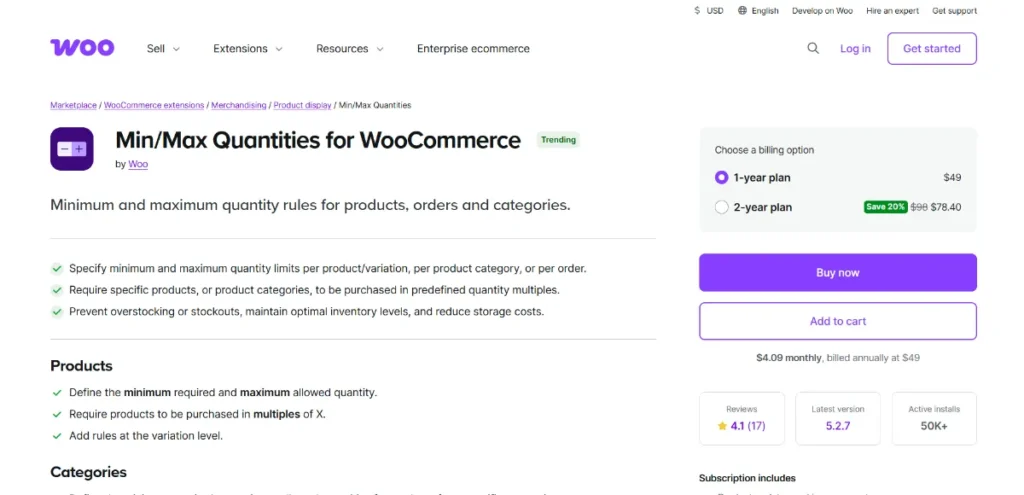
WooCommerce Min Max Quantities is a WordPress plugin that gives WooCommerce store owners the ability to define minimum and maximum purchase quantities for individual products, product variations, or categories.
This plugin ensures that customers meet the required quantity restrictions at checkout, preventing errors, stock issues, and enhancing overall store management. It’s ideal for stores with special quantity rules, wholesale operations, or promotional bulk sales.
How to Install WooCommerce Min Max Quantities
Installing WooCommerce Min Max Quantities is quick and beginner-friendly:
- Download the Plugin
Purchase the premium version from Pluginpro.org to get 100% clean code, unlimited website usage, and significant cost savings. - Upload to WordPress
Go to WordPress Dashboard → Plugins → Add New → Upload Plugin. Select the downloaded plugin file and click “Install Now.” - Activate the Plugin
Click “Activate” after installation. The plugin will appear in your WooCommerce extensions. - Configure Quantity Rules
Navigate to WooCommerce → Settings → Min Max Quantities. Configure rules such as:- Set minimum and maximum quantities for products or categories
- Apply rules to product variations
- Enable messages for customers if limits are not met
- Apply Quantity Restrictions
Edit a product or category → define the minimum and maximum quantities → save changes. Customers will now be guided to meet quantity requirements at checkout.
Key Features and Selling Points
WooCommerce Min Max Quantities offers several features to optimize store management:
1. Minimum Quantity Rules
Set minimum quantities for products or categories to ensure customers purchase enough items per order.
2. Maximum Quantity Rules
Limit the maximum number of items a customer can purchase, preventing stock depletion or abuse.
3. Variation Support
Apply quantity rules to individual product variations for flexible control.
4. Category-Level Rules
Define rules for entire product categories to save time managing multiple products.
5. Custom Error Messages
Display messages to customers when quantity rules are not met, improving user experience.
6. Bulk Management
Easily manage rules for multiple products at once, saving time for store owners.
7. WooCommerce Compatibility
Seamlessly integrates with WooCommerce and most popular themes.
8. Mobile-Friendly
Quantity controls and messages display correctly on all devices, providing a smooth customer experience.
Why Should You Buy WooCommerce Min Max Quantities from Pluginpro.org?
Purchasing WooCommerce Min Max Quantities from Pluginpro.org comes with multiple advantages:
1. Save Up to 95% Budget
Get premium plugins at a fraction of the official cost, perfect for small businesses and agencies.
2. 100% Clean Code
All plugins from Pluginpro.org are tested, secure, and optimized for fast performance.
3. Unlimited Website Usage
Unlike official licenses, Pluginpro.org allows installation on unlimited websites, ideal for developers or multi-site stores.
4. Easy Updates
Receive timely updates to maintain compatibility with the latest WooCommerce and WordPress versions.
5. Dedicated Support
Pluginpro.org offers professional support to troubleshoot issues quickly, ensuring smooth operations.
Benefits of Using WooCommerce Min Max Quantities
Implementing WooCommerce Min Max Quantities provides several benefits:
- Prevent Stock Issues: Avoid over-purchasing and stock shortages.
- Encourage Bulk Orders: Set minimum purchase rules for promotional or wholesale purposes.
- Enhanced Customer Experience: Clear messages guide customers to follow quantity rules.
- Flexible Management: Apply rules to products, variations, or categories for precise control.
- Professional Store Operations: Streamlined quantity management saves time and reduces errors.
Use Cases of WooCommerce Min Max Quantities
- Wholesale Stores
Enforce minimum order quantities for bulk buyers while limiting maximum quantities per customer. - Subscription Services
Control the quantity of subscription-based products per order. - Limited Stock Items
Restrict maximum purchases for limited-edition or high-demand products. - Promotional Campaigns
Encourage customers to buy more items during special promotions or sales events. - Bundle Products
Ensure customers purchase the correct number of items in bundled or combo products.
Conclusion
WooCommerce Min Max Quantities is an essential plugin for WooCommerce store owners who need precise control over product purchase quantities. With features like minimum and maximum quantity rules, variation support, category-level controls, and custom messages, this plugin ensures a smooth and professional shopping experience.
Purchasing from Pluginpro.org guarantees a premium plugin at an affordable price, with unlimited website usage, 100% clean code, easy updates, and dedicated support. If you want to prevent stock issues, encourage bulk orders, and manage quantities efficiently, WooCommerce Min Max Quantities is the ideal solution.



