
Accepting secure and reliable payments is critical for any WooCommerce store. WooCommerce BluePay Payment Gateway is a premium plugin that integrates the BluePay payment processor into your WooCommerce store, allowing you to accept credit cards, debit cards, and ACH payments safely and efficiently.
With this plugin, store owners can provide multiple payment options, ensure PCI-compliant transactions, and streamline the checkout experience. It’s perfect for small to large businesses that want flexibility, security, and speed in processing payments.
What is WooCommerce BluePay Payment Gateway?
WooCommerce BluePay Payment Gateway is a WordPress plugin that connects your WooCommerce store to the BluePay payment processing system. BluePay is a trusted global payment processor that supports credit cards, debit cards, ACH/eCheck payments, and recurring billing.
The plugin allows store owners to securely process transactions directly on their site, providing customers with a smooth and reliable checkout experience. It is suitable for online stores, subscription-based businesses, and service providers who require multiple payment options.
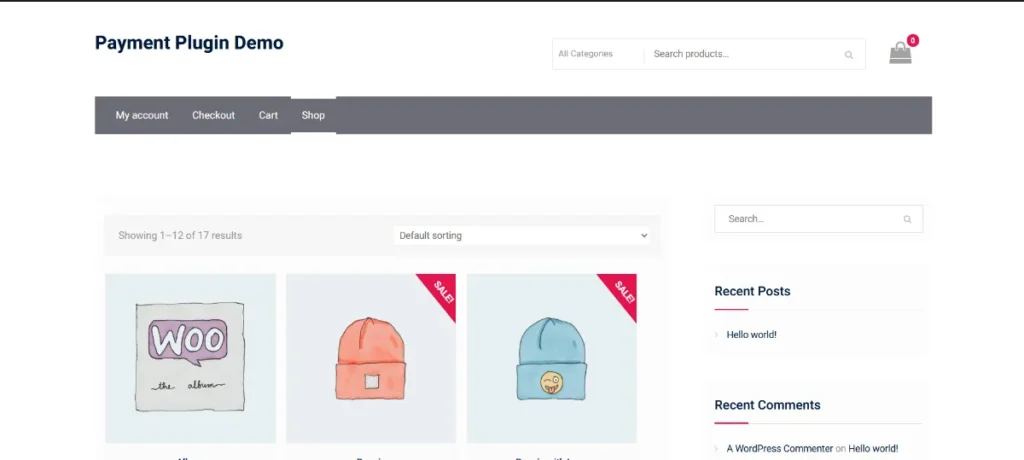
How to Install WooCommerce BluePay Payment Gateway
Installing WooCommerce BluePay Payment Gateway is easy and straightforward:
- Download the Plugin
Purchase the premium version from Pluginpro.org. This ensures 100% clean code, unlimited website usage, and cost savings. - Upload to WordPress
Go to WordPress Dashboard → Plugins → Add New → Upload Plugin. Select the downloaded plugin file and click “Install Now.” - Activate the Plugin
After installation, click “Activate.” The plugin will appear in your WooCommerce payment methods. - Configure BluePay Settings
Navigate to WooCommerce → Settings → Payments → BluePay. Enter your BluePay credentials:- Account ID
- Secret Key / Transaction Key
- Enable test/sandbox mode for initial setup
- Choose payment options to enable (credit cards, ACH, etc.)
- Test Payment Processing
Perform a test transaction to verify that payments are processed correctly before going live.
Once configured, your WooCommerce store can securely process payments through BluePay, offering a professional checkout experience for your customers.
Key Features and Selling Points
WooCommerce BluePay Payment Gateway provides powerful features for online stores:
1. Secure Payment Processing
All transactions are PCI-compliant and secure, protecting customer data.
2. Multiple Payment Methods
Accept credit cards, debit cards, ACH/eCheck, and recurring payments with ease.
3. Inline and Redirect Options
Process payments directly on the checkout page or via BluePay-hosted forms.
4. Real-Time Transaction Status
Orders are automatically updated in WooCommerce after successful payment processing.
5. Refund and Void Support
Process full or partial refunds directly from WooCommerce without additional steps.
6. Subscription Support
Integrates with WooCommerce Subscriptions for recurring payments.
7. Test Mode
Enable sandbox mode to perform test transactions and ensure proper functionality.
8. Mobile-Friendly Checkout
Responsive design ensures payments are easy and secure on any device.
9. Compatibility with WooCommerce Extensions
Works seamlessly with other WooCommerce plugins like order management, product bundles, and more.
Why Should You Buy WooCommerce BluePay Payment Gateway from Pluginpro.org?
Purchasing WooCommerce BluePay Payment Gateway from Pluginpro.org offers multiple benefits:
1. Save Up to 95% Budget
Get a premium plugin at a fraction of the official cost, perfect for startups, small businesses, and agencies.
2. 100% Clean Code
All plugins are secure, optimized, and tested for speed and performance.
3. Unlimited Website Usage
Unlike official licenses, Pluginpro.org allows installation on unlimited websites, ideal for developers and agencies.
4. Easy Updates
Receive regular updates to maintain compatibility with WooCommerce and WordPress versions.
5. Dedicated Support
Pluginpro.org provides professional support to resolve technical issues quickly and efficiently.
Benefits of Using WooCommerce BluePay Payment Gateway
Implementing WooCommerce BluePay Payment Gateway provides several advantages:
- Enhanced Customer Trust: Secure and PCI-compliant payment processing builds customer confidence.
- Multiple Payment Options: Accept credit cards, debit cards, and ACH/eCheck seamlessly.
- Streamlined Checkout: Inline payment or redirect options ensure smooth transactions.
- Recurring Payments: Perfect for subscriptions and recurring billing models.
- Automated Order Management: Orders are updated in WooCommerce automatically after successful payment.
- Mobile Optimization: Fully responsive checkout forms for mobile and tablet users.
Use Cases of WooCommerce BluePay Payment Gateway
- E-Commerce Stores
Accept credit card and ACH payments for products efficiently and securely. - Subscription Services
Manage recurring payments for membership sites, courses, or services. - Service Providers
Collect one-time or recurring payments for appointments, consulting, or SaaS solutions. - International Stores
Support payments from customers globally with BluePay’s wide reach. - High-Volume Stores
Streamline payment processing for stores handling multiple transactions daily.
Conclusion
WooCommerce BluePay Payment Gateway is a must-have plugin for WooCommerce store owners who want secure, reliable, and flexible payment processing. With multiple payment options, inline or redirect checkout, subscription support, and mobile-friendly design, this plugin provides a professional and trustworthy payment experience for your customers.
Purchasing from Pluginpro.org ensures a premium plugin at an affordable price, with unlimited website usage, 100% clean code, easy updates, and dedicated support. If you want to improve checkout experience, secure transactions, and streamline payment management, WooCommerce BluePay Payment Gateway is the ideal solution.



