
Understanding your store’s profitability is crucial for running a successful WooCommerce business. WooCommerce Cost of Goods is a premium plugin that allows store owners to track product costs, calculate profits, and generate detailed reports to make informed business decisions.
With this plugin, you can see exactly how much you spend on each product, track inventory costs, and optimize pricing strategies, making your store more profitable and data-driven.
What is WooCommerce Cost of Goods?
WooCommerce Cost of Goods is a WordPress plugin that integrates with WooCommerce to track the cost of products sold in your store. By recording the cost of goods for each product, the plugin automatically calculates profit margins and net revenue.
It is ideal for store owners, accountants, and business analysts who want accurate financial insights without manually calculating costs. This plugin makes it easy to manage inventory costs, pricing strategies, and overall profitability in a transparent and organized way.
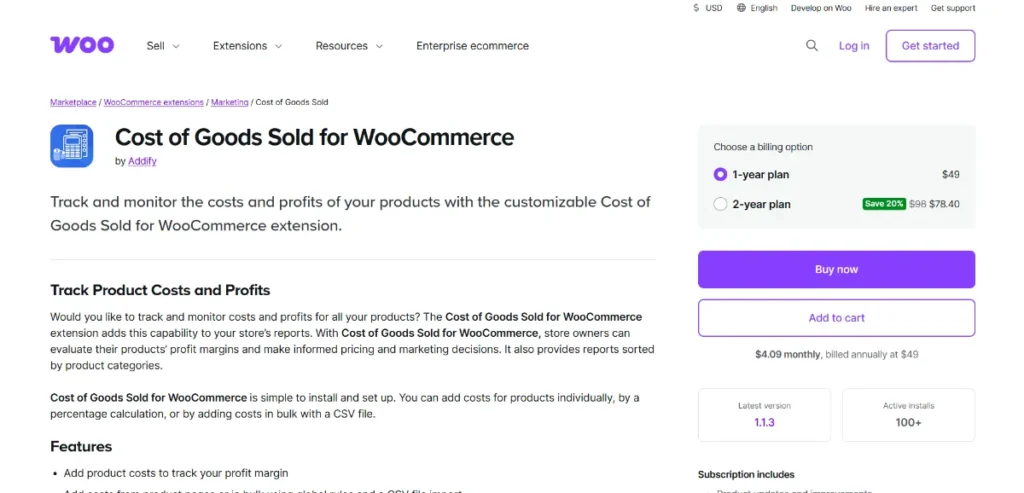
How to Install WooCommerce Cost of Goods
Installing WooCommerce Cost of Goods is straightforward:
- Download the Plugin
Purchase the premium version from Pluginpro.org to get 100% clean code, unlimited website usage, and significant savings. - Upload to WordPress
Navigate to WordPress Dashboard → Plugins → Add New → Upload Plugin. Select the downloaded plugin file and click “Install Now.” - Activate the Plugin
Click “Activate.” The plugin will appear under WooCommerce settings. - Configure Product Costs
Go to WooCommerce → Products → Edit Product. You will find a new field to enter the cost of goods for each product. - Set Default Cost Options
Configure default cost settings in WooCommerce → Settings → Cost of Goods to ensure consistent tracking. - Generate Reports
Navigate to WooCommerce → Reports → Cost of Goods to view profits, margins, and sales analytics.
Once configured, your WooCommerce store will automatically calculate profits for each product, giving you clear financial insights.
Key Features and Selling Points
WooCommerce Cost of Goods comes with powerful features for tracking costs and profits:
1. Cost Tracking per Product
Enter the cost of goods for individual products to calculate accurate profits.
2. Automatic Profit Calculation
The plugin automatically calculates gross profit and profit margins for all orders.
3. Bulk Cost Editing
Easily update product costs in bulk for large inventories.
4. Detailed Reports
Generate reports by product, category, or date range to analyze profitability.
5. Supports Variable Products
Track costs for different variations of a product, such as size or color.
6. Multi-Currency Support
Compatible with multi-currency setups for global stores.
7. Inventory Cost Management
Track the total cost of stock and adjust pricing strategies accordingly.
8. Compatible with WooCommerce Extensions
Works seamlessly with WooCommerce Subscriptions, Product Bundles, and other plugins.
Why Should You Buy WooCommerce Cost of Goods from Pluginpro.org?
Purchasing WooCommerce Cost of Goods from Pluginpro.org provides several advantages:
1. Save Up to 95% Budget
Get a premium plugin at a fraction of the official cost, ideal for small businesses and startups.
2. 100% Clean Code
All plugins from Pluginpro.org are secure, optimized, and performance-tested.
3. Unlimited Website Usage
Unlike official licenses, Pluginpro.org allows installation on unlimited websites, perfect for developers and agencies.
4. Easy Updates
Receive regular updates to maintain compatibility with WooCommerce and WordPress.
5. Dedicated Support
Professional support ensures smooth plugin operation and quick issue resolution.
Benefits of Using WooCommerce Cost of Goods
Implementing WooCommerce Cost of Goods provides multiple benefits:
- Accurate Profit Tracking: Know exactly how much you earn on each product.
- Informed Pricing Strategies: Adjust prices based on actual costs to maximize profits.
- Time-Saving Automation: Automatically calculate profit margins without manual effort.
- Inventory Cost Management: Track total cost of stock and make informed purchasing decisions.
- Detailed Reporting: Generate product-level, category-level, and order-level reports for better analysis.
- Supports Complex Products: Works with variable products and product bundles for accurate calculations.
Use Cases of WooCommerce Cost of Goods
- E-Commerce Stores
Track the cost and profit of every product to optimize pricing and sales strategies. - Accounting and Bookkeeping
Export cost and profit data for accurate financial records and reporting. - Inventory Management
Monitor the total cost of stock to make smarter purchasing decisions. - Product Bundles and Variations
Calculate profits for bundles or products with multiple variations. - Global Stores
Track costs in multi-currency setups for international sales.
Conclusion
WooCommerce Cost of Goods is an essential plugin for WooCommerce store owners who want to track profits, manage inventory costs, and make informed pricing decisions. With detailed reporting, automatic profit calculation, bulk cost editing, and support for variable products, this plugin empowers store owners to run a more profitable and data-driven business.
Purchasing from Pluginpro.org ensures a premium plugin at an affordable price, with unlimited website usage, 100% clean code, easy updates, and dedicated support. If you want accurate cost tracking, profit insights, and efficient store management, WooCommerce Cost of Goods is the perfect solution.



