
Running a successful online store requires a seamless, secure, and convenient payment gateway. For WooCommerce store owners, choosing the right payment plugin can make all the difference in enhancing customer trust and boosting conversion rates. WooCommerce PayPal Pro is one of the most reliable solutions for businesses seeking a professional and flexible payment system. In this article, we’ll explore how to install it, its features, selling points, and why purchasing it from Pluginpro.org is the smart choice.
What is WooCommerce PayPal Pro?
WooCommerce PayPal Pro is a premium payment gateway plugin that integrates PayPal’s advanced features directly into your WooCommerce store. Unlike standard PayPal checkout, this plugin allows you to accept credit card payments directly on your website without redirecting customers to the PayPal site.
This results in a smoother checkout experience, reducing cart abandonment and increasing sales. The plugin is fully compatible with WooCommerce, supporting all major credit cards and PayPal accounts, making it a must-have for any serious online store owner.
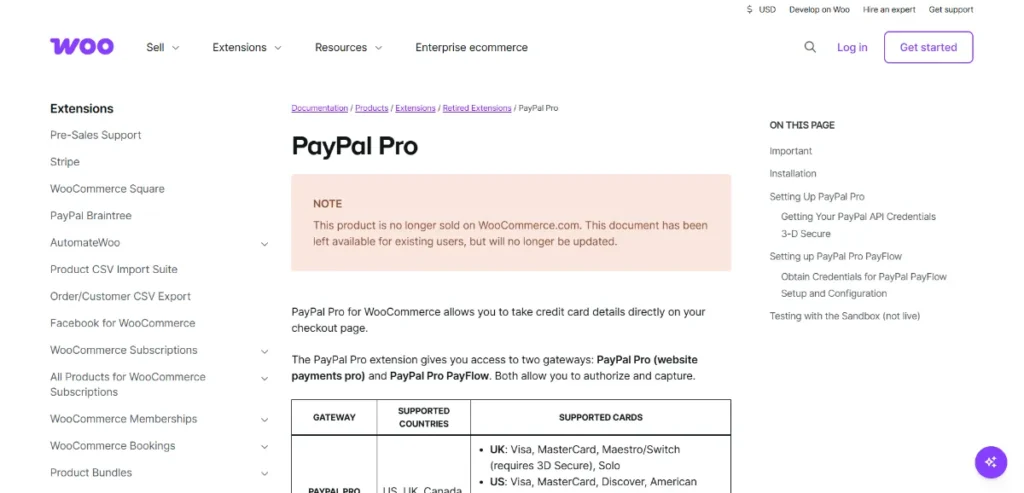
How to Install WooCommerce PayPal Pro
Installing WooCommerce PayPal Pro is straightforward. Follow these simple steps to get your payment system up and running in minutes:
- Download the Plugin
Purchase and download the plugin from Pluginpro.org. You’ll receive a zip file containing the plugin files and a license key. - Upload to WordPress
- Go to your WordPress dashboard.
- Navigate to Plugins → Add New → Upload Plugin.
- Select the zip file you downloaded and click Install Now.
- Activate the Plugin
After installation, click Activate Plugin. Your WooCommerce store will now have the plugin ready for configuration. - Enter PayPal API Credentials
To process payments, you need to enter your PayPal API credentials:- API Username
- API Password
- API Signature
- Configure Payment Settings
Customize your payment options in WooCommerce by navigating to WooCommerce → Settings → Payments → PayPal Pro. Here, you can:- Enable/disable PayPal Pro
- Set transaction methods
- Choose currencies
- Customize checkout messages
- Test the Payment Gateway
Before going live, use PayPal’s sandbox mode to simulate transactions. This ensures everything works correctly and your customers have a seamless experience.
Once these steps are complete, your WooCommerce store is ready to accept direct credit card payments through PayPal Pro.
Key Features of WooCommerce PayPal Pro
WooCommerce PayPal Pro is packed with features designed to make payment processing smooth and secure. Here are the standout functionalities:
- On-Site Checkout
Customers can complete purchases directly on your website without leaving your store, which improves trust and reduces cart abandonment. - Support for Multiple Payment Methods
Accept all major credit and debit cards, including Visa, MasterCard, American Express, and Discover, alongside PayPal payments. - Advanced Security
Built-in security features include SSL support, fraud detection, and compliance with PCI standards to protect sensitive customer information. - Recurring Payments & Subscriptions
Supports subscription-based products and recurring billing, perfect for SaaS, membership sites, and online services. - Seamless WooCommerce Integration
Works flawlessly with WooCommerce, ensuring compatibility with product pages, shopping carts, and checkout flows. - Customizable Checkout Fields
Tailor the checkout experience by adding or modifying form fields, making the process simple and intuitive for customers. - Detailed Transaction Logs
Maintain complete records of all transactions, helping with reporting, bookkeeping, and customer support.
Selling Points of WooCommerce PayPal Pro
Investing in WooCommerce PayPal Pro offers multiple advantages for online store owners:
- Increase Conversion Rates: By keeping customers on-site during checkout, the plugin reduces interruptions and lost sales.
- Enhanced Customer Trust: Customers prefer familiar and secure payment gateways, and PayPal is globally recognized.
- Flexibility & Convenience: Supports multiple payment methods and currencies, suitable for international stores.
- Time-Saving Automation: Automated processing and recurring payments reduce manual workload.
These features make WooCommerce PayPal Pro an indispensable tool for professional online stores aiming to scale efficiently.
Why Purchase WooCommerce PayPal Pro from Pluginpro.org?
Pluginpro.org offers an exclusive advantage when purchasing WooCommerce PayPal Pro:
- Save Up to 95%
Purchasing from Pluginpro.org is budget-friendly, letting you get premium plugins at a fraction of the retail price. - 100% Clean Code
All plugins from Pluginpro.org are fully coded with best practices, ensuring reliability, security, and performance. - Unlimited Website Usage
Unlike some sellers, Pluginpro.org allows you to use your purchased plugin on unlimited websites without additional fees. - Easy Updates & Support
Get access to the latest plugin updates and dedicated customer support, keeping your WooCommerce store up to date and secure. - Instant Download & Activation
The plugin is ready for immediate installation and activation, so you can start accepting payments instantly.
Purchasing from Pluginpro.org gives you peace of mind knowing you’re getting a premium product with full functionality and support, all while saving money.
Tips for Optimizing WooCommerce PayPal Pro
To get the most out of WooCommerce PayPal Pro, consider the following best practices:
- Use SSL Certificates: Ensure your website is HTTPS enabled to protect customer data.
- Enable Sandbox Testing: Test transactions before going live to prevent errors.
- Regularly Update the Plugin: Keep the plugin updated to enjoy new features and security improvements.
- Combine With Analytics Tools: Monitor checkout performance and optimize the payment experience.
- Customize the Checkout Experience: Simplify forms and display clear instructions to avoid confusion.
Conclusion
For WooCommerce store owners looking for a professional, secure, and flexible payment solution, WooCommerce PayPal Pro is the ultimate choice. It provides a seamless on-site checkout, supports multiple payment methods, and integrates perfectly with WooCommerce.
By purchasing from Pluginpro.org, you save money, get clean, reliable code, and can use the plugin on unlimited websites with easy updates. Installing WooCommerce PayPal Pro is simple, and the benefits it brings—from improved conversions to enhanced customer trust—make it a must-have for any serious online store.
Upgrade your WooCommerce store today with WooCommerce PayPal Pro from Pluginpro.org and provide your customers with a secure, professional, and smooth checkout experience.



