
For any WooCommerce store owner, providing a smooth and efficient browsing experience is essential to boosting sales and keeping customers engaged. WooCommerce Ajax Layered Navigation is a powerful plugin that allows customers to filter products dynamically without refreshing the page. This not only improves usability but also enhances the overall shopping experience. In this article, we will cover how to install the plugin, its key features and selling points, and why purchasing it from Pluginpro.org is a smart choice.
What is WooCommerce Ajax Layered Navigation?
WooCommerce Ajax Layered Navigation is a premium plugin designed to simplify product filtering in WooCommerce stores. With this plugin, customers can apply filters such as categories, attributes, prices, and tags and see results instantly, thanks to Ajax technology. Unlike traditional filtering methods, which require full-page reloads, Ajax makes filtering faster and more user-friendly.
The plugin is particularly beneficial for stores with large product catalogs. It ensures that customers can quickly find the products they want, resulting in higher engagement and increased conversions.
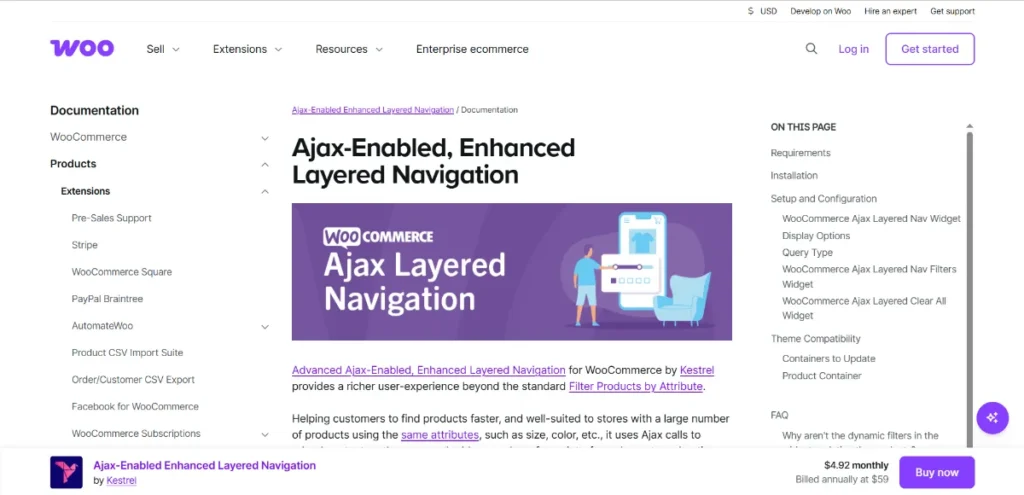
How to Install WooCommerce Ajax Layered Navigation
Installing WooCommerce Ajax Layered Navigation is simple and can be done in a few steps:
- Download the Plugin
Purchase and download the plugin from Pluginpro.org. You’ll receive a zip file containing the plugin package and a license key. - Upload to WordPress
- Navigate to your WordPress dashboard.
- Go to Plugins → Add New → Upload Plugin.
- Choose the zip file and click Install Now.
- Activate the Plugin
After installation, click Activate Plugin. The plugin is now ready for configuration. - Configure Filtering Options
Go to WooCommerce → Settings → Ajax Layered Navigation to set up your filters. You can:- Enable or disable specific filters (price, attributes, categories, tags)
- Choose the display style (checkbox, dropdown, or slider)
- Set filter order and hierarchy
- Add Filters to Shop Pages
Use widgets or shortcodes to display filters on shop, category, or product archive pages. Drag the Ajax Layered Navigation widget to the sidebar or any widgetized area. - Test the Functionality
Ensure all filters work correctly by applying them on the front-end. Products should update instantly without page reloads.
With these steps, your WooCommerce store is now equipped with a powerful filtering system that improves customer navigation and satisfaction.
Key Features of WooCommerce Ajax Layered Navigation
WooCommerce Ajax Layered Navigation is packed with features to make product browsing efficient and enjoyable:
- Instant Ajax Filtering
Products update dynamically as customers apply filters, eliminating page reloads and saving time. - Multiple Filter Types
Support for checkboxes, dropdowns, sliders, and color swatches allows customization of filters for a more intuitive experience. - Attribute-Based Filtering
Customers can filter products based on attributes like size, color, material, or brand. - Price Slider
Enable a price range slider so customers can quickly filter products within their budget. - Category & Tag Filters
Help users navigate through categories and tags without leaving the page. - Widget & Shortcode Support
Display filters in sidebars, footers, or directly within pages using shortcodes. - Responsive Design
Fully mobile-friendly, ensuring seamless filtering on all devices. - SEO Friendly URLs
Filtered results generate clean, crawlable URLs for better search engine indexing. - Customizable Appearance
Style filters to match your store’s theme and maintain a consistent brand experience.
Selling Points of WooCommerce Ajax Layered Navigation
Investing in WooCommerce Ajax Layered Navigation offers significant advantages for your store:
- Improved User Experience: Customers can find products faster, leading to higher engagement and repeat visits.
- Higher Conversion Rates: Efficient filtering reduces frustration and encourages purchases.
- Customizable & Flexible: Compatible with any WooCommerce theme and fully customizable to suit your design preferences.
- Supports Large Catalogs: Handles large numbers of products without slowing down the website.
These features make the plugin essential for WooCommerce stores looking to enhance shopping experience and boost revenue.
Why Purchase WooCommerce Ajax Layered Navigation from Pluginpro.org?
Buying from Pluginpro.org gives you exclusive benefits:
- Save Up to 95%
Get the premium plugin at a fraction of the original cost, making it an economical choice for business owners. - 100% Clean Code
All plugins are written with clean, secure, and optimized code, ensuring smooth performance and compatibility. - Unlimited Website Usage
Use the plugin on multiple websites without additional licensing fees. - Easy Updates & Support
Receive regular updates and dedicated support to keep your WooCommerce store running efficiently. - Instant Download & Activation
Access the plugin immediately after purchase, allowing you to set it up without delay.
Purchasing from Pluginpro.org ensures you get a reliable product with maximum value and zero compromises.
Tips for Optimizing WooCommerce Ajax Layered Navigation
To maximize the benefits of WooCommerce Ajax Layered Navigation, consider these best practices:
- Choose Relevant Filters: Only display filters that are useful to customers to avoid clutter.
- Use Shortcodes Strategically: Place filters where customers can easily access them without overwhelming the page.
- Regularly Update Product Attributes: Ensure all products are correctly tagged and categorized for accurate filtering.
- Combine with Analytics: Monitor filter usage to understand customer preferences and optimize product placement.
- Mobile Optimization: Test filters on mobile devices to ensure smooth functionality across all screen sizes.
Conclusion
WooCommerce Ajax Layered Navigation is an essential plugin for any WooCommerce store owner who wants to provide a fast, smooth, and user-friendly shopping experience. With features like instant Ajax filtering, multiple filter types, price sliders, and SEO-friendly URLs, it enhances usability, boosts conversions, and keeps customers engaged.
By purchasing from Pluginpro.org, you enjoy significant savings, unlimited usage, clean code, and easy updates. Installing and configuring the plugin is simple, making it accessible for store owners of all skill levels.
Upgrade your WooCommerce store today with WooCommerce Ajax Layered Navigation from Pluginpro.org and give your customers a superior shopping experience that drives sales and loyalty.



