
Kings & Queens is a powerful WordPress plugin designed to help website owners create structured membership systems, exclusive content areas, and user-based access hierarchies with ease. From the very first setup, Kings & Queens positions itself as a flexible solution for anyone looking to manage premium content, gated communities, or tier-based services directly within WordPress.
What makes this plugin particularly relevant is how it bridges the gap between simple content restriction and full-scale membership ecosystems. Many site owners start with basic password protection or manual access control, only to realize that scaling such systems becomes complex very quickly. Kings & Queens addresses this by offering a centralized platform where roles, permissions, and content visibility are managed dynamically.
In practice, the plugin is especially useful for businesses that rely on subscription models or tiered user experiences. For example, an online course platform can offer different levels of access depending on the user’s subscription plan. Similarly, agencies can create client-only dashboards where sensitive information is securely shared.
Beyond functionality, Kings & Queens focuses on usability. Even users without technical backgrounds can configure structured access rules without writing code. At the same time, developers can extend its capabilities for more advanced workflows. This balance between simplicity and scalability is what makes it a compelling option for modern WordPress sites.
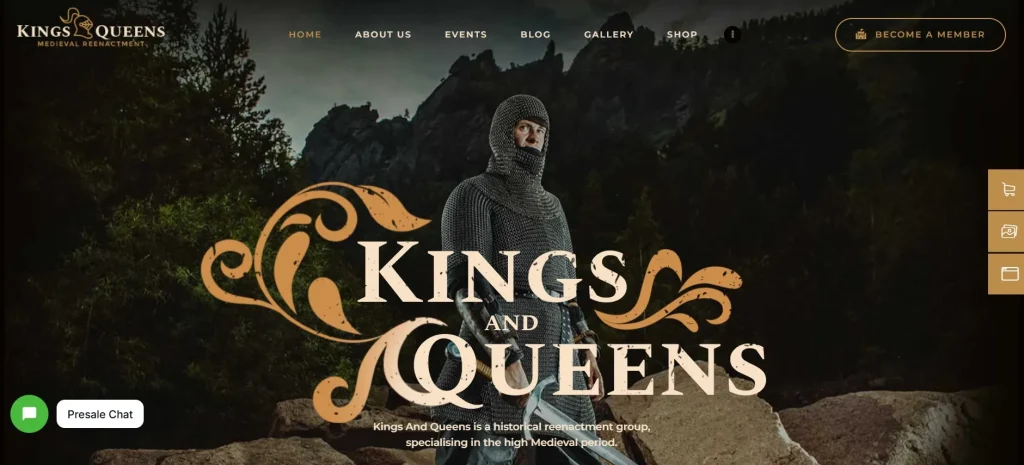
What is Kings & Queens?
Kings & Queens is a WordPress plugin that enables website owners to create and manage hierarchical user roles, membership tiers, and restricted content environments. At its core, it functions as an access control system that determines who can view, interact with, or modify specific parts of a website.
The plugin operates by assigning users into different “levels” or “roles,” each with predefined permissions. These roles can represent anything from basic subscribers to premium members or administrative users. Once assigned, the plugin automatically controls what content each user can access.
For example, a content creator running a subscription-based blog can use Kings & Queens to restrict premium articles to paying members only. Visitors who are not logged in or do not have the appropriate access level will either be redirected or shown alternative content. This creates a seamless user experience while maintaining content exclusivity.
Kings & Queens is particularly valuable for:
- Membership websites offering tier-based content
- Online learning platforms with structured course access
- Agencies managing client portals
- Communities with private discussion areas
A common use case is a coaching business that offers multiple packages. Basic clients might access introductory materials, while higher-tier clients receive advanced resources, one-on-one session bookings, and exclusive content. Instead of managing this manually, Kings & Queens automates the entire process.
What sets the plugin apart is its ability to handle both simple and complex access rules. You can start with basic restrictions and gradually build a more sophisticated system as your website grows. This scalability makes it suitable for both small projects and enterprise-level platforms.
Key Features of Kings & Queens
- Role-Based Access Control
Kings & Queens allows you to define custom user roles with specific permissions. Instead of relying solely on default WordPress roles, you can create roles tailored to your business model.
In practice, this means you can separate users into categories such as free members, premium subscribers, and VIP clients. Each role automatically determines what content is visible. This is essential for maintaining a structured user experience and preventing unauthorized access. - Content Restriction Engine
One of the core features is the ability to restrict pages, posts, or even specific sections of content. You can control visibility at a granular level.
For example, a blog can display teaser content to non-members while unlocking the full article for subscribers. This approach not only protects content but also encourages conversions by giving users a preview. - Tiered Membership System
Kings & Queens supports multiple membership levels, making it ideal for subscription-based websites. Each tier can include different benefits, content access, or privileges.
A practical scenario is an online course platform offering beginner, intermediate, and advanced packages. Users automatically gain access based on their chosen tier, reducing the need for manual management. - Dynamic User Dashboard
The plugin includes customizable dashboards where users can view their access level, available content, and account details.
This improves user experience significantly. Instead of navigating through the entire site, users can quickly find relevant content tailored to their membership level. - Automated Access Management
Access permissions can be updated automatically based on user actions such as registration, subscription upgrades, or cancellations.
For instance, when a user upgrades from a basic plan to a premium plan, their access is instantly expanded without any manual intervention. This is particularly useful for businesses handling large volumes of users. - Integration with Payment Systems
Kings & Queens can be integrated with payment gateways to automate subscription workflows. Once a payment is completed, access is granted instantly.
This eliminates the need for manual verification and reduces administrative workload. It also ensures a smoother onboarding experience for users. - Shortcodes and Content Blocks
The plugin provides shortcodes that allow you to control content visibility directly within posts or pages.
For example, you can display certain sections only to logged-in users or specific membership levels. This flexibility is valuable for creating personalized content experiences. - Scalability and Performance Optimization
Kings & Queens is designed to handle growing user bases without compromising performance.
In real-world scenarios, membership sites often experience increased traffic as they scale. The plugin ensures that access rules are processed efficiently, maintaining fast loading times and a stable user experience.
Benefits of Using Kings & Queens
Using Kings & Queens provides tangible advantages that go beyond simple content restriction. One of the most immediate benefits is improved workflow efficiency. Instead of manually managing user permissions, everything is handled automatically through predefined rules.
This automation reduces the risk of human error. For example, granting access to the wrong user or forgetting to update permissions after a subscription change can lead to security issues. With Kings & Queens, these processes are standardized and reliable.
Another key benefit is enhanced user experience. Visitors receive content that matches their membership level, which creates a more personalized interaction. A premium user sees advanced resources immediately, while a new visitor is guided toward entry-level content.
From a business perspective, the plugin supports revenue growth. By structuring content into tiers, website owners can create clear upgrade paths. Users are more likely to subscribe or upgrade when they see the value of higher-level access.
Performance is also a strong advantage. Even with complex access rules, the plugin maintains stable performance. This is critical for membership sites where slow loading times can negatively impact user retention.
Finally, Kings & Queens supports long-term scalability. As your website grows, you can expand your membership structure without needing to switch platforms. This makes it a future-proof solution for evolving online businesses.
Real Use Cases of Kings & Queens
Kings & Queens adapts well to various real-world scenarios. In eCommerce, it can be used to create exclusive product access for members. For example, a store might offer special deals or early access to premium customers only.
Agencies often use the plugin to build client portals. Each client can log in to view project updates, documents, and communication threads. This keeps information organized and secure.
Content creators benefit by offering subscription-based content. A blog can monetize its audience by restricting high-value articles, tutorials, or downloads to paying members.
In educational platforms, Kings & Queens enables structured learning paths. Students gain access to courses based on their enrollment level, ensuring a logical progression through the material.
Another practical use case is community building. Private forums or groups can be created where only approved members participate. This fosters engagement while maintaining a controlled environment.
How to Install Kings & Queens
Installing Kings & Queens is straightforward and follows the standard WordPress plugin setup process.
First, download the plugin file from a trusted source such as Pluginpro.org. Ensure that the file is in ZIP format and has not been modified.
Next, log in to your WordPress dashboard. Navigate to the Plugins section and click on “Add New.” From there, select “Upload Plugin” and choose the Kings & Queens ZIP file from your computer.
After uploading, click “Install Now.” WordPress will process the file and prepare it for activation. Once the installation is complete, click “Activate” to enable the plugin.
Once activated, you will see a new menu item related to Kings & Queens in your dashboard. This is where you configure roles, permissions, and access rules.
Begin by creating user roles and defining their permissions. Then assign these roles to users based on your requirements. After that, configure content restrictions for pages, posts, or sections.
It is recommended to test the setup using different user accounts. This ensures that access rules are functioning correctly and that users see the appropriate content.
Finally, integrate payment systems if you plan to use subscription-based access. This step allows you to automate the entire membership workflow.
Why Buy Kings & Queens at Pluginpro.org
Purchasing Kings & Queens at Pluginpro.org offers significant advantages compared to buying individual licenses from multiple vendors. One of the most noticeable benefits is cost efficiency. Instead of paying full price for a single plugin license, you can access premium tools at a fraction of the cost.
In real-world scenarios, agencies and developers often need multiple plugins for different projects. Buying each plugin individually can quickly become expensive. Pluginpro.org provides a more economical solution by offering high-quality plugins at reduced prices, allowing you to allocate your budget more effectively.
Another important factor is convenience. Pluginpro.org simplifies the process of acquiring and managing plugins. Rather than dealing with multiple vendors, renewal systems, and licensing restrictions, you have a centralized platform for downloads and updates.
For example, a developer managing several client websites can install Kings & Queens across multiple projects without worrying about license limitations. This flexibility is particularly valuable for freelancers and agencies handling diverse client needs.
Security is also a key consideration. Files provided through Pluginpro.org are clean and safe to use. This reduces the risk of malware or corrupted files, which can compromise your website.
Additionally, Pluginpro.org supports easy updates. Keeping plugins up to date is essential for maintaining security and compatibility. With streamlined update access, you can ensure that your website continues to run smoothly.
Another practical advantage is scalability. As your business grows, you may need to expand your toolset. Pluginpro.org allows you to do this without significantly increasing costs, making it easier to scale your operations.
Overall, purchasing Kings & Queens from Pluginpro.org is a strategic decision for anyone looking to balance quality, affordability, and efficiency.
Is Kings & Queens Worth It?
Yes, Kings & Queens is worth it for anyone who needs structured content access and membership management within WordPress.
The plugin is particularly valuable for businesses that rely on subscriptions, gated content, or user segmentation. If your website requires different access levels for different users, Kings & Queens provides a reliable and scalable solution.
For example, a content creator offering premium tutorials can use the plugin to manage subscriptions effortlessly. Instead of handling access manually, everything is automated, saving time and reducing errors.
It is also a strong choice for agencies and developers who manage multiple client projects. The flexibility and scalability of Kings & Queens make it suitable for a wide range of use cases.
Conclusion
Kings & Queens stands out as a versatile and practical solution for managing membership systems and content access within WordPress. It combines ease of use with powerful features, making it suitable for both beginners and experienced users.
From defining user roles to restricting content and automating access, the plugin simplifies complex workflows into manageable processes. This allows website owners to focus on growth rather than technical challenges.
In practice, the plugin proves its value through real-world applications, whether it is running a subscription-based platform, managing client portals, or building exclusive communities.
When paired with the cost-saving benefits of Pluginpro.org, Kings & Queens becomes an even more compelling option. It offers a balanced combination of functionality, affordability, and scalability that aligns well with modern website needs.



