Enhancing the WooCommerce checkout experience can significantly boost conversions and improve customer satisfaction. WooCommerce Conditional Product Fields at Checkout is a powerful plugin that allows store owners to add custom fields to the checkout page based on product selections, user choices, or order conditions. This ensures a personalized, streamlined, and professional shopping experience.
In this article, we’ll guide you through how to install the plugin, introduce its features, highlight its selling points, and explain why purchasing from Pluginpro.org is the smartest choice for your WooCommerce store.
How to Install WooCommerce Conditional Product Fields at Checkout
Installing WooCommerce Conditional Product Fields at Checkout is quick and straightforward:
- Install WooCommerce:
Make sure WooCommerce is installed and activated on your WordPress site. - Download the Plugin:
Purchase and download the plugin ZIP file from Pluginpro.org. - Upload the Plugin:
Navigate to WordPress Dashboard → Plugins → Add New → Upload Plugin. Select the ZIP file and click Install Now. - Activate the Plugin:
Click Activate to enable conditional fields functionality. - Configure Conditional Fields:
Go to WooCommerce → Conditional Fields. Create rules for displaying fields based on products, categories, or custom user selections. Customize field types, labels, and validation options.
Once configured, your checkout page can dynamically show fields based on the customer’s choices, improving usability and order accuracy.
Introducing WooCommerce Conditional Product Fields at Checkout
WooCommerce Conditional Product Fields at Checkout is designed for store owners who want to collect additional information from customers without cluttering the checkout page. Instead of showing all fields to every customer, this plugin allows you to display fields only when relevant.
Key advantages include:
- Dynamic field visibility based on product or category
- Improved customer experience with a clean checkout page
- Better data collection for order customization, shipping instructions, or personalization
- Reduced confusion and abandoned carts due to unnecessary fields
This plugin is perfect for stores selling customizable products, special services, or products requiring additional customer input.
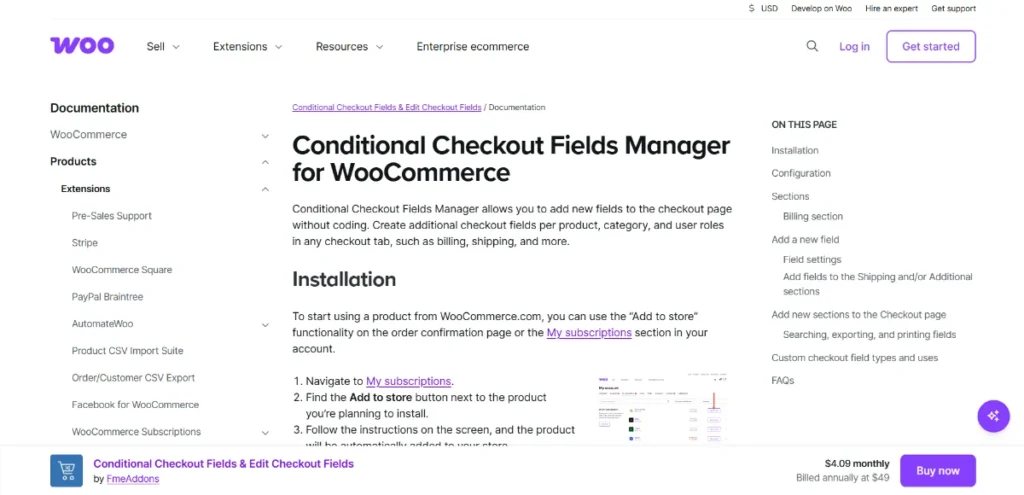
Features and Selling Points of WooCommerce Conditional Product Fields at Checkout
This plugin comes packed with essential features to optimize checkout for your WooCommerce store:
- Conditional Logic:
Show or hide fields based on product selection, category, quantity, or other conditions. - Multiple Field Types:
Include text fields, checkboxes, radio buttons, select boxes, date pickers, file uploads, and more. - Custom Validation:
Ensure required fields are completed and validate input for accurate order details. - Flexible Placement:
Display fields anywhere on the checkout page or on specific product pages. - Dynamic Pricing Integration:
Adjust prices or add fees based on selected conditional fields. - Responsive Design:
Fully mobile-friendly for seamless experience on all devices. - Easy WooCommerce Integration:
Works seamlessly with your existing WooCommerce setup, themes, and plugins. - Enhanced User Experience:
Reduce checkout clutter and only show fields when necessary, improving customer satisfaction.
Why Buy WooCommerce Conditional Product Fields at Checkout from Pluginpro.org?
Purchasing this plugin from Pluginpro.org provides several advantages:
- Save 95% of Your Budget:
Get a premium conditional fields plugin without hiring a developer. - 100% Clean Code:
Optimized code ensures smooth performance and WooCommerce compatibility. - Unlimited Website Usage:
Use the plugin on multiple stores without restrictions. - Easy Updates:
Receive regular updates to maintain compatibility with WooCommerce and WordPress. - Instant Access:
Download immediately after purchase to start enhancing your checkout experience. - Premium Support:
Dedicated support assists with installation, setup, and customization.
Why WooCommerce Conditional Product Fields at Checkout Is the Perfect Choice
Dynamic checkout fields improve user experience and ensure accurate order information. WooCommerce Conditional Product Fields at Checkout provides:
- Personalized checkout experience for each customer
- Conditional display of fields based on products, categories, or selections
- Multiple field types with validation for accurate data collection
- Seamless WooCommerce integration and responsive design
- Increased customer satisfaction and reduced abandoned carts
By customizing your checkout process, you can streamline order collection, reduce errors, and enhance the shopping experience.
Conclusion
WooCommerce Conditional Product Fields at Checkout is an essential plugin for WooCommerce store owners looking to enhance the checkout experience with dynamic, conditional fields. With easy installation, flexible field options, and seamless WooCommerce integration, it allows you to collect the right information at the right time.
Purchasing from Pluginpro.org guarantees budget savings, unlimited website usage, clean code, easy updates, and responsive support. Upgrade your WooCommerce store today with WooCommerce Conditional Product Fields at Checkout.