In a competitive eCommerce market, standing out is key. Product Badge Manager For WooCommerce Pro allows store owners to create attention-grabbing badges for products, driving higher engagement and conversion rates. Whether it’s a “Sale,” “Hot,” “New Arrival,” or custom badge, this plugin gives you full control over product labeling in WooCommerce.
This guide covers how to install the plugin, its features, selling points, and why purchasing it through Pluginpro.org is the smartest choice for WooCommerce stores.
How to Install Product Badge Manager For WooCommerce Pro
Installing Product Badge Manager For WooCommerce Pro is simple and user-friendly. Follow these steps:
- Download the Plugin
Purchase or download the plugin from Pluginpro.org. You will get a.zipfile ready for upload. - Upload to WordPress
Navigate to WordPress dashboard → Plugins → Add New → Upload Plugin. Select the.zipfile and click “Install Now.” - Activate the Plugin
After installation, click “Activate Plugin.” You will see Product Badge Manager appear in the WooCommerce settings panel. - Configure Badge Settings
Go to WooCommerce → Product Badge Manager. Here you can create custom badges, set display conditions, and assign badges to specific products or categories. - Preview and Apply
Test the badges on your storefront to ensure correct placement and appearance. Once satisfied, badges will automatically show on products based on your rules.
With just a few steps, you can start enhancing product visibility and boosting sales on your WooCommerce store.
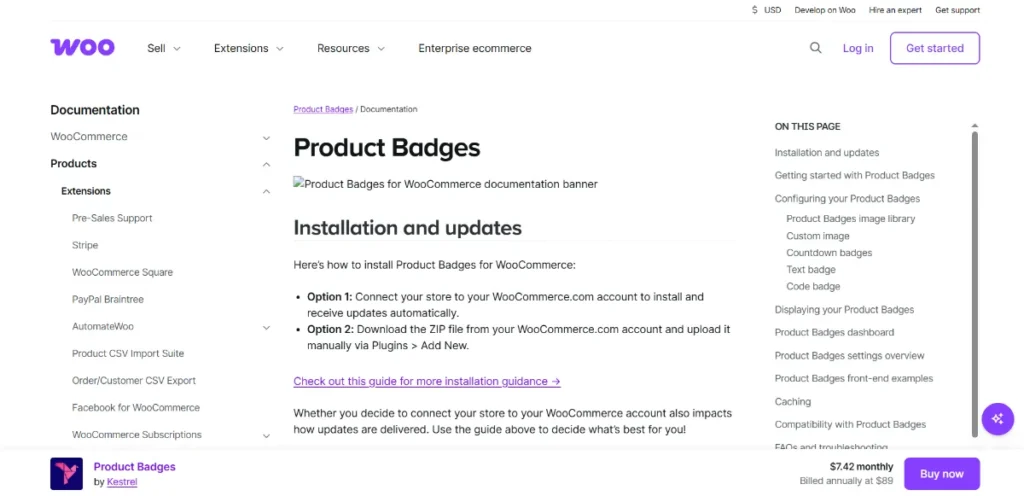
Introducing Product Badge Manager For WooCommerce Pro
Product Badge Manager For WooCommerce Pro is a premium plugin designed to help store owners highlight products effectively. Unlike static badges or manual edits, this plugin allows dynamic, rule-based badges that change automatically based on your settings.
From seasonal promotions to limited stock alerts, the plugin ensures that your customers notice the products you want to promote the most.
Key Features and Functions
This plugin comes with a wide range of features designed to optimize your WooCommerce store:
1. Customizable Badge Designs
Create visually appealing badges using colors, shapes, text, and icons. Tailor the look to match your store branding for maximum impact.
2. Dynamic Display Rules
Set conditions for badge display, including:
- Sale products
- Featured products
- Stock levels (e.g., “Only 3 left!”)
- New products or categories
3. Scheduled Badges
Schedule badges to appear during specific dates or campaigns, such as holiday sales or flash promotions.
4. User Role-Specific Badges
Display badges to specific user roles, like VIP members or wholesale customers, for personalized marketing.
5. Responsive and Mobile-Friendly
Badges are fully responsive and look perfect on all devices, ensuring mobile shoppers don’t miss your promotions.
6. Advanced Styling Options
Customize badge positions, fonts, colors, borders, and animations to create a standout look for your products.
7. Easy to Use Interface
No coding required. The intuitive dashboard allows you to manage all badges with ease.
Selling Points of Product Badge Manager For WooCommerce Pro
Why choose Product Badge Manager For WooCommerce Pro? Here are the main benefits:
- Increase Conversion Rates – Highlighting products with attention-grabbing badges encourages purchases.
- Boost Engagement – Customers notice featured or promotional items faster.
- Dynamic Marketing – Set rules that automatically adjust badges based on sales, stock, or categories.
- Time-Saving – No manual editing needed for each product; rules handle the updates automatically.
- Compatible with Any Theme – Works seamlessly with all WooCommerce-compatible WordPress themes.
- Professional Appearance – Customizable badges enhance the visual appeal of your store.
This plugin gives store owners a professional, automated way to enhance product visibility and drive sales effectively.
Why Buy Product Badge Manager For WooCommerce Pro at Pluginpro.org
Purchasing this plugin from Pluginpro.org provides multiple advantages beyond just the plugin itself:
1. Save Up to 95% on Budget
Get premium plugins at a fraction of the cost of other sources, saving money for other business investments.
2. 100% Clean Code
Verified code ensures smooth performance, security, and compatibility with the latest WordPress and WooCommerce updates.
3. Unlimited Website Usage
One purchase allows you to use the plugin across unlimited websites, ideal for developers and agencies managing multiple stores.
4. Easy Updates
Receive the latest plugin updates and feature improvements with just one click, keeping your store secure and up to date.
5. Reliable Support
Pluginpro.org offers professional support for installation, configuration, and troubleshooting, ensuring you get the best results.
How Product Badges Improve WooCommerce Store Performance
The use of badges in WooCommerce stores is more than a visual enhancement; it’s a strategic sales tool. Here’s how:
- Highlight Promotions – Draw attention to discounts or limited-time offers.
- Encourage Urgency – “Limited Stock” or “Sale Ending Soon” badges create urgency and prompt faster purchases.
- Guide Customer Choices – Help customers easily identify bestsellers, featured products, or new arrivals.
- Increase Average Order Value – Highlighting bundles or upsell products with badges encourages larger carts.
- Enhance Brand Perception – Professionally designed badges make your store look more polished and trustworthy.
By using Product Badge Manager For WooCommerce Pro, you can make your WooCommerce store more dynamic, engaging, and profitable.
Conclusion
Product Badge Manager For WooCommerce Pro is an essential tool for WooCommerce store owners aiming to increase product visibility, drive conversions, and create a professional shopping experience. Its customizable, dynamic, and rule-based badge system ensures your promotions are noticed by every visitor.
Buying the plugin from Pluginpro.org brings extra benefits like cost savings, unlimited site usage, clean code, easy updates, and reliable support, making it a smart investment for any online business.
Enhance your WooCommerce store today and start creating attention-grabbing, high-converting product badges with Product Badge Manager For WooCommerce Pro.